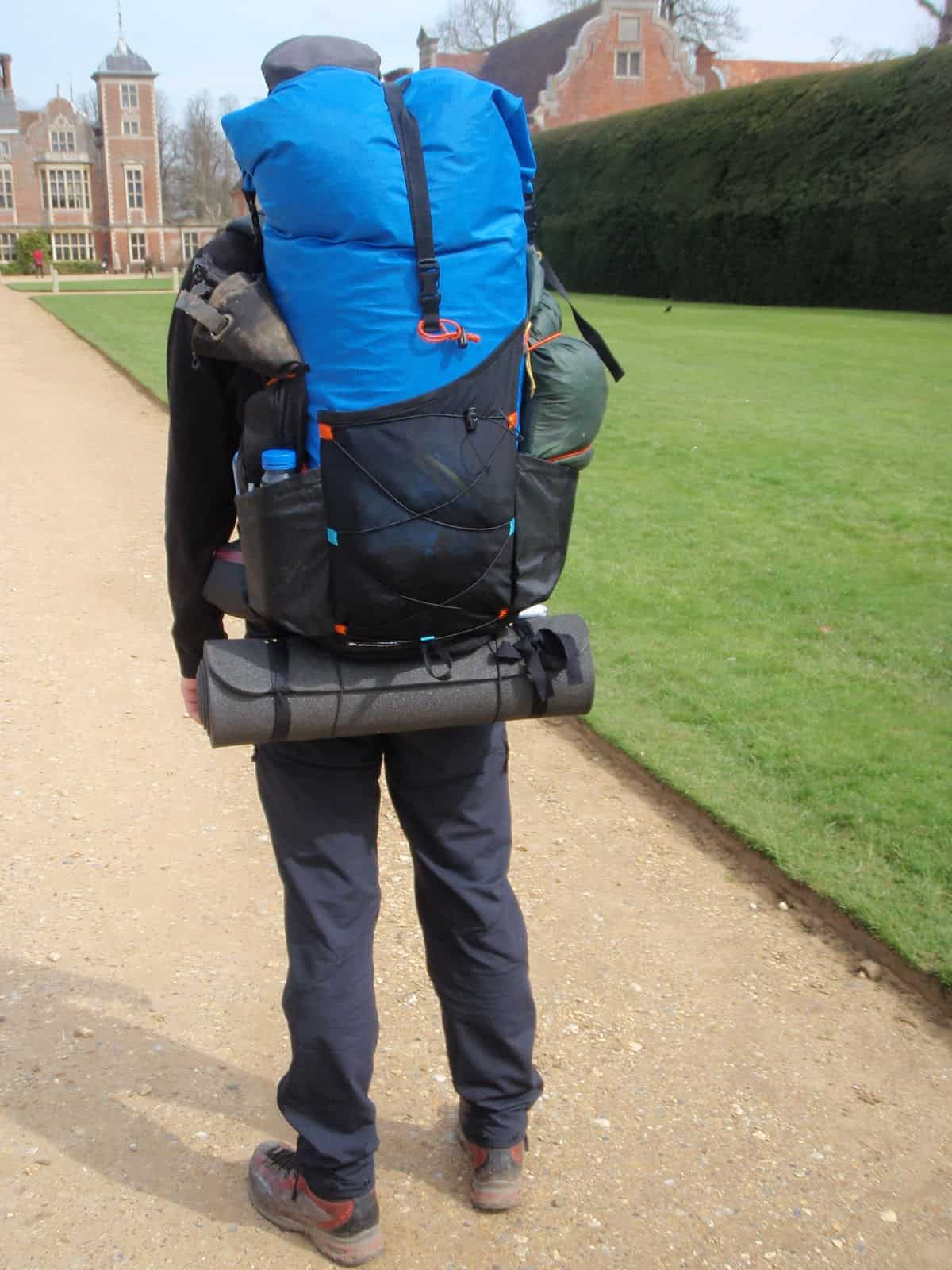
Light and large: our Hyperlite Mountain Gear Porter 5400 Backpack review – a lightweight pack with the chops for carrying large loads.
Introduction
We’ve published other Hyperlite Mountain Gear Backpack reviews here, including the Windrider and the Porter 4400. I’ve used the latter pack on a number of expeditions up to two weeks’ duration without resupply. The heaviest weight I’ve carried in it was around 55 pounds, which contained food, gear, and packrafts for a traverse of the Bob Marshall Wilderness. It’s been the pack I’ve used the most during the past 5 years while guiding for our Wilderness Adventures Program.
On my Bob Marshall trip, I have to admit that 13 days’ of food, plus packrafting gear, filled the 4400 cubic inch volume (72 liters) of the pack quite easily, and I still had stuff strapped to the outside. On that trip, I yearned for a larger pack bag.
So when Hyperlite Mountain Gear released the Porter 5400, my curiosity was piqued. Here’s my quick review.
Front, back, and side views of the Hyperlite Mountain Gear Porter 5400. Photos courtesy of Hyperlite Mountain Gear.
Features
Made in USA (Maine)
Four external, vertical daisy chains for attaching a rear pocket, water bottle holders, or extra gear for trip-specific customization
Removable, contoured aluminum stays
Dyneema® Hardline shoulder straps with 3/8” closed cell foam and spacer mesh
Internal plastic frame sheet for added back panel support
1/4” foam back panel pad
Compression System
Roll-Top closure system with side compression straps for vertical compression
Six side compression straps for horizontal compression
Top Y-strap compression – designed to secure gear
Internal zippered pocket
Dyneema® Hardline dual-density hip belt with 1/8” closed cell rigid foam, 1/4” closed cell foam, plastic stiffener, and spacer mesh
Dyneema® Hardline zippered pockets on the hip belt with #5 YKK zipper
Adjustable sternum strap with self-tensioning elastic
Ability to stow two ice axes on daisy chains
Seam sealing on all side seams and behind all sewn-on pack features
Specifications
Weight (Manufacturer Claim): 3.06 lbs / 48.96 oz / 1387g
Weight (Actual Measured): 3.19 lbs / 51.0 oz / 1446 g
Load capacity: Up to 65 lbs
Materials (listen to the DCF podcast for more details):
Body: DCH150 – polyester laminated to a Dyneema Composite Fabric backing for a total fabric weight of 5.0 oz/yd2
Bottom/Rand: DCHW – 100% woven Dyneema laminated to a Dyneema Composite Fabric backing for a total fabric weight of 5.0 oz/yd2 (but with better abrasion resistance than the polyester-based DCH150)
Volume:
Interior: 5400 cu. in. (85L)
Dimensions:
Top Circumference: 48.5” (114.3cm)
Bottom Circumference: 40.5” (95.3)
Height (fully unrolled): 40.8” (97.8cm)
Back Width: 10.5” (26.7cm)
Review Context
I’ve used the Porter 5400 for much of the past year. The two longest trips I’ve taken with it include an 8-day trek in the Eastern Sierra a few treks across the Absaroka-Beartooth Wilderness. I carried about 45 pounds in the Sierra, and about 25-35 pounds in the Beartooths.
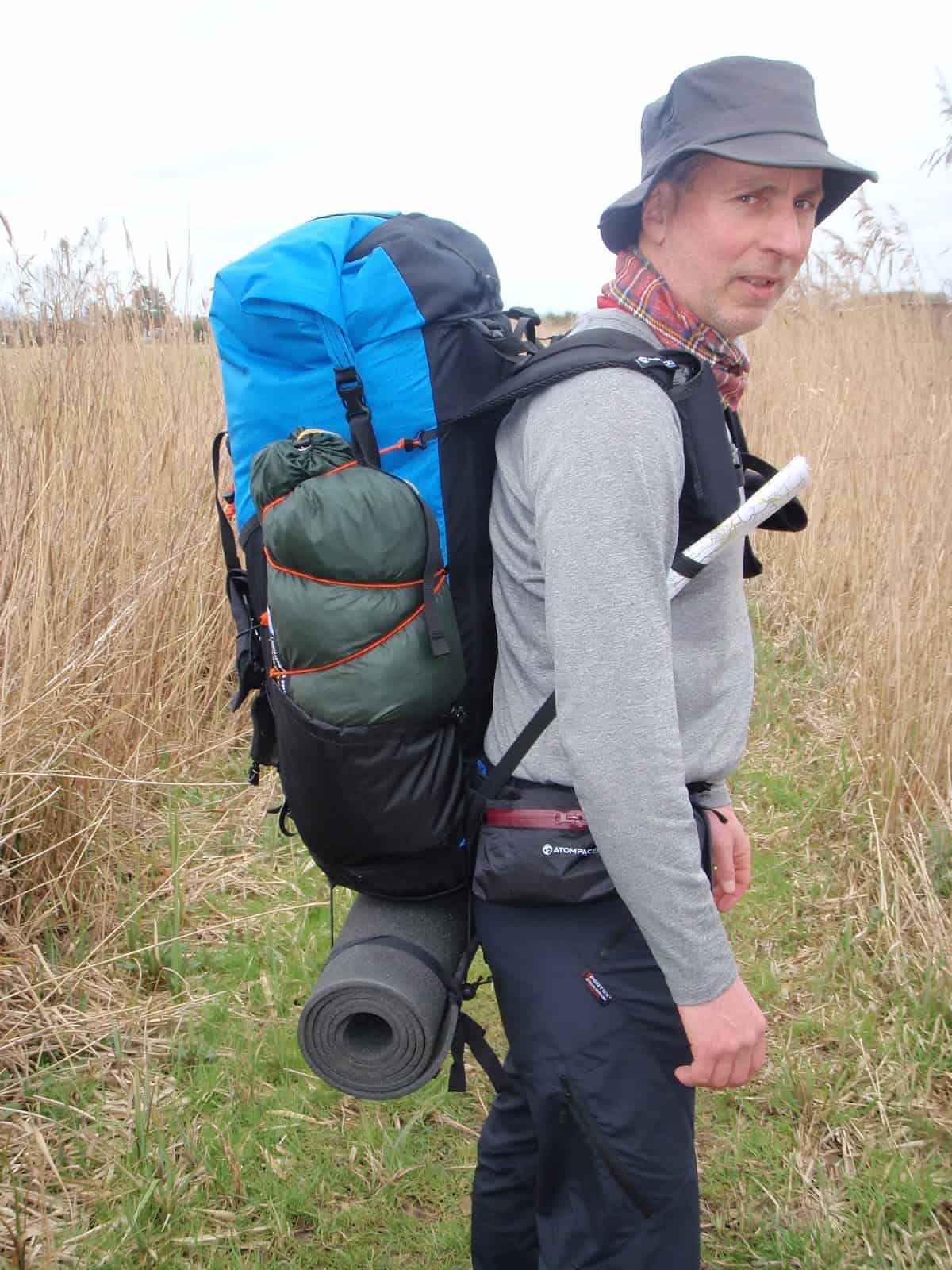
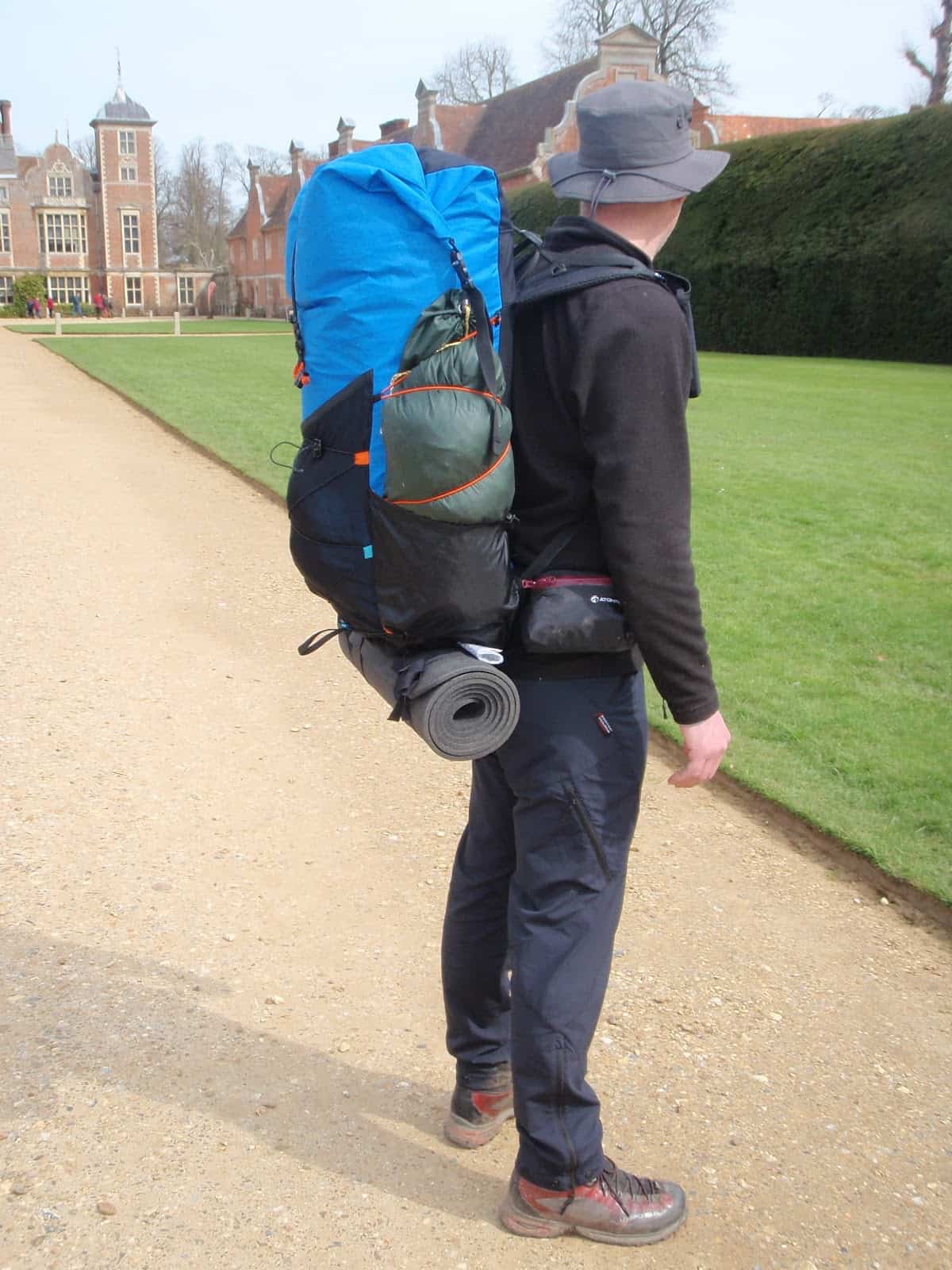
Hiking with one of my favorite people – fellow Backpacking Light Wilderness Adventures guide Jonathan Davis. Where else? Off-trail in the Beartooths, of course! With the Hyperlite Mountain Gear Porter 5400 and the accessory stuff pocket attached to the back.
Strengths
Lots of volume for bulky loads;
Simple design, simple suspension, nice aesthetic;
Extremely low water absorption weight;
Nearly waterproof;
Durable fabrics and non-snagging materials make it good for bushwhacking and scrambling;
Extremely durable bottom/rand.
Limitations
It’s white: it gets dirty;
Simple design limits access to gear without exterior accessory pockets/attachments;
Hip belt pockets are integrated into the curvature of the hip belt and are small, which limits their usefulness for stowing food and other essentials you need to access readily while hiking;
Manufacturer’s load-carrying capacity specification (65 lbs) is rather optimistic if you value comfort.
Commentary: Light and Large, Why?
Hyperlite Mountain Gear backpacks are characterized by the following features:
Dyneema Composite Fabric pack bags with taped seams and roll-top closures for low water-absorption and waterproofing;
Minimalist suspensions featuring thinly padding shoulder straps, hip belts, and back padding; twin aluminum stays; and no load-lifting mechanism to transfer weight between shoulders and hips.
This philosophy works well when load weights are low.
“Low” of course is a matter of personal interpretation.
I’ve debated the merits of pack load suspension systems with Demetri “Coup” Coupounas (founder of GoLite and MyTrailCo) for years. His rationale is simple: all weight is ultimately transferred to the body’s energy systems and how it’s carried is irrelevant. Coup’s packs are frameless, and carrying a 60-pound load in them seems reasonable to him. Glen Van Peski (founder of Gossamer Gear) uses frameless packs as well. But he has a reputation for stashing things in pockets. I’m not sure if it’s to pad his gear weight spreadsheet or if it’s to improve the load carrying comfort of the pack.
On the other end of the Spectrum lies Dan McHale, who vehemently believes that any load above about 15 pounds should be carried in a pack with some type of load-supporting suspension that feels good while you’re hiking – i.e., all-day comfort.
I’ve owned and used packs from GoLite/MyTrailCo, Gossamer Gear, Hyperlite Mountain Gear, and McHale for more than two decades, and I tend to lean towards Dan McHale’s preferences that some extra weight spent on a suspension’s load-carrying performance is weight well-spent if you’re going to spend all day on the trail.
However, suspension comfort comes at a price.
Mesh and padding in the lumbar and back, straps, belts – these features absorb a lot of water and can be slow to dry in very wet conditions. And don’t negate the additional weight that comes with increasing the sophistication of a suspension – webbing, buckles, special fabrics, molded foams, etc.
I own an 85L McHale Windsauk and an 85L (5400 cubic inches) Hyperlite Mountain Gear Porter. The Porter weighs a pound less. The McHale carries heavier (> 30 lb) loads more comfortably.
So that begs the question, is there a place in the market for a pack that can hold an enormous amount of gear, but may not be the most comfortable pack for heavier loads?
I’d argue that the answer is yes, and the Hyperlite Mountain Gear Porter 5400 addresses this unique niche well.
The obvious applications for a light-and-large pack are those cases where gear is bulky, but not necessarily dense (e.g., high weight, low volume):
Packrafting;
Winter travel;
Camping with a hot (stove) tent;
Family backpacking where you may be carrying bulky items for other family members (e.g., sleeping bags, parkas, a large shelter).
One final comment on a particular criticism that I’ve seen levied towards this particular pack as well as other manufacturers who do away with “load lifter strap systems”. Many users feel that load lifters are absolutely essential for heavy loads and that without them, the load pulls you “backward” and creates unnecessary strain on your shoulders. My response to this is fairly simple: the torso length of your pack is too short. Load lifters are not a critical piece of a pack suspension puzzle. Pack fit, on the other hand, most certainly is. Manufacturers, retailers, and users alike are guilty of bad pack fitting. I’m only 5′ 7″ tall, but I have a long torso, and almost always gravitate towards large-sized packs.
The Hyperlite Mountain Gear Porter 5400 is no different – I can comfortably carry 35+ pounds in a size Large pack. But a size Medium? Not so much. The difference is like night and day.
How we acquired these products: Product(s) discussed in this review were either acquired by the author from a retailer or otherwise provided by the manufacturer at a discount/donation with no obligation to provide media coverage or a product review to the manufacturer(s).
We do not accept money or in-kind compensation for guaranteed media coverage: Backpacking Light does not accept compensation or donated product in exchange for guaranteed media placement or product review coverage.
Affiliate links: Some (but not all) of the links in this review may be “affiliate” links, which means if you click on a link to one of our affiliate partners (usually a retailer site), and subsequently make a purchase with that retailer, we receive a small commission. This helps us fund our editorial projects, podcasts, instructional webinars, and more, and we appreciate it a lot! Thank you for supporting Backpacking Light!
The Nemo Equipment Astro Insulated Lite 25L sleeping pad is a plush sleeping pad that adds a touch of luxury to backcountry sleeping. Although discontinued by Nemo, this unique pad may be worth scouring remnant inventory and used gear sales – as of the publication of this review, it may offer the best luxury-comfort-to-weight ratio of any sleeping pad ever manufactured.
Introduction
The Nemo Equipment Astro Insulated Lite 25L sleeping pad is a plush sleeping pad that adds a touch of luxury to backcountry sleeping. This unique pad may offer the best luxury-comfort-to-weight ratio of any sleeping pad ever manufactured.
The Nemo Equipment Astro Insulated Lite 25L Sleeping Pad (Source: Nemo Equipment)
Features and Specifications – 25L
25 refers to the pad width (25 in), and L refers to the long length (76 in). Don’t confuse this pad with the more conventionally-sized Nemo Astro Insulated 20R (20 in wide x 72 in long).
Measurements: 25 in x 76 in (64 cm x 193 cm), rectangular shape
Thickness: 3.4 in (8.6 cm) measured (manufacturer claim 3.5 in)
Thickness at pillow baffle: 5.25 in (13.3 cm) measured
Cost: $149.95
Review Context
I am currently working on an article for Backpacking Light about ultralight luxury. I’m exploring how an ultralight backpacker can add luxury items to an ultralight kit to increase backcountry comfort, enjoyment, and relaxation. For me, a luxury sleeping pad needs to meet the following criteria:
It has to be 25 inches wide for stretching out
It has to be at least 72 inches (6 feet) long
It must be insulated for use in 3+ seasons
It needs to be thick – thicker than my 2.5-inch NeoAir XLite
It needs to be comfy!
These criteria come with a weight trade-off of course – for comparison, the long NeoAirXLite is 16 oz (0.45 kg).
Description of Field Testing
I field tested this pad on a variety of trip types, environments, and weather conditions over a six-month period. I used it on a ten-day canoeing and backpacking trip in Yellowstone National Park, a winter trip off the coast of Olympic National Park, and a glacier climb of Mount Adams in Washington’s Cascade Mountains. Temperatures ranged from 20 to 90 deg F (-7 to 32 deg C) during these trips.
Using the Nemo Equipment Astro pad on a winter trip to Olympic National Park. This is a cushy backpacking setup! Note the closed-cell pad in the background for size and thickness comparison.
At 3.4 inches thick (my measurement), the Astro sleeping pad is 36% thicker than a Thermarest NeoAir XLite pad. It has similar horizontal baffles (i.e., baffles that are perpendicular to the length of the body) that are more comfortable than vertical baffles (i.e., baffles that are parallel to the length of the body), especially on a pad this thick. The additional thickness means that you can decrease air pressure to settle into the pad and still be suspended off of the ground.
The Micro-Adjust valve uses a push/pull mechanism to open and close, and twists to lock.
The Astro utilizes a Micro-Adjust valve to fill, empty, and adjust the air pressure in the pad. The valve extends for filling or to release air in small amounts. It pushes closed and turns to lock. There is no screwing needed with this valve. It’s easy to make small adjustments while laying on the pad – just pop open the valve to release air or to add a few puffs. This is a useful feature in a high volume air pad, where small changes in air pressure can make a huge difference in comfort.
Inflating the Astro takes more work than most other pads. While inflating with lung power is possible, I preferred to use a Camp-Tek Microburst or NeoAir Mini Pump with the pad. An inflation bag is also a good alternative with this pad. Deflation is not as fast as with a “quick dump” valve found on some other pads, but it is typical of many other backpacking air pads. Laying on the pad during deflation speeds things up.
This pad is the large version, which is 25 inches (64 cm) wide and 76 inches (193 cm) long. The added width allows for broad shoulders and gives stomach sleepers room to spread out their arms. Parents can use the extra space to snuggle up with a small child. The length allows tall hikers to keep their legs completely on the pad. This is especially important with a thick air pad because legs hanging off all that height is uncomfortable. You will need to take tent size into account with a pad this wide. For example, two of these pads will fit inside a Tarptent Double Rainbow but will be a bit too wide for a Zpacks Duplex.
The Astro is nearly 3.5 inches thick, with 5.25 inches of thickness at the pillow baffle – THICK by ultralight backpacking standards!
The Astro includes a pillow baffle at the head end of the pad, providing an additional two inches of thickness. For back or stomach sleepers, the additional thickness may be enough to leave a pillow at home. When using a pillow, the baffle holds the pillow in place and boosts a pillow’s height. I was surprised at just how much I loved this feature – it worked well in the field and added a significant amount of comfort to the sleeping experience.
Primaloft insulation enables this air pad to be used well beyond the summer months. I tested this pad down to about 20 deg F and found it to be as warm as most insulated air pads. Compared to a Thermarest NeoAir XTherm, the Nemo is not as warm. I doubt if it would be a great pad on the snow. However, I slept warm in my quilt in a variety of three-season conditions. The Primaloft insulation is attached to the top (green side) of the pad – sleep with the green side up for extra warmth or with the grey side up for summer nights.
The primary drawback of air pads is the potential for leaks. I never experienced a leak while using the Astro, including after two nights of sleeping on rough volcanic gravel. Regardless, carrying a patch kit while using an air pad is always a good idea.
I found the durability of this pad to be excellent. The Astro comes with a patch kit, and the included stuff sack holds both pad and kit.
This sleeping pad is expensive, retailing at $149.95. However, it’s cheaper than a comparable NeoAir and similarly priced to other insulated air pads on the market. I think this pad is a good value, given the features and durability.
Product Strengths and Limitations
Strengths
I am pleased with the performance of the Nemo Equipment Astro. It is a luxury item that I bring on the majority of my trips for the following reasons:
This pad is comfortable. The pillow baffle is a great feature that eliminates the need for a separate pillow for back or stomach sleepers and reduces the pillow thickness needed for side sleepers.
It is warm. I was able to use this pad in below freezing conditions and slept warm. It’s not as warm as my NeoAir XTherm winter pad, but it’s as warm as most three-season pads I’ve used.
The horizontal baffles are comfortable and supportive.
It is durable. After many nights, including two nights camping on volcanic rock, the pad is not leaking.
The Micro-Adjust air valve makes it easy to get just the right air pressure.
$149.95 is a reasonable price for this pad.
I sleep better on this pad!
Limitations
Not all tents have the width for wider pads, especially when sleeping double in a two-person tent. Be sure to check your tent’s width before switching to a wide pad (this pad is available in a standard 20-inch width as well).
It takes significant lung power to inflate a pad this big. A dedicated inflator such as the Camp-Tek Microburst, NeoAir Mini Pump, or an inflation bag like the Exped Schnozzel is very useful when inflating this pad.
The thickness fell a tiny bit short of the manufacturer’s claim of 3.5 in, no matter how firmly I inflated it. I measured its maximum thickness at 3.4 in.
Compared to…
There are quite a few options on the market when looking for large, luxurious air pads. I have extensive experience with the Thermarest NeoAir XLite large and the Big Agnes Insulated Double Z:
I found the Nemo Astro Insulated Lite sleeping pad to be more comfortable than the NeoAir pad. The comfort of the Nemo and Big Agnes pads were much more comparable. The heavier and thicker Big Agnes was more comfortable, but not by much.
The Nemo pad is a half-inch less thick than the Big Agnes Insulated Double Z but has a larger pillow area.The Nemo – 25 in x 76 in (63.5 cm x 193.04) and Big Agnes – 25” x 78” (63.5 cm x 198.12 cm) pads in stuff sacks.
Commentary
I’m sold on the Nemo Equipment Astro Insulated Lite sleeping pad. It is not the lightest of pads at just under 1.5 pounds, but it may provide the best comfort to weight ratio on the market. It has the width to spread out, the length to keep my long legs on the pad, and the insulation to bring it into sub-freezing conditions. The Micro-Adjust valve is easy to adjust while lying on the pad, allowing you to get the air pressure dialed in for maximum comfort. The built-in pillow baffle is a well-thought-out feature. My wife and I loved this pad so much that we bought a second one – no more backcountry arguments over the Nemo pad! I highly recommended this insulated air pad.
Product(s) discussed in this review were either acquired by the author from a retailer or otherwise provided by the manufacturer at a discount/donation with no obligation to provide media coverage or a product review to the manufacturer(s). Backpacking Light does not accept compensation or donated product in exchange for guaranteed media placement or product review coverage. Some (but not all) of the links in this review may be “affiliate” links, which means if you click on a link to one of our affiliate partners (usually a retailer site), and subsequently make a purchase with that retailer, we receive a small commission. This helps us fund our editorial projects, podcasts, instructional webinars, and more, and we appreciate it a lot! Thank you for supporting Backpacking Light!
The Atom is the smallest and lightest backpack offered by the UK’s Atom Packs. It is a specialized tool aimed at the fast and light hiker.
Introduction
The Atom is the smallest and lightest backpack offered by the UK’s Atom Packs. It is a specialized tool aimed at the fast and light hiker. The pack is highly customizable as Atom offers a range of choices in material and features.
The Atom is available in several volumes – all small (30L, 35L, and 40L) – and comes equipped without a frame or hipbelt in the standard configuration. Rather than prioritize load carrying, the Atom keeps the product weight low and focuses on usability with a variety of fast access features and pockets. The Atom is clearly designed as a companion for ultralight high mileage hikers.
Source: Atom Packs
Features and Specifications
Embracing minimalism, I opted for the Atom in the smallest 30L size with a large torso.
Listed Weight: 360g (12.7 oz)
Measured Weight: 417 g (14.7 oz); Note: some, but not all, of the difference between listed and measured weight, can be found in the customizations I ordered in the pack. Mine had one shoulder strap pocket added (+13g, 0.5oz) and bound internal seams (+12g, 0.4oz)
I also opted for the VX21 fabric for the back panel rather than 500D Cordura nylon to increase waterproofness, which shaves 14g (0.5oz).
As I mentioned, the pack is fully customizable, but for the purposes of this test, I went with the standard configuration: two side pockets, two shoulder strap pockets, no hipbelt, and a bottom snack pocket with a trash port. The Atom also has a stretch mesh front pocket, haul loop, and a roll top (which clips to itself but does not strap down at the sides).
Commentary
My first impressions of the Atom were dominated by how diminutive it is. You need to have a highly refined kit to get more than a day’s worth of food in the 30L Atom. I can fit three to four days worth of food in the pack while running with a base weight kit of about six pounds. A more typical but still ultralight and compact solo kit allows about two days of food, while a bulky kit barely allows for food at all. The pack is at its best with a seven to eight-pound kit, two days of food and Tenkara fishing rod tucked along for a weekend of wandering.
My initial impressions of quality are favorable. The pack passes my “quick quality” test, which is to ask “is it nicer than something I could sew myself?” I found a wiggle here and there on close inspection of the seams, but overall it’s put together well. The internal seams are bound and have a sturdy and professional look and feel.
Once on the trail, it’s obvious that the shoulder straps are well-designed. They have an S-curve shape that hugs the shoulders well and ensures the pack stays in place, although I still value the sternum strap for stability when jumping over trees and other technical maneuvers. For this same reason, I wish I’d added the optional webbing hipbelt. I’m happy to carry 15 – 20 lbs on my shoulders, but a webbing belt would be valuable to keep the pack stable during those times when I’m scrambling over boulders or bending to tie my shoes.
S-shaped shoulder straps offer a secure fit.
The shoulder strap pockets are a treat. They are sized well for items like a phone, GPS unit, or snacks. The pockets hold these items securely while remaining accessible. Atom Packs took a bit of a design gamble with a basic fixed elastic opening, but they judged well, and the result is a simple, easy to use pocket (no fiddling to cinch and uncinch it). The upper size limit for these pockets is my Nikon W300 camera, which is a little larger than many point-and-shoot cameras and just squeezes in. The side pockets are of average construction. They work fine but are hard to reach – they sit a bit high as the pack is shorter than average.
The bottom pocket is a revelation in pouch convenience. It works well for any item that is too large for the shoulder or hip belt pockets but needs to remain handy. You can stash food, windshirts, and maps here and retrieve them rapidly. The trash port into the back of this pocket is also a smart touch. It’s a bit hard to find when reaching blind, but this improves with use, and it’s a nice secure place to store trash on the go. While handy, the use of stretch mesh on the bottom of the pack is a trade-off between durability and convenience. It’s another example of how specialized this pack is – well suited for light hikers who take care of their gear and push big miles, but not a good fit for folks that favor heavier gear or are hard on packs.
Less ideal uses include multi-pitch trad climbing……and ski mountaineering.
Compared To
The closest competitor to the Atom is the Simple V2 pack from Palante. The Simple V2 offers a similar feature set including a bottom mesh pocket, but the Atom has the advantage of being a bit lower-priced and fully customizable. If you’re experienced with packs this light, and you know what you want, the Atom provides the opportunity to get exactly that.
Other packs worth comparing to are the Katabatic Knik (42L, +14 oz), Zpacks Nero (30L, +11 oz) and Flow Pack (35L, +10 oz) from Little River Packs. Generally speaking, the Atom stands out by offering more refined construction and full customization.
Closing Comments
The Atom is a pack for hikers who have their gear pared down to a minimum, and a fastpacking hiking style that matches the pack’s focus on minimal loads and quick access to essentials. It will be interesting to see how well the weight vs. durability trade-offs (like the mesh bottom pocket) hold up after substantial miles. Durability and usability on high-mileage treks with a minimal kit will be the focus of my longer-term review of this pack, which will be published here later this year.
Product(s) discussed in this review were either acquired by Backpacking Light from a retailer or otherwise provided by the manufacturer at a discount/donation with no obligation to provide media coverage or a product review to the manufacturer(s). Some of the links in this article may be affiliate links. If you follow one of those links to a retailer’s website and subsequently make a purchase, we’ll receive a small commission on the sale, at no additional cost to you. This helps us create new content at Backpacking Light, and we greatly appreciate your support!
The MSR PocketRocket 2 Mini Stove Kit is a complete cook-and-eat solution for one person, featuring a stove, pot, bowl, lid, and pot lifter.
Introduction
The MSR PocketRocket 2 Mini Stove Kit is a complete cook-and-eat solution for one person, featuring the MSR PocketRocket 2 stove, a .75L (16-23 oz) anodized aluminum pot, bowl, transparent lid with drinking/straining ports, and an ultra-light pot lifter. I have used the MSR PocketRocket 1 (PR 1) stove system for many years. It has always been a compact and trustworthy cooking system. MSR pushes those features even further with this new design. It retails for $79.95.
Source: MSR.
Features and Specifications
Total weight for the PR 2 Mini Stove kit including burner unit, 1-liter cooking pot, pot grip, eating/drinking bowl, and stuff sack is 9.8 oz (278 g). Adding a can of isobutane fuel (which will fit inside the stove kit) at 7.4 oz (210 g) brings the entire stove kit and fuel to 17.2 oz (488 g). The MSR isobutane fuel containers hold 3.9 oz. (110 g) of isobutane. The MSR isobutane rates as a four-season fuel for use on cold winter trips.
The following table provides a comparison of weight and specs between backpacking stove / cook kit models.
Make
Model
Liquid capacity
Stove kit weight w/o fuel
Fuel weight
Total kit weight for use w/fuel
MSR
PR 2
0.75 liters (.79 quarts)
9.8 oz (277.82 g)
7.4 oz (209.78 g)
17.2 oz (482.50 g)
MSR
Windburner
1 liter (1.05 quarts)
15.5 oz (439.41 g)
7.4 oz (209.78 g)
22.9 (649.20 g)
Jetboil
MicroMo
0.8 liters (.84 quarts)
12 oz (538.64 g)
7.4 oz (209.78 g)
26.4 oz (748.42 g)
Jetboil
Flash
1 liter (1.05)
13.1 oz (371.37 g)
7.4 oz (209.78 g)
20.5 oz (581.16)
Note: we previously reviewed the MSR Windburner here – it’s worth reading that review in the context of this one so you are familiar with the tradeoffs between weight, wind performance, and fuel efficiency for an integrated system like the Windburner vs. a standard canister stove system like the Pocket Rocket.
All the components of the PocketRocket 2 cook system nest down within one another, a new feature and a vast improvement over the previous iteration (see photo for comparison). This feature leads to a reduction of about 50% volume and slightly less weight over the PocketRocket 1 cook system.
Source: MSR.
While an intrepid ultralight backpacker can build a lighter cook kit using thin-walled titanium cups, carbon fiber pot lids, 1-oz canister stoves, and the like, the PocketRocket 2 kit represents one of the lighter and best-integrated systems for self-contained packaged kits on the market.
Comparison of PR 1 (left) and PR 2 (right) showing cup/bowl, fuel canister, boiling kettle, and burner unit. All items are inside the PR 2 stuff sack on the right while the PR 1 requires separate components and more pack space.
Performance Assessment
The performance of the MSR PR 2 is rated at boiling 1L of water in three minutes, thirty seconds with an output of 8,000 BTUs. MSR rates this stove to burn at the maximum flame for sixty minutes using a 3.9 oz isobutane canister. If one assumes that each one person hot meal will require two cups of water and four minutes to boil, each 3.9 oz isobutane canister will provide hot water for fifteen meals.
MSR did a good job packing useful design into a small package. As you can see in the comparison photo, the PR 2 is even more compact than the PR 1. The new design allows the three pot support arms on the burner unit to twist and fold down, making it tiny enough to nest inside the 0.75-liter pot that comes with the stove kit.
My original PR1 along with the GSI kettle. Note the red plastic case for the burner unit. Thumb drive for scale.
This design is an improvement over the PR 1, which required a red plastic case for the burner unit because when you folded the potholders, they pointed up and could punch through a pack. With the new foldable design, you are free to leave the plastic case behind and lighten up even more.
The burner units of the PR 2 on the left and PR 1 on the right. Thumb drive for scale.Burner units of the PR 2 (left) and PR 1 (right) with the pot holder arms folded. Note how compact the PR2 burner unit is with the arms folded. Thumb drive for scale.
Commentary
The PR 2 does not come with a fuel canister holder, which makes the stove unit and water in the pot more stable and safe. Without one of these, it would be a snap to upset a pot of boiling water, putting you at risk of a hot water injury and or loss of hot water. In my opinion, a stove with a liter of hot water on it is too unstable to use without a canister holder – the center of gravity is too high, and the ground surface in your camp is likely to be somewhat uneven.
Fuel canister stand on an isopro fuel container.Folded fuel canister holder.
The PR 2 also lacks a windscreen. I have used a PR 1 for years in a variety of situations (including alpine environments and stormy evenings) and have never needed a windscreen. The PR’s power, along with a minimal amount of shelter, makes one unnecessary. However, if you desire a windscreen, I suggest rolling up some heavy duty aluminum foil and packing that along. Windscreens for canister stoves have been discussed at length here previously in articles here, here, here, and here.
The PocketRocket 2 is designed to fit in a minimal space in your pack in a compact volume (about four by five inches). The weight of the cooking unit including fuel is 17.4 oz (487 g), and that includes burner, fuel canister, 110 g of fuel, a bowl/drinking cup, handle for pouring, and a lid. An added fuel canister holder for cooking stability will add about an ounce. This system is a reasonable investment if you are looking for a well-designed lightweight backpacking stove and cook kit.
The kit can be lightened by about two ounces by leaving the plastic mug at home, replacing the stock pot grabber with a carbon fiber one, and replacing the plastic lid with a carbon fiber lid.
Editor’s Note – I used this stove and cook kit while on a media trip in the Wind River Range (Wyoming). I can echo all of Chris Servheen’s observations – with one addition. One cold morning (pre-coffee) I placed the cooking pot on the stove and ignited the burner … only to immediately melt the eating/drinking bowl which I had failed to remove from the bottom of the pot. The bowl is clear and when nested onto the pot is easy to miss. Normally I would chalk this up to human error brought on by inattention on an early morning. However, several other professional gear reviewers on the trip mentioned that similar things had happened to them or their acquaintances. Even representatives of Cascade Designs noted that it was a common problem. It’s no reason to avoid this piece of gear – but be vigilant! – Andrew Marshall
The manufacturer provided complimentary samples of the products in this review with no obligation required to publish a review. Some links in this review may be affiliate links: if you click on a link and place an order with one of our affiliate merchant partners, Backpacking Light receives a small commission on the sale, at no extra cost to you. These commissions help support our website and create new content – and we’re grateful for your support.
Hummingbird Hammocks offers a variety of Made in the USA hammocks and accessories including three hammocks, two hammock tarps, a bug net, and other accessories. They have some unique features such as Button Links that eliminate the need for carabiners and integrated tree straps with whoopie slings which simplify the suspension system and make setup very easy. They also offer what is likely the lightest hammock on the market – the Single Hammock, which weighs a scant 5.6 oz. Can the lightest hammock also be the most comfortable?
The ThruNite Ti3 is a diminutive but rugged little flashlight that can produce as much as 120 Lumens of brightness on a single AAA battery.
Introduction
The ThruNite Ti3 is a diminutive but rugged little flashlight that can produce as much as 120 Lumens of brightness on a single AAA battery. It is worth noting that the Ti3 at 18 g (.63 oz) with battery is somewhat lighter than any headlight I have, even my UL MYOG models which start at 52 g (1.8 oz). This weight difference alone makes it worthy of consideration as a piece of ultralight gear. The Ti3 arrived with an explanation that ThruNite has a newer production version coming out shortly.
Photo: ThruNite
The Ti3 arrived in a small tin box with all the accessories stored away inside under the foam. There’s a clip as shown here and a little clip on some chain, all of which I quickly discarded.
Instead, I made a loop of fluoro nylon string ( I used 330 mm), large enough to easily slip over my hand but small enough that it would not fall off.
The genius of the Ti3 rests in its size to brightness ratio. A single AAA Lithium battery powers it. The flashlight is only slightly larger than the battery itself. That is TINY! The marginally larger head contains the electronics that handle the modes.
Features and Specifications
Price
16 USD
LED
Cree XP-G2 R5
LED life
20+ years
Length
70 mm (2.75 in)
Diameter
14 mm (.55 in)
IPX-8 waterproof to
2 m (6.56 ft)
Made in
China
Weight without battery
12 g (.42 oz)
Weight with AAA lithium battery & string
17.7 g (.62 oz)
Firefly mode
0.04 Lm, 115 hr life
Low mode
12 Lm, 6.3 hr life
High mode
120 Lm, 0.5 hr life
The flashlight first activates in Firefly mode, the lowest power setting with the most extended battery life (115 hours). You can bump it up to a higher power by turning it off and on again quickly. Do that three times, and you get a high power strobe operation. You get back to Firefly mode by leaving the light off for >10 seconds.
You activate the light by screwing the head of the flashlight down onto the body a bit. In effect, you are screwing the contact in the head of the flashlight down onto the battery. This action can be achieved with the thumb and forefinger while the rest of the fingers hold the body of the light. No actual switch or button is required!
The head of the flashlight is not loose on the body: there is a replaceable O-ring between the two parts which makes the twisting operation smooth and keeps the light waterproof. ThruNite provides a replacement O-ring. It was hard to measure, but my best guess is 9 x 1 mm. ThruNite recommends a minimal amount of silicone grease when replacing the O-ring.
You could compare the Ti3 with any of the button flashlights on the market – the ones generally based on a CR2032 coin cell battery. Button flashlights are smaller and lighter, but we would be talking about just a few grams difference here – in one case 16.5 g (.58 oz) vs. 17.7 g (.62 oz). The big difference to my mind is the expected life of the battery. The button cells, typically CR2032, are rated at 250 mA.hr at a trickle discharge rate, significantly less at a flashlight discharge rate. Those button batteries are designed for low-power uses. The AAA Lithium battery, on the other hand, is rated at 1250 mA.hr at a significant discharge. The official specifications don’t go as low as the Firefly mode. The AAA battery has much more guts.
Field Testing
I found the Ti3 extremely simple to use in practical situations. I was able to quickly orient it in the dark and activate it with one hand. Firefly mode is all one would need in a tent – it is quite bright. Outside the tent, the Firefly mode is still bright enough for casual excursions, while the battery life is long enough that I didn’t feel the need to keep turning it off and on. I just let it dangle from my wrist on the string loop.
Commentary
The Ti3 is a featherweight flashlight that punches far above its class. The ease of use, powerful AAA battery, and rugged construction are all attractive features. The holding loop was easy to modify and the Lumens provided in the low power Firefly mode are more than adequate for interior tent use and casual after dark wanderings. On top of all that, my wife said it best.
The manufacturer provided complimentary samples of the products in this review with no obligation required to publish a review. Some links in this review may be affiliate links: if you click on a link and place an order with one of our affiliate merchant partners, Backpacking Light receives a small commission on the sale, at no extra cost to you. These commissions help support our website and create new content – and we’re grateful for your support.
The Hyperlite Mountain Gear REpurpose water bottle is a recycled aluminum bottle developed with the lightweight outdoor community in mind.
Introduction
The Hyperlite Mountain Gear REpurpose water bottle is a recycled aluminum bottle developed with the lightweight outdoor community in mind. Thoughtfully crafted by the only metal bottle manufacturer in the US, carrying this bottle not only lightens your load, but it also reduces your carbon footprint and gives back to the community.
This single-walled bottle weighs only 5.8 ounces when empty and 32 ounceswhen full. The REpurpose bottles comes with a dual-loop, quarter-twist cap that makes it easy to attach, seal, and keep track of with minimal effort when you are out and about. Made with fully repurposed materials, this durable bottle can be recycled even after it has lived its last day on the trail with you.
Features and Specifications
Features
Made in Washington State, USA
Baked on, BPA-free TrueShield food grade coating inside and out
Quarter-twist cap with double loop attachment points
Bottle and cap are fully recyclable
Smooth (white) or textured grip (black) finishes available
Specifications
Material (bottle): Repurposed Aluminum
White Bottle Weight: 0.36 lbs, 5.80 oz, 165g
Black Bottle Weight: 0.36 lbs, 5.90 oz, 167g
Height: 10 in, 25.4 cm
Diameter: 3.18in, 8.08cm
Commentary
I found this bottle after a (surprisingly difficult) search for a metal bottle under 6 ounces to replace my plastic water bottle habit. Of course, a disposable plastic bottle is the holy grail go-to for the ultralight community, but I wanted to lessen my footprint and move away from plastic in my consumables. The popular metal-bottle options can weigh up to about a pound when empty, and I wanted a metal bottle that weighed less than half of that. I finally found it in the Hyperlite Mountain Gear REpurpose bottle at a measly 5.80 ounces.
I was surprised by the REpurpose bottle’s lightweight feel (especially for a metal bottle). Every fellow hiker and coworker that’s taken an interest in it responds with a “Wow!” after picking it up. This bottle comes with TrueShield inside and out, a BPA-free, food-grade coating so no odors or tastes will transfer to or from the metal. It also makes it easy to clean. A quarter-twist cap (with double loop attachments that makes it easy to secure to your pack) shaves weight that would be added by a fully threaded twist cap.
Available in two finishes, white/smooth and black/textured, each has their own benefit. The white/smooth bottle is a tiny bit lighter for the self-proclaimed gram weenies out there, and the black/textured version offers a better grip and is less likely to slide out of your hand or pack pocket when out on the trail.
The lightweight trade-off for this bottle is the single-walled construction. The REpurpose is not insulated – it will hold boiling water but it will not protect your hands from the heat, or keep your ice cubes icy for 24 hours like the heavier insulated bottles are able to. The single-walled construction is more likely to sweat in the summer months and freeze when you’re out on the trail in winter.
Overall, Hyperlite Mountain Gear stayed true to their name with this lightweight bottle. Unless you have an external sleeve or insulation, it probably won’t replace your all-season double walled do-it-alls but might be a good option if you want to move away from plastics.
The manufacturer provided complimentary samples of the products in this review with no obligation required to publish a review. Some links in this review may be affiliate links: if you click on a link and place an order with one of our affiliate merchant partners, Backpacking Light receives a small commission on the sale, at no extra cost to you. These commissions help support our website and create new content – and we’re grateful for your support.
Over the summer months Ryan and Andrew are taking a break from the long format episodes to bring you a few different variations on the podcast. This episode features a conversation with a few of the Backpacking Light Wilderness Adventure guides. Kevin Fletcher, Dan Wielenga, and Adam Van Zee all joined Ryan in the Beartooth Wilderness in June for a guide training. In the car on the way home, conversation turned to the philosophy and “soft skills” of ultralight backpacking.
Later in the episode, Ryan gives a brief rundown of the new Garmin inReach Mini and previews the upcoming BPL Trekking Poles gear guide. Andrew is moving to Lake Tahoe and considering a 2019 PCT thru-hike.
Outline
Ryan and Andrew introduce the episode format
Ryan introduces the guides he will be talking to
Guest interview, Round Table Format: Backpacking Light Wilderness Adventure Guides Kevin, Dan, and Adam
How to define ultralight backpacking?
Simplicity
Weight range 15 – 25 pounds
Doesn’t necessarily mean having super high end gear
What works for you?
Length of trip (expedition style) can mean heavier packs even if ultralight skills and ideas are being practiced
Base weight vs food weight
Ultralight is a mindset
Ultralight can often be misinterpreted
Does the classic “cutting the handle off the toothbrush” move automatically make you an ultralight backpacker?
It’s a first step!
Ultralight backpacking is a methodology
Application of methodology across different types of trips
Skills, techniques, certain types of gear that allow you to simplify systems
Streamlined systems
Focus on experience
Reducing complexity leads to a reduction of packweight—in general
Multi-use items
Some ounces are worth adding for the sake of experience
Those items and that experience is different for everybody
Baking soda vs toothpaste
Going light helps you have a better experience
Searching for the optimal experience is a process that involves subtracting and sometimes adding weight over time
The search for simplicity is also an individual pursuit
How minimalism is misunderstood
Not just about what is necessary vs not necessary
What adds value?
Item evaluation and how to determine if it enhances experience
One item at a time
Research
Can it be lighter? Can it be eliminated?
Hiking in groups where not everyone is lightweight
How much are folks enjoying the experience?
How tradition and lack of experimentation leads to a mistaken belief about the importance of items
Education
Exploring the idea that certain pieces of gear are necessary for certain experiences
Depth vs breadth of experience
Lightweight backpacking as a gateway for family / loved ones
Ultralight backpacking = more fun?
Intentionality and research
Cottage gear companies
Systems
Changing one part of the system often leads to changing other parts of the system
Enjoyability of the experience
How much more can you see and experience with a lighter pack?
Travel farther, see more
Options opened up
Durability and quality of gear – how important is it?
What drives your gear choices?
Marketing vs actual needs
Hard Skills / Performance / Longevity
Ultralight octogenarians
Family Backpacking
Children experiencing the wonders of nature
Ultralight methods allow families to backpack enjoyably
For kids the outdoors should be fun
The challenges of outfitting a family with gear affordably
Longer trips with families
Ultralight backpacking as a catalyst for quality time with friends / loved ones
Less investment of time and energy
Lowering the barriers to get to the trailhead
Ryan and Andrew break down the conversation
Pros / cons of solo vs group backpacking
The affordability of ultralight backpacking
What is ultralight backpacking about?
Materials?
You can go as light as possible and spend a lot of money, or you can go ALMOST as light as possible and spend far less
Hard skills and gear vs philosophy, soft skills, and relationships
Gear
Garmen InReach Mini
Two way satellite messaging
Allows wilderness trips at times when zero communication is not an option
Pairs with smartphone
Half the size and weight of the old InReach
Huge step forward
Bluetooth pairing to phone
Using device for messaging without the smartphone is extremely clumsy
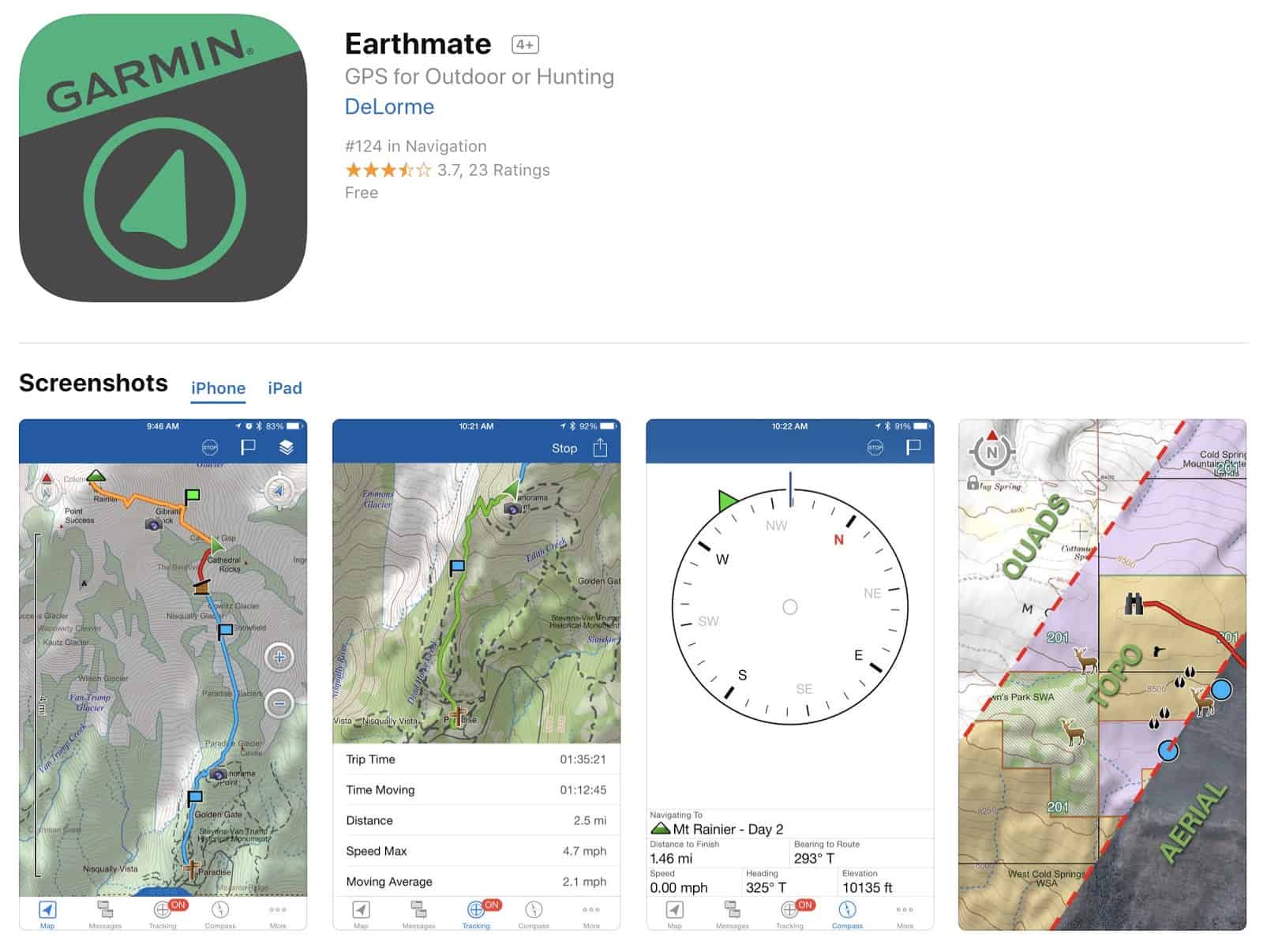
Smartphone needed for messaging / mapping
Retails for $350.00 plus service plans
Check out the review on the website! Link below.
Here and Now
Ryan and Chase backpacked the Snowy Range and went off trail
Ryan is hip deep in trekking poles, screening over a hundred models for the upcoming Trekking Pole gear guide
Poles are still pretty heavy in general
Folding poles
Durability of poles over time
Shaft material
Common failure points on poles
Personal trekking pole preferences
Trekking pole strategies for getting your hands free quickly
Sponsors: Help us Keep the Podcast ADVERTISING-FREE!
This episode of the Backpacking Light Podcast is supported and kept advertising-free by Backpacking Light membership fees. Please considerbecoming a member which helps support projects like this podcast, in addition to a whole slew of other benefits!
In addition, some of the links on this page may be affiliate links that refer to our partner merchant retailers. If you follow a link and then make a purchase, we receive a small commission which goes a long way towards helping us pay for podcast production, hosting, and bandwidth fees! Thanks for supporting us in this way!
Contact
You can contact us at podcast@backpackinglight.com, or follow us on social media –
This Tritensil Review features a knife/fork/spoon set done in hard plastic. You can reassemble to make a long-handled spoon or fork.
The concept of the Tritensil® came about from over twenty five years of first hand wildland firefighting and military experience. The weight and volume limitations of these two communities extends to almost every other outdoor adventure. When you have to carry all of your gear, there is an old saying that ounces equal pounds and pounds equal pain. By combining a scalloped knife into the spoon handle, the Tritensil provides the full capabilities of a fork, spoon and knife in a two piece set. Whether the main course is soup or steak and yes, this knife will cut steak, the Tritensil will have you covered.
The Patented interlocking handle design provides a nesting configuration for compact storage without the need of special clips, bands or cases. Not only are the fork tines and knife protected from damage while nesting but the storage configuration keeps the two Tritensil pieces snuggly secured to each other minimizing the chance of loss and unwanted noise. The interlocking design also allows the Tritensil to be configured into an extended Spork almost doubling the overall useable length for those times you may find yourself eating out of a pouch. Learn more at https://www.tritensil.com/
How the bits clip together.
Features and Specifications
The Tritensil is made from a proprietary BPA, BPS and BPF Free, RoHS Compliant, FDA Food Grade Polymer making it lightweight.
Standard:
20 g (0.7oz)
MSRP: USD $9
Mini:
8.5 g (0.3oz)
MSRP: USD $7
Colours red, blue, orange, pink, purple and ‘tactical green’ which is almost grey.
Someone mentioned these in a BPL Forum thread and they looked interesting, so I contacted the company to see if they were interested in a product review. They were, so I suggested they send me a couple of sets. They sent me a box full!
What to do? Clearly, the best path would be to farm most of the sets out to other known BPL members, to get their comments as well, so I did. The call went out to Australian members as the cost of postage back to the USA would have been too high. So we will start with my comments, then go on to comments from others.
Photo: Tritensil.
Commentary by Roger Caffin
It’s a knife/fork/spoon set done in hard plastic. There is a fork with a medium-length handle, and a spoon with a knife for a handle. The set comes neatly packaged together. You need to read the instructions to be able to separate the two bits – they come apart with a definite click. The interesting thing is that you can reassemble the two bits to make a long spoon or fork: good for getting to the bottom of deep pots and bags.
In fact there are two versions: a standard size and a mini size. Most of our comments are about the standard size bits as most of us thought the mini size was too small. It will be clear when the comments apply to the mini size.
The spoon size and shape are OK. The bowl has a good shape and size for holding stew and soup, and does not have spork slots (tines) which make the bowl less practical for anything liquid. The knife handle on the spoon is a bit strange. As mentioned, you can clip the fork onto it to make long handle. That does mean you have either a spoon or a fork – and possibly a slightly messy hand when the other end dribbles downwards. Well, yes, a bit um: lick fork clean first. Without the fork extension the spoon handle is a bit short, but still usable.
The fork was more difficult to test as I don’t normally carry one. Perhaps think of it as a freebie part of the extended spoon handle. That said, the tines are very strong and wedge-ended for penetration. Not sure any of our bushwalking food would need that. I tested the tines at home on the hard biscuit crust of a quiche my wife made: they went through the crust with no problems.
One reason the tines are so strong is that they are bigger/fatter than metal tines. I found that trying to pick up a lump of cooked potato or pumpkin tended to split the lump rather than pick it up. Oh well – back to the spoon.
I have little faith in knives made of anything other than steel: in general they don’t work. However, while this knife looks blunt, the serrated edge was strong and did cut quite a few things like wholemeal bread, hard cheese and dry sausage (aka salami). It did better than I expected.
However, the asymmetric nature of the edge means the blade tends to shear off sideways at an angle. I found I could compensate for this after a while by seriously angling the blade from the start. That just feels a bit strange. Also, the blade is a bit narrow in my opinion, so that spreading butter and jam is more difficult than with a wider blade. Ah yes – clean the spoon end thoroughly before trying to use the knife end.
Commentary by Franco Darioli
Franco’s range of cutlery, by Franco Darioli. Going from the left we have an Opinal folding knife, a BPL long Ti spoon, a SnowPeak spoon, a Powerport spork (same factory as LightMyFire?), a LightMyFire spork, GSI fork and spoon, an unbranded wooden spoon (ex kitchen?), a bambu spoon (‘bambu’ is the brand) a Sea to Summit spoon, and finally the Tritensil bits.
Having spotted the Tritensils a couple of years ago , I was surprised that there could be a new twist to the Spork/Foon type of eating utensils. That is because over the years I have tried many different versions (I still have some), eventually opting for the long Ti spoon and the Opinel knife (about 50 g combined, feel free to faint now) because they work for me. Most of all I prefer the feel of the wooden spoons but they are not long enough to reach the bottom of my Caldera Cone caddy or the 700ml pot without rubbing against the side. The same applies to the other spork/foon combos. This one, the Tritensil looked promising.
When assembled and used as a spoon it is as long as the BPL Ti version. The fork bit does not interfere with the handling. The knife works for hard cheese and slicing salami but not as well, for me, as my Opinel. However, unlike with my knife, the Tritensil bits leave no taste that I can detect. I deliberately tried tomato based meals as well as curry. The feel in the mouth is good too, better than Ti, at least until Ti warms up.
It is the best version of this type of eating utensils I have tried so far, but I am used to the long spoon/Opinel combo (my only knife) and I have an my emotional attachment to the Opinel (I had one as a kid).
Commentary by Gordon Bedford
Photo: Gordon Bedford.
What can one say about a knife, fork and spoon set? I have used a spoon and a lightweight folding steel knife as standard equipment for years. The spoon is a white plastic polymer material, Lexan I think. I have never bothered with a fork except when car camping. Then along comes the Tritensil knife fork and spoon set.
I liked the colour orange, easy to distinguish from other objects and not lose in the grass. There are other colours available.
I was skeptical of the design at first. Will I cut myself on the knife when holding the spoon? My hands are dirty. Hold it as a spoon and the knife gets dirty. Hold it as a knife and the spoon gets dirty.
I quickly got the knack of clipping and unclipping the two utensils. How long before wear and tear would prevent that, only long term use would tell.
The spoon functioned like a spoon. I didn’t find anything different about it. Holding the knife end felt strange at first but I soon became accustomed though it never felt smooth and easy to manipulate.
I used it in the bush on walking trips twice for a total of three nights. I only took the knife/spoon. The knife has a serrated edge and functioned surprisingly well. I used it to cut cheese and apple.
At home I found the knife cut bread and even roast lamb. Nevertheless it is not designed to cut a big loaf of bread. It was not great at spreading. How long the serrated edge would stay sharp, time will tell. I suppose it could be sharpened with a small round file.
I tested the fork at home. It has an inch ruler along one edge. It is not really a stabbing fork but worked fine on softer foods. It worked reasonably well with noodles. However the wide rectangular design meant it was not as easy to manipulate as a normal table fork.
The knife is inferior to a steel knife. I would still carry my light weight Deejo knife: it is sharper and can be used for a wider range of tasks. It is also easier to keep clean. I have no intention of carrying a fork.
There is a mini set with teaspoon type dimensions. I didn’t review these. My conclusion is that I will not replace my usual spoon and knife with the Tritensil set. However if you like to include a fork to eat with, then it could be worth a try.
Commentary by Simone Zmood
Photo: Simone Zmood.
Overall, we thought the cutlery felt solid and each piece was comfortable to hold. We liked the way the spoon/knife (spife or knoon – what is it called?) and fork clipped together securely and they were easy to separate. Before I provide any more comments, I should give some background on our eating style to provide context for my comments below. When going on multi-night trips we usually have breakfast in a bag at camp or on the track after we have walked for a while, a non-cooked lunch (or all-day scroggin/trail mix), and one-pot meals for dinner so we normally only take a spoon or a spork. Having a piece of cutlery that is long enough to stir the food in the pot without burning fingers is also important to us. Since we did not manage to try this cutlery on an extended trip, I will describe our thoughts on their utility for breakfast and conjecture somewhat for the other eating scenarios.
My husband used the full-sized spoon to eat breakfast out of a zip-lock bag (above). He did notice the serrated edge of the knife whilst he held the spoon but felt it wasn’t a major issue. I used the mini spoon and it wasn’t long enough to easily eat out of a bag without getting food on my fingers but was fine when eating out of a small container. My hands are smaller than hubbie’s so the mini spoon was fine but I also noticed the serrated edge of the knife whilst using it. Since neither of us were cut by the knife, I suspect this is something I would get used to. The shape and depth of the spoon was comfortable to eat from, and the small one still held a decent amount of food.
We often carry fresh food for the first dinner or fresh fruit and veggies for the first few days, so I tested the small knife on a crunchy persimmon (above). My fingers got a bit juicy and I think it would be easier to cut with the bigger knife. Whilst the knife cut well, I still think my little Spyderco Ladybug knife cuts better (and the latter is dual purpose having been used to carve a replacement paddle on an overly exciting packrafting trip). Since the knife is part of the spoon, it would come along on a trip for no extra weight. We didn’t use the fork but it looked solid.
I liked the way the spoon and fork could reverse-clip together to create a spoon with an extended handle. Whilst we didn’t test it, the full-size extended set up would be long enough for our couple cook pot and the short cutlery set would work for my solo kit.
The manufacturer provided complimentary samples of the products in this review with no obligation required to publish a review. Some links in this review may be affiliate links: if you click on a link and place an order with one of our affiliate merchant partners, Backpacking Light receives a small commission on the sale, at no extra cost to you. These commissions help support our website and create new content – and we’re grateful for your support.
This Topo Athletic Terraventure review features shoes that have narrow heels, a wide toebox, and minimal drop.
Introduction
Photo: Topo Athletic
The Topo Athletic Terraventure shoe is advertised as being narrow at the heel but wide at the toe box – this means they do not fit the usual formula for shoe sizing. They only come in one width. Topo Athletic lists these shoes as 4/5 for cushioning, 3/5 for support (1=neutral), and 4/5 for stiffness. They retail for US$110/pair. Topo Athletic sent us two pairs of shoes of size 10.
Here’s a summary of the specs (courtesy Topo Athletic):
First Impressions
Pair of shoes as delivered.
As delivered the new shoes still had that faint manufacturing smell, so we aired them outside for a bit. They came with some funny foot-shaped paper mache inserts to hold their shape. Some brands just stuff the shoe with wadded up butchers paper, others don’t bother. Since the shoes come in a conventional shoebox, I have to wonder whether the inserts are needed.
The soles felt slightly stiff at first, but this is very common. The lacing was in place, up to the top holes but skipping the second top (blue marks in the above photo). The tongue has a lace loop (green marks) through which you thread the laces: that helps keep the tongue from slipping downwards or sideways. The laces were quite long enough and knotted well.
These are trail running shoes, not street running shoes, so they are a bit heavier in construction around the sole. The sole has large lugs which should be OK in mud. Clay might stick, but clay always sticks. The sole felt stiff in torsion, which is good for edging on steep terrain. The rand (obvious in the first photo) is solid so you can kick things without hurting your toes – things like unseen rocks on the track.
The upper has a thick mesh construction for ventilation. This means that water will flow in if you are crossing rivers (and flow out as you walk them dry on the other side!) It also means that dust can get in, although sand not so much as the holes in the mesh are not too large.
The shoe has an almost flat inner sole under a stock removable footbed. There is a very slight contouring in the region of the arch of the foot, but more at the side than underneath. It seemed that there was a noticeable rise under the ball of my foot, but the sole was flat inside. This impression went away after a day or two.
A big claim Topo Athletic makes is that the shoes have narrow heels and a wide toe box. The heel is not all that noticeable, but there are quite cushy heel-retaining lumps (purple markers in the image above) on both sides at top. They were noticeable at first but they faded from consciousness after a short while. However, they do seem to work, preventing my heel from lifting very far.
The tongue has side gussets to help keep dirt and mud out and is adequate in length (it may even be considered long relative to the average trail running shoe, as there is a generous amount of tongue protruding above the top of the lacing). As mentioned, there is a laces loop 1/2 way up (green markers in the image above), which is usually worth using.
The outer uses a fully bonded construction with thin plastic (probably polyurethane) laminated in places to the mesh fabric for reinforcing or decoration. This is lighter than having separate fabric layers or suede sewn on and unlike leather does not shrink when drying out. Apart from the webbing loops used for the laces, there is no other stitching visible on the surface.
We measured the shoe weight as 319 g (11.3 oz) per shoe for a size US 10. I dare say they could be lighter, but they do have a quite rugged sole.
Sizing
Like so many other brands, the shoe size is given with no indication of width, although Topo Athletic claims that the Terraventure has a wide toe box. Well, they do look wide from above – unlike Italian fashion shoes sometimes described as winkle pickers. A very slight drop of ~3 mm from heel to toe is noted. The middle of the shoe (as opposed to the toe region) is not wide – it is meant to hold your foot in place.
Regarding an inquiry about shoe width that I made to Topo Athletic, they replied that “all of our shoes are a standard D, but more towards an E in the forefoot.” This was not encouraging for me, as I normally take a 4E fitting!
Field Testing
Topo Athletic sent us two pairs, both size 10, so both my wife and I did the testing. The first thing both my wife and I noticed was that the shoes are indeed not a 4E in width. This was a problem. However, the toe box is rather more flexible than average. I found that after swapping from our standard thick wool Darn Tough Vermont Boot Socks to thin (nylon) Gobi Wigwam liners, the fit improved a bit. I then changed the lacing to skip one of the lower hole pairs (red markers above) and this also helped. For width reasons I am not sure I would take these on a week-long walk, but they are fine on day walks.
The shoes were delivered with the laces installed to the top holes and skipping the second top. This left my heels feeling a bit loose. While changing the lacing pattern I threaded the laces through both the top holes as well. I usually do this as it seems to make the shoe grip my foot much better. My wife, however, was happy to leave the top holes unused and just use the second top ones.
A subsidiary problem is that my left foot is slightly bigger than my right foot. Some compromise is often needed. In any event, my big toes were a safe distance from the front of the shoe. After some testing, I am left thinking that the shoes may run slightly under-size. That is, perhaps a 10.5 might have been a better fit.
Fast walking on road, track and bush was no problem. Any perceived stiffness in the sole disappeared after the first hour or two. However, I found it essential to leave the shoes laced quite loosely. Are they an E fitting at the front, or possibly a 2E? Either way, the soft mesh sides proved to be fairly conformable.
On the edge of a sandstone scarp.
Going up and down wet and dry sandstone slabs and boulders and along scarp edges showed very good grip on the sole, and a definite lack of twisting. I quickly became quite confident of their grip. Going downhill on very rough terrain was also reliable, including one time when I was perhaps under less control that I should have been (ahem). The soles did work well. Some other reviews say the shoe is responsive: I have no idea what this means as shoes have never responded to me. I think it is marketing gibberish. Nevertheless, it’s generally accepted in the running community that cushioning and responsiveness are mutually exclusive, i.e., a responsive shoe is the opposite of a cushioned shoe somehow.
As far as I have seen, the removable insoles in most joggers are always some type of closed cell foam (CCF). For example, New Balance insoles usually have a cut surface on the bottom face: you can see the cells, and these often hold a little moisture and rather more fine sand. These Topo insoles have a smooth underside (from moulding), and they do not hold water or sand. This seems like a good idea.
However, there is one gotcha to watch out for. The front of the shoe has a heavy rand, as usual, and this curls over onto the top at the front. But the top edge has a significant protrusion on the inside, and the edge of my big toenail did catch on it at times. If you walk with your toes curled up you might have a problem; if you walk with your toes curled down or with nice thick wool socks you will never notice.
Summary
Very solid, good grippy sole, and really not that expensive. They lack “features” like arch support, pronation control and gel soles, which is excellent. They depart from the conventional shape, so whether they will suit your feet or not I cannot say – that’s up to your feet. They would be worth trying on though. Just be aware that they may not be suitable for those with very wide feet.
Where to Buy
Topo Athletic Terraventure shoes are available at REI. Using these buy links helps support Backpacking Light (more info in the disclosure below).
The manufacturer provided complimentary samples of the products in this review with no obligation required to publish a review. Some links in this review may be affiliate links: if you click on a link and place an order with one of our affiliate merchant partners, Backpacking Light receives a small commission on the sale, at no extra cost to you. These commissions help support our website and create new content – and we’re grateful for your support.
This article presents the results of some cursory material construction tests using the newer Dimension-Polyant (DP) fabrics from the LS, VX, and WX families, as well as seam-taping using DP-supplied seam tapes. The context here is MYOG/DIY backpack construction.
Introduction
This article presents the results of some cursory material construction tests using the newer Dimension-Polyant (DP) fabrics from the LS, VX, and WX families, as well as seam-taping using DP-supplied seam tapes. The context here is MYOG/DIY backpack construction.
Tested Fabrics
This shows one of the new DP fabrics LS 07 sewn to an older DP fabric VX 04. The LS 07 consists of a light woven ripstop inner layer bonded to a ‘non-woven’ face layer. I gather that between the two layers there is a layer of plastic film which does the bonding and makes the fabric seriously waterproof and dimensionally stable. This seems to be how some of the Dimension-Polyant fabrics I have tested are made.
The older VX 04 is a very light X-grid fabric which I had: a red ripstop nylon face fabric bonded to a quite light inner fabric with a strong X grid of black threads between them to give diagonal strength.
On the left we have a rear view of the two fabrics sewn together face to face with a single line of Rasant 70 thread with a stitch length of 1.35 mm. Thread tension has been adjusted to put the thread cross-over ‘inside’ the fabrics. In the right we have the face view of the same pair. While the seam has been pressed down with my thumbnail, you can see that the hem region still sticks up. I would almost never use such a single line of stitching on outdoor gear.
This photo follows the above format. The fabrics are labelled. LS 21 is a heavier version of the LS 07. The outer face of the LS 07 is so light you can see the ripstop of the inner face showing through.
These two fabrics represent a different approach. Each one has a stronger inner face fabric as shown at the left. At the right we have the front face of a very heavy layer of plastic film. Sandwiched between the two you can see an X grid as in the VX 04 fabric.
One could in fact argue over which is the ‘front face’ on either of these two fabrics. If resistance to water is your primary concern you would run them as described. However, if abrasion resistance is your primary concern you might well reverse them as the woven fabrics are quite strong. I would particularly note the way the X grid fibres make the plastic film stick up.
Pack Seams
There are all sorts of fancy seams around; this seam is what I use for my packs and a lot of other gear as well. I start with the basic single line of stitching as seen in the previous photos, fold the hem over hard and over-sew a second line of stitching down the middle of the hem allowance (a process called seam felling).
In the far left hand panel of the photo here, the edge of the hem is to the left. The line of stitching on the right is the original seam, and the line of stitching on the left is the second line or the over-sew. This is the ‘back face’.
In the next panel (i.e., middle left) we have the ‘front face’. The single visible line of stitching is the over-sew; the first line is of course hidden.
The middle right panel is the same as the far left panel except the hem is pointing the other way. (I am never perfectly consistent.) The far right panel repeats the middle left.
Depending on the stiffness and thickness of the fabric, the cross-over of the threads (the lockstitch that secures the top and bottom threads during machine sewing) can be well-buried or slightly visible from the top. It does not matter too much as long as the cross-over is not up on the surface. You will note that some of the lines of thread show a slight wiggle. You can eliminate this wiggle by adjusting the thread tension, but increase it just a shade too far and the whole seam may pucker. Trying to straighten the seam out with tension can harm the thread. A slight wiggle will not (in my experience) materially reduce the strength of the seam.
Seam Sealing
Having sewn the test seams, we now move on to the seam sealing tape. This was supplied by Dimension-Polyant, although I privately suspect it is a commercial PU seam seal tape brought in from a specialist manufacture to match their needs. Why not, after all?
The tape has a light side and a dark side and holds the Universe together. Oops, sorry, that’s duct tape. It has a PU side and an adhesive side, with the adhesive being thermally-activated. It is not tacky. There is a slight bow to the tape, with the concave side being the adhesive. Taylor North of Dimension-Polyant gave me these instructions (i.e., answers to the key questions):
What temperature is required to activate it (think domestic iron)? Use the low setting on an iron.
What pressure is required when bonding? More is better :).
Can it bond to the outer DWR surface of something like VX04 (older stuff)? Yes, it should stick well but I didn’t have any VX04 to try it.
What surface should it be applied to with the newer fabrics? Can be applied to either the film side or woven side of the material.
Panel 1 shows the tape bonded onto the VX 04 and LS 07. This was first done through a sheet of paper with the iron set between ‘Low’ and ‘Medium’ (for what that is worth). The tape bonded, but I then tried with the iron directly on the tape (ie no paper). The PU did not melt and adhere to the Teflon-coated iron plate, although it did get a bit soft. I think the ripples near the top may be my thumb-print.
Something to note for later on is that the adhesive seems to have gone right through the light taffeta to the black X grid threads inside. Also to note is that without the second line of stitching to hold the hem down, it is likely that the hem would lift and the tape would quickly wear through.
Panel 2 shows the tape bonded to the LS 07 / LS 21 set, with the LS 21 being on the right. Yes, there really is tape in this photo. You can detect it where it makes a shiny reflection over the stitches and right at the top where the tape is slightly creased. The result looks very good.
Panel 3 is on the other side of the LS 07 / LS 21 set. The tape has bonded fairly well to the somewhat plastic surface, but note the faint cloudiness at the bottom. I left this here as it shows where the tape really needs a bit more heat and pressure. I would not accept that finish on some gear. However, would you put this tape on the outer surface? That is a separate question.
Panel 4 shows the tape on the LS 07 / WX 20 set. Bonding is good to the LS 07 fabric, but not so good to the plastic surface of the WX 20. There are clearly air bubbles along the stitching and over the raised X grid threads. Once again, this could be fixed with a bit more pressure and maybe a firmer substrate under the fabrics.
To really make the point, this photo shows what can happen if you go to fast and too lightly. The white spots are all air bubbles, carefully angled to catch the light. Once again, this fault could be repaired, but it shows rather well what can go wrong, especially with the raised X grid threads. They may be acceptable for sails, but I suggest not for outdoors gear.
Alternatives
This photo shows some seam sealing on the inside of my (MYOG) summer pack. This pack has been through the wringer, with well over 6 months continuous use in Australia and Europe. I will go through some details.
First, the main seam sealing has been done with 3M9485 transfer tape faced with PU-coated 70 denier blue nylon fabric. The adhesive layer is relatively thick and has managed to handle the thin X grid threads. I treat this pack as waterproof. My question here is whether the Dimension-Polyant PU tape would last as long – against abrasion.
The heavier horizontal red fabric has been applied over that part of the pack back which rubs against a horizontal part of the pack frame, to protect the fabric. I try, but things just seem to rub, and this is especially obvious where the black X grid threads are showing through. In fact, in a couple of places it seems the X grid threads themselves have worn through, while the red face fabric has survived (mostly).
Summary
The rather novel LS 07 and LS 21 fabrics need to be field tested. How well will the non-woven faces handle scrub, cliffs and general abuse? I simply do not know. It will depend very much on how well the fibres are embedded into the plastic.
The fabrics with heavy X grid threads are bound to be strong over all, but the thick threads themselves represent serious weak points in outdoors gear. Make these fabrics without the X grid threads and they would be much better – for us. It may be that they would not be strong enough for sails. I am sure the volume of fabric sold for outdoors gear will be a tiny fraction of that sold for sailing.
The heat-bonding PU tape works, provided you use enough pressure and the right temperature. It seems better on the lighter fabrics. However, how long it would last in a high-flex environment with some abrasion – that remains to be seen.
Disclosure
These materials were all supplied by Dimension-Polyant except as noted.
We are currently testing the Garmin inReach Mini 2 and comparing its performance to the original model. Results will be published at this URL in the form of an updated review shortly after Garmin releases the inReach Mini 2 on February 1, 2022.
Browse our curated recommendations in the Backpacking Light Gear Shop – a product research & discovery tool where you can find Member gear reviews, Gear Swap (used gear) listings, and more info about specific products recommended by our staff and members.
The Garmin inReach Mini currently represents a “gold standard” for lightweight satellite messaging devices.
The category of satellite messaging devices includes products that are capable of the following core features:
The ability to trigger an SOS signal to an emergency search-and-rescue network.
The ability to send location/tracking/SMS messages to friends, family, or colleagues.
In addition, some of these devices are capable of two-way messaging (the ability to also receive messages from friends, family, colleagues, or search-and-rescue personnel).
The Garmin inReach Mini falls into this latter category – it’s a two-way satellite communications device and, at only 3.4 oz, represents one of the lightest available devices in this category. Arguably, the Garmin inReach Mini is probablythe most feature-rich and powerful product when compared to all satellite communications devices that weigh less than 5 oz.
Review Rating: Highly Recommended + Guide’s Gear
The Garmin inReach Mini is the smallest, lightest, and most powerful satellite messaging device on the market.
As a standalone device, it offers GPS navigation, two-way messaging, location sharing, and weather forecast retrieval. Paired with a mobile device and the Earthmate app, the Garmin inReach Mini is a highly capable and easy-to-use mapping GPS with a much faster interface for managing and composing messages. The Garmin inReach Mini is tiny in size, light in weight (3.4 oz), durable, waterproof (IPX7), and features a very high-quality build.
In addition to receiving the Backpacking Light Highly Recommended Rating (info here), the Garmin inReach Mini is also recognized with our Guide’s Gear label (info here).
Where to Buy
The Garmin inReach Mini is not yet widely available at specialty retailers. REI online currently maintains the largest inventory.
SOS (ability to trigger an interactive emergency SOS response coordinated with 24/7 search-and-rescue monitoring services via the GEOS network, with response confirmation and status messaging)
SMS (ability to send and receive text messages via SMS-capable telephone numbers and email addresses using integrated virtual keyboard or pairing to a mobile app)
inReach-to-inReach communications (ability to communicate directly to other inReach users via SMS, including location sharing)
Location sharing (ability to share location and tracking points with friends/family via the web-based MapShare portal)
Weather forecasts (ability to request point weather forecasts for current locations and planned destinations)
Smartphone integration (ability to integrate with Apple/Android Garmin EarthMate mobile app for easier messaging and access to additional features, such as mapping, aerial imagery, and NOAA charts)
Wearable/handheld device integration (ability to send and receive messages via other Garmin-enabled devices, including some wearables and handhelds)
Specifications
Network specifications
Satellite network: Iridium
Coverage area: 100% global
General specifications
Physical dimensions: 2.04 in x 3.90 in x 1.03 in (5.17 x 9.90 x 2.61 cm)
Weight: 3.4 oz (97 g) (verified by author)
Impact resistance rating: MIL-STD-810F
Ingress rating: IEC 60529 IPX7 (can be used in rain/snow, can be immersed in water up to 3 ft (1 m) depth for up to 30 minutes
Working temperature ranges
Operating: -4 deg F to 140 deg F (-20 deg C to 60 deg C)
Battery charging: 32 deg F to 113 deg F (0 deg C to 45 deg C)
Battery
Type: lithium-ion (internal) rechargeable
Replaceable? Sort of (see review below for details)
Capacity: 1250 mAh
Manufacturer-claimed battery life: Up to 50 hours at 10-minute tracking with 2-minute logging (default); up to 30 hours at 10-minute tracking with 1-second logging; up to 20 days at the 30-minute interval power save mode; and up to 1 year when powered off
Point location capacity: 500 (waypoints, favorites, locations)
Route capacity: 20
Preloaded maps: None
Ability to add/view maps? No
Aviation-specific software and service integrations
Garmin Pilot App (Android)
Lockheed Martin Flight Services (LMFS)
Adverse Condition Alerting Service (ACAS)
Surveillance-Enhanced Search and Rescue (SE-SAR)
Enhanced Special Reporting Services (eSRS).
Other software and service integrations
Garmin EarthMate mobile App (free – Apple/Android)
Garmin Explore Web App (free – unlimited cloud storage for trip planning and device management)
Garmin inReach Sync App (free – Windows/Mac application used for syncing device data directly to a computer)
Garmin inReach Service Plans (additional cost – required for SOS, live tracking, messaging, and data syncing)
Review Context
I’ve been carrying a satellite communications device of one type or another since 2004 when ACR Electronics released the consumer-targeted Terrafix 406 personal locator beacon. Considering the 12-ounce weight and $640 price tag of that device, it’s safe to say that satellite communications devices have come a long way since then.
Since then, I’ve field-tested each of the following messaging devices on more than 100 multi-day backcountry trips:
SPOT Messenger (Gen 1, Gen 2, and Gen 3)
SPOT X
DeLorme/Garmin inReach SE/SE+ and Explorer+
GSat Micro
Iridium NAL SHOUT Nano
In addition, I own and carry an Iridium 9575 Extreme satellite phone, which is my device-of-choice for trips where I’m guiding clients. It’s also what Backpacking Light issues to its guides for our Wilderness Adventures treks. The ability to communicate by voice directly with medical professionals for in-the-field consultation has proven to be an invaluable asset for guided trips.
Finally, I’ve rented and carried the Inmarsat iSatHub Terminal for satellite broadband use several times for photo and long-form live blogging from the backcountry.
Of these devices, the GSat Micro and Iridium NAL SHOUT Nano are best integrated with commercial OEM applications. The iSatHub Terminal is a highly-specialized (and heavy) broadband device that offers capabilities significantly beyond the needs of most recreational backcountry users. Likewise, these devices won’t be considered further in this review in the context of evaluating the market position and performance of the Garmin inReach Mini.
In addition to the devices listed above, a new consumer category of satellite devices is emerging. This category – satellite “hotspots” – is perhaps best represented by the not-yet-released Somewear Labs Global Hotspot, which (unlike devices from Spot and Garmin) requires a smartphone for messaging. The Somewear Hotspot reflects the continuing trend in this category towards miniaturization and smartphone integration. SPOT released a similar device called the Connect in 2011 but met with terrific resistance among users due to its inability to pair with seemed like half the phones on the planet. The SPOT Connect has been discontinued.
Worth noting: Iridium has nearly completed the deployment and installation of its new broadband satellite network, Iridium NEXT/Certus. This should dramatically decrease the cost of satellite broadband services, increase its availability and access to the consumer, and spur innovation in developing the next generation of satellite communications devices.
The following table compares the key overall features of the most popular messaging devices available now from SPOT and Garmin, and soon from Somewear.
Device
Weight
MSRP
GPS Navigation
Messaging
Keyboard Type
Smartphone Integration
Weather Forecasting
Visual Map Display
SPOT Gen3
4 oz
$150
no
1-way, canned only
none
none
no
no
SPOT X
7 oz
$250
yes
2-way
Integrated (physical)
none
no
no
Garmin Inreach SE+
7.5 oz
$400
yes
2-way
Integrated (virtual)
Yes, optional
yes
yes
Garmin inReach Explorer+ (*)
7.5 oz
$450
yes
2-way
Integrated (virtual)
Yes, optional
yes
yes
Somewear Global Hotspot
3.0 oz
$320
No, requires mobile app
2-way
none
Yes, required
yes
no
Garmin inReach Mini
3.5 oz
$350
yes
2-way
Integrated (virtual)
Yes, optional
yes
no
(*) The Garmin inReach Explorer+ includes features tyipcally found in high-end mapping GPS units, including a pre-loaded base topo map set, a pressure altimeter, and compass.
From this table, you can readily identify the unique benefit of the Garmin inReach Mini: It’s the lightest 2-way messenger that doesn’t require (but notably, allows for the use of) a smartphone to enhance usability and features (e.g., a visual map display).
Setting up the Garmin inReach Mini
To show how the Garmin inReach Mini works and highlight some of its core features, I’ll walk through the exact process I used for setting it up, preparing it for first-time use, using its various functions on a hike, and evaluating post-trip data.
Unboxing
In the box:
inReach Mini device (97 g / 3.4 oz verified on my digital scale)
Micro USB cable (3 ft)
Carabiner harness adapter (4 g)
Spine mount adapter (13 g, includes screw)
Carabiner (13 g)
Allen wrench for adapter screws
My very first impressions upon holding the Garmin inReach Mini:
It seems very well-built and durable and has the feel of an expensive device that exudes high manufacturing quality.
It’s really small – much smaller than I thought it would feel (see photo below; for context, I wear size Small gloves).
Hardware Interface
The Garmin inReach Mini has six buttons (A-E) and one interface (F):
Power on/off (recessed to prevent accidental push)
Up/Down (2 buttons; used to toggle between menu items)
OK (used to select a menu item)
Return (used to go back to a previous menu)
SOS (protected by a snap cover to prevent accidental push)
Micro-USB interface (protected by a snap cover to prevent dust/moisture ingress)
Attachment Adapters
The Garmin inReach Mini ships with two adapters for attaching the device:
A carabiner harness adapter, which consists of a screw, a 3/4″ loop of 5/8″ nylon webbing, and a carabiner. The total weight of these three items is 17 g. Instead of using this adapter, you could also tether the unit to your pack using a thin piece of cord affixed to a strap anchor on the device.
A spine mount adapter, which can be used to attach the Garmin inReach Mini to a variety of device mounts sold by Garmin (e.g., suction cup mounts for car windshields, Molle strap mounts for backpacks, and bicycle handlebar mounts).
I expect to stow my Mini in a backpack pocket (either my top lid or hip belt pockets), and don’t see the utility of using either type of mount. However, I could see the benefit of attaching a cord tether for packrafting or backpacking so I don’t accidentally leave the device somewhere. For backpacking, I made a 10-inch long tether loop using 1mm Dyneema core cordage for girth hitching the unit to a loop on my pack, belt loop, packraft grab loop, etc. It weighs 1 g.
Charging the Device
When I unpacked the Garmin inReach Mini from its box, it was about half-charged. A 3-foot micro-USB charging cable is included. The USB port is on the left side of the unit, protected beneath a rubberized cap.
After draining the unit’s battery, I was able to fully charge it (using wall power) in 118 minutes.
Powering Up
When you first power up the device, you are taken to the Device Setup menu, which gives you the option to either Activate or Skip.
Upon selecting Activate, you are instructed to visit inreach.garmin.com to activate the device.
However, before activating your Garmin inReach Mini, you need to decide what you want to do with the device, so you can wisely select the plan that has the best value for your needs.
Shopping for an inReach Service Plan
Garmin inReach devices require a service subscription through the Garmin inReach Global Satellite Technology service plan to use live tracking, messaging, syncing, and SOS features.
To signup for a plan, you must have your inReach device in hand; then you can signup here.
Decision #1: Personal or Professional Plan?
Professional plans include tools that allow for the centralized administration of several devices. Based on Garmin’s subscription marketing copy on their website, it’s implied that advanced API access for developing custom inReach applications is only available with professional plans. I’ve heard conflicting reports about this, and couldn’t confirm directly with Garmin before this review’s publication time. If API access is important to you, then you may have to consider a professional plan.
Otherwise, the overwhelming majority of recreational end users should select a personal plan.
Decision #2: What Plan Level?
Four plan levels are available:
Safety – The minimum plan suitable for users who only want to use the inReach for “just-in-case” emergencies. It includes an unlimited number of SOS messages and preset SMS sending, and ten custom text messages per month. Surcharges are otherwise levied for location pings, tracking points, and message overages. One basic weather request per month is included, but premium (more detailed) weather requests come with a surcharge.
Recreation – The plan that will appeal to most recreation users, because it offers unlimited tracking and location pings, and 40 custom text messages per month.
Expedition – The power user plan, offering unlimited text messages, tracking points, location pings, and basic weather requests. The only surcharges are for premium weather requests.
Extreme – Same as Expedition, but tracking intervals are decreased from the standard interval of 10 minutes to 2 minutes. The Extreme Plan may be of interest to pilots and cartographers.
Decision #3: Freedom Contract or Annual Contract Plan?
Garmin offers both annual contracts and month-to-month service plans (called “Freedom” plans). Here’s how they compare:
Plan Type
Activation Fee
Minimum Term
Upgrade Fee
Downgrade Fee
Billing Frequency
Annual
$19.95, one time
1 year
none
$24.95
monthly
Freedom
$24.95, annually
30 days
none
none
monthly
In addition to the prices above, users are also subject to the federal Universal Service Fund fee and any applicable state and local taxes.
In addition, non-U.S. customers are subject to applicable VAT.
The following table outlines the inReach service plan pricing structure as of June 2018:
My Choice
For my own needs, I knew that I didn’t need a professional plan, as I don’t manage a device fleet.
In addition, I wanted the ability to post relatively frequent updates to both social media channels as well as to communicate with my family and company staff. And although I still appreciate the ability to use a satellite phone for medical emergencies, the ability to save more than half a pound, and rely on the inReach Mini alone, is awfully tempting. Regardless, It wouldn’t be hard for me to exchange several dozen text messages during a multi-day trip. Weather updates would be interesting to have as an option, but not a critical requirement for me in most situations. The one exception to this would be if I wanted to camp in an exposed location above the treeline. In that case, I’d certainly like to know if thunderstorm activity was in the forecast!
So the question I had to answer was this: how many text messages would I have to send to make the Expedition plan more economical than the Recreation plan?
For an annual contract, the difference between the Expedition and Recreation plans is $25/month. Since that Recreation Plan offers 40 text messages without overages and charges $0.50 for each message thereafter, the additional cost of the Expedition plan is only worth it if I’m sending a monthly volume of 90 or more messages.
Here’s how it all works out:
Takeaways:
If you’re sending and receiving less than 40 messages per month, the Safety Plan offers the best value.
If you’re sending and receiving between 40 and 90 messages per month, the Safety and Recreational plans offer similar value.
If you are sending more than 90 messages per month, the Expedition Plan offers the best value.
Interestingly, if all you are concerned about is messaging, there are no advantages to purchasing the Recreational Plan. The only real benefits it offers over the Safety Plan are unlimited location pings and tracking.
In other words, the Safety Plan offers the best value if you need only messaging capabilities, and the Recreational Plan provides the best value if you also need tracking capabilities.
The next graph reinforces this conclusion:
Takeaways:
If you need less than 120 location pings (including tracking points) per month, the Safety Plan offers the best value.
If you need more than 120 location pings (including tracking points) per month, the Recreational or Expedition Plans offer the best value and are further dependent on your messaging needs (see previous graph).
To put this into perspective, if you ping a location (or send a track point) once a day (for example, each night you arrive in camp), then the Safety Plan offers you up to 120 days of usage before it becomes more costly than the other two plans.
On the other hand, if you ping a location every 10 minutes, and hike about six hours a day, then the Safety Plan becomes very costly after only two days of use (after which you will have used 120 location pings).
A similar analysis can be made for a “Freedom” contract. With a difference in cost of $30/month, the only scenario that makes the Expedition plan worth the extra cost is if I’m sending a monthly volume of 100 or more messages.
I knew that I had the option of upgrading without penalty. I wanted to be able to record my route using fairly frequent tracking intervals (as frequently as once/hour, i.e., 50 to 80 points for a weeklong trek). This makes the Safety Plan a reasonable option. However, while tracking was a nice feature, I was more interested in two-way messaging capabilities (otherwise, I might consider a Spot Gen3) to stay in communications with my family and staff. Therefore, for me, the Recreational Plan was the most viable option.
When evaluating whether or not to select a Freedom or an Annual Contract, I wanted to know how many months of use per year were required to make the Annual Contract a better value. Noting that the Freedom contract requires an “annual service fee” and the Annual contract requires only a one-time initiation fee, here are the results of my analysis:
These graphs show that if you want inReach service for more than about 8-9 months of the year, then an Annual Contract may be a better value for you. However, my guess is that most users, who hike during the fair-weather summer window of June through September, will benefit from the privilege of suspending their service and opting for Freedom contracts.
As for me, I opted for the Freedom contract. As a matter of personal financial principles, I wanted to have the flexibility for month-to-month activation/deactivation as needed. As a Recreational plan subscriber, I have to acknowledge that the price of this “freedom” could be as much as $100 per year if I maintained my service for all twelve months of the year.
Signing up for Service
To sign up for service, as instructed by the device, visit inreach.garmin.com:
The process for signing up is very straightforward, and just enough instructions are provided to guide you through the process without undue duress. The process involves seven steps:
Entering your device information (IMEI number and Authorization Code, which are provided on the device screen once you select Activate and press the OK button), email address, and account password.
Entering your personal information (name, address, phone numbers, and any emergency medical info that would be provided to search and rescue personnel).
Entering your emergency contact information (primary and secondary contact names, phone numbers, and email addresses).
Selecting your contract type (Annual or Freedom) and plan type (Safety, Recreational, Expedition, or Extreme).
Selecting your SOS Features:
GEOS Emergency Response Coordination (included with all plans).
Additional GEOS Search and Rescue Benefit Program (provides up to $100,000 in search and rescue resources for an additional $17.95/year).
GEOS Worldwide Medical Evacuation (provides up to $1M for a lifesaving evac for an additional $129.95/year for US and Canada or $175/year for International coverage).
Entering your billing information.
Reviewing and confirming all of your information.
The entire process took me less than 10 minutes to complete. Upon confirming, an activation status window pops up:
It disappeared after about a minute, and I was returned to a screen that listed the final steps required to complete activation:
Activation: Take the inReach outside with a clear view of the sky and press the OK button to begin the (final?) activation process. The device then acquires a GPS fix, sends an activation request, and then waits for the activation confirmation. This process took about 5 minutes to complete.
Bluetooth Pairing: Upon pressing the OK button, the device walks you through the process of pairing with your smartphone via Bluetooth. The pairing process took about 15 seconds with my iPhone SE.
Test Message: Upon completing Bluetooth pairing and pressing the OK button, the device notifies that you have a new message from testinreach@garmin.com. I replied to the message to confirm that everything was working OK (up to five test messages per month can be sent for free). A confirmation reply (to my reply) came in a few minutes.
The inReach Website
At this point, with the device working, I went to my account at inreach.garmin.com, and discovered the location of my inReach on the map:
The inReach website offers eight functions, each accessible via a tabbed menu:
Home – provides access to subscription and billing information, and some overview statistics of usage (tracking points, messages, etc.).
Map – displays an overview map (topo, road, or aerial imagery) with device location, tracks, routes, waypoints, etc.
Inbox – provides a cloud-based location for all inReach messages.
Contacts – provides the ability to enter contact info for the people you contact the most. This can be synced.
Messages – provides the ability to edit both Preset and Quick messages that are available from your device. Here’s the difference between the two:
Social – allows you to toggle on/off public visibility of the MapShare service, where people can track your progress, or link your Facebook and Twitter accounts.
Account – provides all of the same setup info (and the ability to edit it) that you entered/selected upon signing up for a service plan.
Sync – provides instructions for syncing your inReach info (contacts, waypoints, routes, etc.) from the website to your device, and between the Earthmate mobile app and your device.
Syncing the inReach Mini
The Garmin inReach Sync application (available for Windows/Mac) is required to sync the inReach Mini to the inReach website via your computer to install available updates, as well as syncing contacts, quick text and preset messages, and other data.
The inReach can also be synced via the Earthmate mobile app.
Setting Up the Garmin Earthmate Mobile App
The Garmin Earthmate app (available in both Apple and Android versions) can be used to pair the Garmin inReach Mini to your smartphone. I use an iPhone SE. The app runs smoothly, and I’ve never observed any crashes, hangups, bugs, or slow processing times using the app.
The app gets mixed reviews from users, but most reviews are very positive. As always, read app user reviews with a grain of salt. Many critical reviews are not detailed enough to provide context outside of a user’s reactive frustration.
I found the app very easy to use, with an intuitive user interface, and have no complaints about it worth mentioning here.
Before using the Earthmate app on a hike, I downloaded the Garmin Base Data and Garmin Topo North America map sets (about 250 MB of data), along with the USGS Quad Sheets and Color Aerial Imagery maps for the areas of the Medicine Bow National Forest near my home where I spent most of my hiking time. The latter two map sets for my home hiking area added another 1 GB of data.
Accordingly, I’d repeat this step (downloading local maps) before trips taken to other areas as well.
For most trail hiking, the Garmin Topo North America map set is sufficient. I like USGS Quads if I’m doing any cross-country navigation, and I like Color Aerial Imagery for identifying river hazards for packrafting trips, and potential campsite locations.
Using the Garmin inReach Mini in the Backcountry
The number of things the Garmin inReach Mini can do is pretty incredible, given its diminutive size and weight. However, at this point in the review, I think it’s important to distill what I believe are the essential core functions of the device: GPS, messaging, and weather forecast retrieval.
The Garmin inReach Mini as a GPS Device
The Garmin inReach Mini offers what I would call basic GPS functionality.
“Basic,” in the sense, that its screen doesn’t offer a high enough resolution (128 px square) for integrated mapping functionality that distinguishes basic from advanced GPS units.
As with any basic GPS unit, the Garmin inReach Mini can perform the following functions:
Location Fix, Sharing, and Waypoint Marking
After navigating to the device’s Location menu and waiting for a GPS fix, your current location’s latitude, longitude, and elevation are displayed on the screen:
Then, upon pressing the device’s OK button, you have the option to either share the location via messaging or mark the location as a waypoint.
GPS Navigation
As with any GPS, the Garmin inReach Mini provides the ability to navigate towards any waypoint, or along a route. Once a waypoint is selected, and the Navigate feature is activated, you can monitor progress towards the waypoint on either the unit’s home screen or its navigation screen:
In addition, the inReach Mini provides a “compass” page that provides data about your speed and “direction”:
But it’s a bit misleading – the direction indicates the direction of travel and has nothing to do with device orientation, as one might expect with a magnetic compass.
Route Tracking
Finally, in addition to navigating towards waypoints and monitoring your travel speed and direction, you can record a route by tracking.
Once the tracking feature is selected, you have the option to specify both the send interval (the time interval for which tracking messages are sent to MapShare; 10 min (default), 20 min, 30 min, 1 hr, 2 hr, or 4 hr) and the log interval (the time interval for logging locations along your route for better route resolution (1 sec, 1 min, 2 min (default), 5 min, or OFF).
It’s worth noting that using a log interval of 1 sec drains the battery quite significantly; however, this might be a useful interval if creating high-resolution route tracks and more precise distances are important to you.
The Garmin inReach Mini as a Messaging Device
The GPS and tracking features discussed up to this point would make the Garmin inReach Mini a compelling choice as a standalone GPS unit. It offers GPS and tracking features similar to those found in other small and light basic GPS units such as the Garmin Foretrex 601 (3.1 oz).
However, GPS functionality alone is not what makes the Garmin inReach Mini so appealing – it’s the inReach Mini’s messaging features that make it such a powerful device. The only other devices that integrate a functional GPS as described above, with two-way messaging, are heavier (e.g., the inReach Explorer+ and inReach SE+ at 7.5 oz and the Spot X at 7.0 oz). The primary advantage of the inReach Explorer+/SE+ is an integrated color screen that can display high-resolution maps. The primary advantage of the Spot X is the integrated physical keyboard that makes typing messages easier.
That the Garmin inReach Mini, as a two-way messaging device, also includes highly functional GPS navigation features, makes it a far more valuable device than what may be the most popular device in this category, the Spot Gen3 (which weighs 4.0 oz, can only message 1-way, has no custom messaging abilities, and no integrated GPS navigation features).
Therefore, let’s explore the Garmin inReach Mini messaging functions, which include location messaging, text messaging, weather forecasting, inReach-to-inReach device messaging, and social media sharing.
Location Messaging: Sending Locations with the Garmin inReach Mini
Location data can be sent in one of two ways:
A Location Without a Message
A location (either your current location or a preset location or “waypoint”) can be sent to any contact’s email or mobile phone number.
Included in the location data are the latitude, longitude, elevation, whether the hiker is moving or stationary, a link to the location on a map at inreach.garmin.com, and the device owner’s name.
A Message With a Location Attached
Optionally, a location can be “attached” to any outgoing text message. In this case, the location data isn’t included in the message, but a link to the location on a map at inreach.garmin.com is.
Whether a location is sent with or without a message, clicking the link reveals the location on the map and the data associated with that location:
Conveniently, the recipient can use the map interface at inreach.garmin.com to view the location, the sender’s message (if any), and reply to the message directly (see reply box in upper right-hand corner). As with most online maps, the recipient can zoom in and out, and change map layers between road maps, topo maps, and aerial imagery.
Using the Garmin inReach Mini as a Text Messaging Device
One of the Garmin inReach Mini’s most important features to me is the ability to exchange text messages with friends, family, or company staff.
The process by which text messages are sent and received on the device itself is straightforward and uncomplicated.
However, for frequent (non-emergency) messaging, my frustration level with using the device’s virtual keyboard achieved sky-high status. Can you imagine toggling through an alphabet using only up/down and select keys to craft the high literature that is a text message? Granted, there are some rudimentary autocomplete options available, along with a rather non-intuitive order of key presses for backspacing, front spacing, symbols, capitalization, and punctuation, but after spending half an hour mastering the not-a-keyboard interface, my fingers were seriously aching.
Lessons learned:
If you are going to use the Garmin inReach Mini for emergency text messaging (other than canned preset and quick text messages), and you won’t be pairing it with the Earthmate mobile app on another device, learn how to use the virtual keyboard.
If you are going to use the Garmin inReach Mini for frequent text messaging and are not a fan of acquiring carpal tunnel syndrome as a result of rapidly pressing the same three buttons a thousand times to compose a single message, plan on pairing your inReach Mini with a mobile device with a real virtual keyboard (e.g., iOS or Android smartphone) running the Earthmate app.
If you don’t hike with a smartphone, but want the two-way messaging features of inReach devices, consider instead the bulkier and heavier inReach SE+ or Explorer+, both of which offer full virtual keyboards where characters can be selected with the four-direction device toggle. For a Blackberry-style physical keyboard (which provides the best typing experience of any satellite messaging device), take a look at the Spot X device.
This short message only required a few hundred button presses. Maybe you could do better.
Weather Forecasting with the Garmin inReach Mini
One of my favorite features of the inReach service is the ability to download point location weather (current conditions and forecast) to the device.
Garmin’s weather forecasts are delivered by the Dark Sky weather network, known for its terrific API and weather modeling techniques that are among the best available (not considering one recent and very funny hiccup).
I’m a bit of a weather forecasting junkie. I’ve been using Dark Sky weather forecasts nearly since they launched, and have found it (anecdotally, at least) to be more reliable at rain, thunderstorm, and wind forecasting than any other network I’ve tried (and I’ve used dozens).
A weather forecast can be downloaded to the Garmin inReach Mini for either your current location or a specified waypoint, to help you answer questions like “What will the weather be like at our Friday night campsite?”
All weather forecasts include the following data types for both current and future forecast times:
Temperature;
% chance, total volume (e.g., in inches) and type of precipitation (e.g, light rain, heavy rain, sleet, hail, snow);
Humidity %;
Wind speed and direction;
Barometric pressure.
Accessing a basic weather forecast via the Earthmate mobile app.
Two types of weather forecasts are available. They offer the same data types, differing only in the frequency and duration of the forecasts:
Basic – for the cost of a single text message, the Basic forecast provides forecast data for a total of 2.5 days (60 hours) after the request:
Every two hours for the first 12 hours;
Every six hours for the next 48 hours.
Premium – for $1.00 per request, the Premium forecast provides forecast data for a total of 5 days (120 hours) after the request:
Every one hour for the first 12 hours;
Every two hours for the next 12 hours;
Every three hours for the next 12 hours;
Every six hours for the next 36 hours;
Every twelve hours for the next 48 hours.
The Basic forecast takes a minute or two to download once the request has been sent by the inReach Mini. The Premium forecast seems to take about three to four times as long to retrieve on average.
I can see the benefit of the long-range (more than 2.5 days) forecast provided by the Premium weather service in the following case:
I’m still going to be in the backcountry for the next several days;
I’m in need of a longer-range forecast if it means that a severely inclement weather forecast will result in a possible route change.
I can also see the benefit of a forecast with a higher level of frequency (e.g., a short-term forecast that is hourly instead of every two hours), but usually only in the case where I’m trying to time the crossing of a high pass during thunderstorms, or on a mountaineering trip where down-to-the-hour route decision making may be required.
Otherwise, I think most backpacking scenarios would benefit significantly from having a basic weather forecast, and only incrementally, if at all, from having a premium weather forecast.
Messaging to other inReach Devices
All Garmin inReach Devices (including the Mini) can communicate with each other through satellite messaging. This feature would be of great value for parties who split up during a trip and wish to communicate their locations, status, or meetup times and locations to each other.
Having hiked in parties that have split up (either voluntarily or involuntarily), this capability might be a significant stress-reducer! On many occasions, our split party has failed to meet up at a specified time and place. In addition, as a guide, I’ve had to split parties in order to send small subgroups out to the trailhead for assisted self-evacuations of clients, and it would have been nice to have been able to communicate with the evac crew during the evac and subsequent rejoining of our main party later in the trip.
Of course, this capability requires that each separate subgroup of a split party is carrying their own inReach device.
The process of messaging from one inReach device to another is simple: every inReach user account is assigned a unique inReach email address for inReach-to-inReach communication. If you have an inReach device you can send a message from your inReach to another inReach by using the inReach address for the recipient.
Posting to Social Media: MapShare, Facebook, and Twitter
The Garmin inReach Mini can be connected to MapShare, Facebook (both personal profiles and pages you manage) and Twitter accounts. This connection is created during account setup at inreach.garmin.com. Once connected, the device must be synced to inreach.garmin.com using either the Garmin Sync application on your computer or the Earthmate app on your mobile device. Once the sync is complete, “Post to Facebook” and “Post to Twitter” will subsequently appear in your messaging contacts. The process works seamlessly and is simple and elegant to use.
For this review, I’ve shared part of the track of a hike that Stephanie and I took in Wyoming’s Snowy Range on my MapShare page at https://share.garmin.com/bigskyry.
MapShare screenshot.
How does pairing the Garmin inReach Mini with the Earthmate mobile app enhance its GPS and Messaging functionality?
Using the Garmin inReach Mini as a standalone device is surprisingly easy but requires that you spend a day or two playing around with it to become accustomed to the hardware interface and software menu systems.
The only exception, as you might have guessed, is using the so-called virtual keyboard to compose text messages. That’s a nightmare.
With that in mind, if I was trying to save every ounce I could, but still needed a two-way satellite messaging device for emergencies, infrequent communications, and periodic check-ins with my family, I would prefer to carry the Garmin inReach Mini vs. the easier-to-use (but heavier) inReach SE+, inReach Explorer+, or Spot X devices.
So that leads me to an important question:
Is the Earthmate mobile app (and mobile device) worth the additional weight?
For me, the answer is a resounding yes. Here’s why:
The Earthmate mobile app allows me to compose text messages using a “real” smartphone keyboard. If you are ever forced to use the Garmin inReach Mini’s virtual keyboard to type a custom message, you’ll immediately find yourself in keyboard purgatory, and Earthmate is now looking like a pretty bright angel.
Earthmate allows you to manage all device functions from the app, including all setup and customization functions, message management, and waypoint and route management. It’s a well-designed mobile app that takes advantage of modern mobile UI design. Accordingly, it allows you to accomplish everything faster and more intuitively (especially messaging management).
Earthmate offers integrated mapping on the full-color, high-resolution screen of your smartphone. Therefore, it essentially provides me with all the features of the highest-end GPS units on the market. I can download detailed map overlays, and see my route and location on a map in real time.
Earthmate offers a magnetic compass feature.
Earthmate’s weather data interface allows me to scan and read weather data downloaded to the inReach Mini much faster and more effectively than on the inReach Mini device.
Earthmate allows me to use my smartphone’s UI instead of the device’s buttons. The entire experience is faster and more intuitive for me.
I usually take my smartphone with me on backpacking trips anyways for journaling, e-book reading, photography. So why not use it as my UI for the inReach Mini?
The Earthmate mobile app makes the Garmin inReach Mini a full-featured, hi-res, color mapping GPS with the ability to download detailed topographic maps and aerial imagery.
Performance Assessment
Device Hardware
The Garmin inReach Mini is durable, waterproof, well-manufactured, has rubberized buttons and holding surfaces, and a highly scratch-resistant screen.
It’s easy to read in bright sunlight.
And it’s almost comically tiny in size and lighter weight than any other satellite device I’ve used.
Battery Life
Battery life seems to be on par with the manufacturer’s claimed specifications.
Garmin doesn’t publish the battery capacity in its literature, but taking the unit apart is easy enough (although it will compromise its waterproofness and you’ll need to reassemble using a new gasket, new screw seals, etc. – don’t do this to your device).
The battery is a 1,250 mAh rechargeable lithium-ion battery.
Pairing the Garmin inReach Mini to a mobile device via Bluetooth, and maintaining live tracking and/or route logging does drain the battery a little bit faster, but much less than I thought. When I ran side-by-side comparisons of a three hours (no Bluetooth vs. Bluetooth pairing), the paired device drained the battery just two percentage points more than the unpaired device.
I was curious to understand how tracking and logging affected battery drain rates, and conducted a number of tests at various tracking and logging intervals, and then came up with the following approximations (which you can consider to accurate to within about 15%):
One track point seems to consume about 4 mAh of battery capacity. To put this in context, if logging is turned off and tracking is turned on at 10-minute intervals, a full battery can be used to track approximately 52 hours of travel.
One log point seems to consume about 0.005 mAh of battery capacity. To put this in context, if tracking is turned off and logging is turned on at 1-second intervals, a full battery can be used to log approximately 70 hours of travel. At 1-minute intervals, a full battery can be used to log approximately 400 hours of travel.
These numbers can be used to estimate battery drain rates given various combinations of tracking and logging rates.
Also to consider is that battery life will drain faster in response to the following:
Sending and receiving messages, including weather forecasts.
Pairing the device to a smartphone via Bluetooth.
Using the device (e.g., with the screen and backlight on).
Device Software
The Garmin inReach Mini’s software interface is familiar.
I’ve used Garmin GPS units, including inReach, Oregon, Montana, eTrex, and Foretrex models for many years. Garmin device evolution towards the classic four-button interface (up/down toggle, OK/select, and return (previous menu) that is now standard among GPS, digital audio, and digital camera manufacturers makes using the device intuitive and simple enough (with a little practice, if you’re new to this type of interface).
And, in spite of my somewhat snarky comments about the virtual keyboard, it’s about as good as you can get with a four-button interface, and honestly, with a little bit of practice, I have no complaints. I mean, c’mon – this is a tiny, 3.4-ounce device that packs an extraordinary amount of power.
My only wish is that it was capable of voice-activated command and speech-to-text transcription! How cool would that be?!
Inreach.garmin.com
The inReach website (inreach.garmin.com) serves two functions for the Garmin inReach Mini user:
Device and service setup, management, and route planning.
Messaging and location monitoring for private users (contacts).
I have no issues or complaints about the website, and it’s easy and intuitive to navigate once you find your way around.
Earthmate Mobile App
The Earthmate mobile app provides a very rewarding experience for me. I didn’t have to read any instruction manuals to figure out how to do everything that the app has to offer.
Granted, I’m a daily smartphone user, and that probably helps.
Earthmate is regularly updated and reflects contemporary mobile UI design, which makes it a effective interface for operating the Garmin inReach Mini.
MapShare
MapShare could use a little work.
I’m guessing that if I wanted to share my locations, tracks, and messages with my mom via MapShare, I’d have to spend a little time with her explaining how it all worked.
MapShare feels more like a technical software interface than a place where “family and friends” can follow along.
A simpler user interface that incorporates tasks and actions in a more obvious manner would be helpful to digital UI neophytes.
Overall Experience
The Garmin inReach Mini by itself provides quite a positive experience. If I were not a smartphone user, I wouldn’t hesitate to use the Mini vs. the other heavier, bulkier, and more expensive inReach devices. The ability to have basic GPS functionality, and the ability to exchange text messages with my wife while on a trek makes this device incredibly valuable to me – and her.
Add the Earthmate app on a mobile device with a color, hi-res display, and you now have an extremely powerful mapping GPS combined with a much faster and intuitive UI. Now it’s a rather robust and capable GPS and messaging system that far exceeds any other standalone mapping GPS or messaging device on the market – for less weight.
With MapShare, Facebook, and Twitter integration, you can feed your inner narcissist by ensuring that others can see that you are spending time hiking and camping in epic locations while they suffer #fomo in their cubicles.
Through the years, I’ve used satellite phones, Spot messengers, other inReach models, and even Inmarsat broadband satellite modems. However, none of these systems have offered the capabilities of GPS navigation, mapping, and two-way messaging for as little weight as my iPhone SE paired to a Garmin inReach Mini.
Strengths & Limitations
Strengths
Lightest standalone two-way messaging device on the market.
Durable and well-manufactured.
Easy to use and intuitive user interface with classic four-button interface.
Outstanding UI experience when paired to a mobile device and Earthmate app.
Social media integration via MapShare, Facebook, and Twitter.
Very reliable and reasonably fast satellite communications using the Iridium network.
Cheaper communications than a satellite phone.
Limitations
Limited screen size and resolution eliminates mapping as a feature when used as a standalone device.
Virtual keyboard is slow and difficult to use if the device isn’t paired with a mobile app on a smartphone.
Sorting out service plans and contracts is confusing. Too many options!
Compared To…
Iridium 9575 Extreme Satellite Phone
A satellite phone gives you voice calling capability that a messaging device can’t provide. However, before I started using messaging devices, I was using satellite phones to exchange text messages with friends, family, coworkers, medical consults, and rescue personnel. The Iridium 9575 Extreme is the model I currently use, and the model we send out with our guides for the Wilderness Adventures program.
The Iridium 9575 Extreme uses predictive text messaging in combination with the phone’s 12-button keypad (remember texting on your old bar- or flip-phone?). Composing text messages is much faster using this method than with the limited 4-button interface and virtual keyboard of the Garmin inReach Mini.
However, the Garmin inReach Mini is 10 oz lighter, much smaller, and several hundred dollars cheaper than an Iridium satellite phone. In addition, the service required to send and receive text messages is significantly less expensive than the service needed to maintain an active SIM on a satellite phone, on the order of hundreds of dollars per year for an equivalent number of messages sent and received.
Another primary advantage of messaging with a device like the Garmin inReach Mini vs. voice calling (and text messaging) on a satellite phone is that reception tends to be more reliable with a messaging device. When I attempt to send messages via my Iridium 9575 Extreme, I often have to retry sending them several times due to reception issues. I’ve yet to have a single message sending failure with the Garmin inReach Mini.
Stick with the satellite phone if you need voice-calling abilities. Otherwise, the Garmin inReach Mini (especially when combined with a mobile device and the Earthmate app) is a far more powerful and capable device for GPS navigation, mapping, and messaging.
Spot Gen3
The Spot Gen3 is only capable of one-way messaging using a very limited number of predetermined messages (check-in/OK, help, and SOS).
Otherwise, the Spot Gen3 cheaper and simpler to use.
The Spot Gen3 is also half an ounce heavier than the Garmin inReach Mini.
The Spot Gen3 still occupies a niche where a user wants a cheaper device with cheaper service that offers limited check-in (“I’m OK”) and SOS functionality. However, the Garmin inReach Mini sets a new standard for the amount of performance and capability that can be packed into a package this small and light.
Spot X, inReach SE+, inReach Explorer+
The Spot X features a Blackberry-style physical keyboard, making it the best option for composing messages if you don’t plan to pair your messaging device to a Smartphone. Otherwise, the Spot X is much bulkier and twice the weight as the Garmin inReach Mini.
Garmin’s other inReach models, the SE+ and Explorer+, features everything the inReach Mini offers in a package that includes a color display that is larger and has a higher resolution. This offers two key benefits: the ability to integrate mapping functions on the device, and a better virtual keyboard.
However, pairing any inReach device with a smartphone and the Earthmate mobile app makes GPS navigation and mapping an entirely different experience (in a good way). Thus, my need for the mapping and display capabilities of the larger devices is replaced by my smartphone anyways. For me, replacing my old inReach device (the SE+) with the Garmin inReach Mini is an easy decision.
Somewear Global Satellite Hotspot
Although not yet on the market, the Somewear Hotspot will find favor among users who simply want to use their smartphone as their primary GPS navigation, mapping, and messaging interface.
Unfortunately, the Somewear Hotspot won’t offer any of these capabilities when not paired with a mobile device, rendering its functionality “extremely limited” in the case of a mobile device failure, or if you just want to leave your smartphone at home. As a standalone device, the Somewear Hotspot will still be able to drop pins so people back home can track your progress, and the unit has an SOS button. This makes it more comparable to a device like the Spot Gen3.
However, I prefer the full capabilities of the Garmin inReach Mini when considering its functionality as a standalone device: GPS navigation, two-way messaging, and weather forecasting are available, all without pairing it to a smartphone.
Service Plans and Pricing Structure
Garmin inReach service plans are somewhat confusing and offer too many choices. I like the idea of a la carte services (pay for what you actually use) for occasional/intermittent use and unlimited usage plans for power users. I abhor contract plans, change-of-service up- and down-charges, and service initiation charges. Complex pricing structures are the products of the industry of “finance marketing” that has infected most telecommunications industries today.
Garmin would do well to create goodwill for their consumers by simplifying their pricing structures, making them easier to understand and make decisions without having to consider formulas and breakeven analysis requiring charts and graphs.
Spot X service plans reflect a more consumer-friendly approach to device usage pricing. When comparing Spot X service to inReach service, Spot X service is significantly cheaper.
It’s worth noting here that the Spot X uses the Globalstar satellite network, while the Garmin inReach Mini uses the Iridium satellite network. User reviews of both networks reveal important trends that suggest a much higher level of reliability (especially with messaging) using the Iridium network.
Should I wait for the next new device to come out?
In the next 12 months, you’re going to see more players in the satellite hotspot market (with similar capabilities as the Somewear device).
But these devices won’t provide any new capabilities that can be had with currently available devices, which offer:
Voice-calling and messaging (satellite phones);
One-way messaging (tracker-style devices like the Spot Gen3);
Two-way messaging and GPS units (inReach devices)
The primary limitation with today’s devices is the limited data bandwidth of the satellite networks they use.
Iridium is almost done building their new broadband network, with all of the satellites deployed and operation by the end of 2018.
Having used a broadband modem (Inmarsat iSatHub terminal) in the backcountry on a number of trips, the two features I find particularly interesting are:
Voice-over-IP calling;
Photo sharing.
So, the next wave of devices, available in 2019 and beyond, will sport these features and significantly change how we use devices for communications and trip sharing in the backcountry.
However, initial device costs and service pricing plans are expected to be quite expensive until market competition sorts it all out. If history is any indicator of the future, we are still three or four years away from seeing cost-effective consumer devices capable of broadband messaging, voice-over-IP calling, and photo sharing.
Until then, we can dream of the new inReach Mini+, a broadband-capable model that allows us to place and receive VOIP calls on our smartphone, post real-time photos from our trips to Instagram, and more.
For now, the Garmin inReach Mini is the market leader in this category, and will likely remain so for quite some time: it’s the smallest, lightest, and most powerful two-way messaging device on the market.
Using the Earthmate app on my iPhone SE, paired with the Garmin inReach Mini (stowed in my hip belt pocket – you can see the antenna sticking up) in Wyoming’s Snowy Range. Photo: Stephanie Jordan.
The author of this review purchased and owns the product reviewed herein. Some links in this review are affiliate links, which means if you click on a link to a retailer and subsequently make an online purchase with that retailer, Backpacking Light receives a small commission. This helps us maintain the site, create new content, and expand our product news coverage – we greatly appreciate this support!
The High Sierra Trail Film by Chris Smead explores the history and wonder of the John Muir Trail’s little brother in this festival circuit documentary.
Introduction
The High Sierra Trail (HST) begins in Crescent Meadow, at an elevation of 6,600 feet, on the western edge of the Sierra Nevada Mountains. From there, it spans 72.2 miles, ending at the peak of Mt. Whitney, the highest point in the continental United States at 14,505 feet.
Over the last several years, backpacking trails like the John Muir Trail (JMT) and the Pacific Crest Trail (PCT) have increased significantly in popularity, but few know about the trail many insiders refer to as the JMT’s little brother.
Most backpackers tackle the High Sierra Trail in 6 to 8 days and experience a total of 13,303 feet of elevation gain in the process. It is a strenuous hike and, as is true for all National Parks, dogs aren’t allowed. The best time to hit the trail is between July and September but, as anyone with experience hiking in the Sierra will tell you, the weather is always going to be the most significant variable.
Fortunately for those of us yet to experience the High Sierra Trail, Chris Smead, Director, Videographer, and Editor, and his friend John, frequent hiker and segment PCT backpacker, captured their experience over the course of six days on the trail.
They share their experience with us in The High Sierra Trail: A Documentary, which is narrated by William C. Tweed, a 30-year National Park Service veteran. The documentary premiered to a sold-out house on May 5th, 2018 at the Switchback Showcase in Campbell, CA and is currently being submitted for showings at more than 30 film festivals.
I was fortunate to receive a private showing of the film and briefly interview Chris, the film’s director. I’ll share more information on the film and where you can find it, my review of the film, as well as excerpts from that interview. But first, I’d like to share a brief history of the HST.
History of the High Sierra Trail
In 1926, Sequoia National Park was expanded from just the western section, which had become famous for the giant Sequoia Grove, to include much of the Eastern Sierra and Mt. Whitney.
According to narrator William C. Tweed, the HST is a reflection of the vision of a man named John Roberts White. White was the Superintendent of the Park Service at that moment in 1926 when Sequoia National Park was tripled in size. His motivation was to tie the old park to the new park without building another road.
White envisioned a trail where no trail had passed before. At that time in history, there was no easy route from the giant Sequoias of the original park, over the Great Western Divide, and up to the crowning jewel of the park’s expansion, Mt. Whitney.
Because the surveyors and engineers on the trail project were still unsure of the exact route the trail would take over the Sierra, the trail that was constructed over the course of the first two summers was finished at a grade that was slightly above perfectly flat.
In total, the trail required five summers to complete and was designed, according to William C. Tweed, “not just to get over the mountain, but to get over the mountain in the most scenic manner possible.”
Some of the most notable historical features of the High Sierra Trail include Precipice Lake, the site of Ansel Adam’s famous 1932 photo Frozen Lake and Cliffs, the historic townsite of the utopian-minded Kaweah Colony (which was incorporated in to SNP in 1890), and the Smithsonian-built Mt. Whitney Hut for astronomical research, which has been there for over 100 years!
The Director’s Take
There are many challenges to filming a documentary on a remote trail in the Sierra wilderness. Fortunately, Chris had previously logged more than 60 treks throughout various parts of the Sierra before undertaking this project. He hiked the John Muir Trail back in 2016 and has also been on multiple backpacking trips in Alaska and Colorado.
According to Chris, however, his experience on the John Muir Trail “set the tone” for his passion of capturing the beauty we can experience through ultralight travel and sharing it with the world. “I’m not some pro film dude,” Chris said. “I’m a backpacking geek who started these little film projects.”
This particular project involved nearly a year’s worth of logistics prior to Chris and John even hitting the trail. Although Chris admitted that getting backcountry permits for the High Sierra Trail was much easier than for the highly-coveted John Muir Trail, the fact that he planned to film and produce a documentary meant he had to prove to the National Park Service that your film will act in their interest.
The Wilderness Act of 1964 prohibits a “commercial enterprise” in federally-designated Wilderness, including videography and photography that will eventually be used for any commercial purpose. As a result, Chris had to spend more than a month stating his case to the Park Service to obtain a permit to film along the High Sierra Trail.
For the Park Service, “it’s personal,” Chris said. Another individual with a camera on the trail can end up encouraging more people to go, which comes with additional concerns from the perspective of the folks tasked with responsible management of these lands. “One of the biggest threats to that land is people,” said Chris.
Eventually, Chris was able to obtain permission to film and he and John hit the trail on September 4th. Their packs weighed about 35 pounds, about 14 of which was camera gear alone. Their camera gear included a Sony SLR2 with four different lenses, a Sony Handycam, and a gimbal stabilizer. Their audio kit included a portable recorder, a shotgun mic with big fuzzy to reduce wind noise for the SLR2, and a smaller shotgun mic on the Handycam for “run and gun” purposes.
Chris said the biggest challenge of bringing everything you’d need to film for six days is power. Many multi-day hikers utilize solar panels to keep phones and smaller cameras charged throughout their trips (not an option for Chris, as he was burning through three or four batteries per day). In the end, he wound up calculating how much battery power he’d need for the entire trip and carrying a massive bag of batteries to last throughout.
One of Chris’ more significant challenges in the post-production process involved the footage he captured using the gimbal stabilizer. When I interviewed him, Chris admitted he had never used this particular model of gimbal before. As a result, many of his shots wound up too bouncy to use, which resulted in a more extensive editing process and a lot of the nifty animations the audience will see throughout the film.
For aspiring nature videographers out there, Chris was adamant about passing along the lesson that you should always know your gear before you go. But with that said, Chris was also astounded by the post-production assistance he’s received from others who are interested in backcountry travel.
The audio crew for this film includes respected names like Bill Meadows and Alex Knickerbocker, whose previous work includes Mr. Robot and Fast and Furious. Soon after the release of his first trailer, Bruce Goodman, a professional colorist who has worked several Hollywood Films and who is responsible for the coloring in the popular JMT film Mile, Mile and a Half, also approached Chris.
For his part, Chris seemed sincerely humbled by the support and passion of these Hollywood names wanting to help with his project. As he said in our interview, “previously, and still, my projects are selfish. I like the outdoors, and I like doing them.” But recently, Chris feels that his projects (he recently started a new arts collective called Outmersive Films) are beginning to take a direction and that his passion for the outdoors and capturing them can maybe, one day, serve a higher purpose.
“Our goal is to get people to go outside,” Chris said towards the end of our interview. He pointed out that there’s already a well-established infrastructure in place to protect public lands, but that the places that are at risk of losing federal protection are the “peripheral places where nobody goes.”
The problem, according to Chris and I’d say I’d have to agree, is, “why aren’t people going to these places?” He admits that the goal of this film is simple. It’s just to “encourage people to get outside.”
My Thoughts on the Film
Chris’s film brought back some fond memories for me as a backpacker who cut my teeth in the Sierra. I was fortunate to backpack the entirety of the John Muir Trail back in 2014. Being from the Sierra, I was shocked that I had never heard of the High Sierra Trail before seeing this film.
Many of the shots and animations in this film are astounding. Capturing the majesty of the Sierra is no easy feat, but Chris’s work on this film will show you the magnitude of the peaks in this region, the crystal clarity of the park’s lakes and rivers, and the deep-green density of the Sierra pine forests.
In my interview, I asked Chris about the biggest lessons he took away from this experience on the HST. He told me that he never fully appreciated how much learning the history of a trail before hiking it adds to the experience until he met Mr. Tweed and dove into the history of the HST.
This thought resonated with me because I’m a firm believer in the importance of understanding the vision and hard work that went into creating anything that we, the public, have the privilege of enjoying today.
The High Sierra Trail: A Documentary is an inspiring film that highlights the beauty of Sequoia National Park and showcases the effort required to complete a trail over the Great Western Divide.
Perhaps my favorite aspect of this film was the fact that the director clearly understands the importance of Leave No Trace backpacking and responsible management of our nation’s wild places. The National Park Service takes this latter responsibility very seriously, and we should be grateful for the work they do. After all, humans continue to be the greatest threat to the erosion and degradation of these magnificent natural areas.
Where to Watch the Movie
So, you’re interested? As I mentioned in the introduction to this article, the documentary has already been submitted to a number of film festivals. According to Chris, they are also working on setting up distribution of the film through iTunes. It will not be available on YouTube like some of Chris’s earlier projects.
The best places for you to stay up-to-date on recent developments with the distribution of the film and where you can see it are the film’s website, High Sierra Trail. Once there, be sure to enter your email address to receive updates on where you can see the movie. You can also follow Outmersive Films on Facebook for the latest news and information!
And of course, here’s the trailer:
Related
The Backpacking Light Adventure Film Festival promotes stories about human-powered adventure travel. Submit your film or attend an online or live festival event!
Watch the 4K film Alcove, also by Chris Smead, as Chris and Ryan Jordan explore the rugged canyon country of the Colorado Plateau.
The Prospector is the flagship pack from Atom Packs, a British Company. Each pack is hand-built to order by owner Tom Gale, and the packs are made either as a standard configuration or fully customizable. This Atom Packs Prospector Review takes a first look at this rucksack.
Introduction
The Prospector is the flagship pack from Atom Packs, a British Company. Each pack is hand-built to order by owner Tom Gale, and the packs are made either as a standard configuration or fully customizable. The packs are made-to-measure for your back length. The basic model weighs 22.9 oz (650 g) and is customizable with an impressive variety of options. Tom seems very open to discussing your requirements and built me a pack that I would not have been able to spec elsewhere.
Features
Available as a standard model with preset options as defined by the manufacturer, or as a build-to-order, customizable, bespoke lightweight backpack.
45 L volume (standard model) that can comfortably carry loads of up to 35 lbs (15 kg).
35 L and 55 L volume options also available (My customized pack is 60 L, so larger packs are an option).
Side pockets (2.5 L each) with drain holes that are easy to access and deep enough to hold plenty of gear.
Roll-top closure.
Removable top and side compression straps.
Sternum strap.
Ice axe loop.
Customizable options:
Shoulder pockets: 0.5 oz (13 g) each.
Bottom snack pocket: 1.1 oz (30 g).
Removable internal pocket.
H2O port (comes as standard, but can be removed if you don’t want it).
Load lifters.
Hip belt pockets.
Specifications
Weight (base model with no add-ons): 22.9 oz (650 g).
Main body fabric: VX21 (standard); customizable as VX07 for 1 oz (28 g) weight savings.
Heavy-duty bullet mesh front pocket.
Side pocket fabric: VX21 (standard); customizable as VX07 for 0.4 oz (12 g) weight savings.
Base: VX21.
Frame: 1mm HDPE sheet with a removable and mouldable aluminum stay.
Body back panel: 500D Cordura.
Back panel padding: 10 mm closed cell foam.
Commentary
I requested a 60 L backpack for review, and Atom Packs owner Tom Gale constructed it with a sturdier frame, thicker plastic, and two stays instead of the standard one as he realized I would be carrying heavier loads with it. This adds 2.1 oz (60 g) to the total pack weight including a frame sheet of 33.5 oz (950 g). With almost every possible option added to it, it is still impressively light for a pack of its size. A standard Prospector has 45 L of volume, weighs 28.2 oz (800 g), and has a 3.5 oz (100 g) frame sheet.
At 60 L and about two pounds, this is an impressively light pack for the level of comfort and practicality it provides. The back frame is well padded and successfully transfers the weight to the hip belt. I particularly like the mesh pocket for stowing away my wet tent (this is Britain, after all!). I use the bungee cords to store my rain gear which gives me easy access to it without having to open the primary storage compartment of the backpack.
The optional hip belt pockets are accessed with a zipper that runs across the top and are roomy enough to hold a few snacks and a compass. The optional shoulder strap pockets are the perfect size to store a GPS or mobile phone. The bottom pocket is easily accessible whilst wearing the pack, and I find it useful for tucking in maps and gloves. If you didn’t have the optional shoulder or hip belt pockets, this would be an ideal place to store snacks and similar necessities.
I like the backpack’s aesthetic look, and it seems well constructed with sturdy, waterproof fabrics. The seams are not taped, but with very few seams to leak, and the fact that I always use dry sacks inside my pack, it was personally not a big deal.
I tested the pack immediately after receiving it with a 3-day hike in the UK, carrying 30 lbs (14 kg). The pack was comfortable from the very start, and I had no issues whatsoever. The only concern I had on my first inspection was the hip belt clip for a pack built to carry up to 40 lbs (18 kg) seemed a little small; however, so far it has been perfectly adequate, and any weight savings is appreciated.
My favorite pack to date has been the ULA Catalyst, and with the additions I specified, the Prospector compares very favorably to it. I am testing it more rigorously on the TGO Challenge across Scotland this year, after which point I will present a more comprehensive review here at Backpacking Light.
In this episode we tackle the science, myths, and dogma surrounding backpacking food and nutrition. Featuring guest Brian Rigby, certified sports nutritionist and author. We tackle food and nutrition issues as they relate to thru-hiking, ketogenic diets, plant-based diets (veganism and vegetarianism), gluten-free issues, and macronutrient-micronutrient nutrition. Some questions we ask: what are the caloric and nutritional needs of backpackers? Why do we need to address dogma and pseudo-science in this field? We also take a look at some new cooking and water treatment gear and discuss what’s going on in the world of Backpacking Light right now.
In this episode we tackle the science, myths, and dogma surrounding backpacking food and nutrition. Featuring guest Brian Rigby, certified sports nutritionist and author. We tackle food and nutrition issues as they relate to thru-hiking, ketogenic diets, plant-based diets (veganism and vegetarianism), gluten-free issues, and macronutrient-micronutrient nutrition. Some questions we ask: what are the caloric and nutritional needs of backpackers? Why do we need to address dogma and pseudo-science in this field? We also take a look at some new cooking and water treatment gear and discuss what’s going on in the world of Backpacking Light right now.
Outline
Andrew’s experience with backpacking nutrition during his Appalachian Trail and Colorado Trail thru-hikes
How does activity level influence caloric burn rates?
Words of caution about using a metabolic rate calculator
What about using fitness trackers or apps for estimating caloric expenditures?
Nutritional Considerations
Is a calorie a calorie, or is there something about calorie quality that needs to be considered for backpacking vs. caloric density (calories per unit weight).
How about high caloric density junk foods? Yay or nay?
How long do we have to spend on a trail before junk food catches up to you and nutrition becomes important?
How about the lack of B vitamins in processed foods?
Health vs. performance on a junk food diet
3 days vs. 3 months on the trail: macronutrient ratio differences?
Transition diets: lifestyle vs. on-the-trail
What about high fat, low carb (e.g., ketogenic) diets for backpackers?
Advantages, disadvantages, and risks
Impact on anaerobic power systems
Ketogenic diets – applicable for ultralight backpacking?
Be careful when reading thru-hiker “testimonials” about ketogenic diets
Can we tap into our body fat stores for backpacking energy, and save food weight?
Bonking
Can high fat, low carb diets mitigate the effects of “bonking” (i.e., what are the impacts on glycogen?)
The advantage of a high-carb breakfast before hitting the trail
Strategies for minimizing bonking for both high-carb and low-carb diets
Micronutrients
What’s the best way to maintain micronutrient balance on the trail?
Does food processing impact micronutrient quality?
The reality of Vitamin C: how much we really need
The Emergen-C myth
Thru-hiker needs for micronutrients and the risks of “pizza-gorging town stops”
How often do we need to be eating high-quality, micronutrient-rich foods (e.g., fresh fruits and vegetables) on a long-distance hike?
How about multivitamins?
Are any type of supplements needed for backpacking?
How about for vegans/vegetarians?
How about for women?
Specific strategies for vegetarian and vegan backpackers
Protein considerations: legumes, whole grains, and pseudo-grains
Calcium for vegans?
How does altitude and/or cold environments impact our food planning?
Do we need more carbs, or less carbs?
Clothing or calories? Considerations for staying comfortable in cold temperatures.
Challenging pseudo-scientific belief systems
Example: Ketogenic diets
Micronutrient requirements
What is the single best thing we can do with our food to improve backpacking performance?
How do we mitigate injury and illness?
What’s the risk of under-nutrition / caloric deficit with respect to overuse injuries and/or illness?
What is the best way to facilitate body repair during a backpacking trip?
Replenishing glycogen
Triggering muscle protein synthesis
Listener Q&A
What is the best way to eat keto/fat-adapted on the trail?
Andrew’s experiences with keto
What is the best way to eat vegetarian on the trail?
Ryan’s experiences with vegetarian/vegan
Protein, Omega-3 and calcium considerations
What’s the best way to eat gluten-free on the trail?
Ryan’s experiences with celiac and gluten-free youth on Scout trips
Next podcast topic: Guide’s Roundtable – a roundtable discussion about ultralight backpacking, life, and public lands protection with our trekking guides, to be recorded live in the field during our Guide’s Training Trek in June 2018.
Sponsors: Help us Keep the Podcast ADVERTISING-FREE!
This episode of the Backpacking Light Podcast is supported and kept advertising-free by Backpacking Light membership fees. Please consider becoming a member which helps support projects like this podcast, in addition to a whole slew of other benefits!
In addition, some of the links on this page may be affiliate links that refer to our partner merchant retailers. If you follow a link and then make a purchase, we receive a small commission which goes a long way towards helping us pay for podcast production, hosting, and bandwidth fees! Thanks for supporting us in this way!
This gear guide features several dozen options for freeze-dried and dehydrated backpacking dinners from many different brands and provides nutritional information on each one for comparison purposes.
Introduction
Pre-packaged, dehydrated and freeze-dried backpacking dinners might be a good option for you to consider if you don’t have the time, skill, or supplies to make your own.
I own and use some meal preparation equipment (e.g., a dehydrator and a vacuum sealer) and enjoy making my own backpacking meals with ingredients that I source myself. However, I also appreciate having the option to grab a few pre-packaged backpacking meals when I’m short on time.
This gear guide features several dozen options for dehydrated and freeze-dried backpacking dinners from many different brands. Numerous sortable data tables are included in this gear guide to provide a plethora of nutrition data and metrics for comparison purposes.
Freeze-Dried and Dehydrated Backpacking Dinners: Category Description
Freeze-dried and dehydrated backpacking dinners included in this gear guide met the following criteria:
They can be “cooked” by pouring boiled water into the food pouch and waiting a set amount of time (defined by the manufacturer) for the food to rehydrate. Meals that require cooking on a stove (e.g., simmering), or transfer to another container for eating, are not included. In addition, this gear guide does not include so-called self-heating meals (e.g., OMeals), which are neither dehydrated nor freeze-dried.
All meals in this gear guide are generally considered to be evening entrees. Snacks, desserts, appetizers, and breakfast foods are not included.
They are available in either 1- or 2-serving sizes (in a few cases, manufacturers have specified 1.5 or 2.5 servings). When multiple serving size options are available, the larger serving size is included, since that more closely represents the amount of food for a hearty meal for one person. Smaller people, older people, or youth may find some of the meals to provide too much food for a single serving meal.
The food brands are actively distributed through specialty outdoor retailers, so there is a high likelihood that you’ll actually find them if you need to make a last-minute run to pick up food for a trip!
I settled on a selection of five brands that cover a diverse array of both dehydrated and freeze-dried ingredients. Some meals are organic, some are vegetarian, some are vegan, and some are gluten-free. The meat dishes include beef, chicken, turkey, and seafood as ingredients.
It’s worth noting that cooking times vary wildly but tend to be similar within each brand and food type:
Mountain House: 8-9 minutes
AlpineAire: 10-12 minutes
Mary Jane’s Farm: 10-12 minutes
GOOD TO-GO: 10-12 minutes (15-20 minutes for some)
Backpacker’s Pantry: 15-20 minutes
Many brands offer meals with a potato flake base. These meals are ready to eat in about 4-5 minutes.
Cooking times depend on the volumetric quantity of ingredients that are freeze-dried vs. dehydrated and the size of the ingredient pieces and granules (e.g., potato flakes require less time to rehydrate than noodles).
Most meals contain a mixture of both types of dried food. Freeze dried ingredients usually require less cooking time than dehydrated ingredients.
The longer a meal takes to cook, the higher the probability that you won’t have piping hot food by the time the meal is rehydrated and ready to eat. Cooking times are estimates only. Cooking times will be even longer at higher altitude (because water boils at a lower temperature), or in cold temperatures where heat loss out of the bag is faster. You can mitigate some of these effects by inserting the package into a bag cozy of some sort while it’s cooking.
When I started backpacking, only Backpacker’s Pantry and Mountain House dehydrated and freeze-dried backpacking dinners were worth considering. Back then, during the 1980s, they were only marginally worth considering. Texture and taste left a lot to be desired. Advances in food drying technology and ingredient processing, along with several more big brands entering the market, makes freeze-dried and dehydrated backpacking meals much more palatable! Some of them are downright gourmet.
The following table provides a summary of the packaged meals included in this gear guide.
(Using the Table: This table is sortable, searchable, and consists of multiple pages of data. Scroll right to see all data columns on small screens. Try a search for “Mountain House” if you want to filter for a particular brand!)
All meals in this gear guide were categorized based on the major food types of interest to those who aspire to follow a particular diet strategy, including:
Meals with meat (these include beef, chicken, and turkey)
Vegetarian meals (may contain dairy products)
Vegan meals (no meat or dairy)
Gluten-free meals
These types are noted in the table below.
(Using the Table: This table is sortable, searchable, and consists of multiple pages of data. Scroll right to see all data columns on small screens. Try searching for “chicken” or “vegan” as examples of how to filter the entries for various search terms.)
Calories = fuel. Generally, most hikers will consume 400-800 Calories during their evening meal, which helps replenish glycogen stores, repair muscles, and provide metabolic fuel until morning.
Macronutrients
Most backpackers who are students of their own nutrition will attempt to dial in a particular macronutrient ratio, defined as carbohydrates:fats:protein. One common ratio is 50:35:15, which simply means that 50% of your calories are coming from carbohydrates, 35% of your calories are coming from fats, and 15% of your calories are coming from protein.
Some backpackers try to increase the caloric density (e.g., expressed as Calories per ounce) of their food by increasing the percentage of fat in their diet (which has a caloric density of 9 Calories/gram vs. proteins and carbohydrates, which have a caloric density of 4 Calories/gram). A typical high-fat backpacking diet may have a macronutrient ratio that looks something like 35:50:15.
Proponents of ketogenic and other low-carb diets for athletic activity rely upon diets where less than 10% of their total caloric intake is from carbohydrates, where energy is derived primarily from fat metabolism instead of glycogen stores in the liver and muscles.
For most (non-fat adapted eaters), a high load (100-150 g) of carbohydrates during the evening meal helps replenish glycogen stores consumed over the course of several hours of hiking.
Protein (at least 20 g per meal) helps with muscle repair.
Saturated Fats and Cholesterol
In the raw data table at the end of this gear guide, saturated fats and cholesterol numbers are reported as an FYI for those with chronic diseases that require monitoring the dietary intake of these nutrients. Neither one likely has any meaningful impact on short-term backpacking performance.
Sodium
A diet void of sodium is risky for backpacking. High levels of physical exertion, especially during warm temperatures, results in perspiration and sodium loss that can lead to conditions such as hyponatremia. One diet that can be particularly problematic is one that rigidly adheres to plant-based whole foods with no processed foods or ingredients. The extremely low sodium in this type of diet is risky for backpackers, who may expel up to several grams per day of salt through perspiration.
Conversely, some people monitor sodium intake as part of chronic disease management.
Fortunately, for backpacking, we can afford to take in a little extra salt here and there since we are engaging in an activity that expels quite a bit more of it than if we were sitting at our desk back at the office.
Dietary Fiber
Dietary fiber increases stool softness, volume, and regularity (reduces constipation). High fiber diets (especially common among those who eat plant-based diets) are great for backpacking, but when combined with vigorous exercise, may increase your required toilet paper supply dramatically.
Sugars
The sugar content of these foods is provided in the raw data table at the end of this gear guide primarily for those interested in evaluating the potential glycemic and insulinemic impacts of foods.
Macronutrient Specifications (Per Package)
This table is sortable, searchable, and consists of multiple pages of data. Scroll right to see all data columns on small screens.
(Using the Table: This table is sortable, searchable, and consists of multiple pages of data. Scroll right to see all data columns. Try a search for “vegan” or “pad thai” to see how the search-and-filter function works!)
If you are looking to minimize your carbohydrate intake, look for meals that have a low net carbohydrate density (total carbs minus dietary fiber, per weight unit).
Backpacker’s Pantry Pesto Pasta with Salmon (9.7 net carb (g)/oz, i.e., net carb density of 34%).
Mountain House Chicken Fajita Bowl (11.8 net carb (g)/oz, i.e., net carb density of 42%).
The average net carb density for all meals in this gear guide is 15.2 net carb (g)/oz (net carb density of 54%).
High Net-Carb Options
For those who do not eat a ketogenic or other fat-adapted diet and need a very high carb meal after a particularly long day of hiking, consider these high net-carb density options:
AlpineAire Foods Honey Lime Chicken (27.5 net carb (g)/oz, i.e., net carb content by weight = 97%).
AlpineAire Foods Pepper Beef with Rice (23.3 net carb (g)/oz, i.e., net carb content by weight = 82%).
GOOD TO-GO Pad Thai (20.6 net carb (g)/oz, i.e., net carb content by weight = 73%).
Backpacker’s Pantry Beef Pho (20.0 net carb (g)/oz, i.e., net carb content by weight = 71%).
Best Value: Calories per Dollar
The meals in this gear guide have an average cost of $1.30 per 100 Calories, and range from $0.62/100 Cal to $3.20/100 Cal. Prices represent current backpacking dinner sale prices at REI as of the time of publication. Some items are on sale during REI’s Anniversary Sale, others remain listed at their MSRP.
Average cost by brand:
AlpineAire – $0.99/100 Cal
Backpacker’s Pantry – $1.15/100 Cal
GOOD TO-GO – $1.36/100 Cal
Mountain House – $1.68/100 Cal
Mary Jane’s Farm – $2.10/100 Cal
The following meals give you the most calories per dollar spent:
I’d like to say thank you to Stephanie Jordan for performing the data research for this review!
Disclosure
Some links in this review may link to our affiliate merchant partners. If you click on a link and subsequently make an online purchase with that retailer, Backpacking Light receives a small commission on the sale at no extra charge to you. This helps us maintain the website and create valuable content – thank you for supporting us in this way!
Membership Required
This feature requires an active Backpacking Light Membership.
Premium Articles
You're currently viewing a free preview of a member exclusive premium article. Our premium articles include in depth journalism and insights from the Backpacking Light editorial team.
Get full article access by subscribing to a Premium or Unlimited Backpacking Light membership!


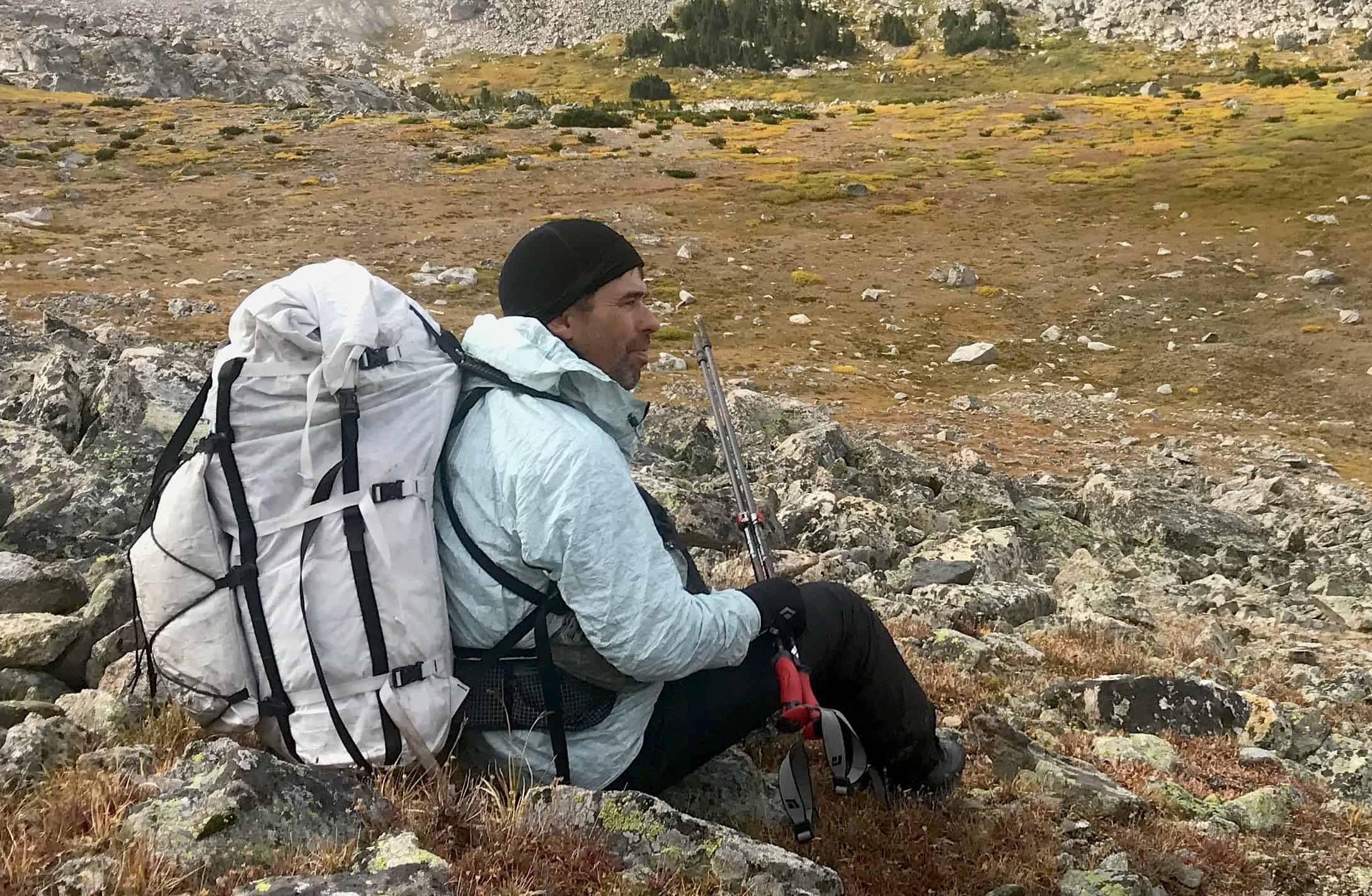
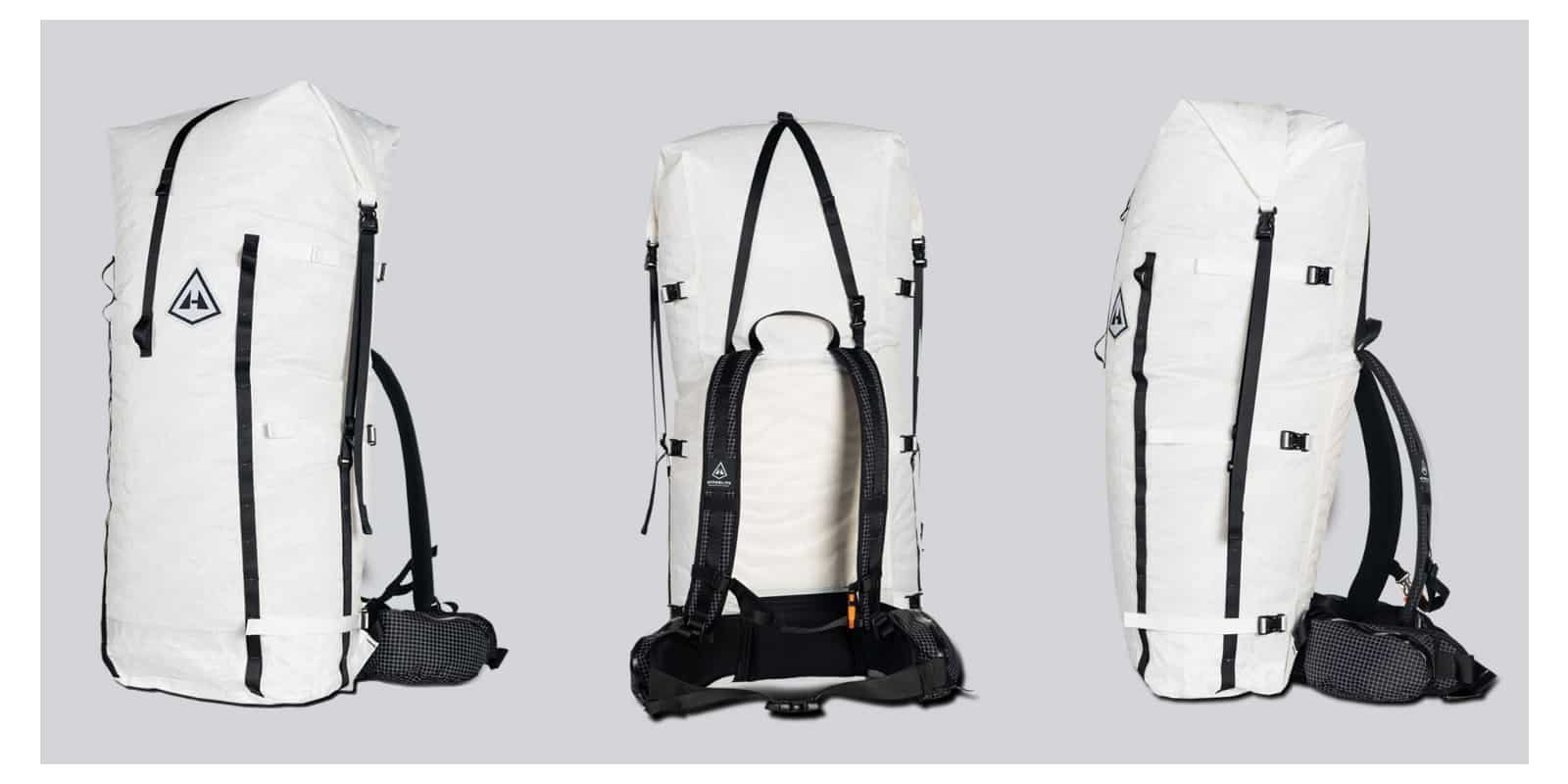


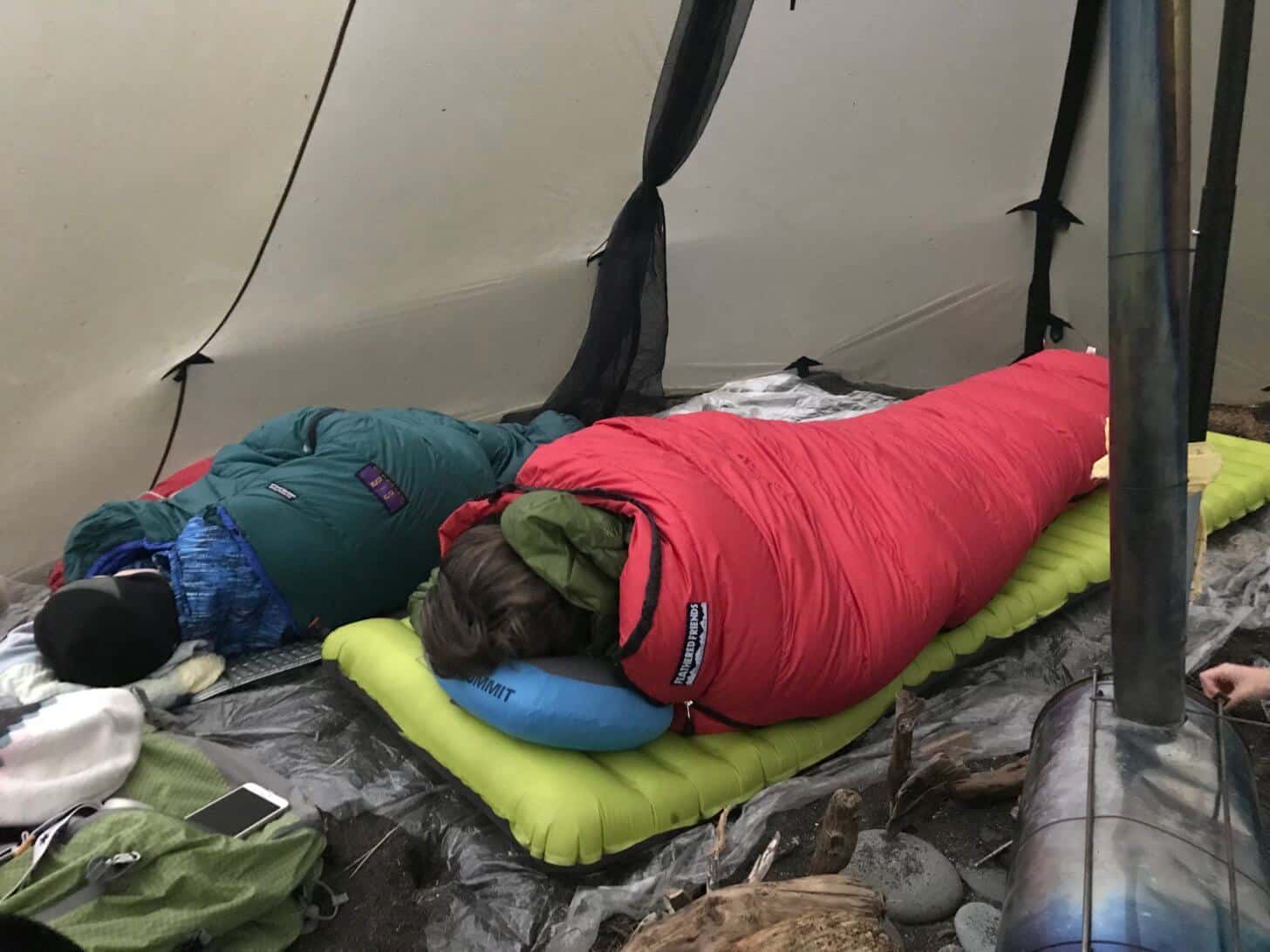
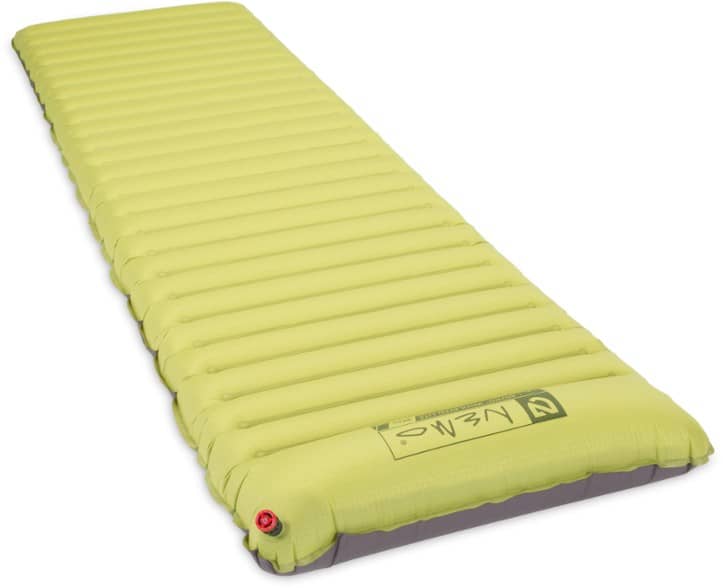
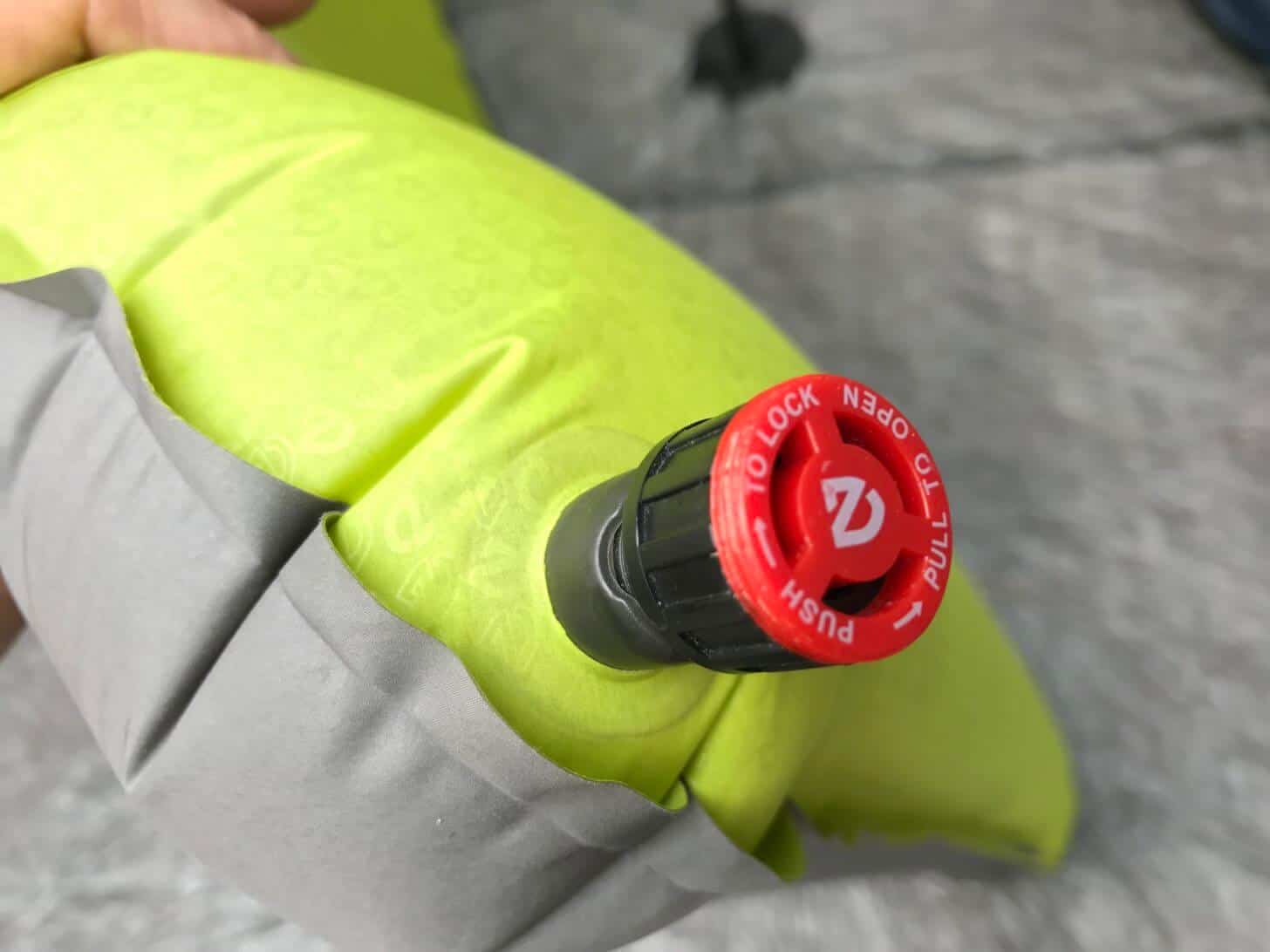
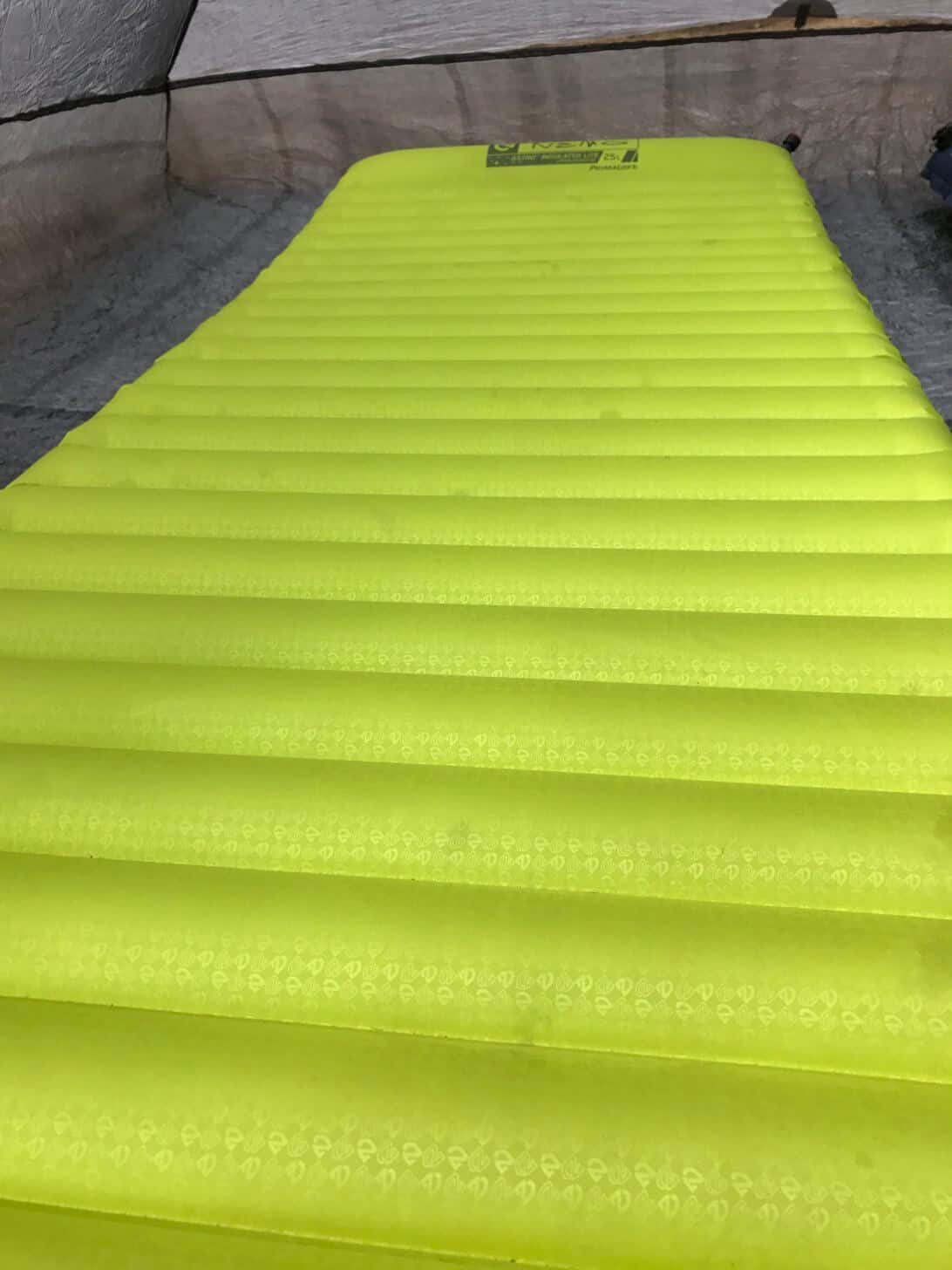
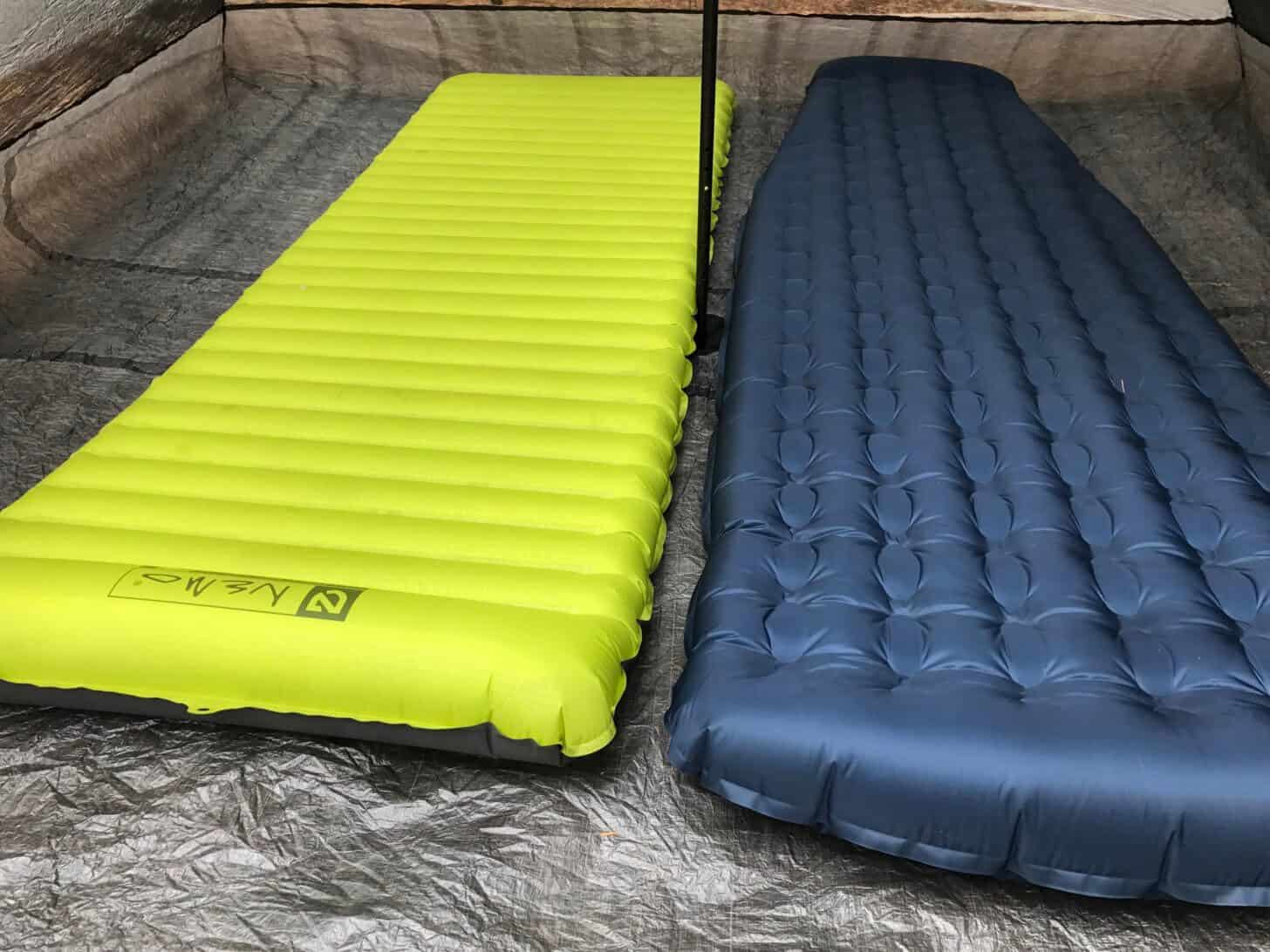
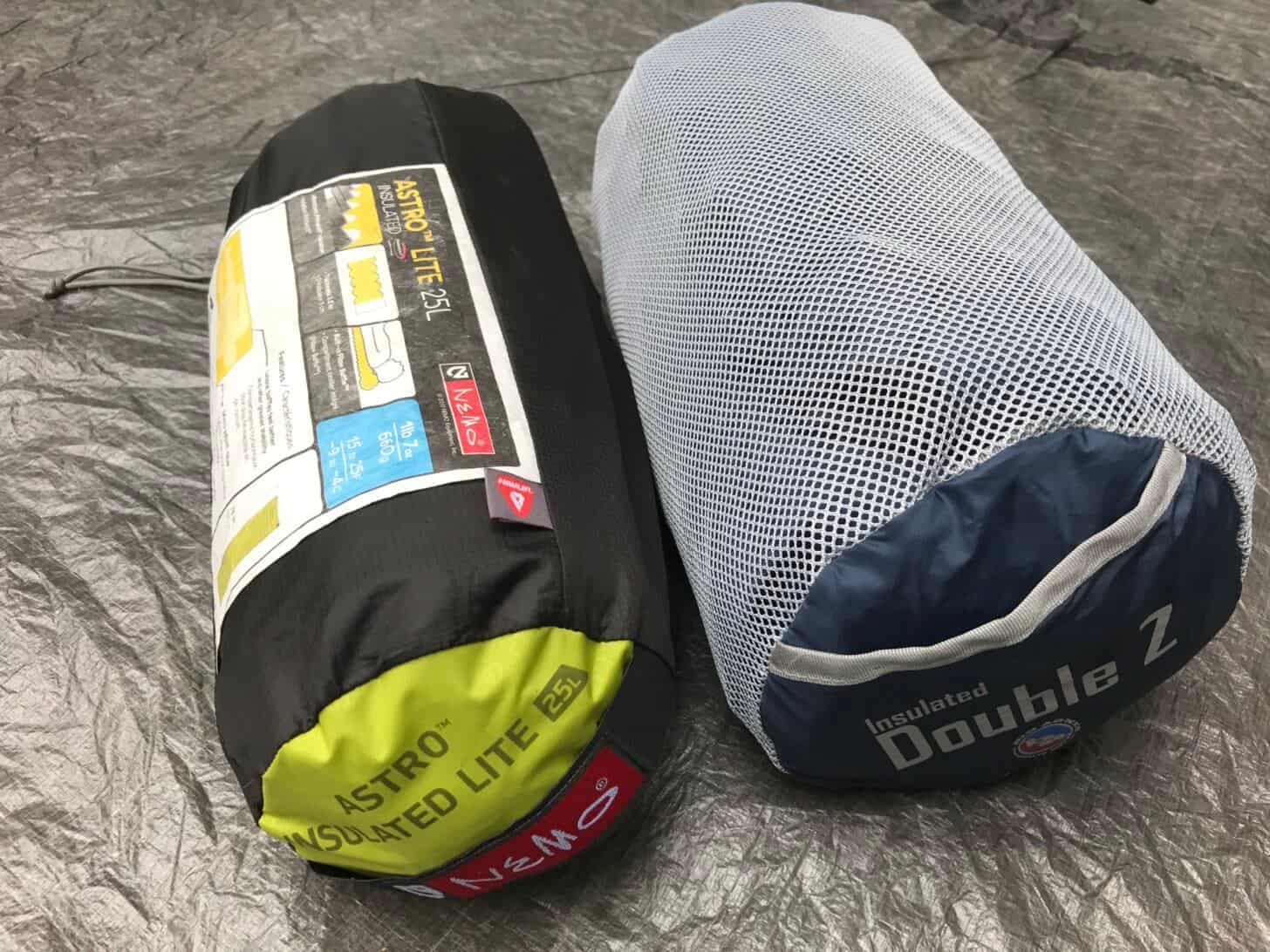
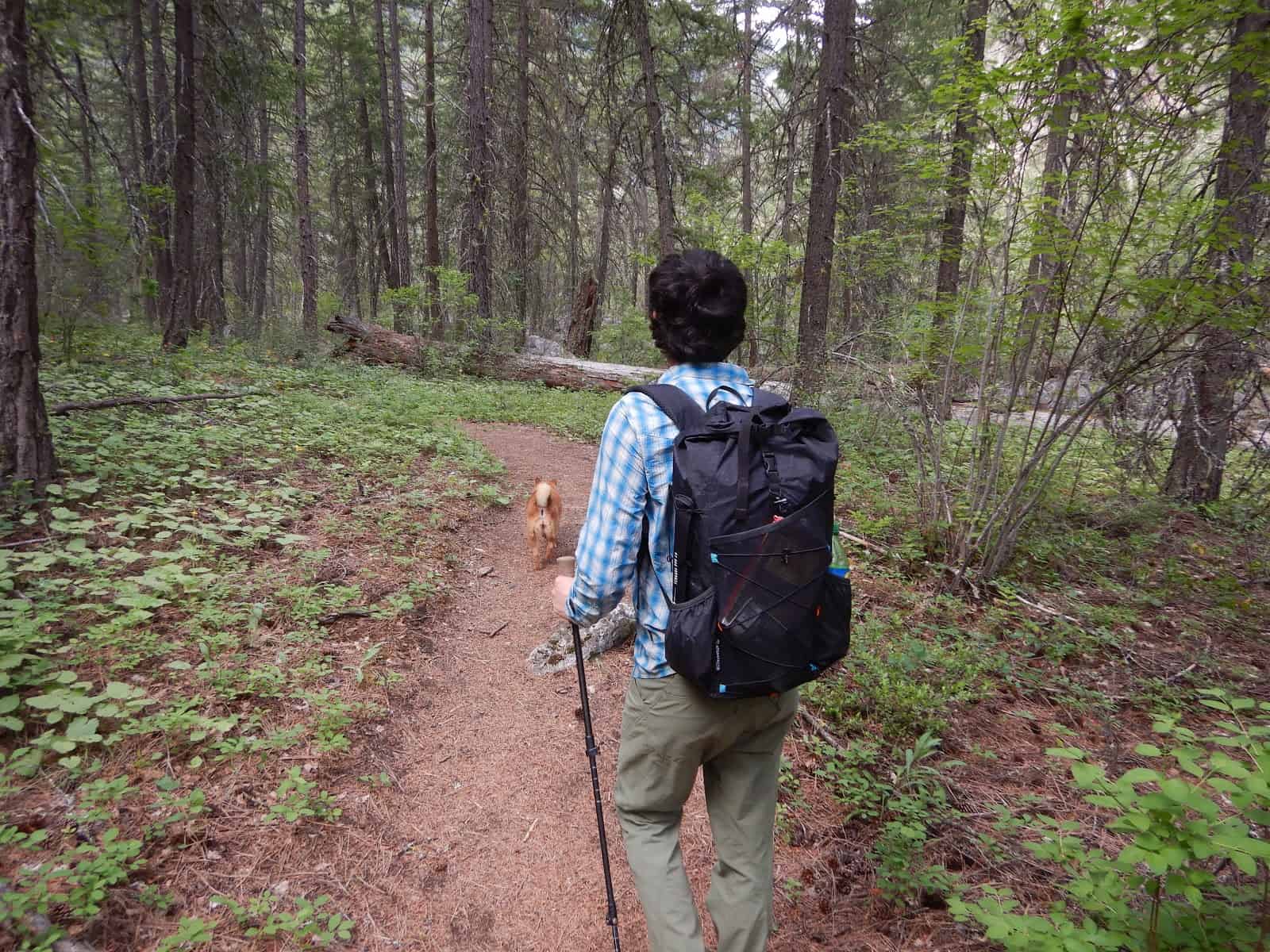
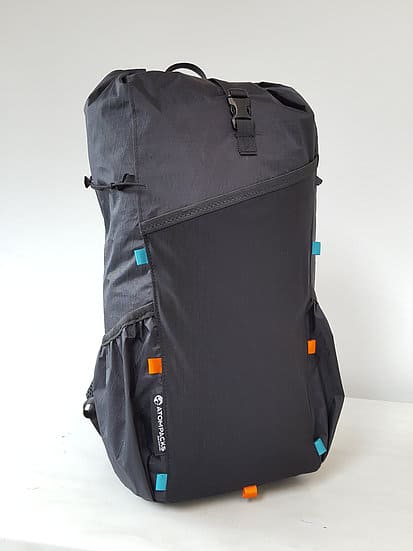
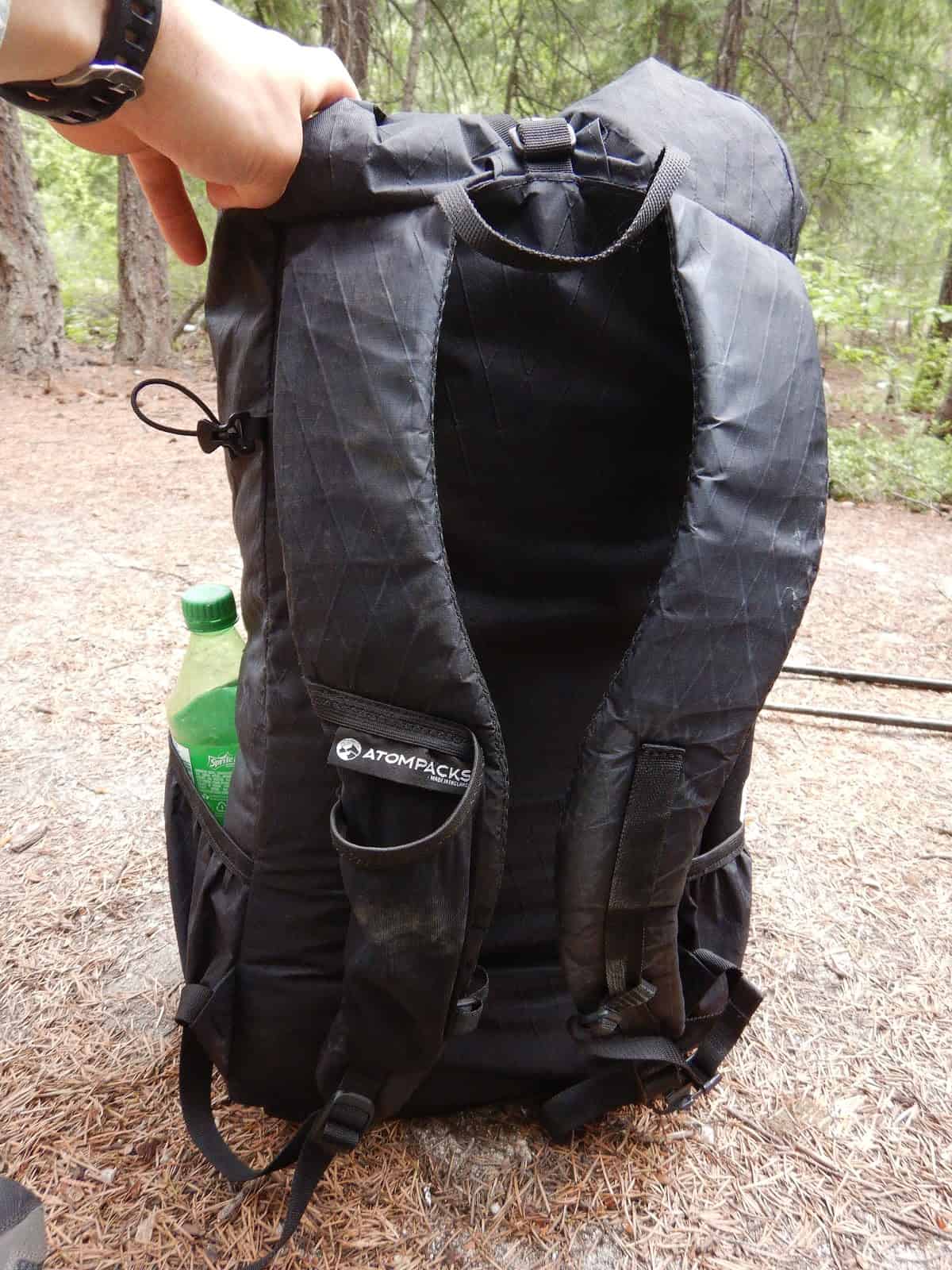
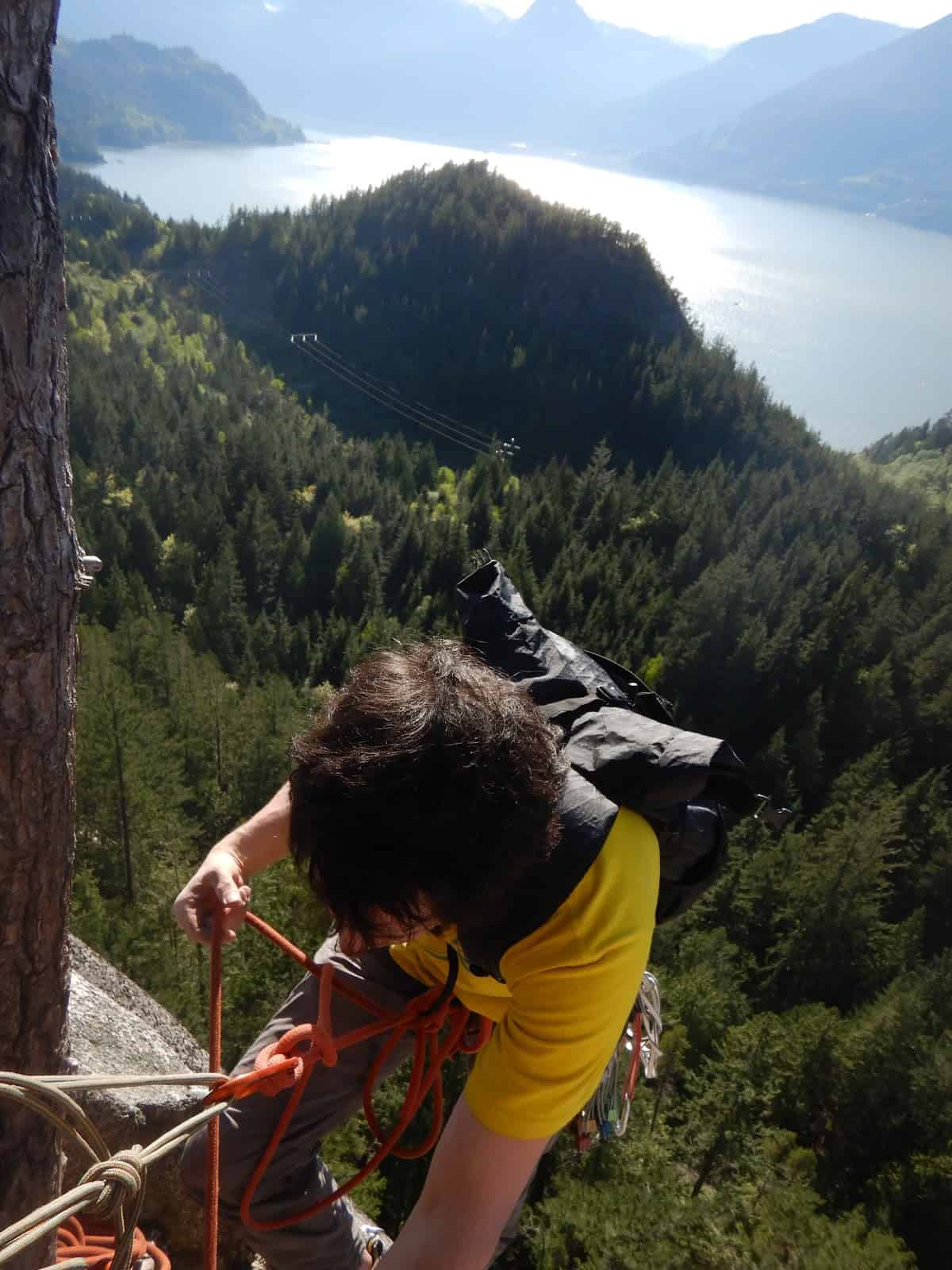
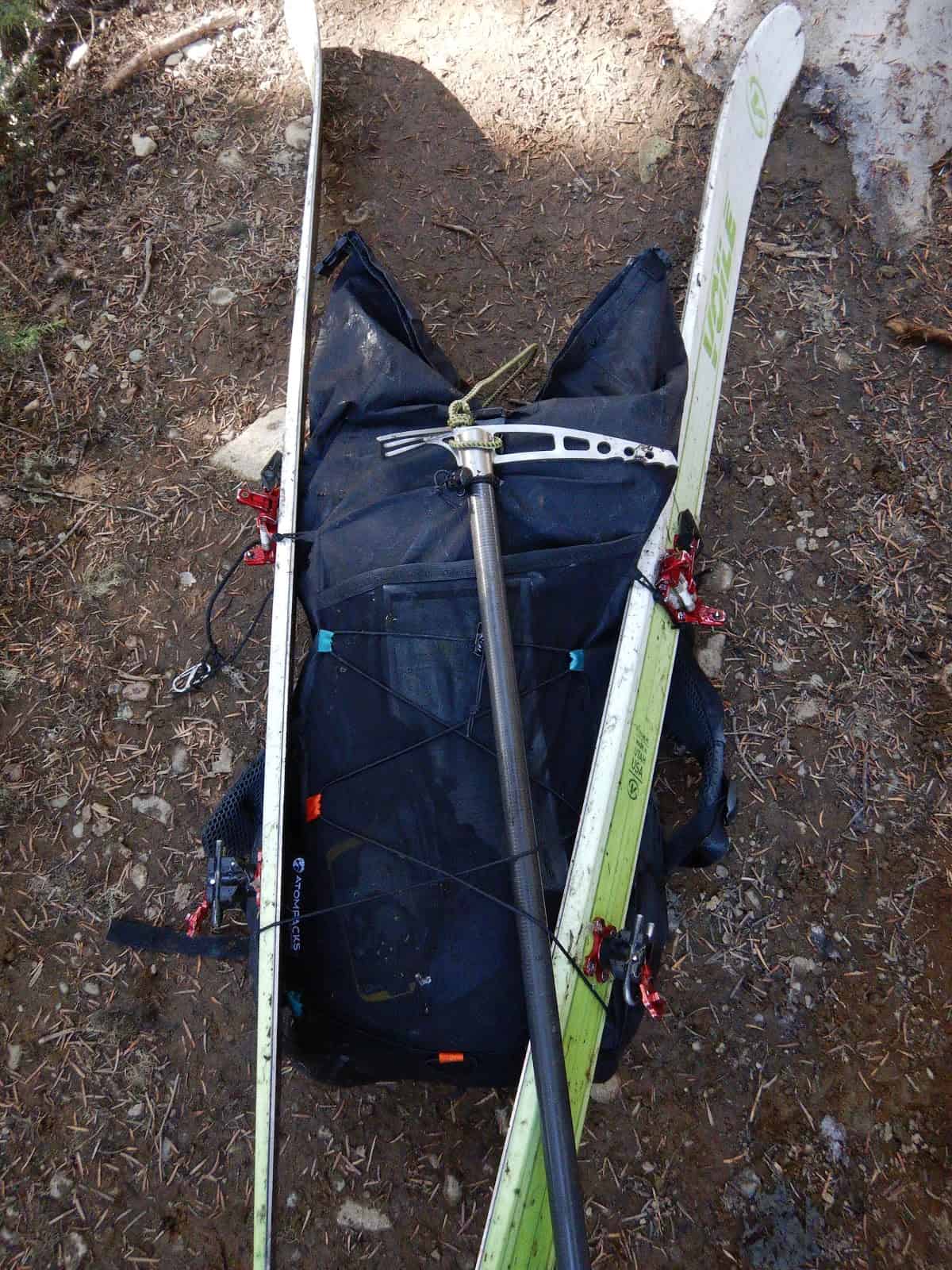
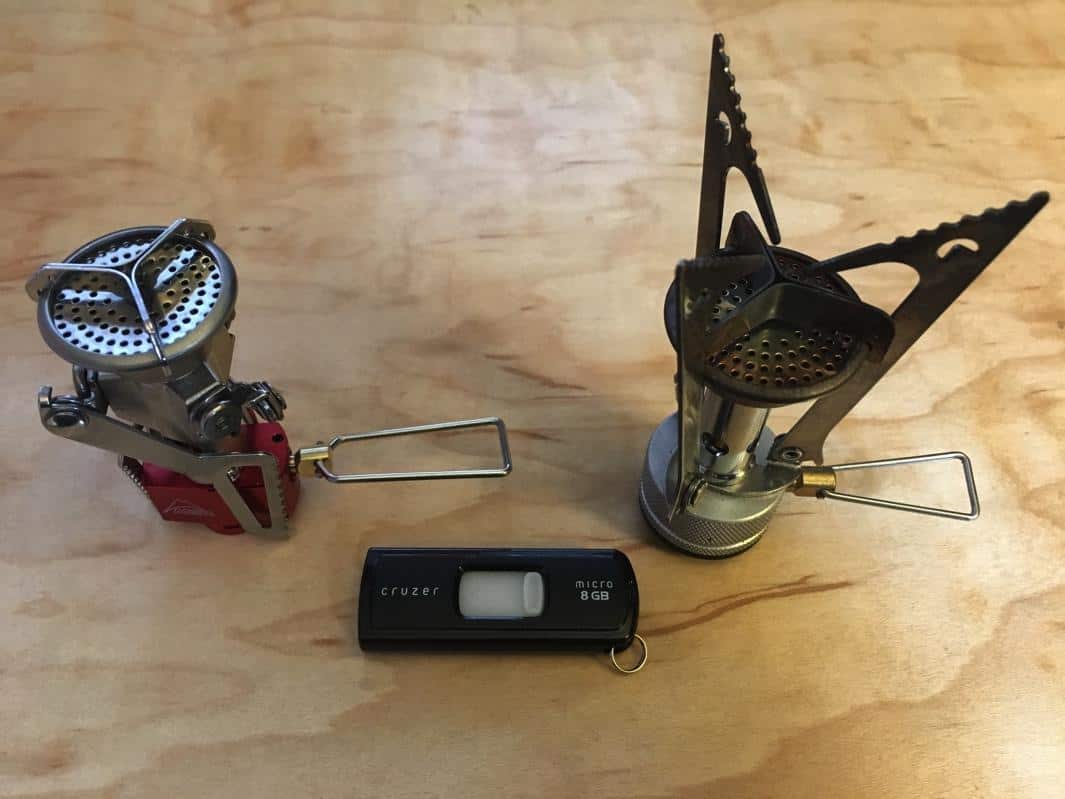
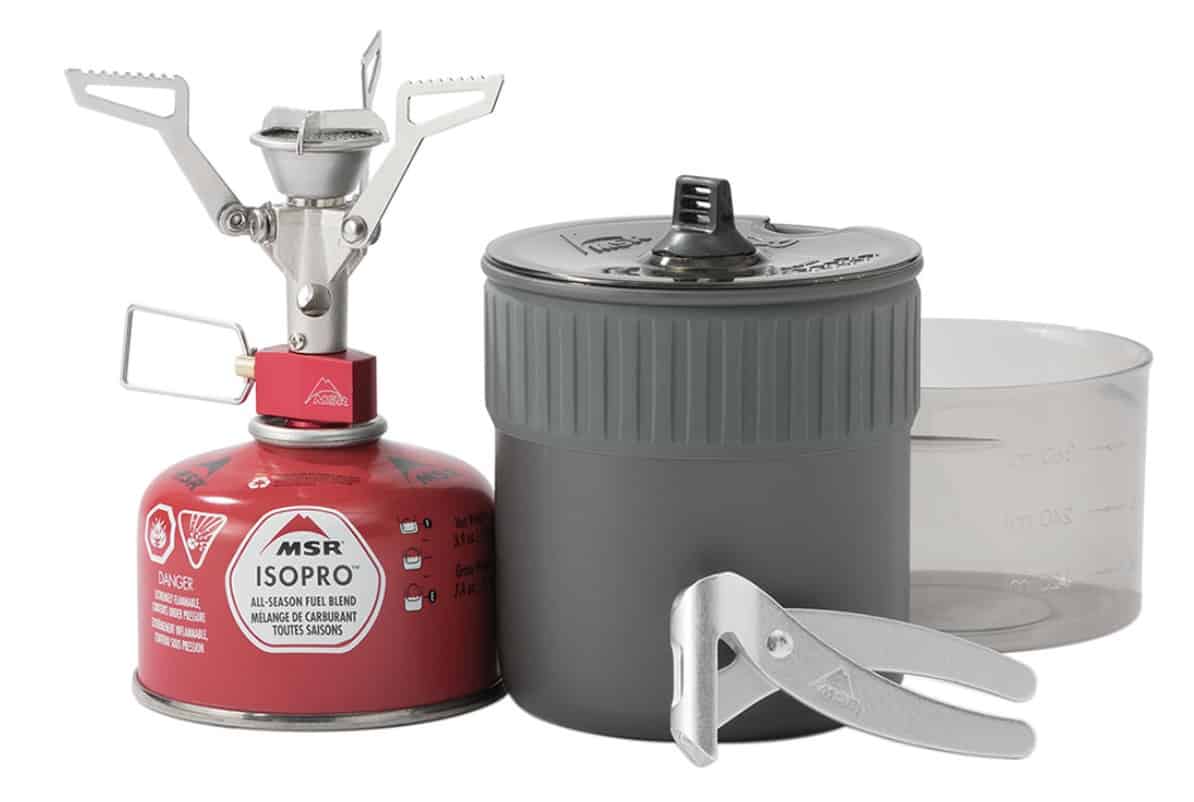
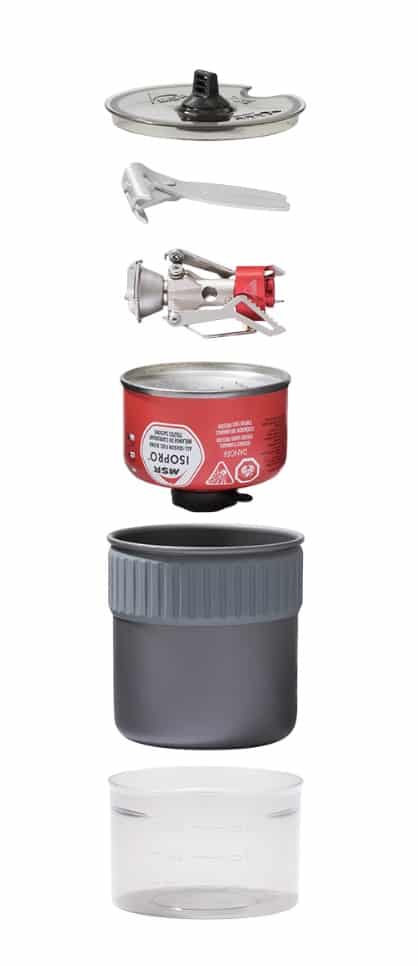
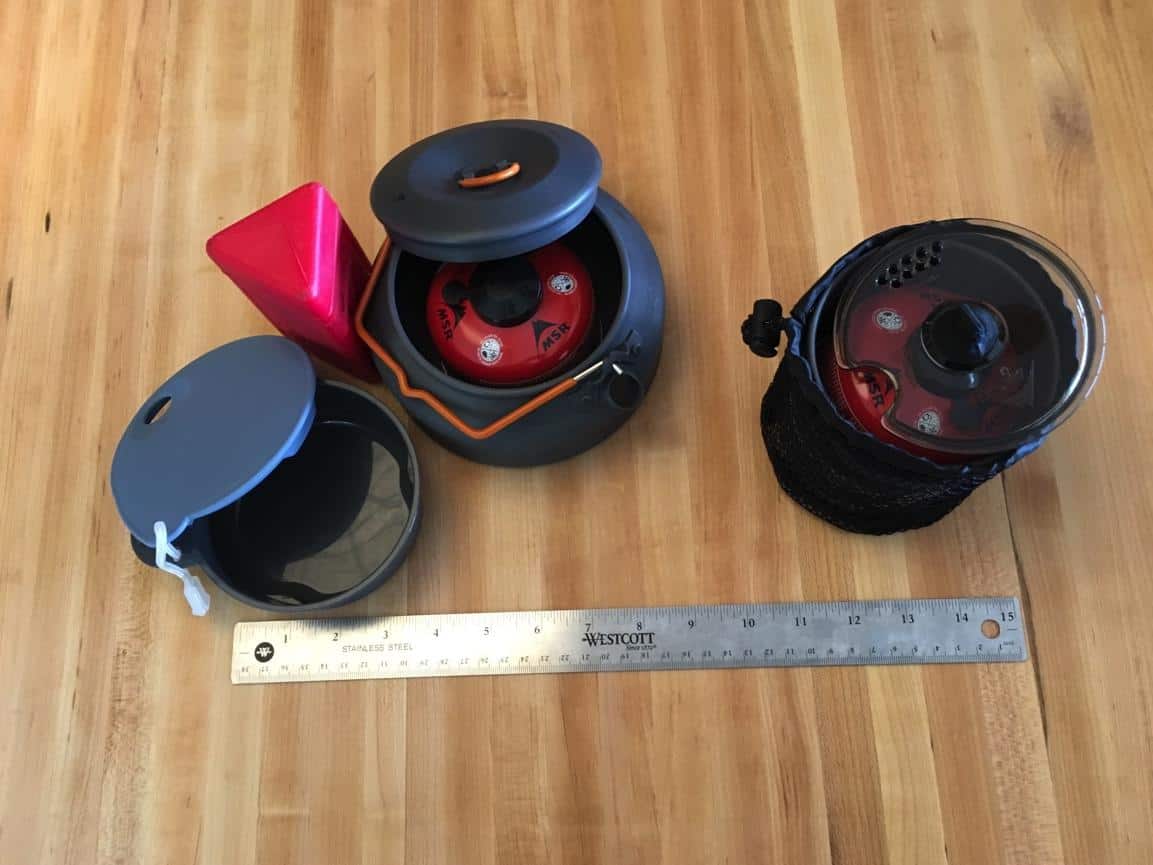
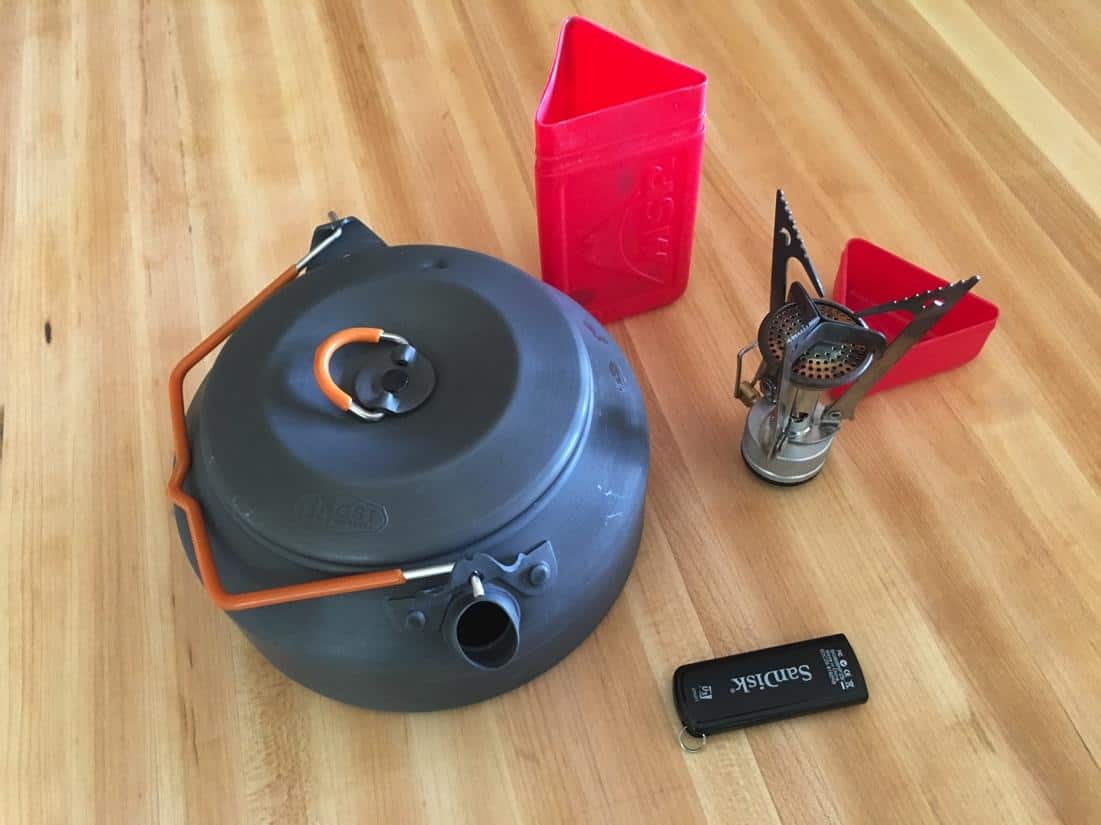
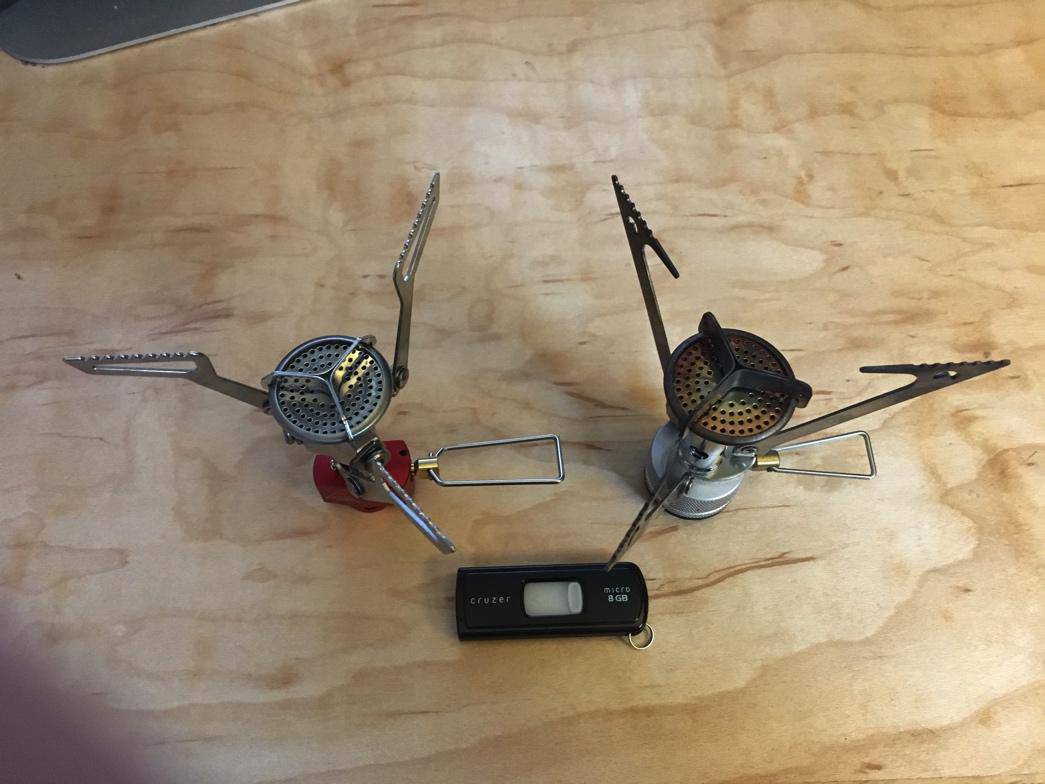
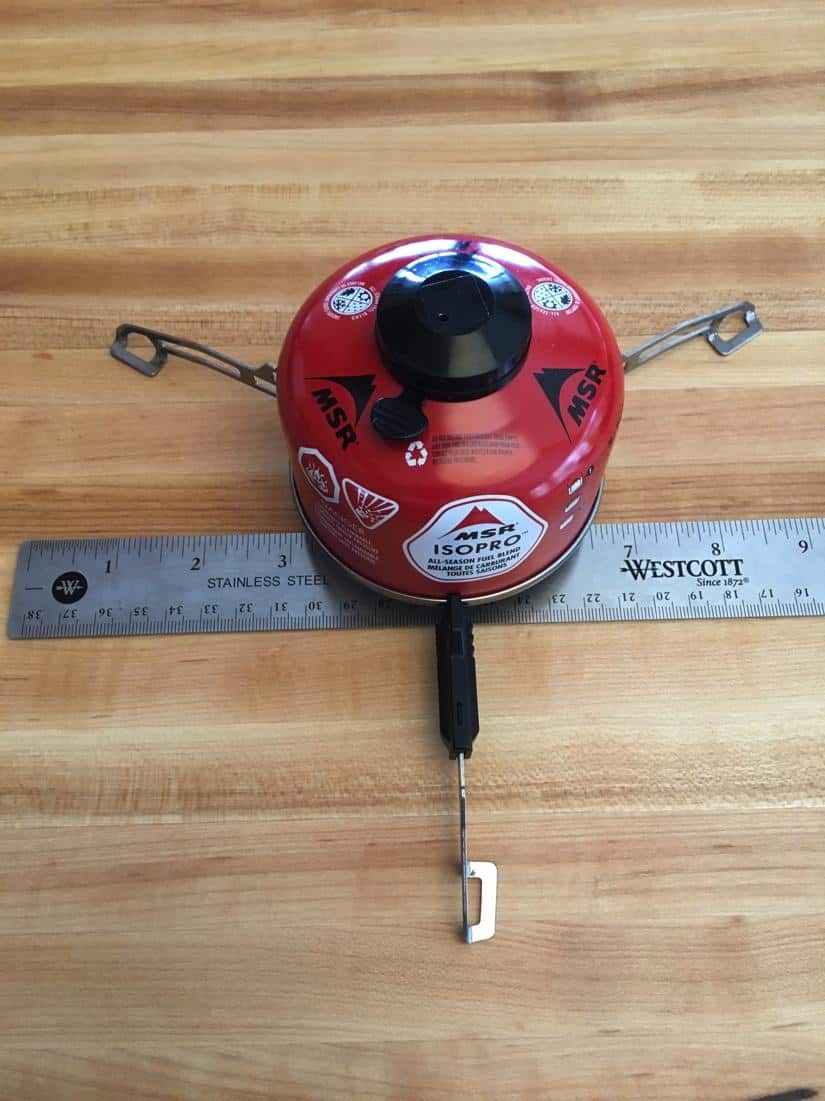
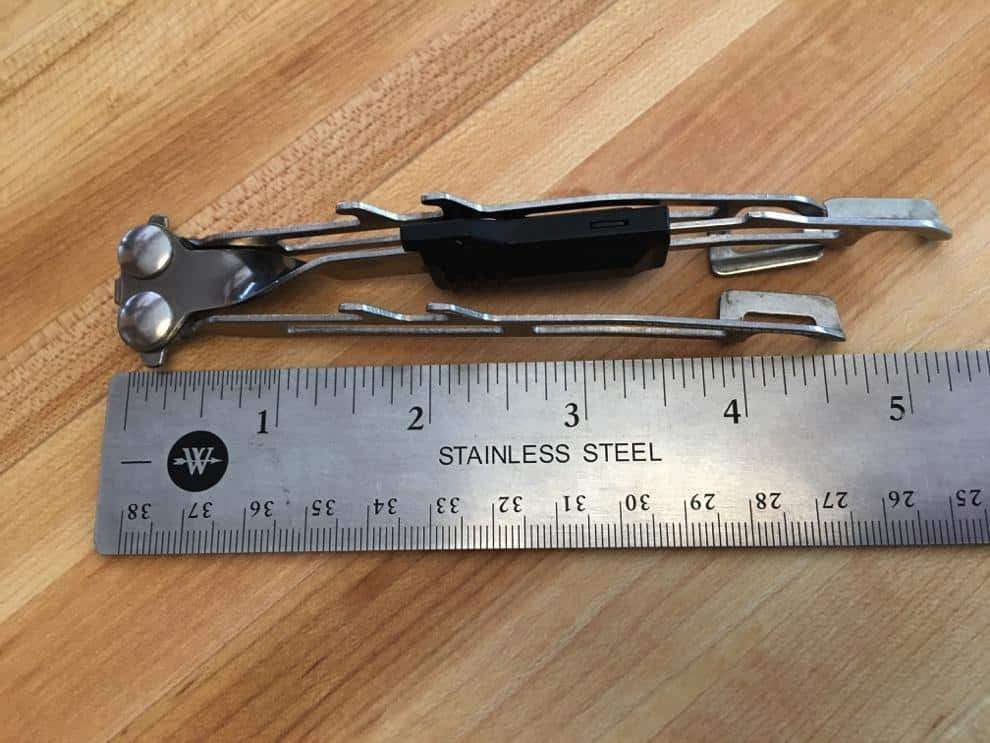
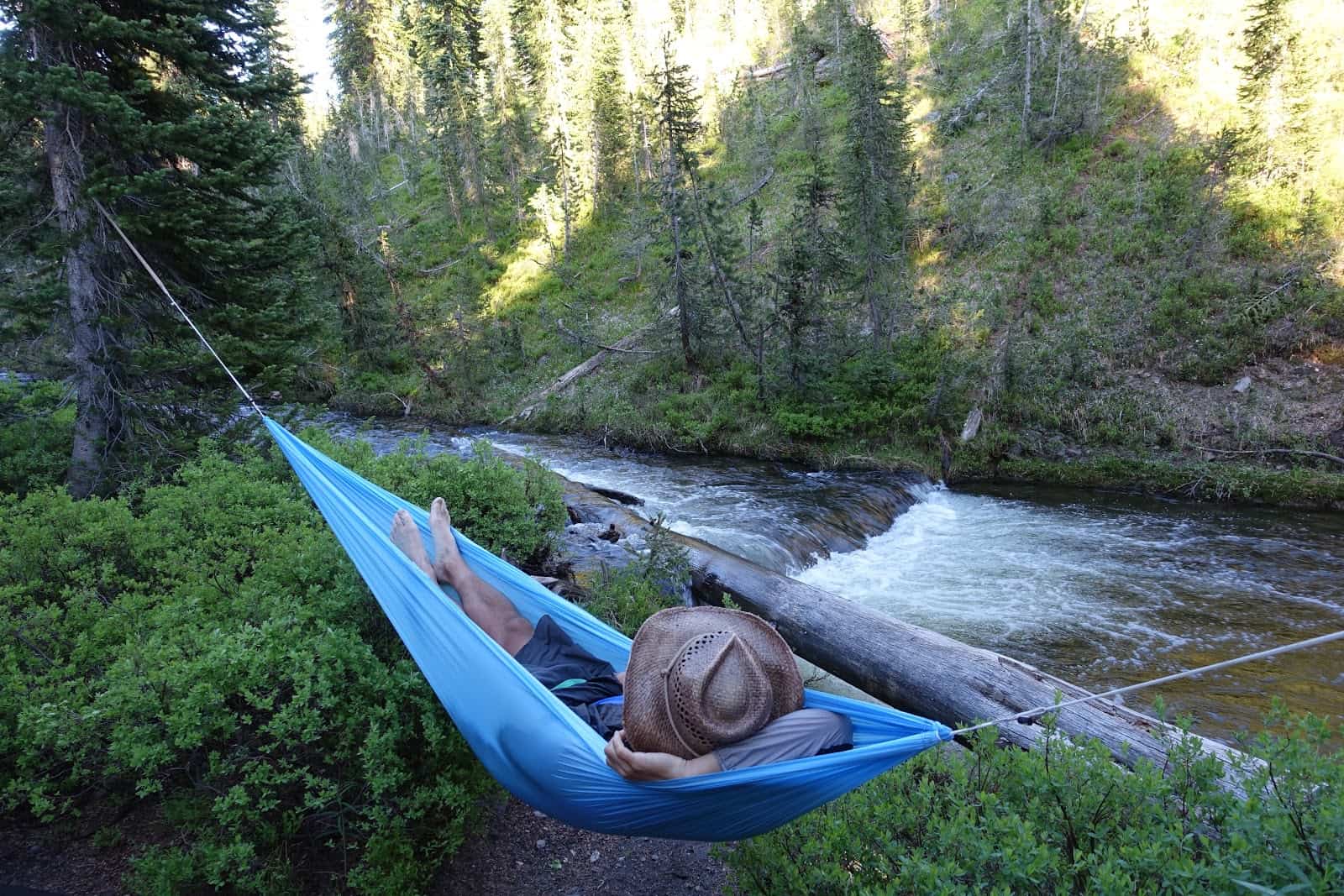
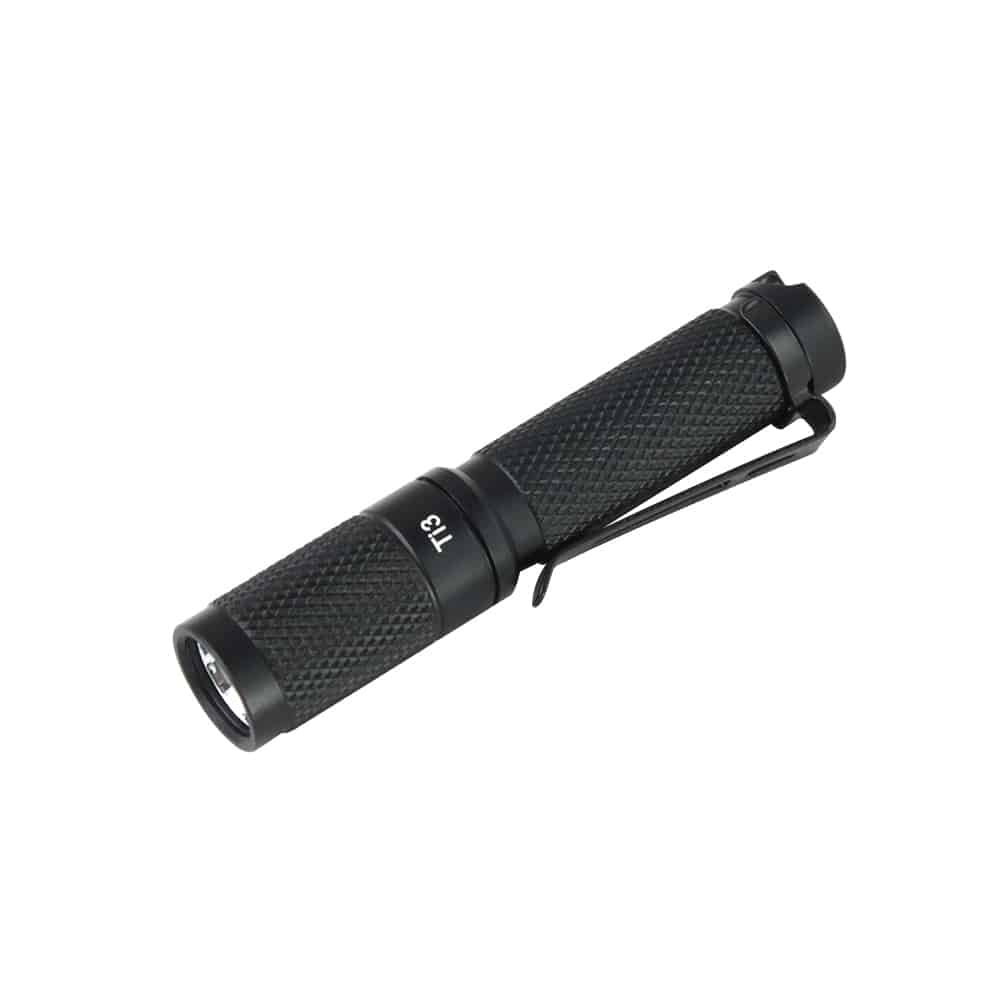
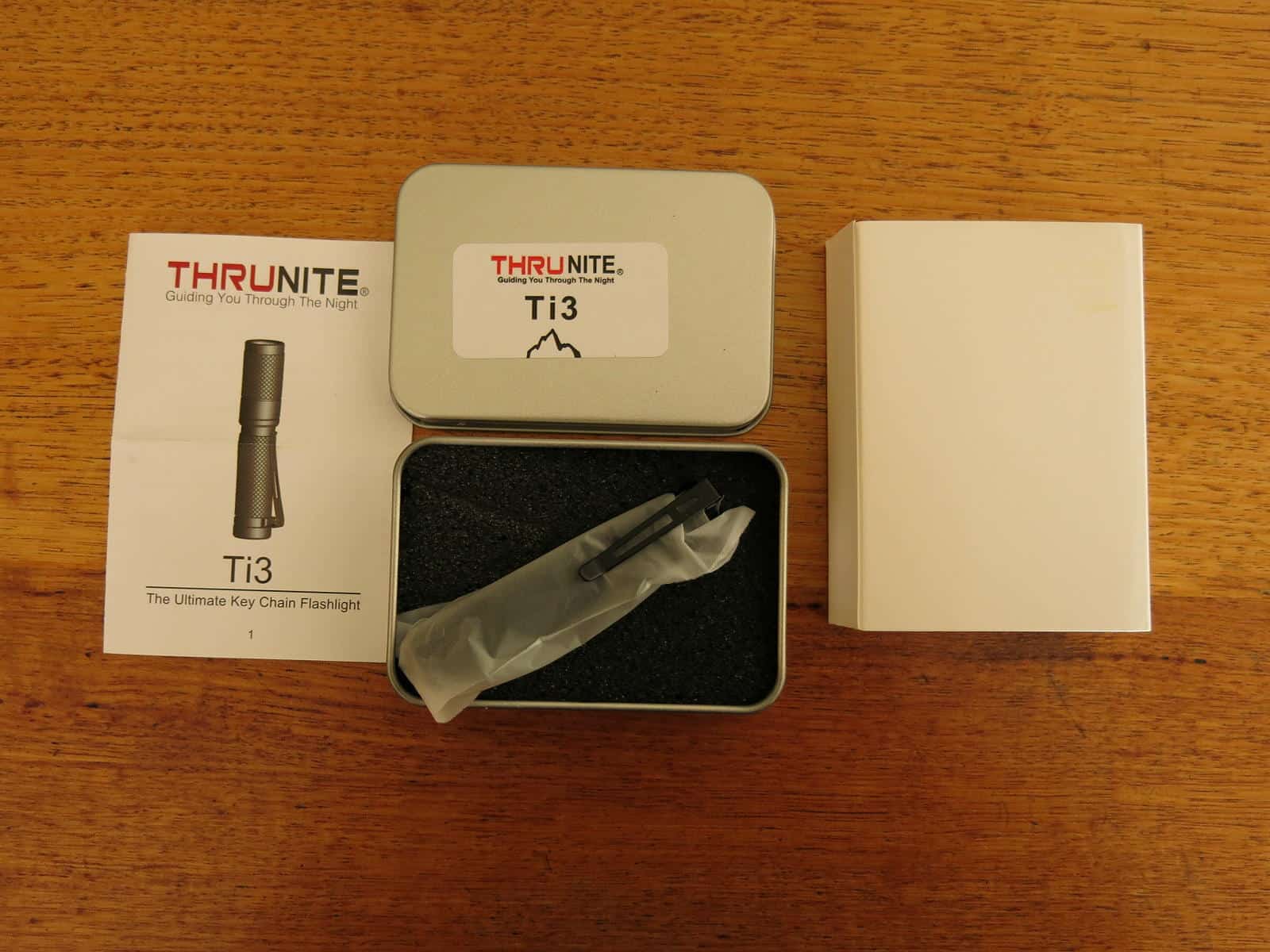
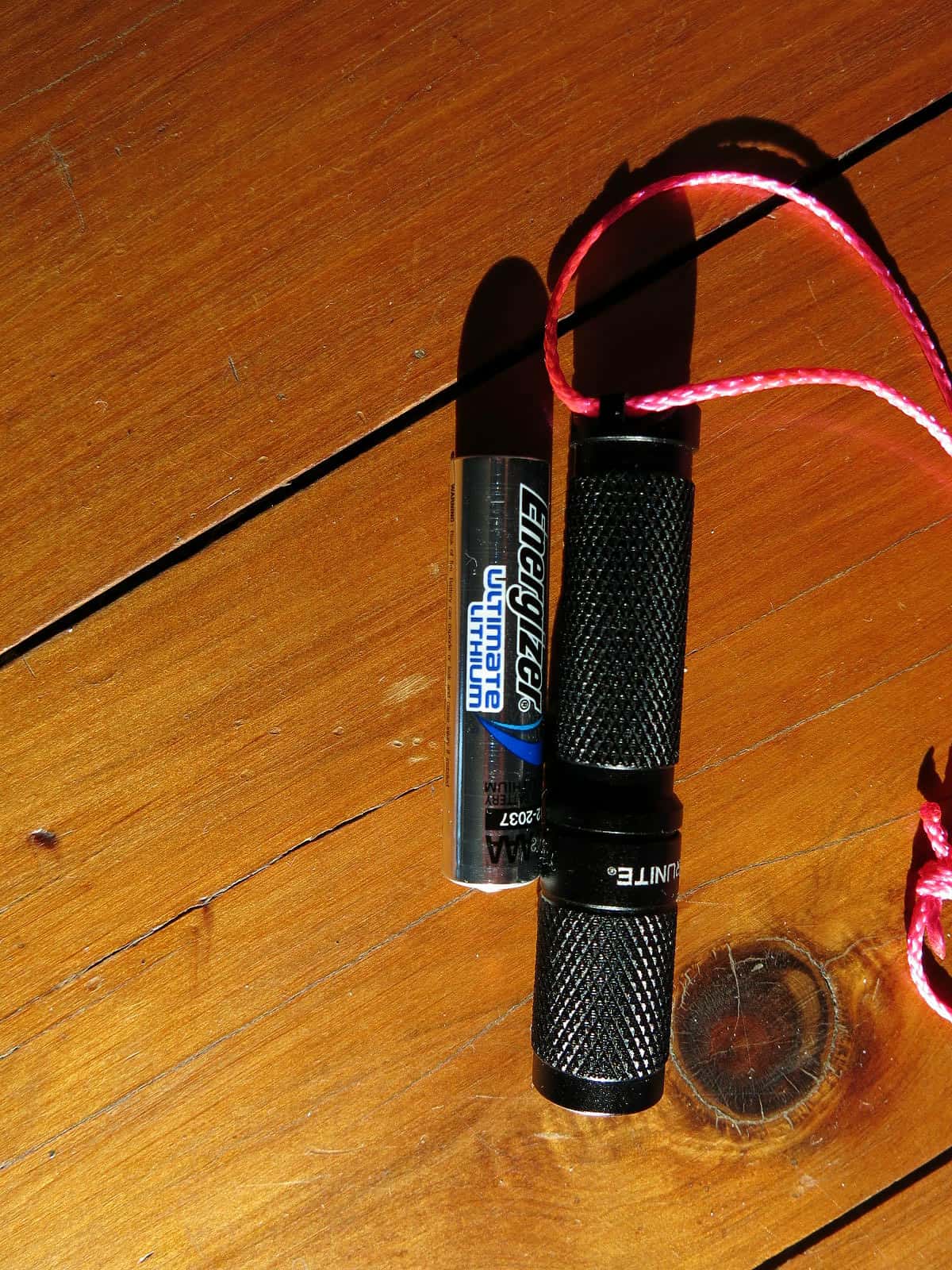

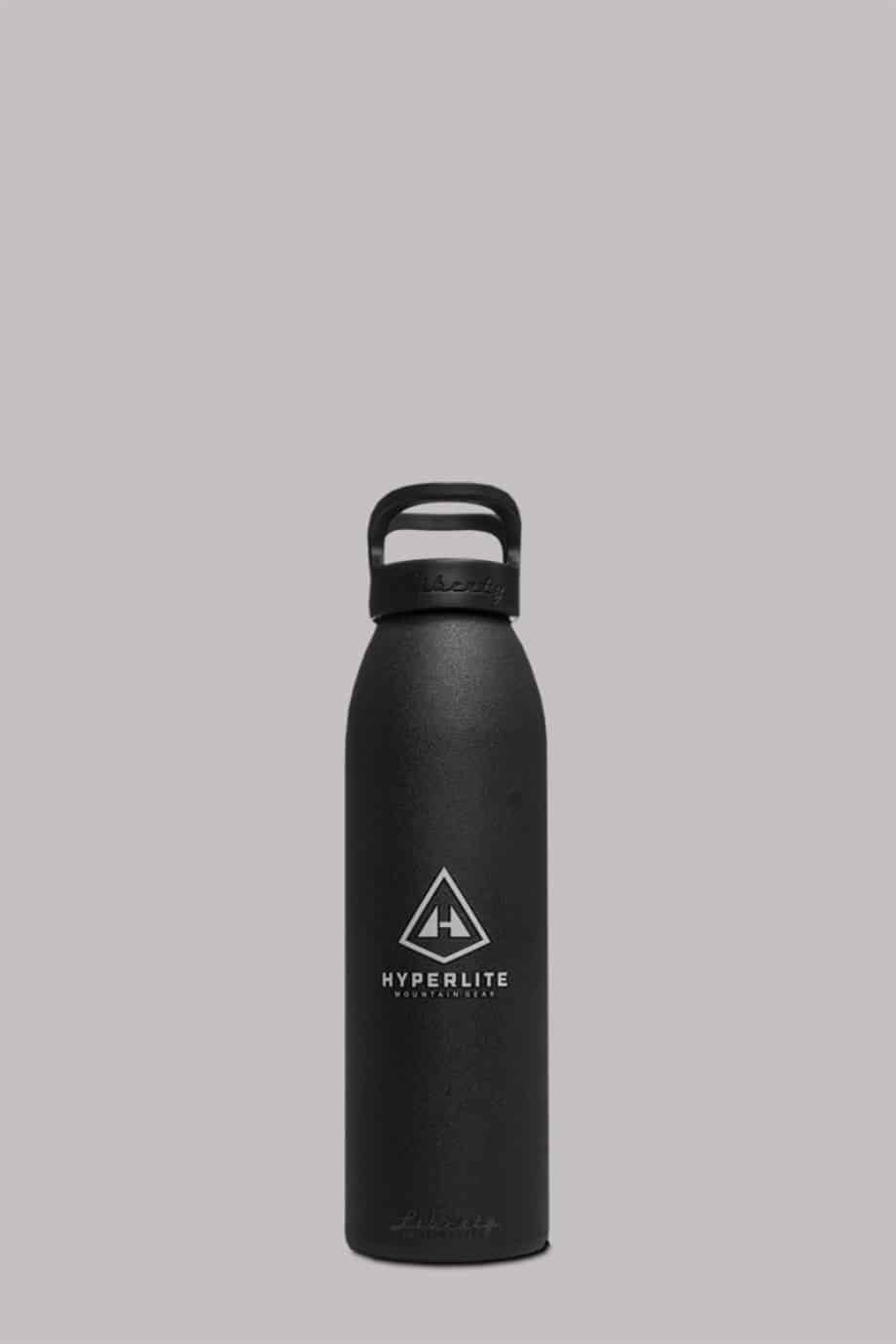
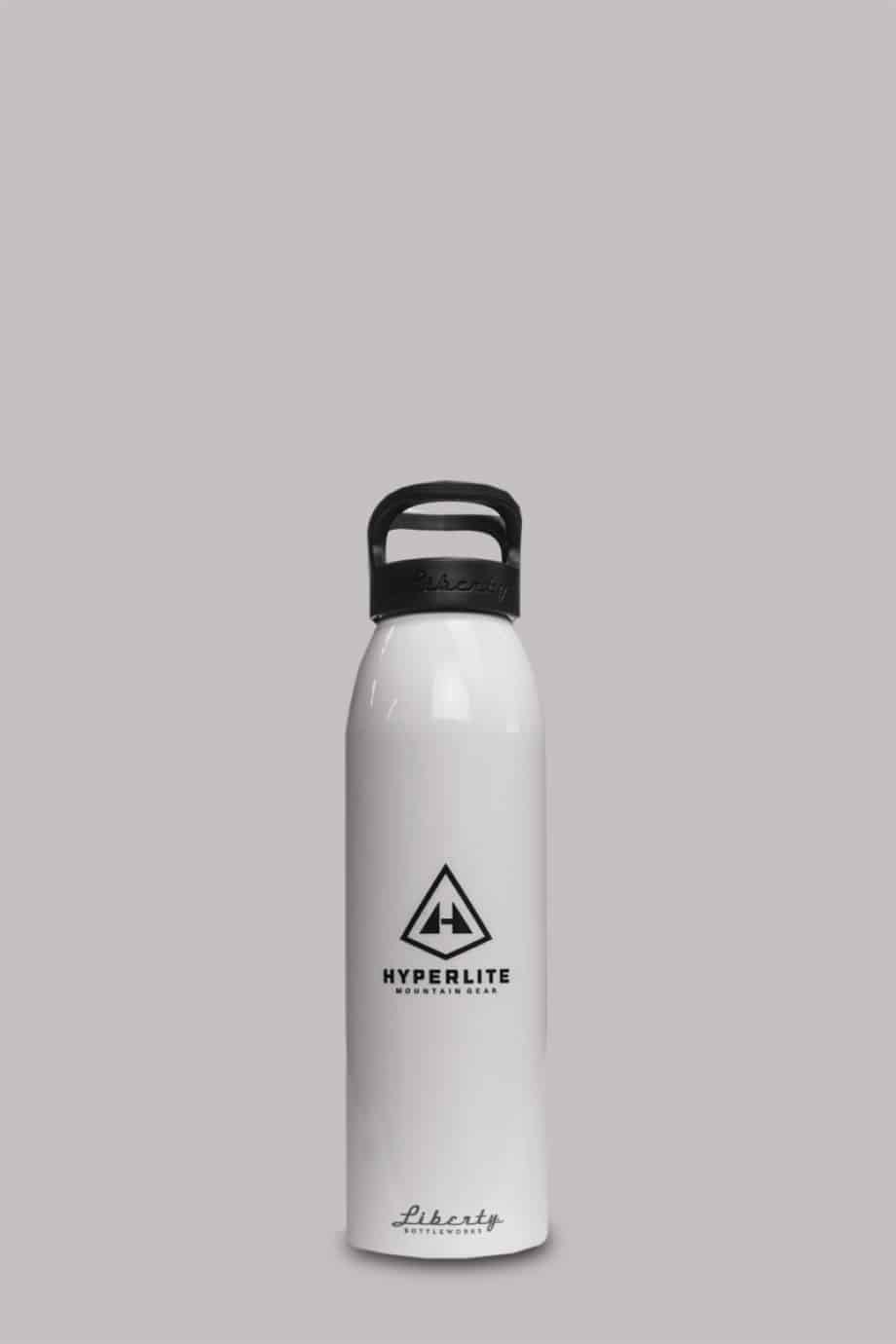
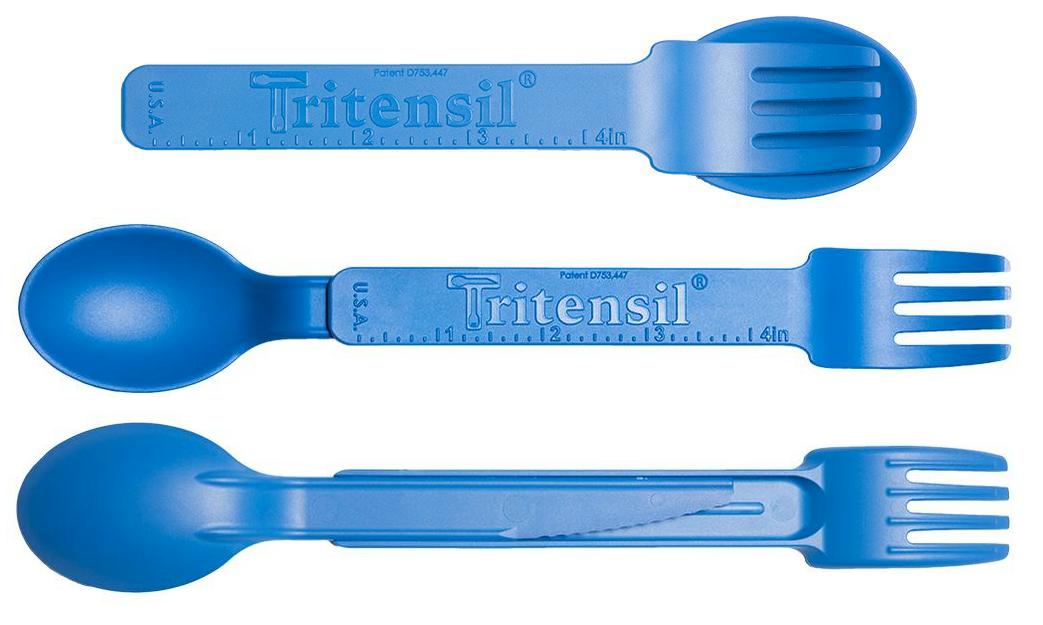
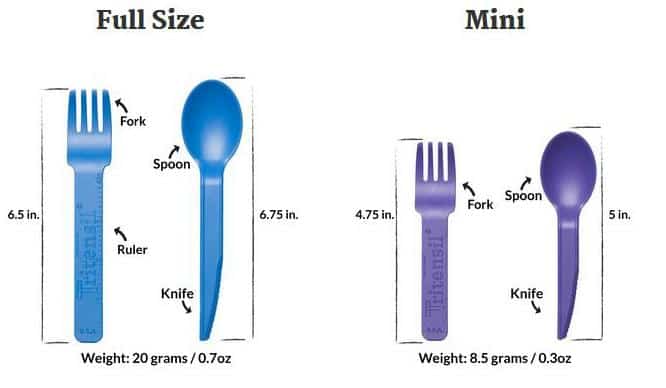
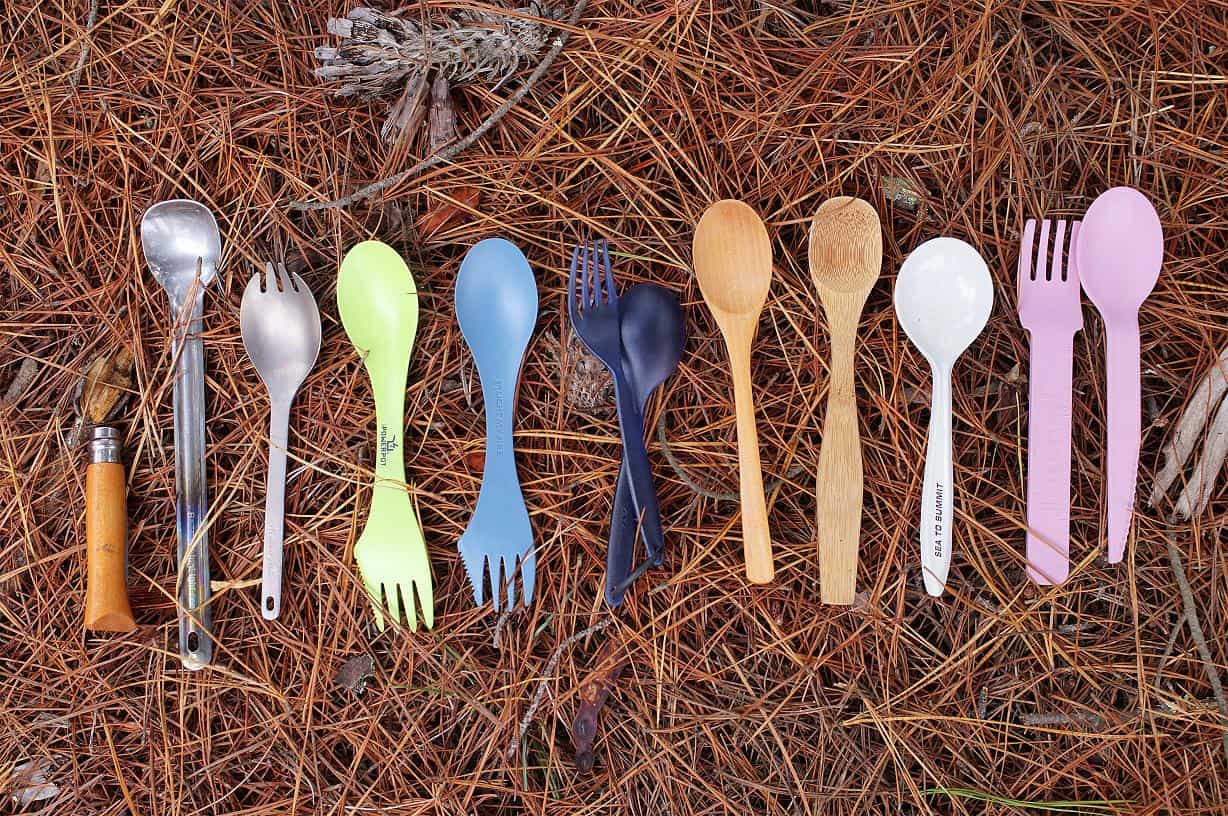
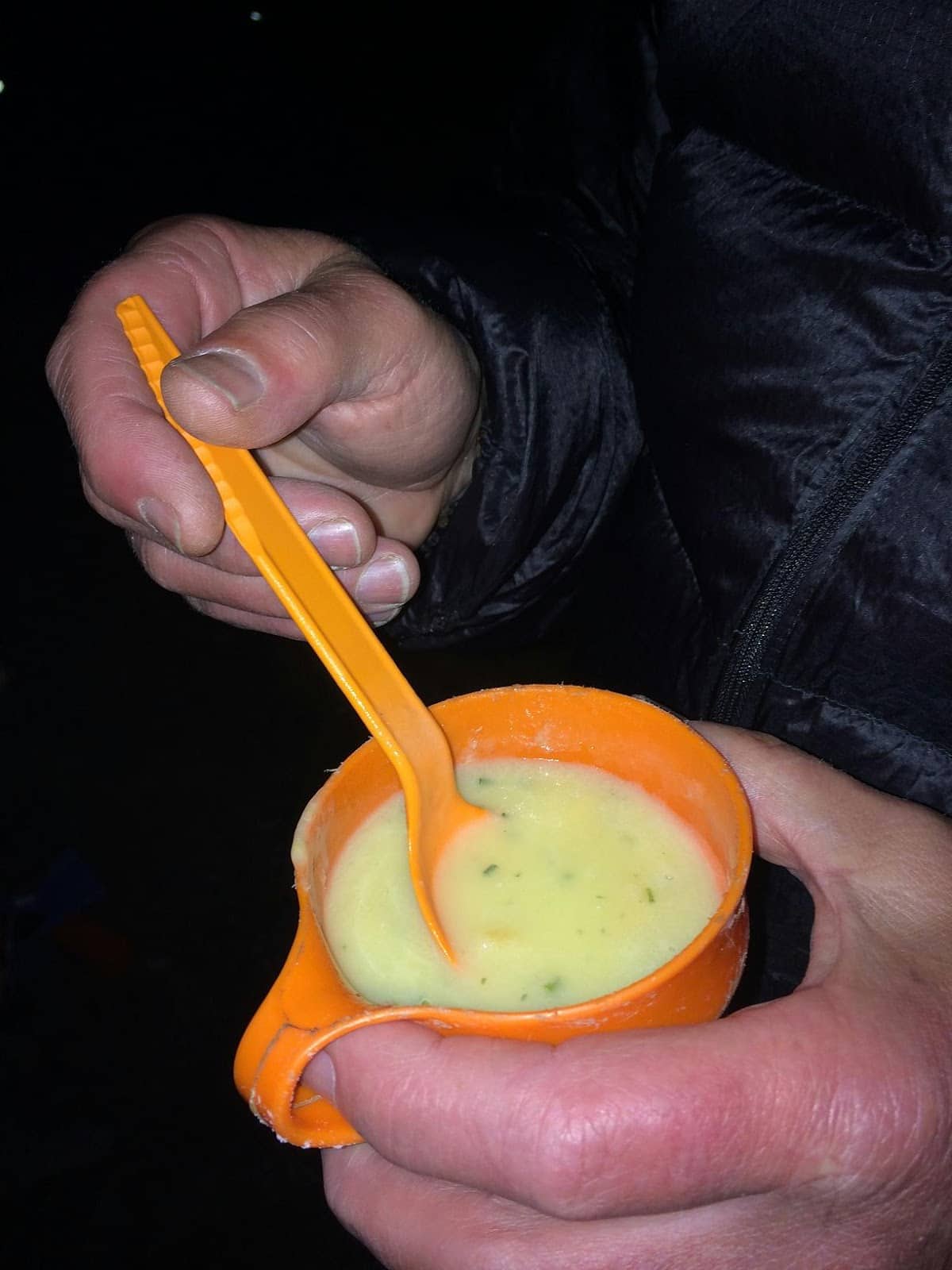
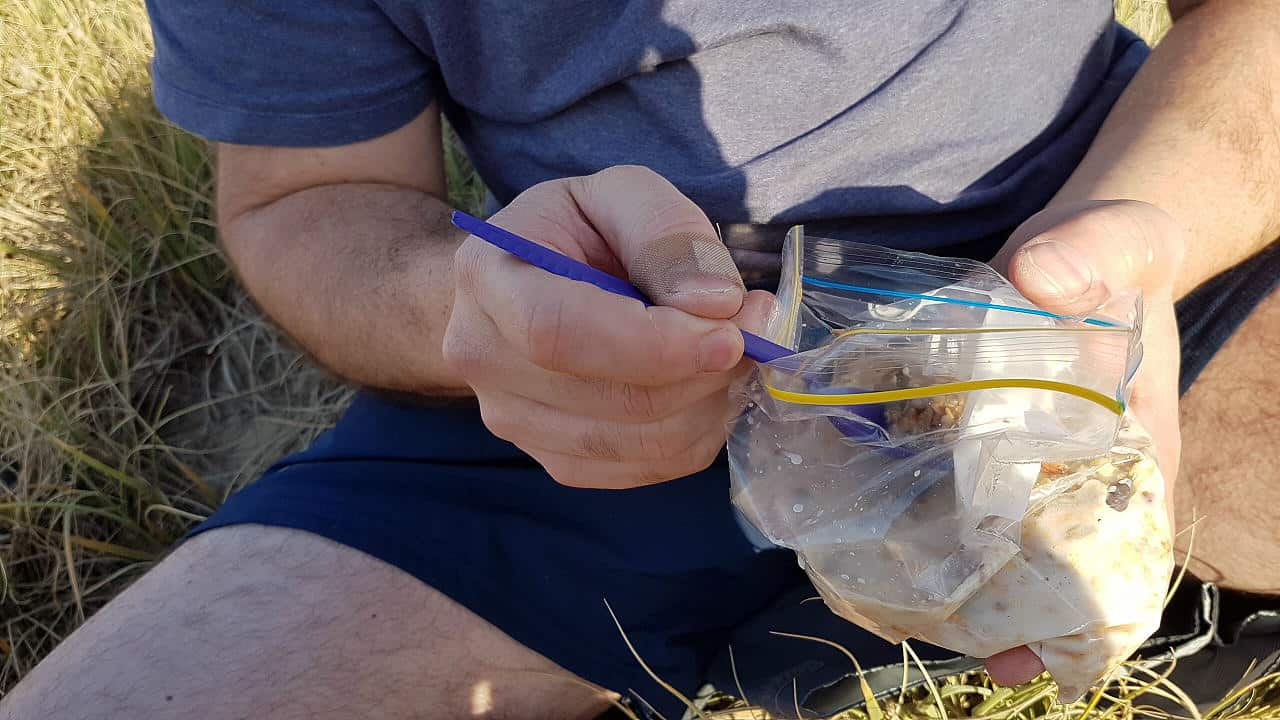
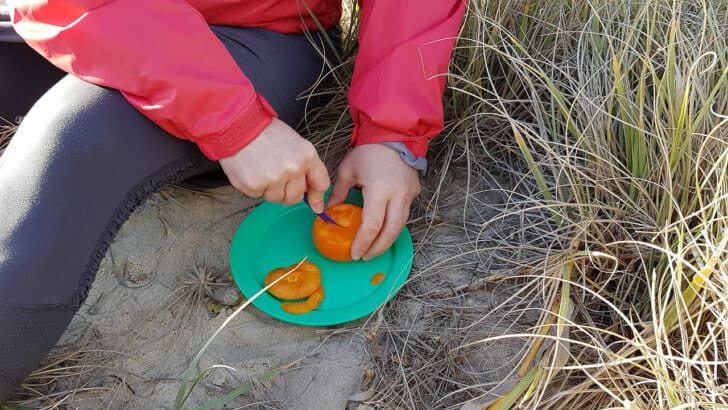
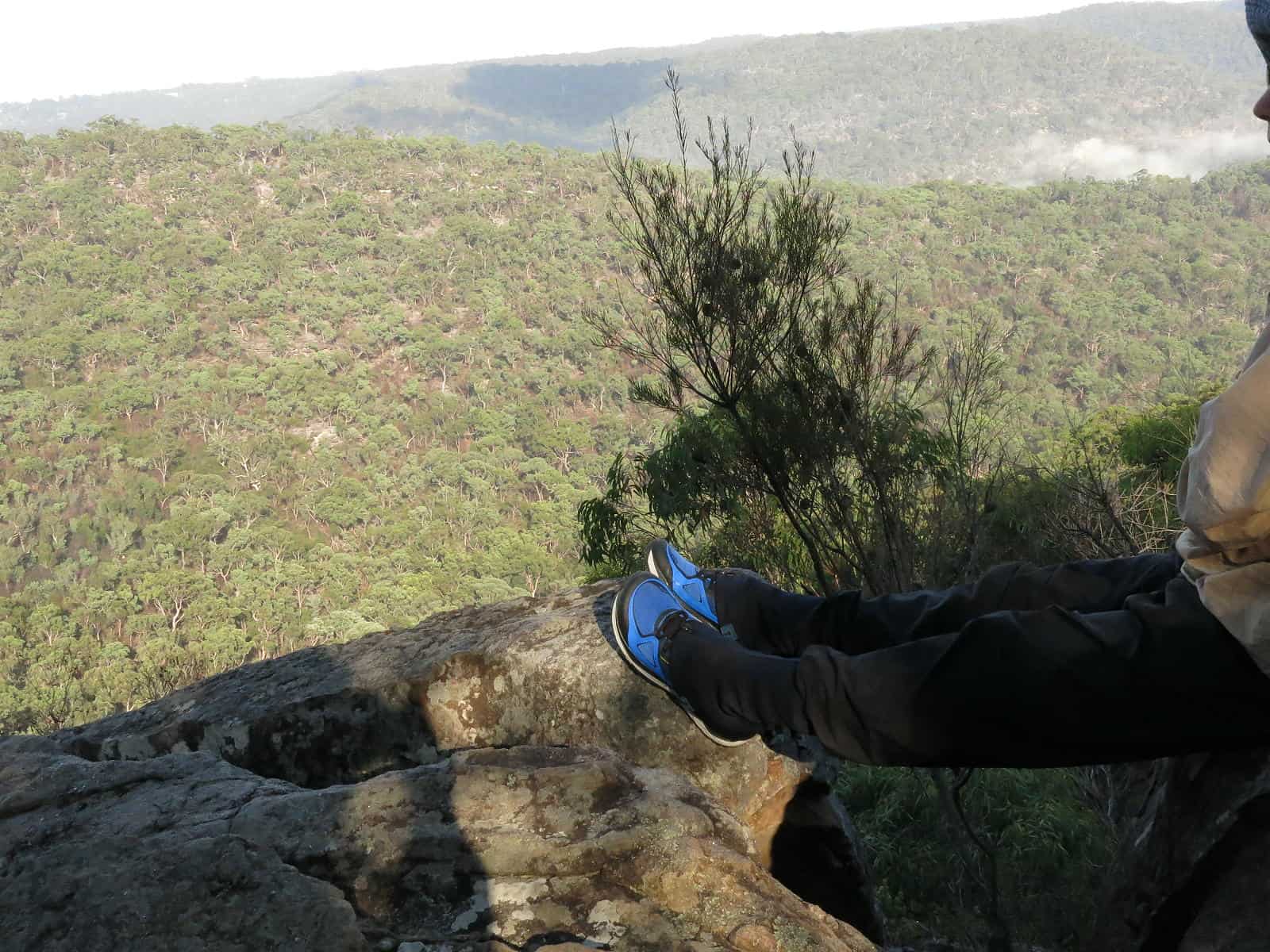
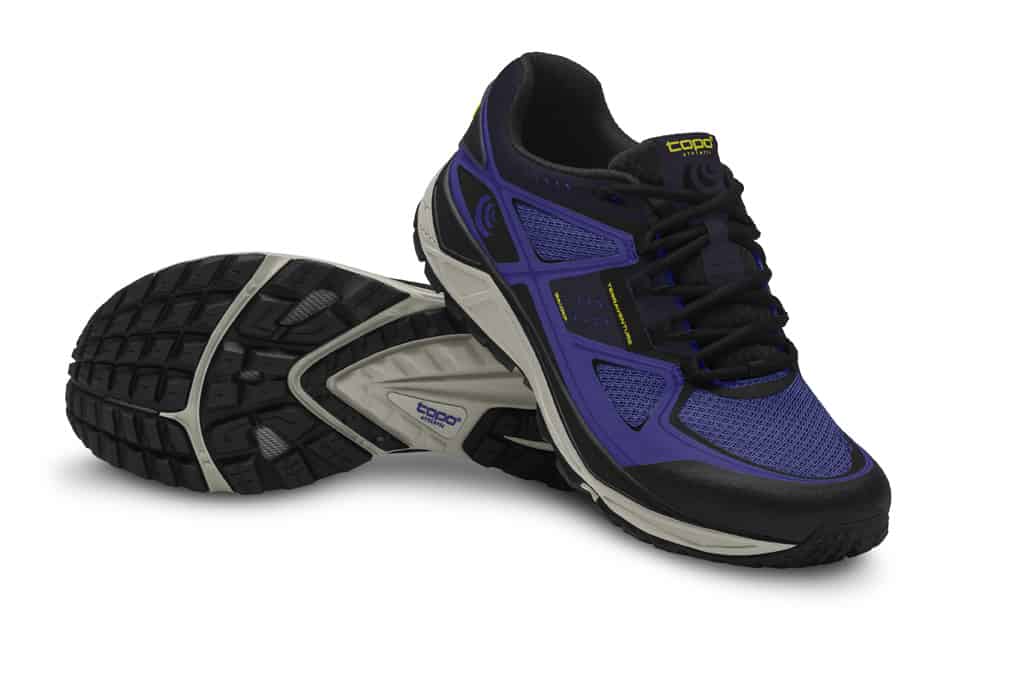
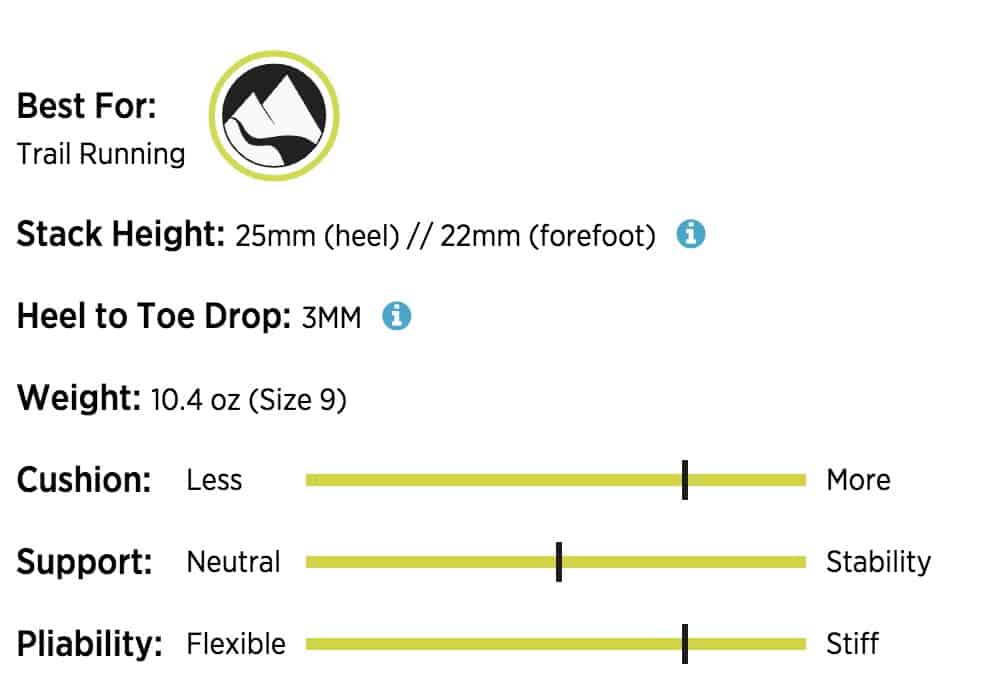
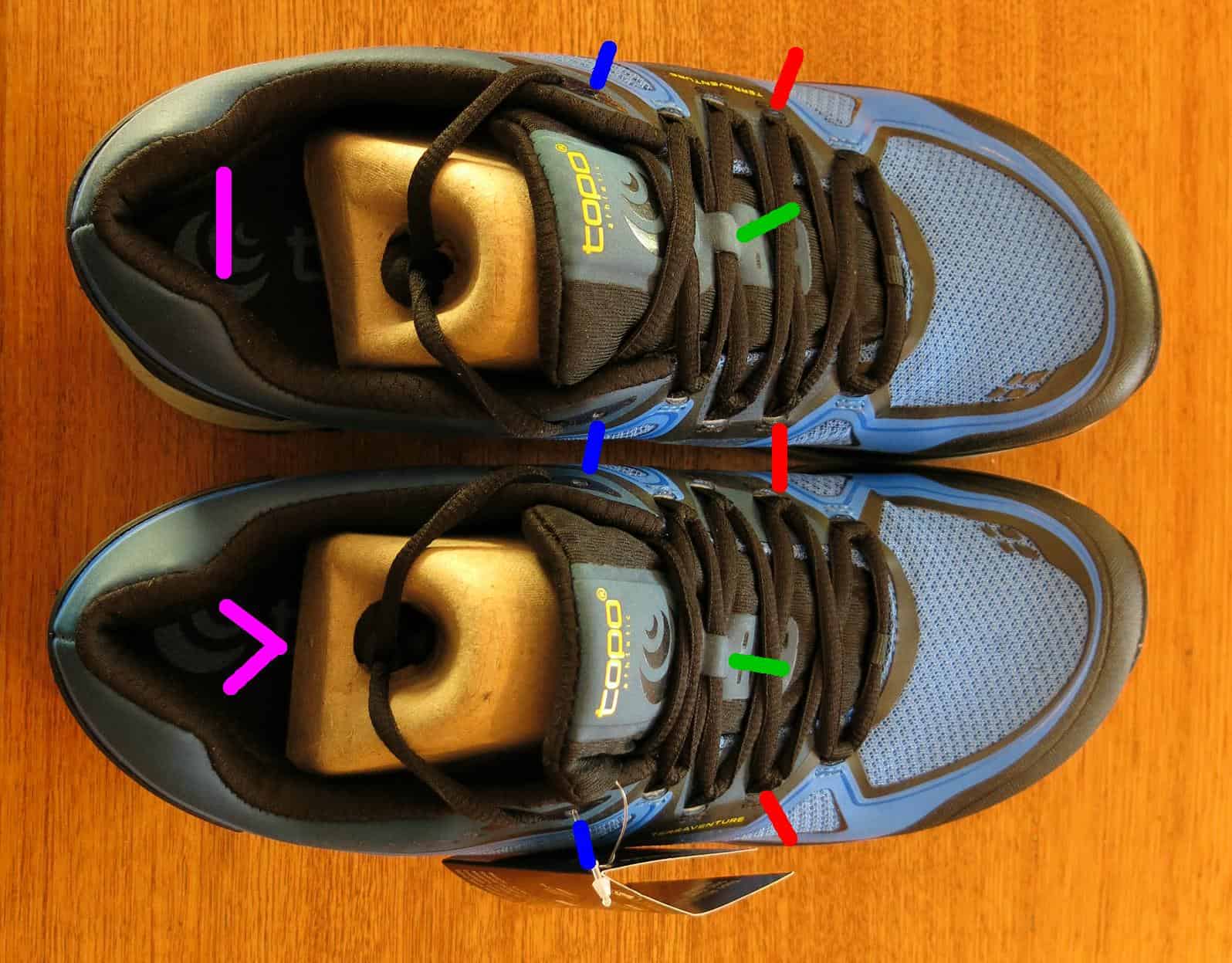
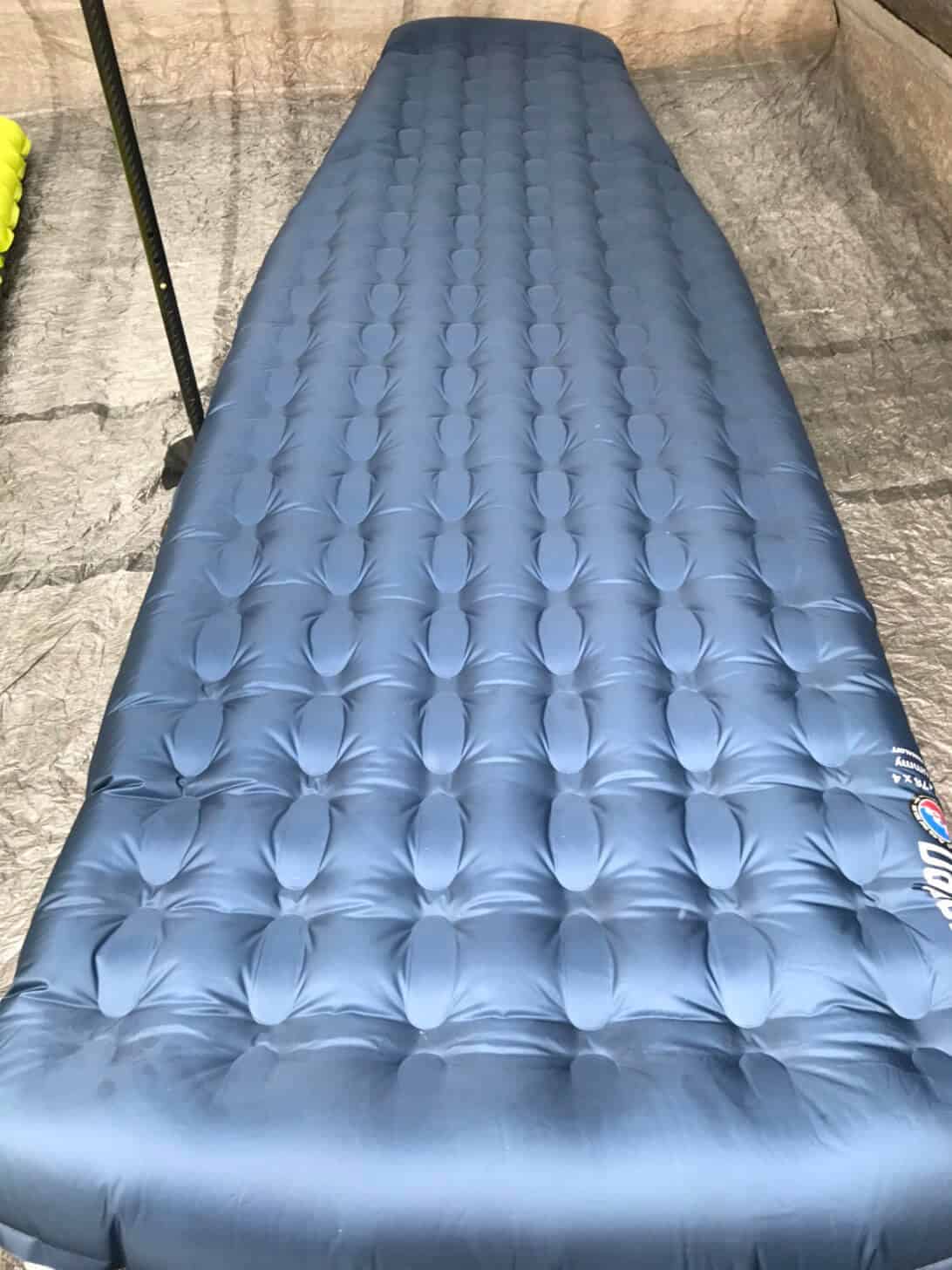
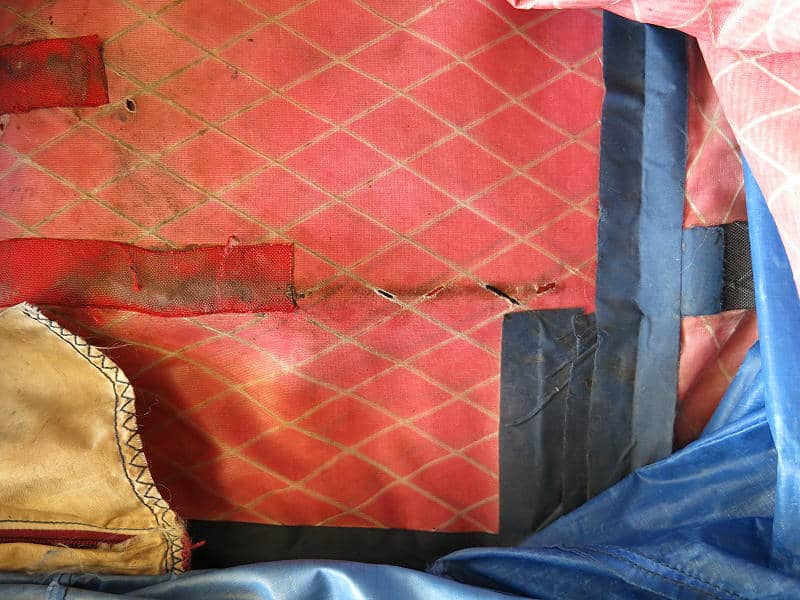
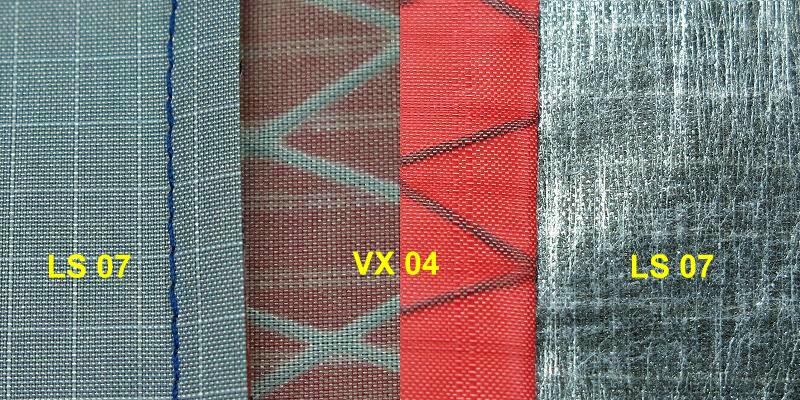
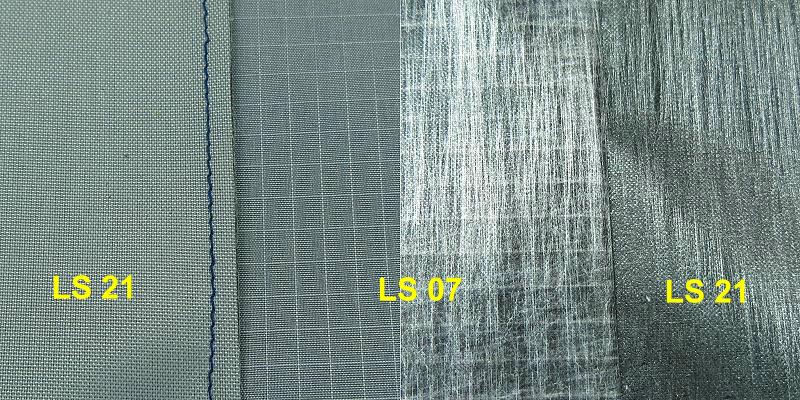
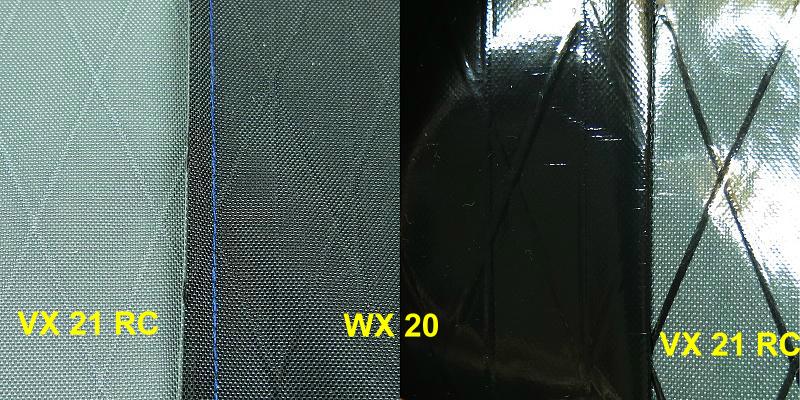
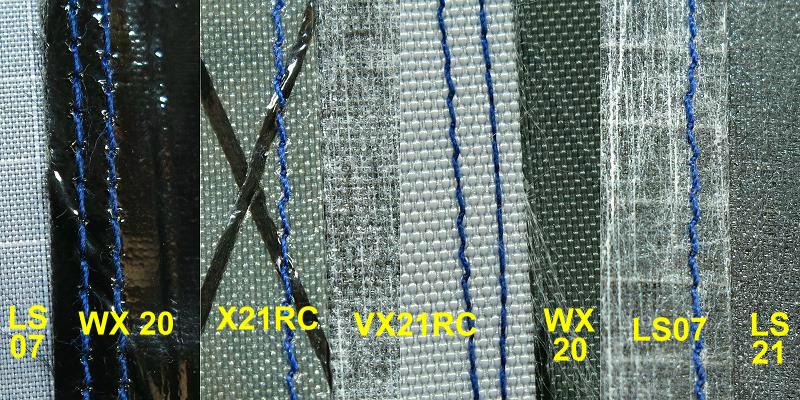
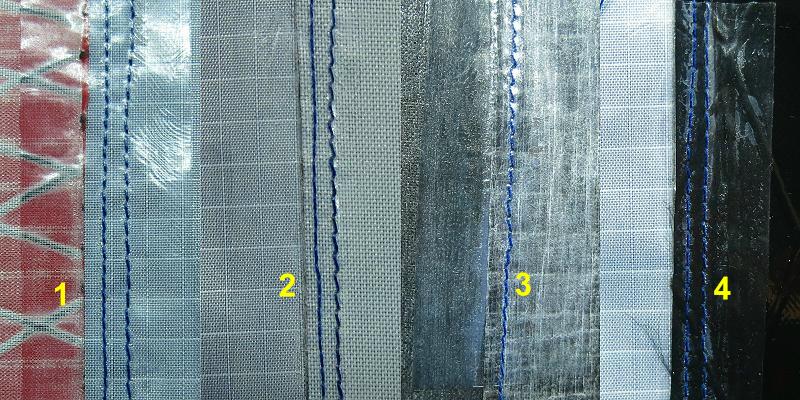
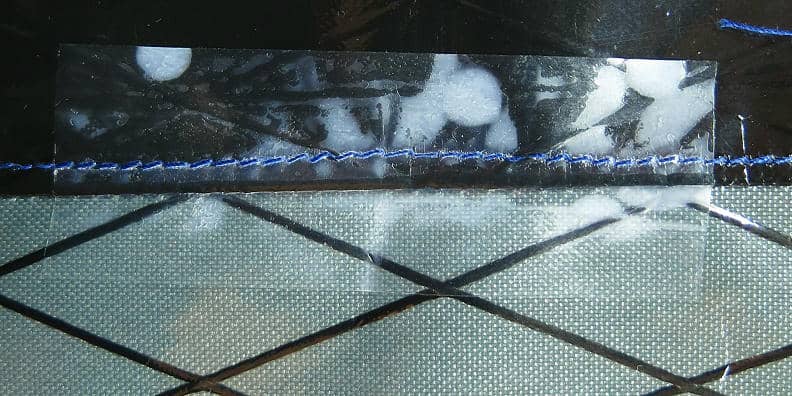
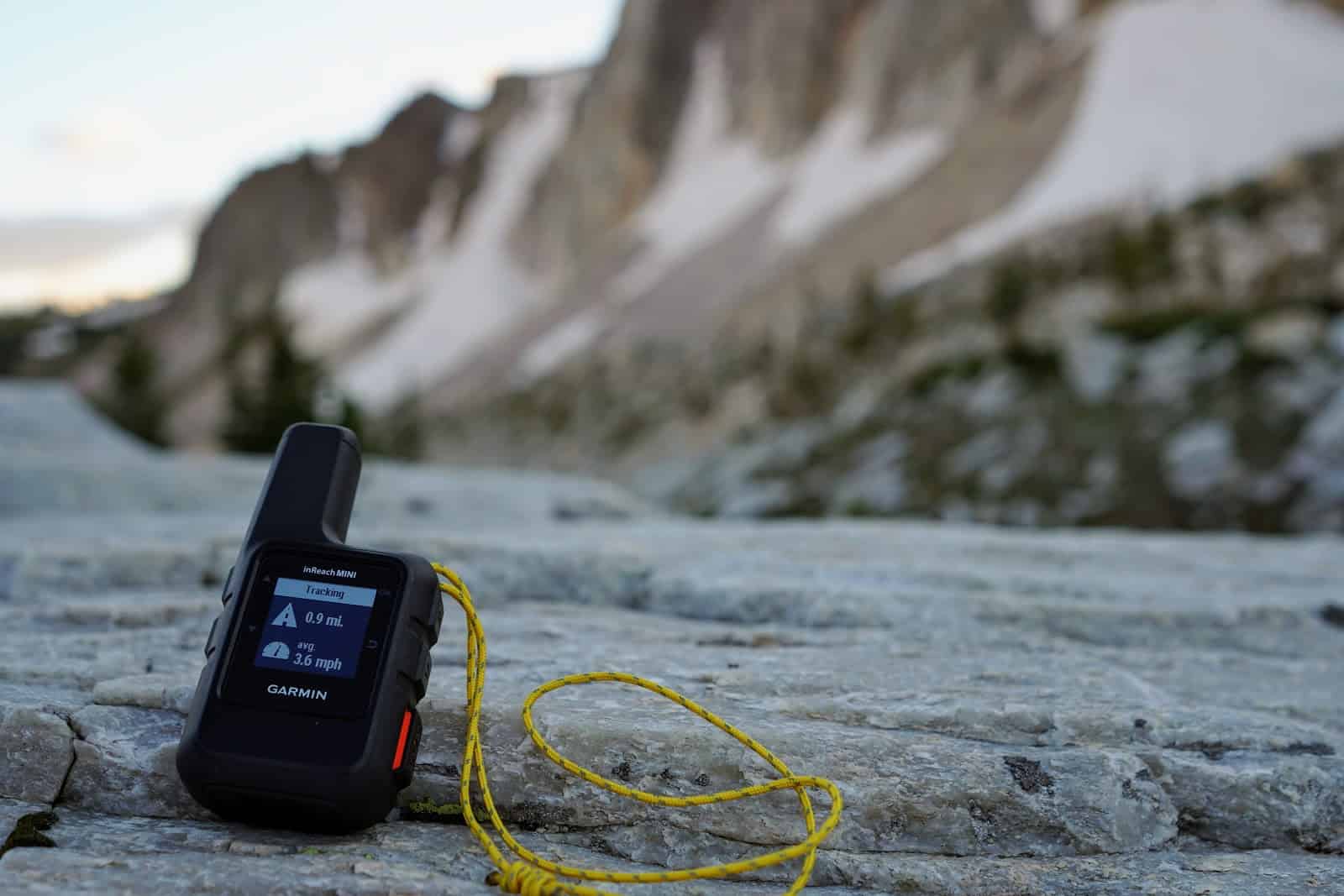


 Where to Buy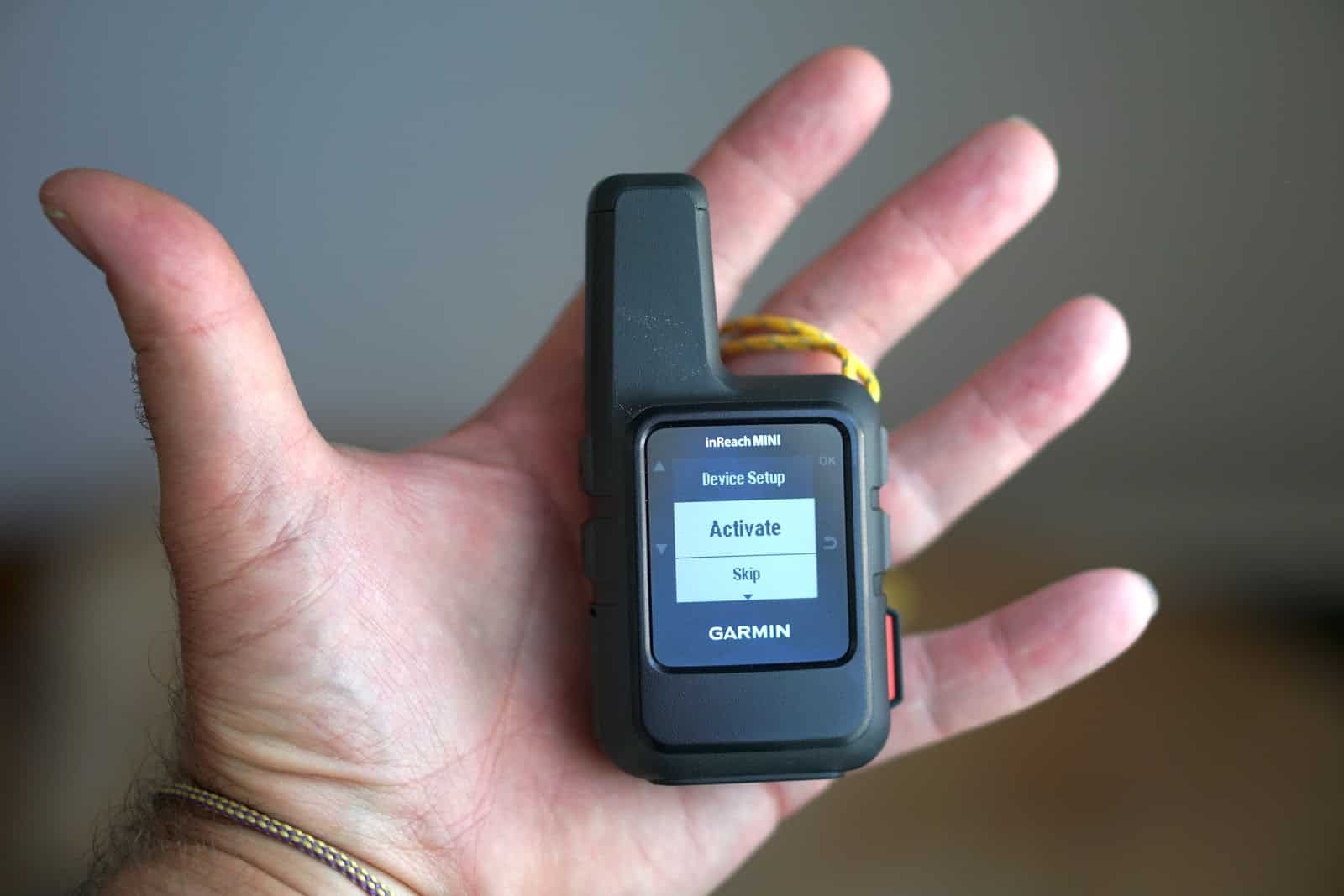

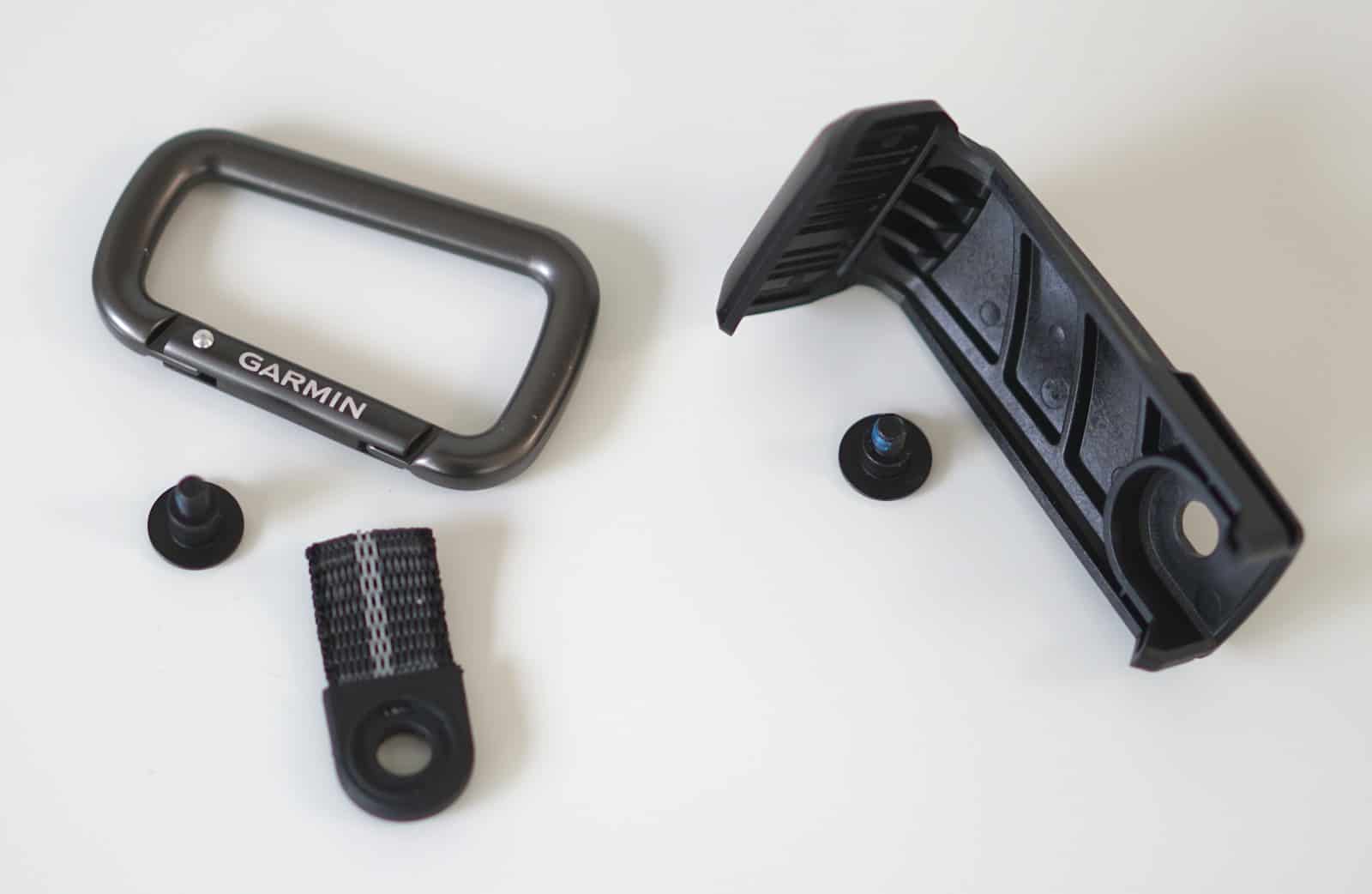
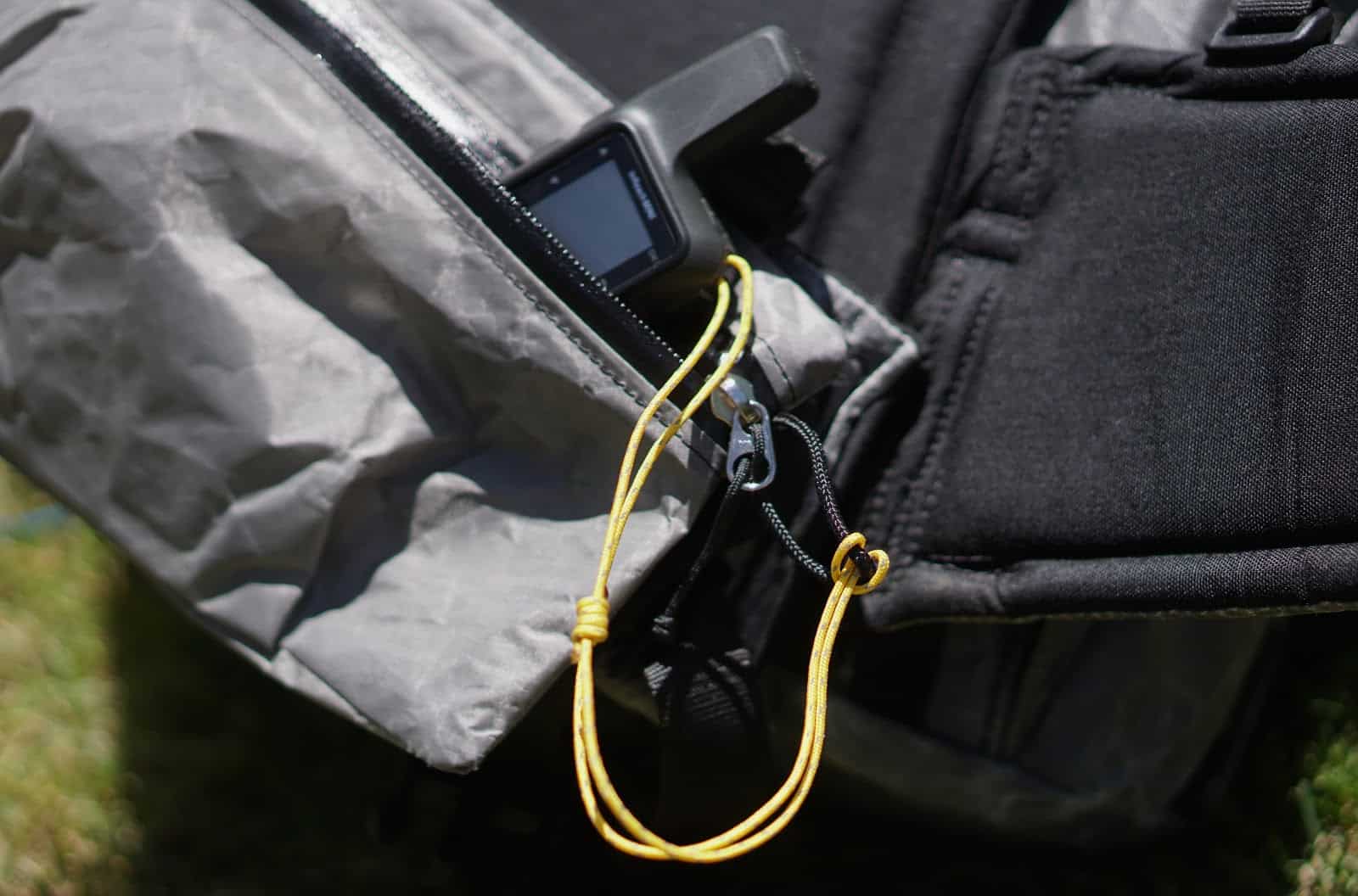
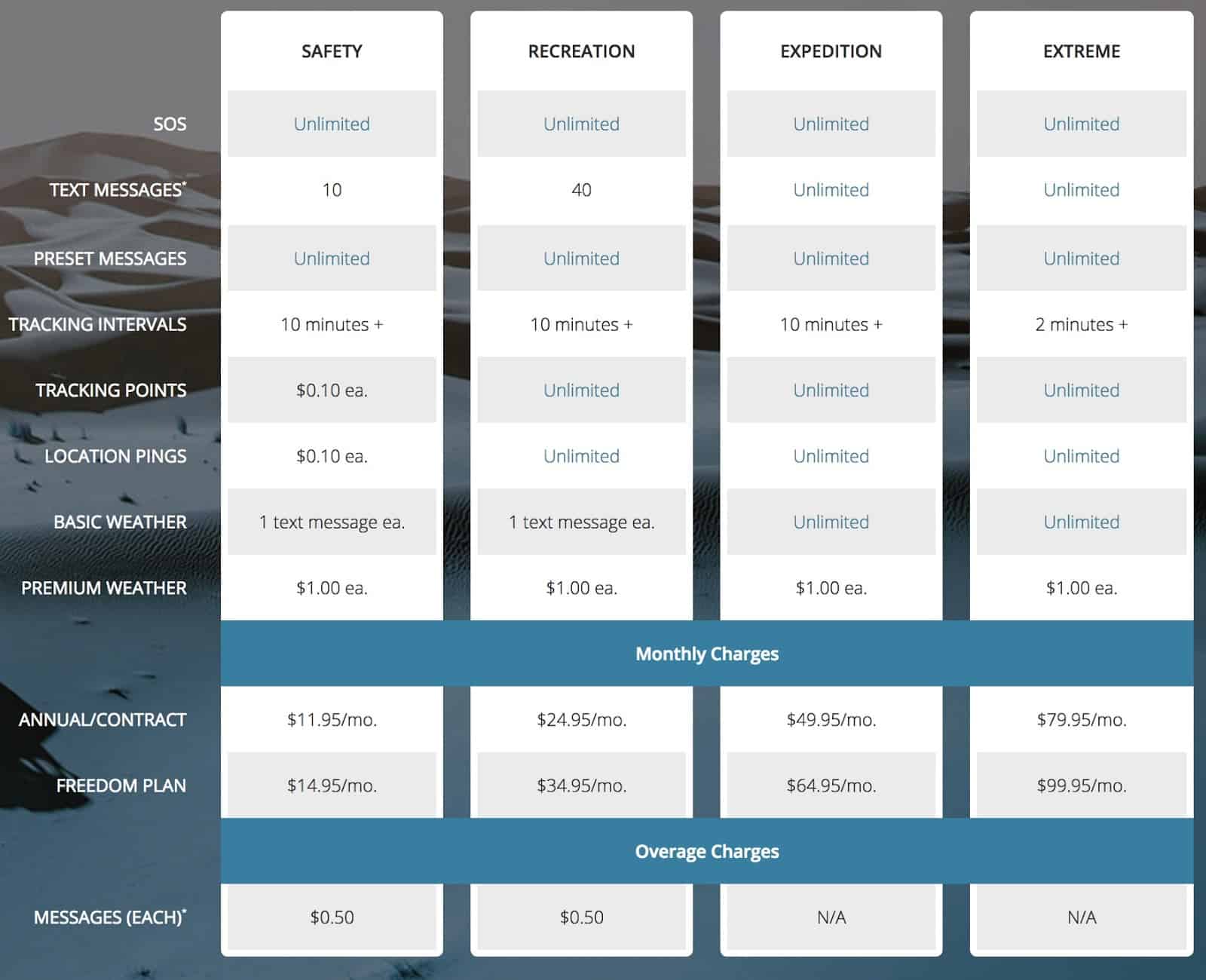
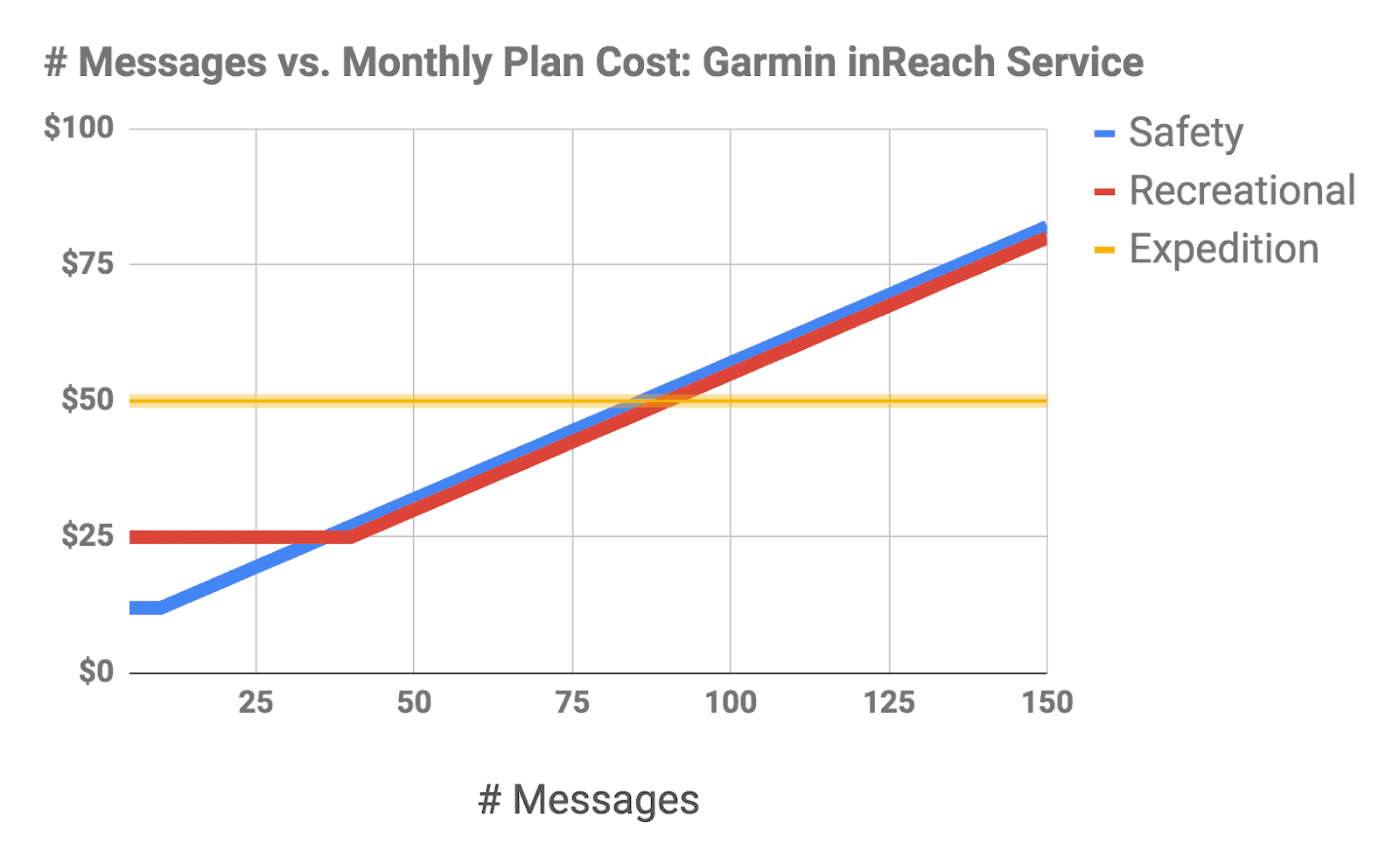
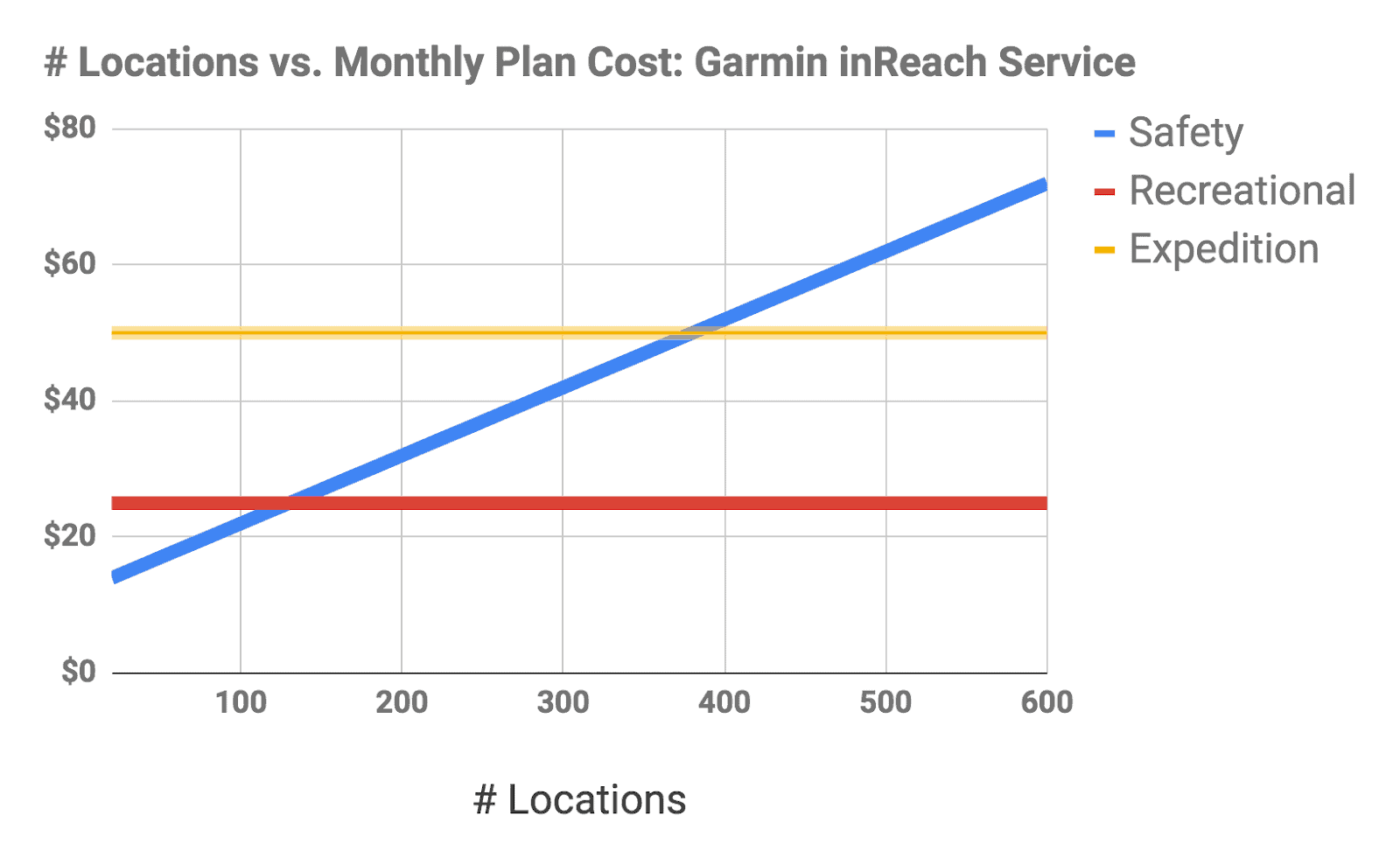

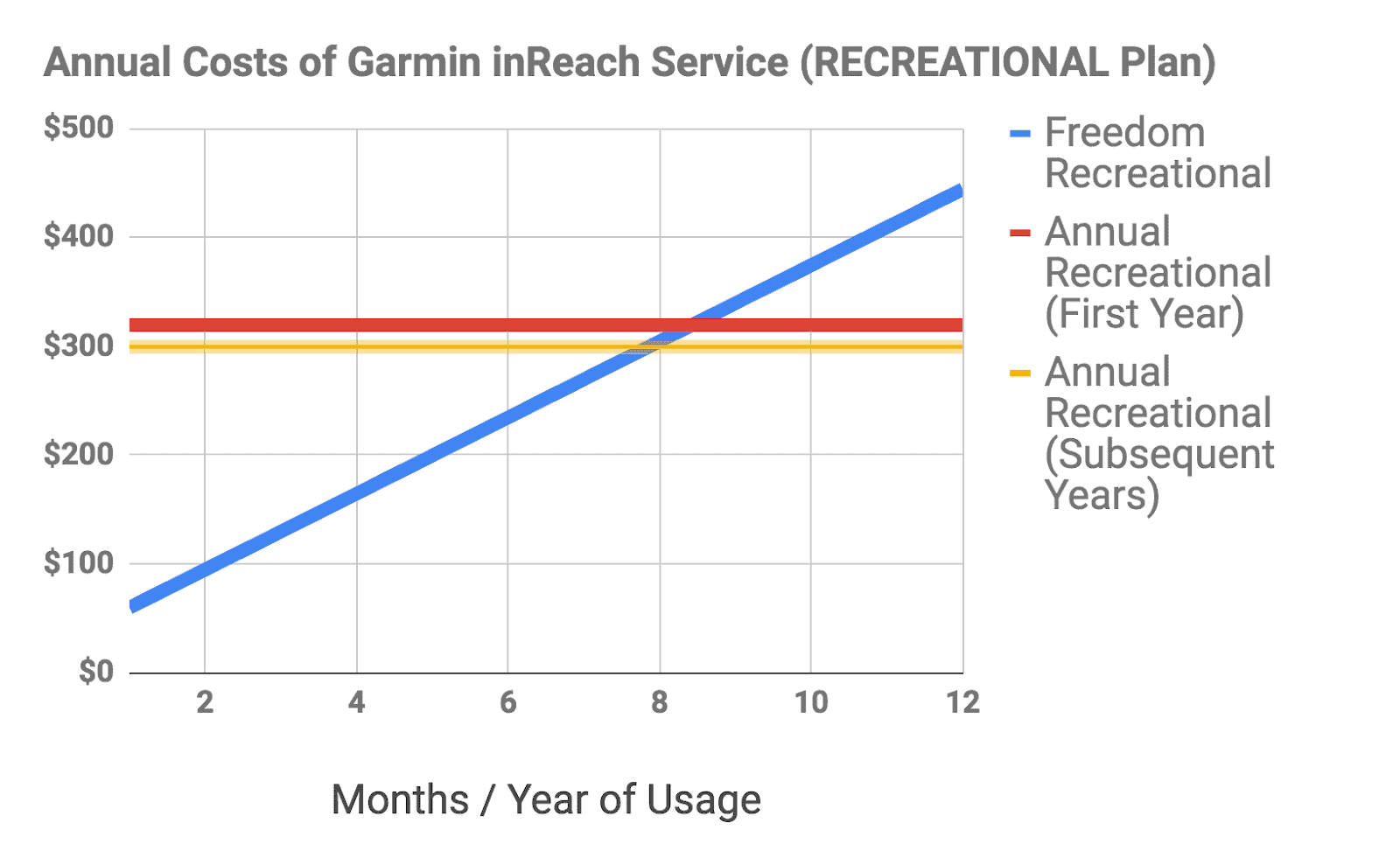
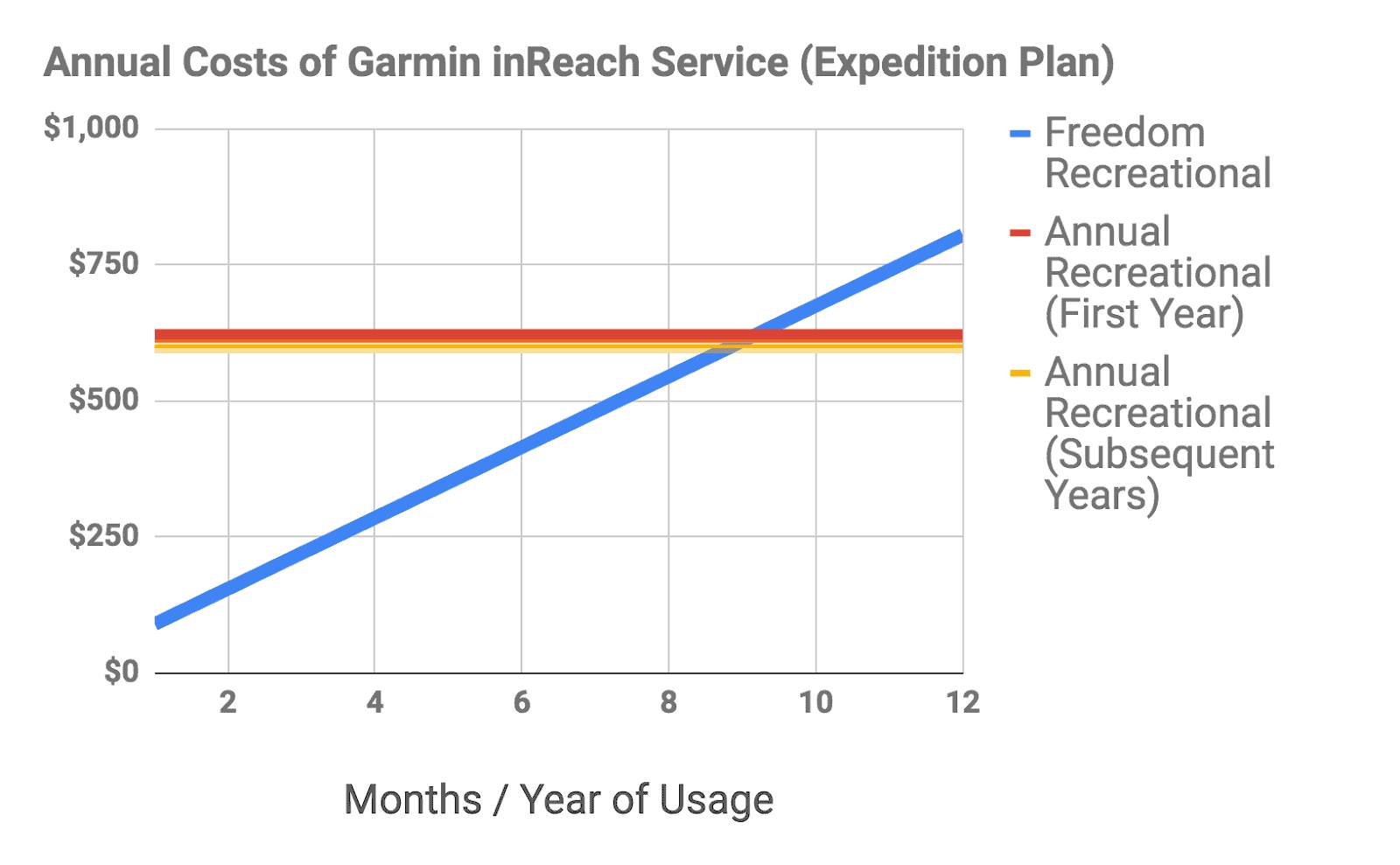
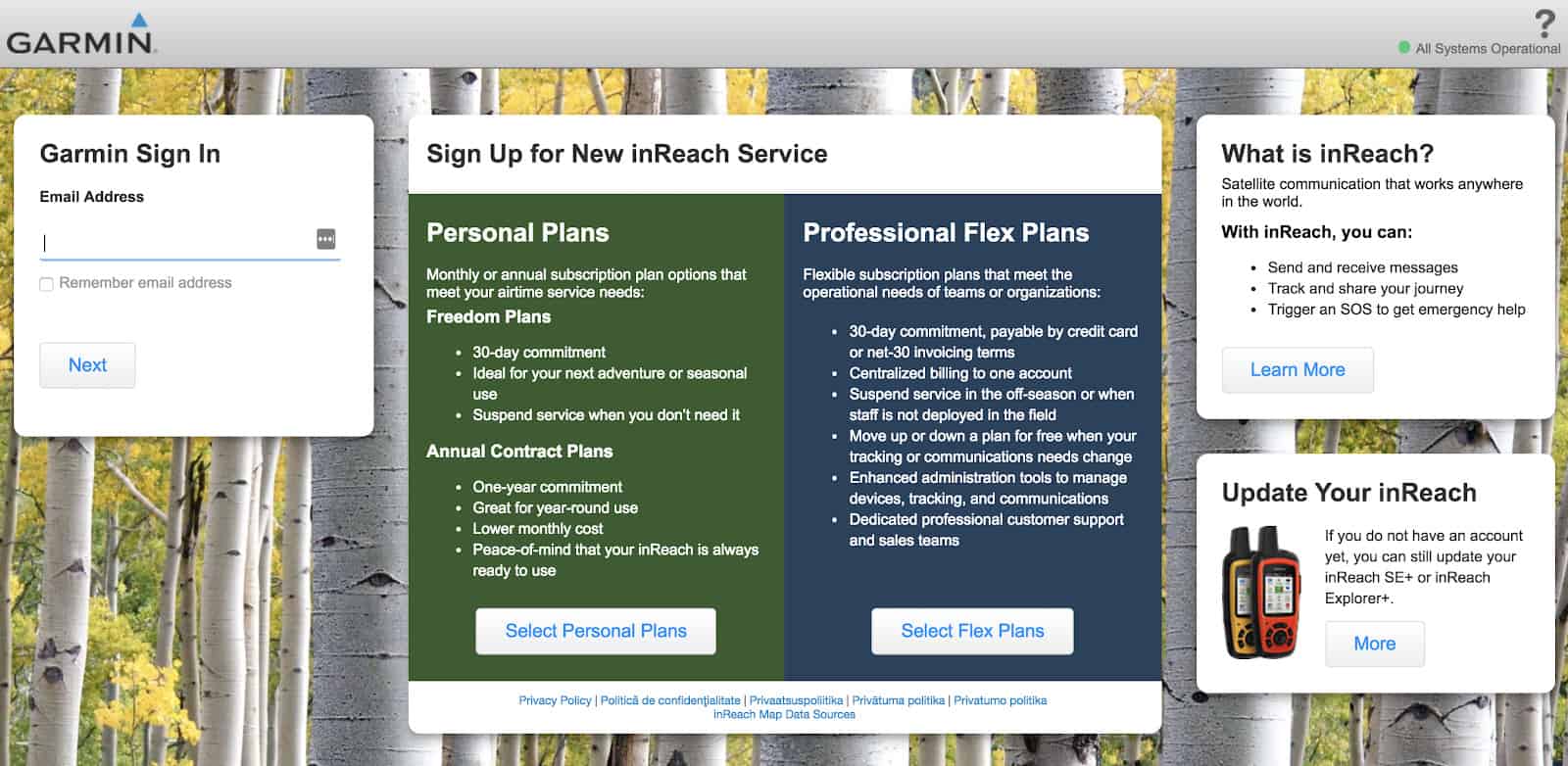

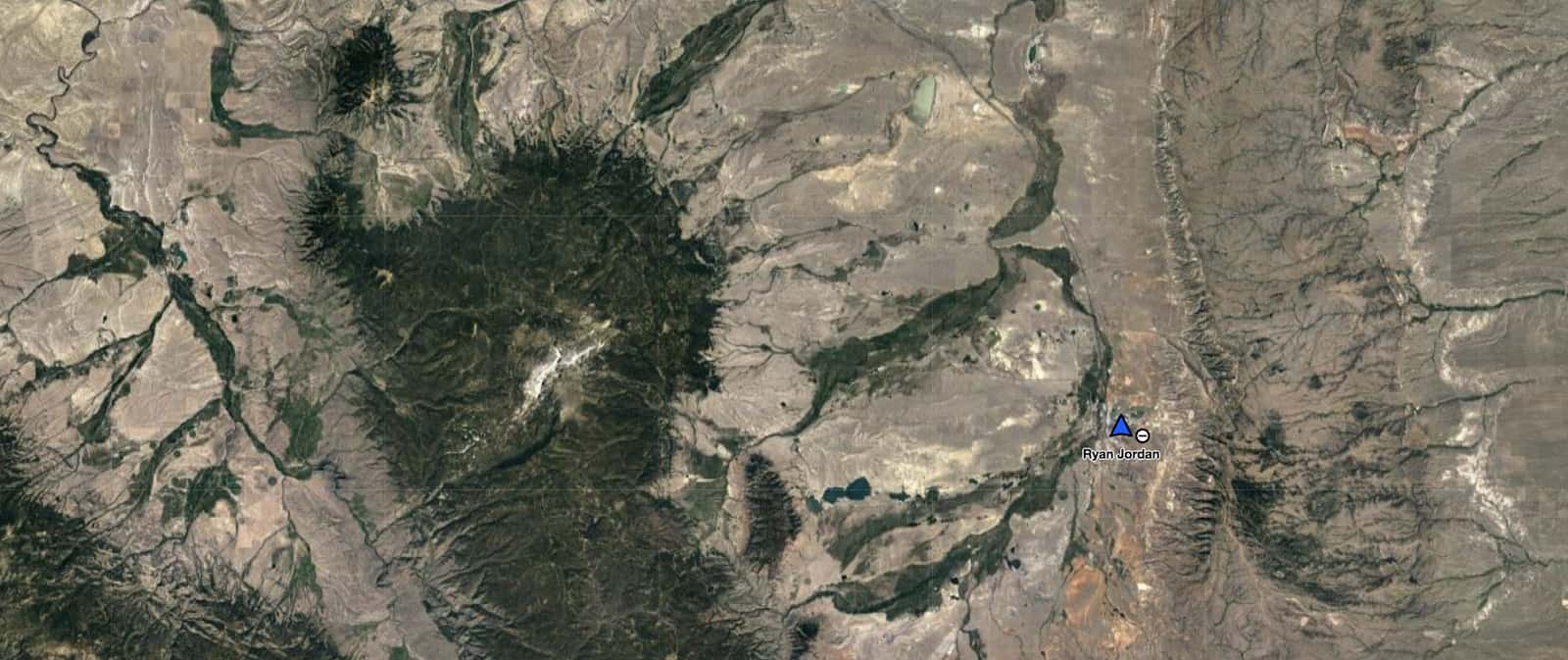
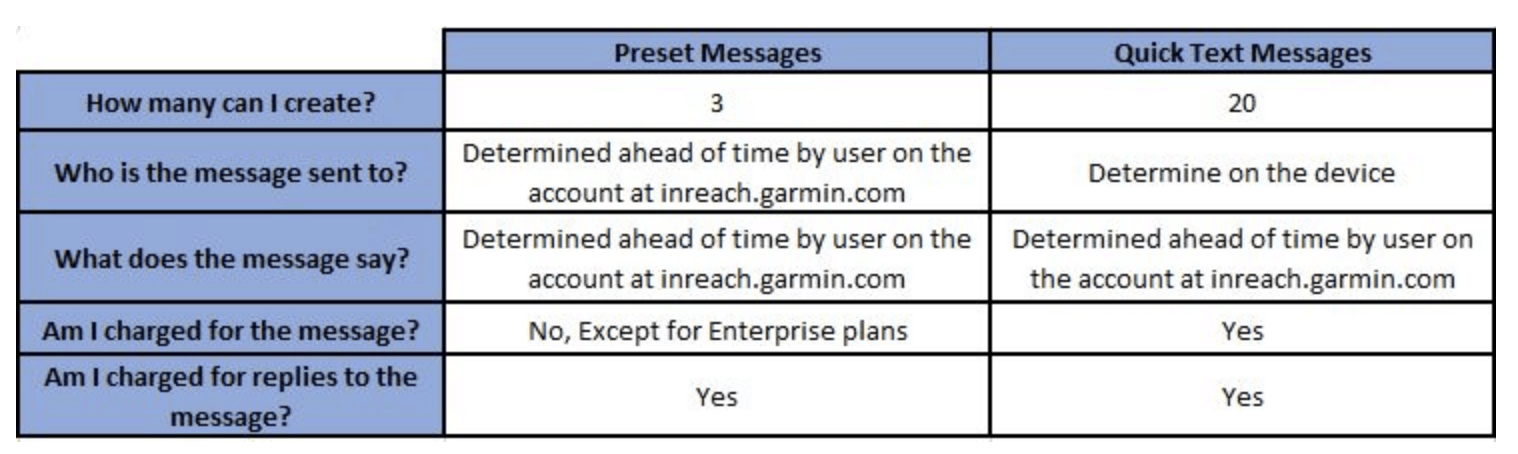 Social – allows you to toggle on/off public visibility of the MapShare service, where people can track your progress, or link your Facebook and Twitter accounts.