New update pushed to Android and iOS app stores, live now!
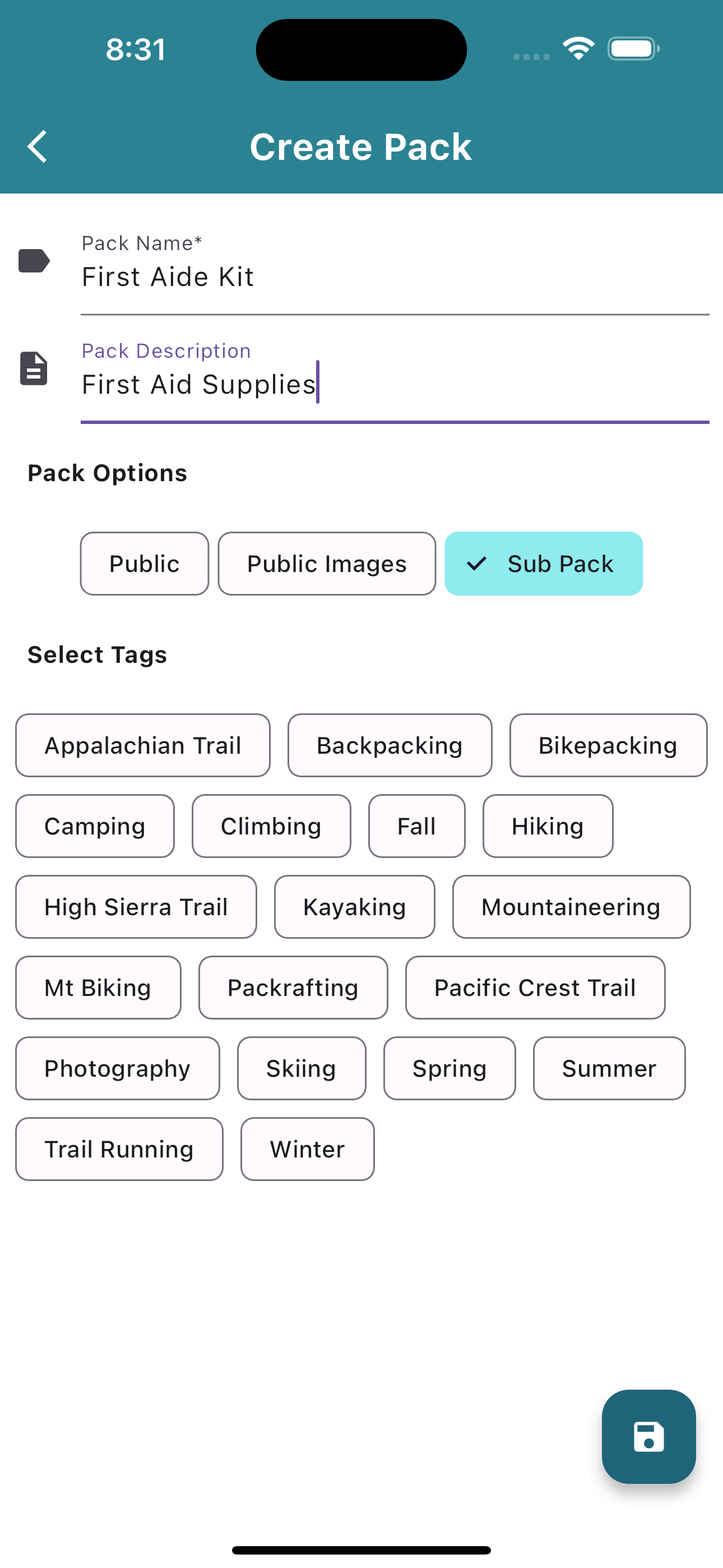
- Sub Packs (Pro only): You can now create sub-packs for an easier way to add items to your packs. Enjoy!
- Auto-consumable items: All items marked as ‘Water’, ‘Snack’, or ‘Meal’ will now be automatically marked as consumable when added to a pack.
- Direct email link: A link has been added to the settings menu to allow you to send us direct emails.
A lot of work went into this update to allow sub packs. I hope it helps make planning your next adventure even easier!
You can read more about how to make a sub pack on our documentation page on creating a pack.
The quick and dirty though is you basically create a Sub Pack exactly how you create a normal pack. You just now tap a checkbox to mark it as a “Sub Pack”.
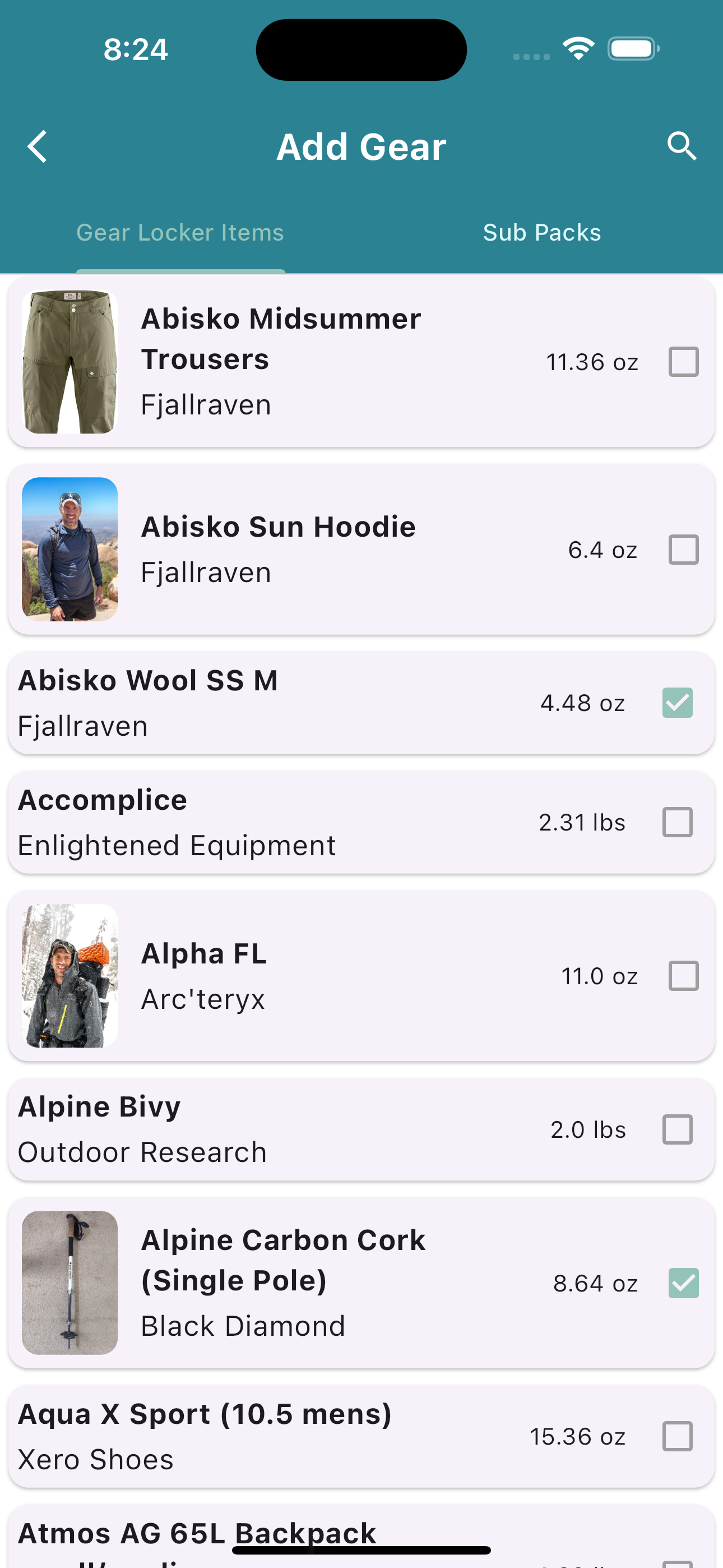
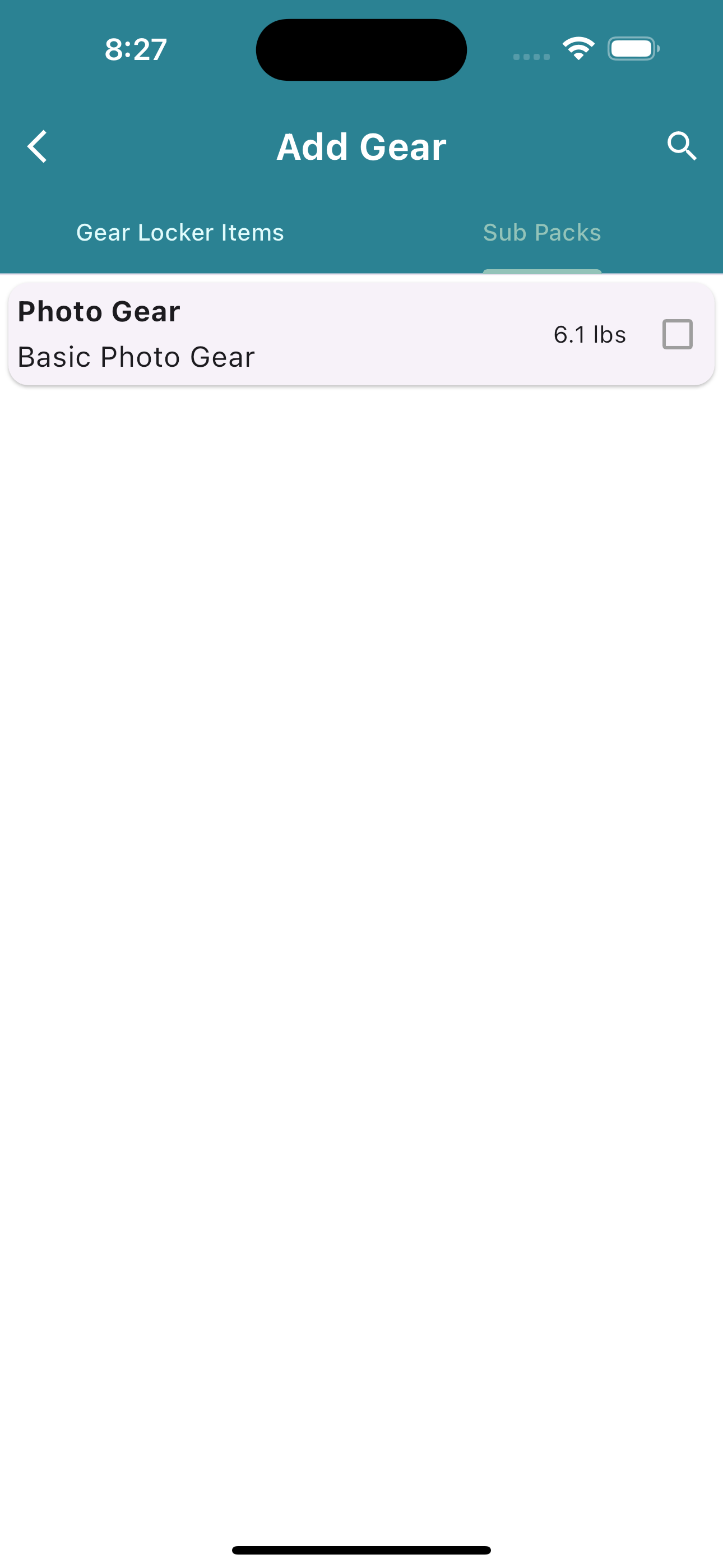
Then when you add gear to a pack, you now have two tabs. One tab is your normal gear locker items list, which is how you have normally added gear in the past. The new tab is Sub Packs. When you view the Sub Packs tabs you will see a list of all your sub packs. Tap a sub pack to add it to your pack!