Topic

New Backpacking / Hiking Weight Calculator App

Viewing 25 posts - 151 through 175 (of 269 total)
Mike J BPL Member
PostedNov 19, 2023 at 4:00 pm

Alright new update being pushed to app stores now :-)

Android approval super fast as usual and is already live. iOS app store should be approved hopefully later tonight or tomorrow.

Update includes:

– Add ability to export entire Gear List as CSV from settings
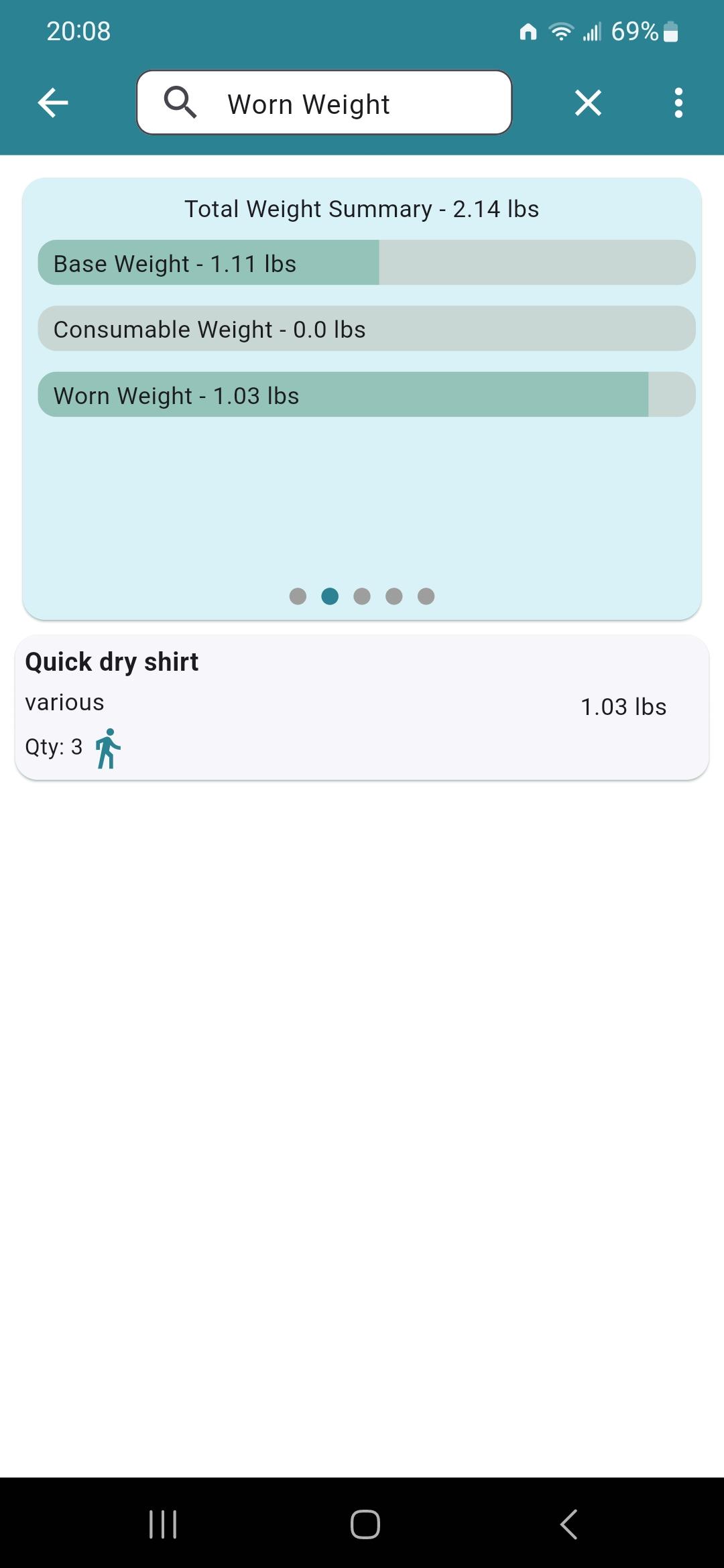
– If you mark item as worn and quantity is more then 1 in your pack, only the 1st one will count as worn item. The rest will be counted as in your pack.

Josh J BPL Member
PostedNov 19, 2023 at 6:10 pm

Maybe I have it marked wrong? 3 shirts, marked as worn and all three counted as worn weight

Mike J BPL Member
PostedNov 19, 2023 at 6:21 pm

hmmm are you sure you updated that app?

just for a test could you create a test item. Like a sock, and make it one pound for easy math. Mark as worn weight and put quantity of two. Take a screen shot then do quantity 3.

Josh J BPL Member
PostedNov 19, 2023 at 6:24 pm

Nevermind I thought it auto updated….  It didn’t, now updated and works

Mike J BPL Member
PostedNov 19, 2023 at 6:27 pm

Ooooo, you had to go into the play store an update? Gotcha. I may have one slight visual bug on the graph in certain circumstances that I just noticed….  numbers will be right but graph is slightly off so investigating that right now. But should be mostly good more you lol

Mike J BPL Member
PostedNov 28, 2023 at 6:35 pm

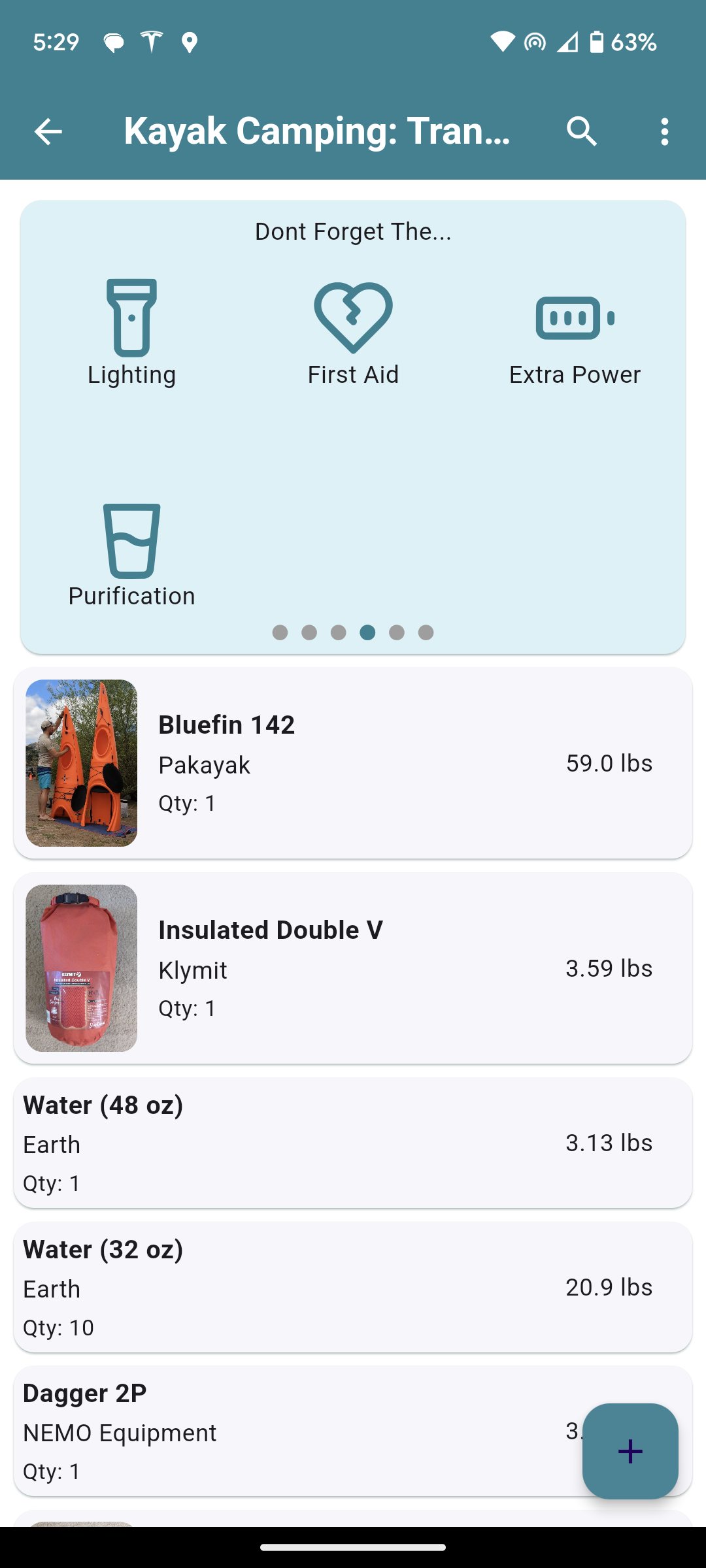
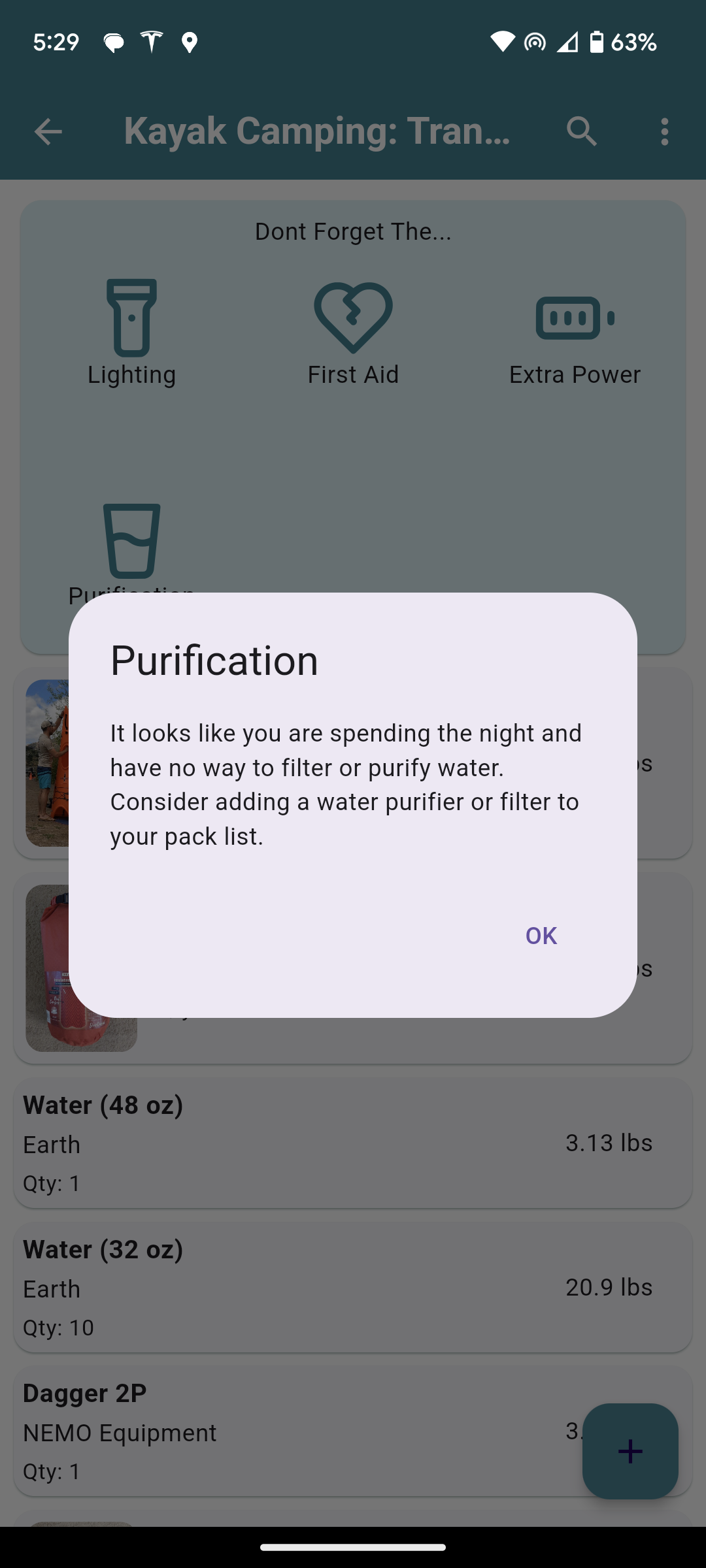
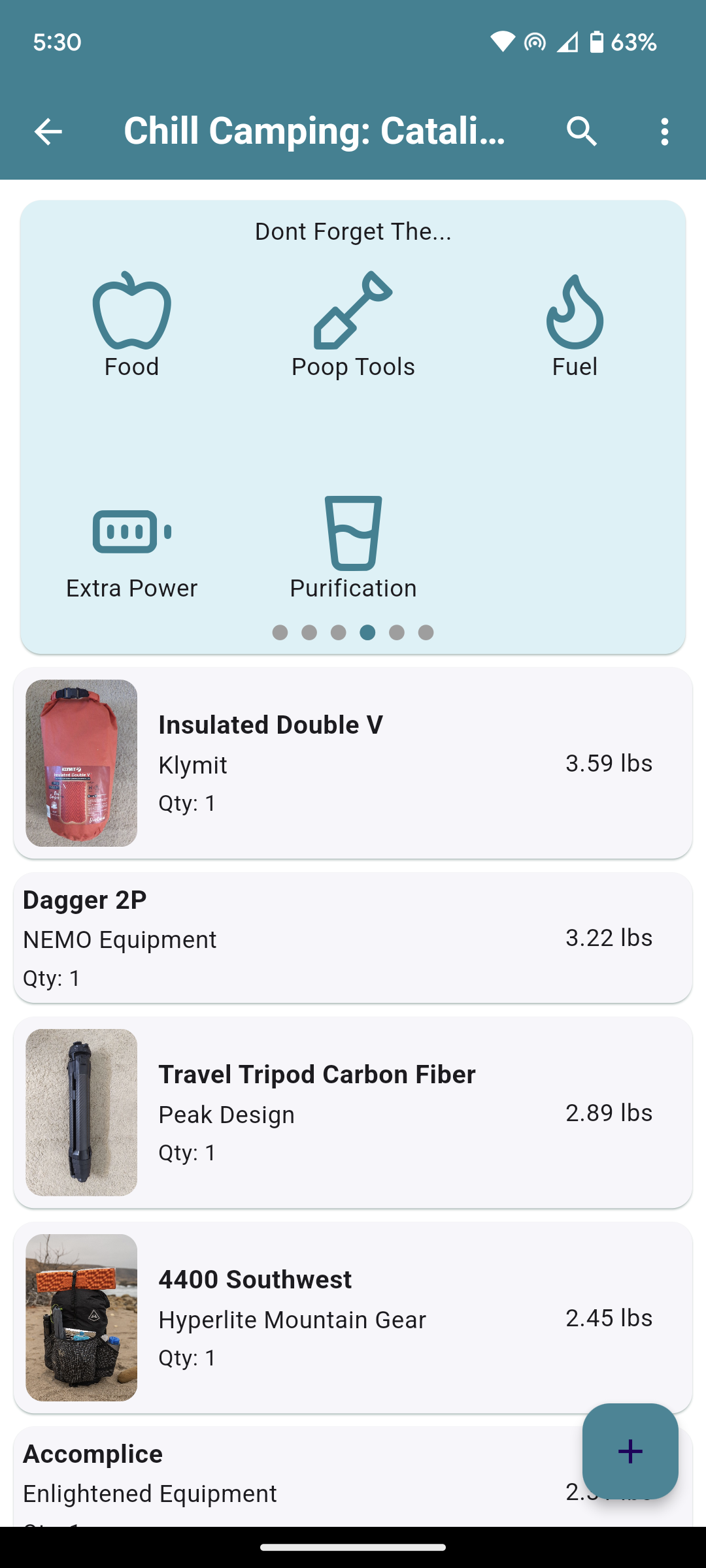
This is one of my bigger releases to come out recently. Added a new feature that checks out what is in your pack and makes recommendations.

The recommendations start out simple, following the basic ten essentials. As you add items the pack checker will check on some more advanced rules to make sure you are not missing anything essential. For example:

– If you pack a tent or tarp, but you do not have tent stakes you will get a warning to suggest adding tent stakes.

– Staying out over night and dont have a sleeping pad, you will get a suggestion to pack one.

– Going backpacking but dont have a potty trowel or wag bag? We will make sure you don’t forget to pack one!

These are just a couple checks that we will do with over 20+ rules built out right now. If you think of any others that you think would be helpful, feel free to comment and I would love to discuss new ideas to help people prepare for their trips!

I hope this feature will help beginner hikers and backpackers and experts alike. I was surprised by some of the items I forgot in some of my bigger packs while I was testing this feature out!

Here are some screenshots:


Additionally in this release I added the ability to export an individual pack as a CSV file as well.

Release is currently live in Android and is awaiting review in the Apple iOS store. Cant wait to hear what you all think!

Josh J BPL Member
PostedDec 6, 2023 at 9:12 am

Looks nice! Great job!

I’ve been playing around more and noticed that when I have my pack weight set to Lb and Oz it doesn’t display oz. For instance it shows 25.71lb  not 25lb 11.36oz or even 11oz rounding down

Mike J BPL Member
PostedDec 7, 2023 at 6:49 am

Josh,

The  pounds and ounces setting works a little differently then you are expecting I think. When you select pounds and ounces anything over 1 pound shows up in pounds and then any item less then a pound will show up in ounces.

Josh J BPL Member
PostedDec 7, 2023 at 6:55 am

Gotcha, yeah I was expecting to see both over 1lb. Just curious is that possible?

Also curious how the sub packs with drop down in main packs was coming?


No rush, just curious 😁

Mike J BPL Member
PostedDec 8, 2023 at 7:05 am

Gotcha, yeah I was expecting to see both over 1lb. Just curious is that possible?

Anything is possible with programming :-)

I can put it on the todo list, but honestly its not the highest thing right now.

Also curious how the sub packs with drop down in main packs was coming?

I havent started this yet. Still need to go into a design phase.

Right now I have been working on optimizations for larger screens. I may be able to push out a web based version before Christmas if all goes well :-)

Mike J BPL Member
PostedDec 10, 2023 at 6:02 pm

New update out on Android, and web…. yes I said web ;-)

Still waiting for iOS update to be reviewed but that is incoming soon as well.

If you use the app on your cell phone, you will not notice much in this update, its mostly just optimization for larger screen devices…. I finally got myself an iPad so figured I would work on making it look nicer on tablets :-)

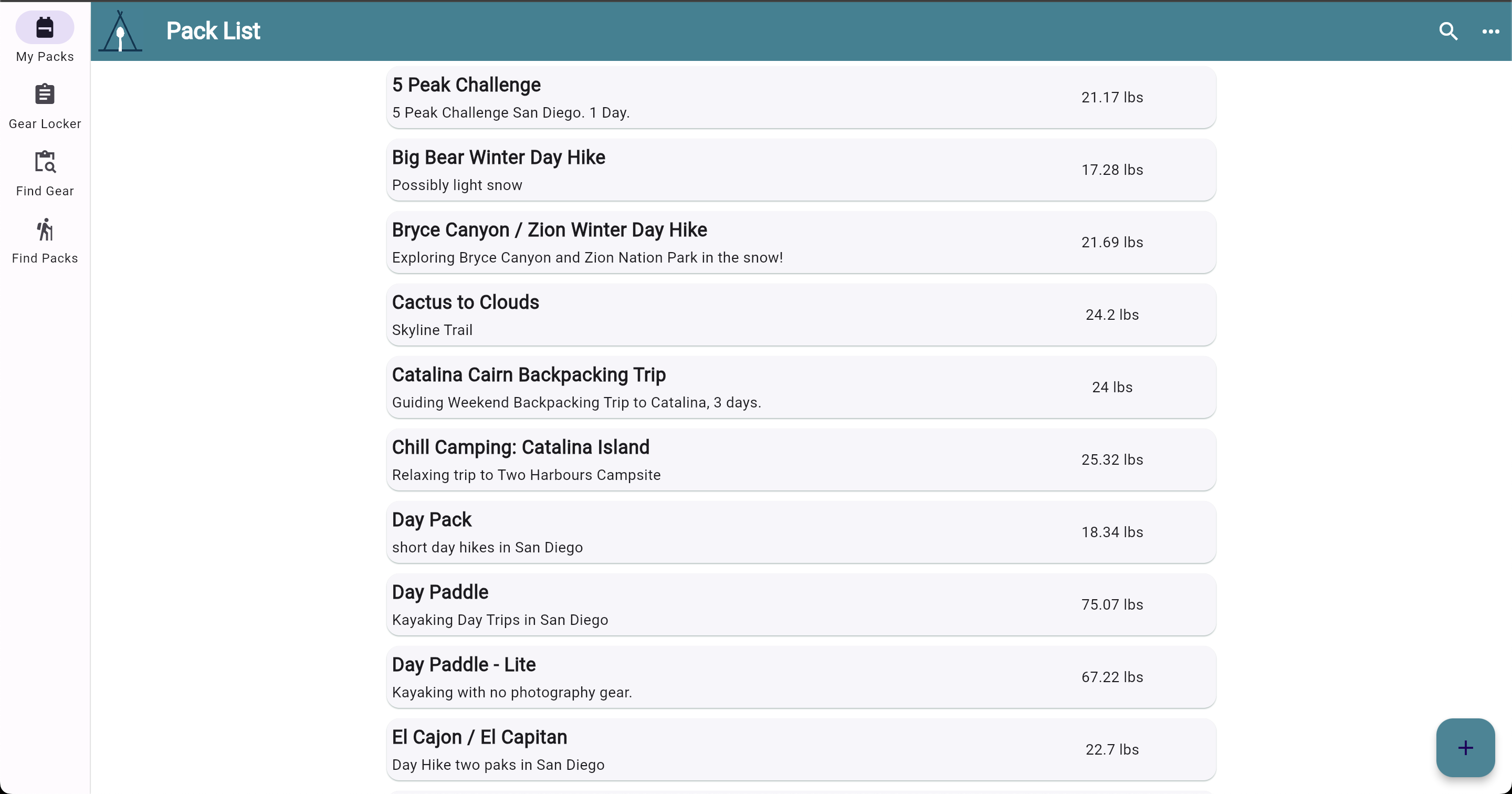
Since I worked on the app looking better on larger screens, I figured I would release the web app version. A lot of users have been asking for a way to edit and mange packs in their web browsers, and now you can!

The web app is about 95% of the Android and iOS app. You can add gear to your gear locker, manage packs etc. The app is still the main use case at this time though, but looking forward to hearing your feedback on the web app. Its in beta, so let me know if you run into any issues!

Check out the web app by visiting https://dfts.app/ and clicking the login button in the top right corner.

JCH BPL Member
PostedDec 10, 2023 at 6:24 pm

Web app on iPad, clicking “Sign In with apple” does nothing.

Josh J BPL Member
PostedDec 10, 2023 at 7:02 pm

On my phone looks great! Looking forward to the laptop

Mike J BPL Member
PostedDec 10, 2023 at 7:12 pm

Web app on iPad, clicking “Sign In with apple” does nothing.

Thanks for the heads up. I will take a quick look right now.

Terran BPL Member
PostedDec 11, 2023 at 4:40 am

I can sign in on my iPad using Apple, but it leads to a separate account with none of my information. I had to sign back out and use Google.

Mike J BPL Member
PostedDec 11, 2023 at 6:51 am

I can sign in on my iPad using Apple, but it leads to a separate account with none of my information. I had to sign back out and use Google.

If you are using gthe iPad app that is expected behaviour. Basically creating a different sign in account with each sign in provider.

Still knocking my head on the web app issue right now but making progress.


Mike J BPL Member
PostedDec 12, 2023 at 6:21 am

Web app on iPad, clicking “Sign In with apple” does nothing.

JCH, clear your cache and reload the page, you should be able to log into apple now. Let me know if all goes smoothly! Appreciate you testing that out for me!


JCH BPL Member
PostedDec 12, 2023 at 7:04 am

Yep…works exactly as it should on both iOS and MacOS.

FYI, I did not need to clear the browser (Safari) cache, but your suggestion to do so was the safe (and correct) advice.

Mike J BPL Member
PostedDec 15, 2023 at 5:53 pm

Yep…works exactly as it should on both iOS and MacOS.

That makes me super happy to hear! Thanks for the feedback as always!

Manfred BPL Member
PostedJan 18, 2024 at 12:54 pm

I’m slowly getting ready for hiking the PCT this season and I’m finally using DFTS seriously. Great job on this little app! Taking photos in the app (pro version) makes it so much more useful for others. I’m also trying out the web app. It doesn’t seem to know that I have the pro version on my iPhone.

Now I have a question in regard to subpacks. I created a ‘Cook Set’ as a subpack and marked every single item in there as ‘packed’. When I add that subpack to my pack all the items in there appear as ‘unpacked’. Is there a way to mark the subpack as ‘packed’ in my pack? Otherwise I would have to touch each and every item from that subpack in my pack and mark all of them individually as ‘packed’.

Manfred BPL Member
PostedJan 18, 2024 at 2:15 pm

And another question for subpacks. I created a subpack ‘Tent’ that includes the tent, the stake sack and 6 tent stakes. When I add he subpack to my pack, the tent stake shows up with quantity 1 instead of 6.

Mike J BPL Member
PostedJan 18, 2024 at 5:22 pm

Manfred,

Thanks for reaching out and glad to hear that you are enjoying using the app. The web app is in beta to be honest, but could you provide me a little more details on the web app not recognizing your pro status? I have a hunch maybe you were trying to add photos on the web? Adding or changing photos on the web is not supported yet. You can only add or change photos in the app.

In regards to sub packs. Packing items in the sub pack will not mark them as packed in a larger pack. The reason behind this is that you may add a sub pack to multiple packs, and you need to handle if things are packed in each pack separately. Sub packs were basically added as a way to add items to a pack more efficiently. Instead of adding items one by one you could add a group of items with one tap.

Currently there is no way to mark all the items as a sub pack all at once. But you are the second person to reach out to me about this being a feature request. I am still playing around with some ideas on how to best implement this but its on the todo list!

Lastly the issue with adding multiple stakes to a sub pack but only adding 1 quantity when you add the subpack to a pack…. well thats just a bug so thanks for reporting! I will move that to the top of the list to fix :-)

Manfred BPL Member
PostedJan 18, 2024 at 5:45 pm

Mike,

Thanks for your prompt response.

There are two indications that the web app doesn’t recognize that I upgraded to Pro. 1) It shows  ‘Pro Upgrade’ in the menu and when I click on it, it shows a popup ‘Upgrade to Pro’ with instructions how to do that 2) I can’t upload photos – as you mentioned already

Being able to ‘pack’ a whole subpack at once into a pack would be very helpful.

Thanks for fixing the quantity bug when adding subpacks to packs!


Mike J BPL Member
PostedJan 18, 2024 at 8:19 pm

Manfred, thanks for the info. That makes sense based on the code right now. I am just happy to hear you are not having issue creating unlimited packs while in web view.

Don’t thank me yet, but I will of course fix that bug ;-)

Manfred BPL Member
PostedJan 19, 2024 at 4:22 pm

Mike,

Another small question. What is your reason for your sorting order – 1) Numbers 2) Capital letters 3) Small letters?

I was surprised to find my ‘inReach’ or ‘iPhone’ all the way at the end after my ‘Zion’ pants.

Viewing 25 posts - 151 through 175 (of 269 total)
Loading...