Just a few follow-up points to issues that have been raised throughout this long (and very helpful) thread:
1. Once you hit the button to send a message, [EDIT!] here is how to delete it if it hasn't gone out yet, copied from Rex's post further below in this thread (thanks Rex!):
a. Select "Messages"
b. Select the message you want to delete
c. Select the *body* of the message you want to delete
d. Scroll up once to show message details
e. Select "Delete"
f. Select "Delete" again to confirm
g. Use the X key to get out.
You can also cancel an SOS request (or rather, perform a procedure that essentially tells the rescue hq, Oh, that's very different … never mind).
2. I suspect that both of us here who inadvertently sent a Preset Message did so in the process of trying to read the customized text. Now that Sync is finally available, you can indeed see all of your Preset Message text and recipients … *AFTER* you send a message! But before you do so, the list of the three Preset Messages now shows about 20 to 24 of the first characters (depending on their width), and no recipients. Still though, that should provide enough of each Preset Message to remind you of which is which.
3. The SE still lacks the ability to display its own GPS coordinates. Given its extensive menu system, I am absolutely baffled why the SE doesn’t have a twelfth menu icon for “GPS” which would provide the option of displaying the coordinates.
4. That aside, any type of message you send to anyone will appear in both the Messages and History menu options, with GPS coordinates shown. (Although note that Messages groups them together by identical recipients, whereas History more helpfully groups them together by date.)
5. If you want to sent a message only to your own InReach SE, then yes, you can do that, and it will also display the GPS coordinates. However, other than not bothering anyone else (including your own email account and/or cell phone), that doesn’t offer any advantages, since the SE still needs to upload the message successfully to the Iridium satellite, and then check for messages successfully to the Iridium satellite. (Note that you can send messages directly to another InReach SE user.) And if you’re on a limited plan, be sure *not* to include your own SE address, since otherwise each message will be charged twice against your quota.
6. For message recipients, your GPS coordinates are displayed in emails, but *not* in text messages. This is a baffling oversight, especially since the text wastes characters by prefacing each message with a full "See [FirstName] [LastName]'s location:" and then concludes with the utterly worthless corporate self-promotion of "DeLorme – Always InReach."
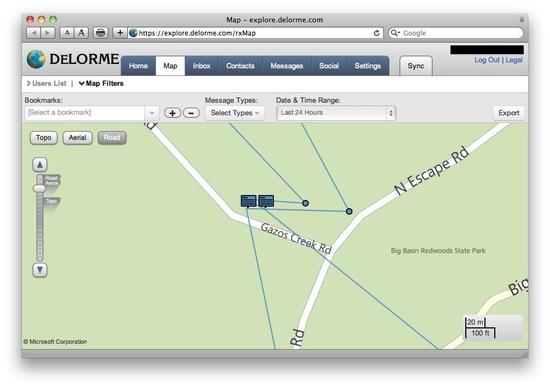
7. Instead, the text has only a map url (which at least on my phone does not trigger the hypertext, although it’s easy enough to type into a phone’s browswer http://dlor.me/ followed by a seven-character alphameric string). The recipient can zoom way in, with the choice of Topo, Aerial, or Road views. IMPORTANT EDIT: To obtain the GPS coordinates, the recipient must click on the little red circle in the map. (This is not at all intuitive — I noticed this only after reading Jim's post below, hence this edit.)
8. However, what it the recipient has just enough cell reception for a text message to get through briefly, but not enough reception to access the internet (whether to view the map or to read an email)? Under that scenario, an SE user who wants to provide GPS coordinates via text must first send a message, copy down the GPS coordinates, then enter those coordinates into a second message.