


I've been trying to add photos to my trip report. They just don't upload. I am not doing anything different than I have done many times before.
Topic
Become a member to post in the forums.
I've been trying to add photos to my trip report. They just don't upload. I am not doing anything different than I have done many times before.

I tried inserting image – McNeil shelter and Mt. Hood:
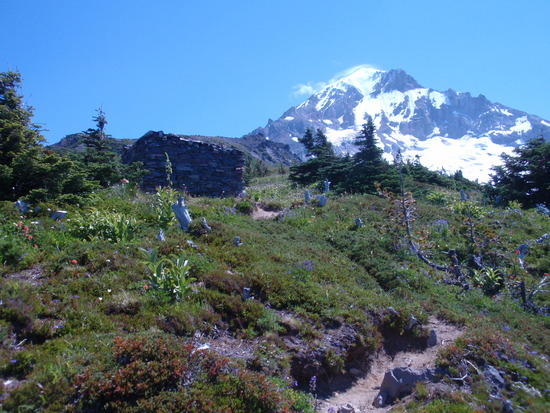
works for me

Ken,
I'm also having trouble posting photos and did not have prior problems. I get a red error message saying the file is too large. I've resorted to linking the photos instead of inserting them.
Daryl
Daryl,
If your photo is too large, open it in a photo editing software and reduce the size by 5%. That should quickly solve the problem.
Another option is to open it in Paint and do a quick crop of a few pixels on the right and bottom sides to get it under 5 MB.
my photo was 535 KB – maybe photos have to be small to work?
They have to be under 5 MB (5,000 KB). That is the only requirement that I know of.
Like I said I am doing things like I always have.
I would like an answer from someone at central control.
Just want to know if it is me or them.
I can post a photo in one of 10+ attempts.
Ken,
Are you using the "Insert Image at Cursor" button and Browsing on your PC?
Or are you HTML coding and using images from elsewhere?
What happens after you click the Upload button?
When you go back and Edit you post, what do you see in the area the Image should be?
Using image at cursor button
Nothing happens after photo is selected and upload is pressed.
I have uploaded many photos here. Sometimes it is very slow. This is the first time that nothing happens at all.
I suspect there is some maximum practical image size for net viewing on this forum. Is there someone out there with the knowledge to suggest a maximum image size? Or does the server automatically resize images?
Thanks
"Nothing happens after photo is selected and upload is pressed."
The Upload Window just sits there, with the Image to Upload and your Description, as if waiting for you to hit the Upload button – It never goes to Close Window?
Are you browsing your PC for images, or PhotoBucket/Camel/etc?
What do you see if you try to Edit the post after Uploading?
I guess I'll wait till Monday for a response from BPL.
Ken, I assume you are using Safari in your Mac. Have you tried an alternate browser such as Chrome or Firefox? Sometimes browser functions are written targeting IE only and don't play well with alternate browsers.
Ben,
I used the Paint option and it worked.
Thanks,
Daryl
Once again all is working like it should. Without any help from me.
I'm so sorry – I didn't see this. Clearly I need to add checking this forum to my list of daily to dos.
Ken, I'm glad your photo issue was resolved, but I'm afraid I have no idea why you had the trouble you did. Again, I'm sorry that I did not respond sooner.
Become a member to post in the forums.
 New Ultralight GearSee the latest releases in ultralight cottage-brand gear from small makers.
 © Beartooth Media Group Inc.
 Loading...