


BPL,
Can you increase the column width for the BPL page? It looks like you are only using ~3/4 of the total page width.
Tom
Topic
Become a member to post in the forums.
BPL,
Can you increase the column width for the BPL page? It looks like you are only using ~3/4 of the total page width.
Tom
Perhaps that's deliberate, to allow browsers like Internet Explorer space to display the user's FAVORITES listing down the left-hand side of the screen without loosing part of the displayed page.
Sizes of page elements are developed by our professional web developer who is savvy in terms of web standards and usability. If you have a large computer monitor many websites will appear small on the screen but we are trying to appeal to the vast majority of users and therefore stick to certain standards.
I have a laptop, and it is perfect on it. Attached to my docking station are two large monitors, one with a digital card and one with an analog. The screen is okay in the analog screen, but dinky in the digital. For the digital screen I just adjust IE to 169% and it works great.
OK, I yield to BPL's explanation, but will remain bitter. :(
Here's my personal take on proper usage of screen real estate. I have a pretty massive computer monitor so I only use about 2/3 of it for my browser. The other 1/3 displays my Twitter feed (Nambu), Skype, and my USPS shipping application. In addition, since I run Mac OSX I use Spaces (aka multiple desktops) with nine screens – – each one dedicated to one or more applications (Photoshop, iPhoto, Google Earth, Acrobat, Neo Office, iTunes, et al).
Windows will allow you to run up to 9 monitors one one computer. I have two 21" connected to my laptop. I can work in one monitor while playing on the other.
When building a software application, I run the application on one monitor, and the code in the other. I can extend a large file across both monitors, such as a huge spreadsheet, or a USGS PDF Topo.
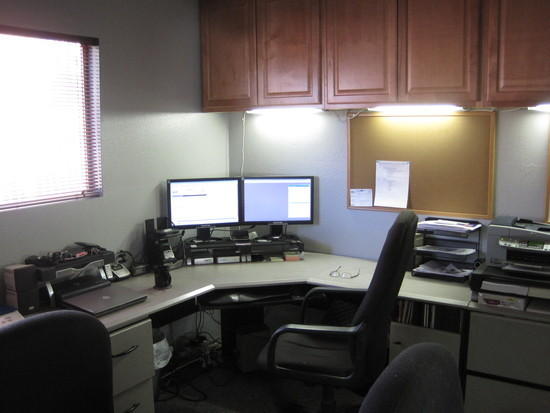
"If you have a large computer monitor many websites will appear small on the screen"
not an expert, but I'm pretty sure its not the size of the monitor but the resolution the monitor is set at that influences this issue.
I tend to use an old school 800×600 for my web viewing and most pages are wider than my monitor screen.
It seems like 1024×768 is currently about the web standard based on sites I view.
if you set your monitor resolution higher, many web pages won't fill your screen.
in the old days it was possible to build web pages using a setting in % terms rather than actual pixels. this allowed a web page to expand to your monitor size automatically, but no one seems to be doing this now a days.
Art,
I can determine the screen resolution, using something as simple as MS Excel and the VBA editor, and then adjust the screen.
I really don't know much about web applications, but I suspect that firewalls, etc. prohibit this.
Become a member to post in the forums.
 XL Stuff PackLightweight stuff pack designed to secure to the top of your backpack for carrying wet gear, extra food, rainwear, or layers.
 © Beartooth Media Group Inc.
 Loading...