


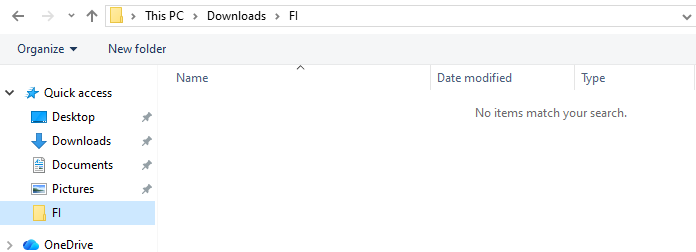
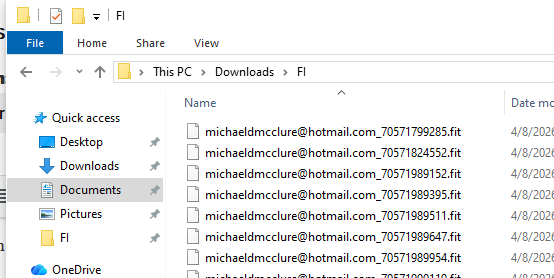
When selecting a calibration folder for fit files it shows nothing in the folder when there are files. It show that the folder I’m selecting has the proper FIT files.
Topic
Become a member to post in the forums.
 .
.
When selecting a calibration folder for fit files it shows nothing in the folder when there are files. It show that the folder I’m selecting has the proper FIT files.
Mike:
This is a known webkit issue on some Windows configs, but we should be able to address properly it if we know the above.
Become a member to post in the forums.
 A Cult-Classic GMT Reimagined for Everyday WearInspired by the famously bezel-stripped Rolex GMT-Master worn by Marlon Brando in Apocalypse Now, the G2 Apocalypse turns a piece of 1970s film and watch history into a practical everyday GMT. Its restrained 39mm design pairs a Swiss Ronda quartz GMT movement with sapphire crystal, 150 meters of water resistance, strong BGW9 lume, and USA assembly. The result is an accurate, low-maintenance travel watch with a story collectors will immediately recognize.
 © Beartooth Media Group Inc.
 Loading...