I’m excited that TRIPS is live! I’ve been working with two GPX files for two separate trips. I’m really enjoying using it and am looking forward to finishing and fine-tuning plans for several trips I have coming up in the next few months.
Here are a couple questions I’ve come up with:
-For both trips, my calorie requirements seem very low. For example, for a 3.5 day, 55 mile trip, I’m getting a total requirement of 6644 kcal. The daily BMR I’m seeing (1438) seems reasonable, though. Is there some other input I need to adjust? I don’t have much backpacking FIT data so haven’t calibrated TRIPS.
-The mileage for both trips was about what I expected to see, but the elevation gain was much higher than expected: One of the trips had an elevation gain of just shy of 2X the gain Google Earth gives, and the other was just over 2.6X the Google Earth gain. I don’t know if this matters, but both GPX files were based on single-day tracks I’ve recorded in the past using Gaia and then merged into full-trail files using a GPS file editor.
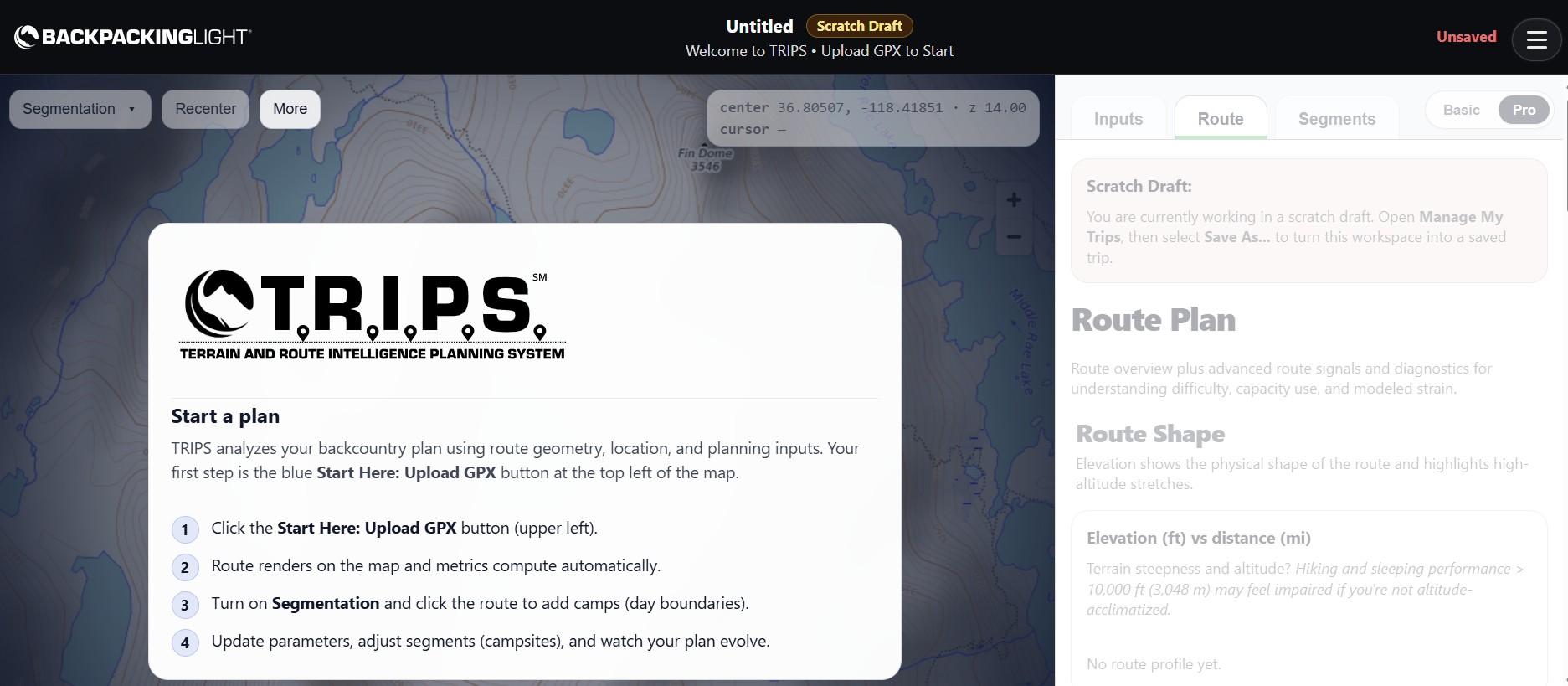
-When I go to add a new trip, instead of seeing a blue “Start Here: Upload GPX” button in the upper left, I see a white “More” button, and “Start Here: Upload GPX” is one of the options when I click “More.”