Topic

Text editor for postings only shows 3-4 lines

ClosedBug Report
Viewing 6 posts - 1 through 6 (of 6 total)
Geoff Caplan BPL Member
PostedMay 29, 2021 at 5:29 am

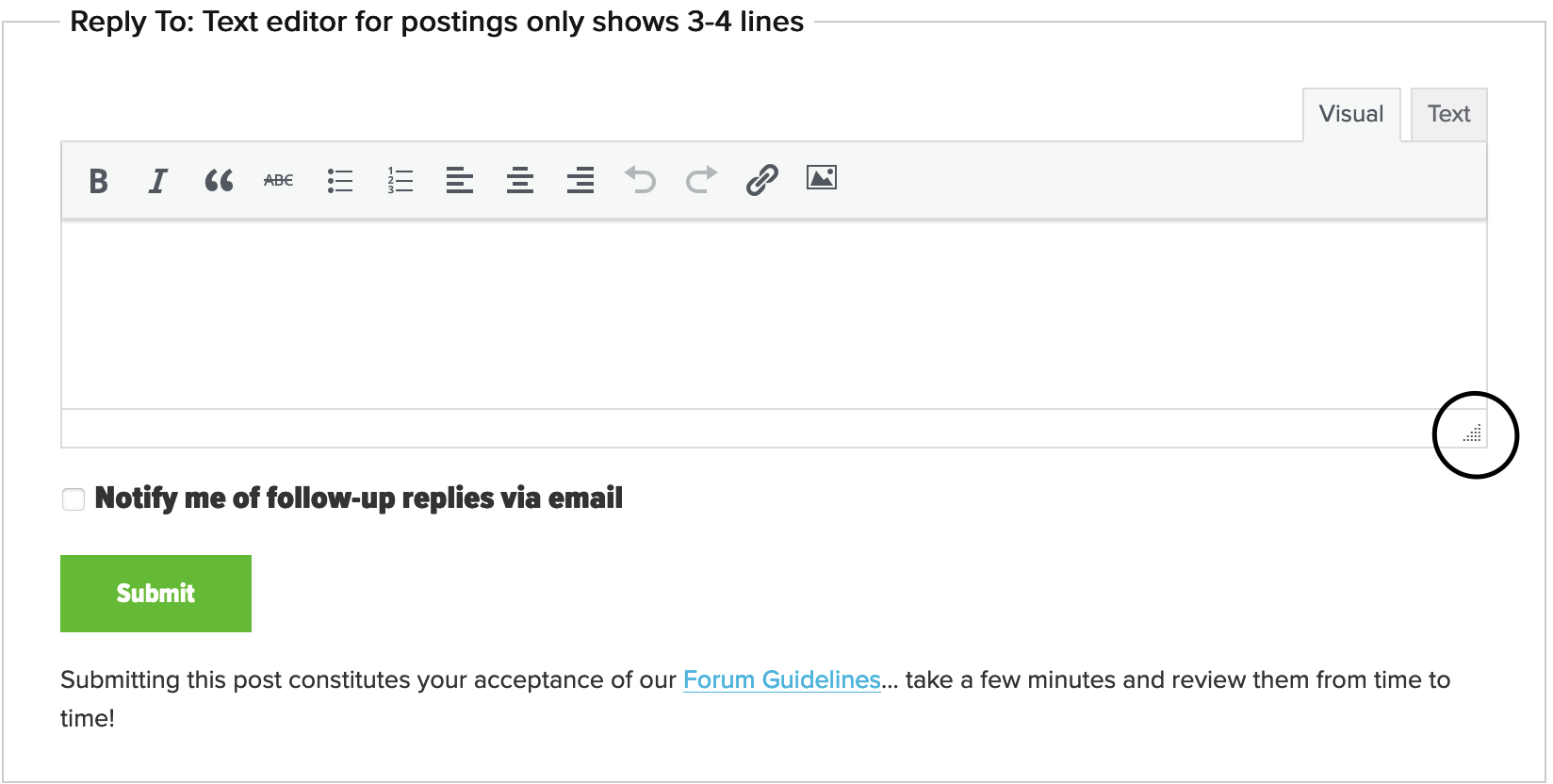
When used on a large screen (laptop/desktop) I’m only seeing 3-4 lines in the text editor used for forum postings.

This makes it unreasonably difficult to compose and edit posts – especially when you’re using images.

I can’t see any upside to this setting, while the downside is quite severe.

Please make the editor window larger.

JCH BPL Member
PostedMay 29, 2021 at 6:34 am

In the lower right-hand corner of the text input there is a small triangular icon (circled in attached screen shot).  If you click and drag this you can resize the input box.

This works for both Firefox and Safari in Mac OS.  I have not tested in other OSs/browsers.

Matthew / BPL Moderator
PostedMay 29, 2021 at 7:05 am

You can resize by dragging the lower right corner of the text input box on Safari/Chrome in iOS too.

Geoff Caplan BPL Member
PostedMay 29, 2021 at 8:10 am

Thanks for pointing that out.

But it’s an unusual and well-hidden feature that the great majority of users will miss – including me, and I’m a web developer that has often implemented online editors.

I can’t see any downside to setting the default size larger. The only thing that’s below it is the footer, and everyone knows where to look for that, so it’s not as if a larger editor would be hiding important content.

David Gardner BPL Member
PostedMay 29, 2021 at 2:39 pm

+1 on making the default size larger. I’m curious if there is a particular rationale for making/keeping it smaller?

PostedMay 30, 2021 at 12:15 am

This is an easy fix. Once we finish the more critical issues, we’ll try to implement this next week!

Viewing 6 posts - 1 through 6 (of 6 total)
Loading...