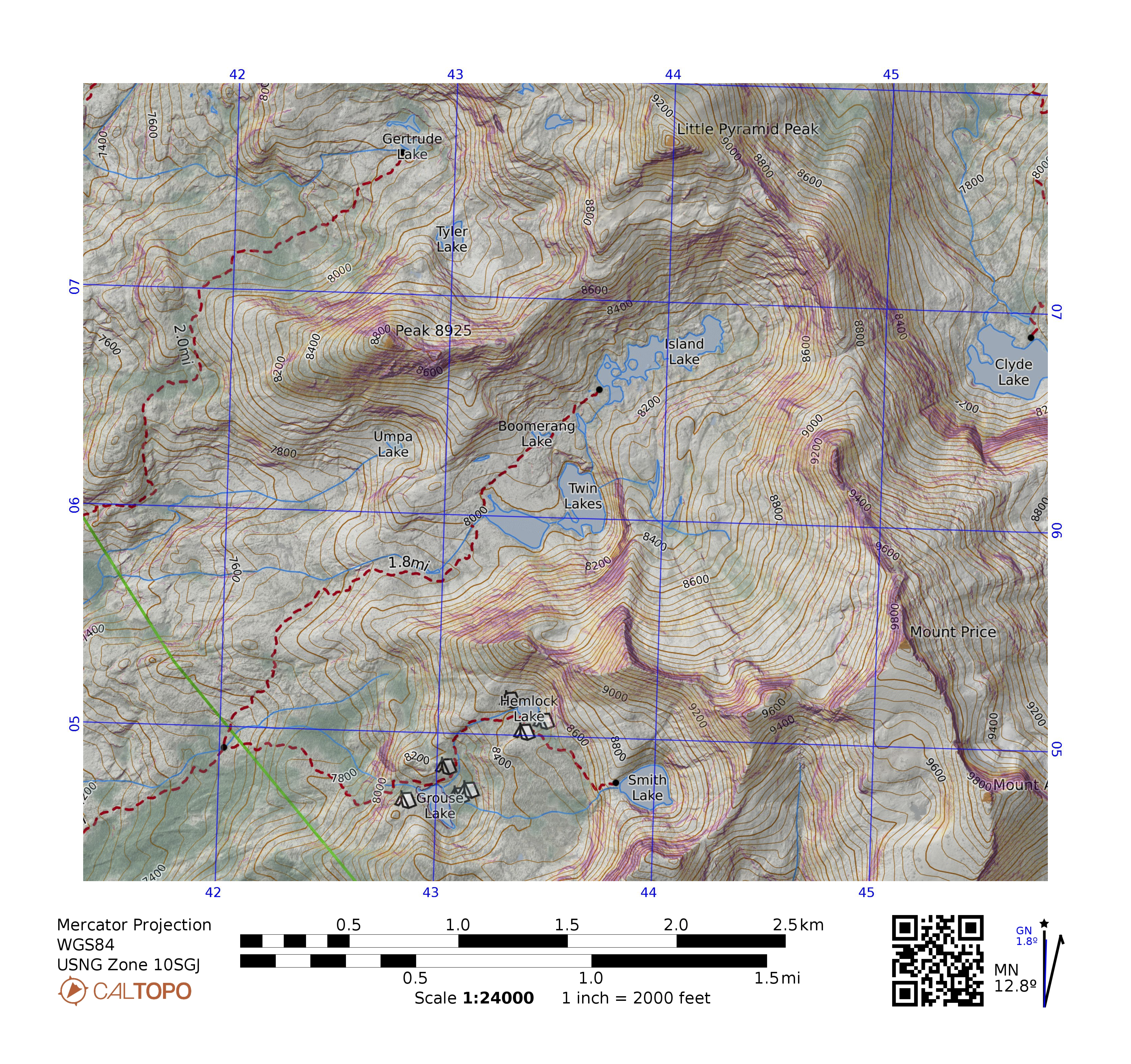
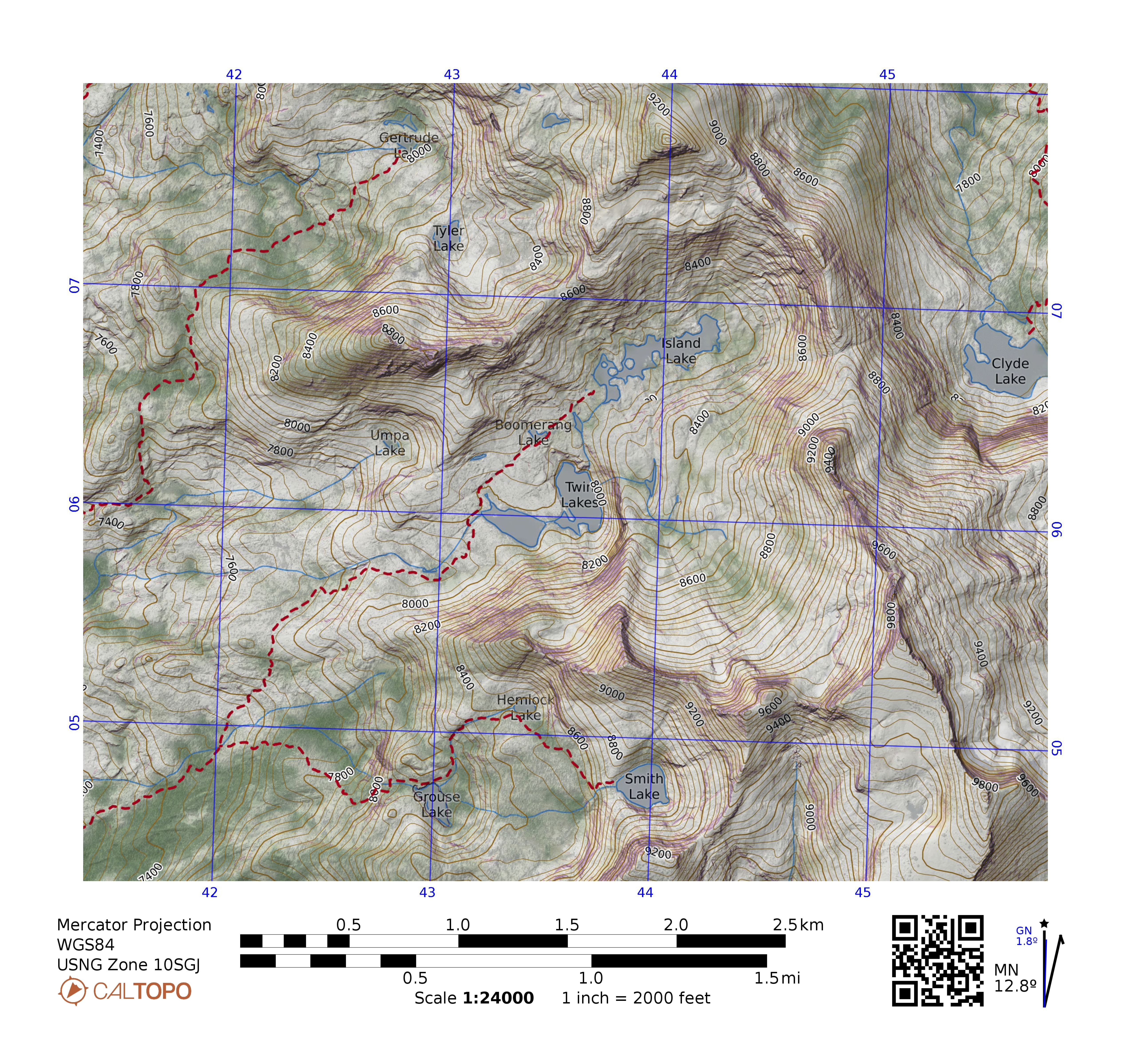
Compared with the the Pro subscription, my use of the Desktop features gives me the ability to (1) Make a bottom layer that’s just tints for an underlayment and (2) Make overlays that show only the features that I want to see–that’s trails and roads, but no trail mileages, ranger district boundaries, peak names, etc. The MapBuilder overlay is all or nothing.
The custom relief layer and the slope angle and canopy layers I mentioned can be done with a Pro subscription.
So here’s and example of what I get for my extra $50. The Pro map (with the campsites at Grouse and Hemlock lakes is Mapbuilder Hybid with my canopy layer at 20%, then my slope angle layer at 30%, then my two-point shaded relief at 45%.
The Desktop map is Woodland, no relief, hydro typical, my canopy at 20%, Global imagery at 30%, Slope angle at 25%, my two-point shaded relief at 75%. Then there are overlays of contours (in a slightly duller brown than CalTopo’s default) and trails without mileages.
The fun starts when printing at larger scales. At 1:24000, putting Global Imagery at more than about 30% makes the map too busy and obscures the topography. But for printing at 1:10000, I can do Global Imagery at 70% and the trees jump out at me.
BTW, I did the pdfs at a small page size to reduce the size of the upload.