


I prefer to not post my name –
–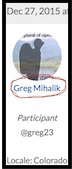
My Profile page looks like this –
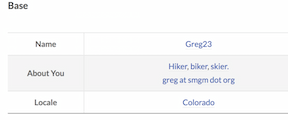
School me, please.
Topic
Become a member to post in the forums.
.
I prefer to not post my name –
–
My Profile page looks like this –
School me, please.

Go into Membership Info instead of Forum Profile. Edit Membership details. Should allow you to change your name.
OK – Membership:

Note that Email* and Username* are required …
… and when I click Update I get this –
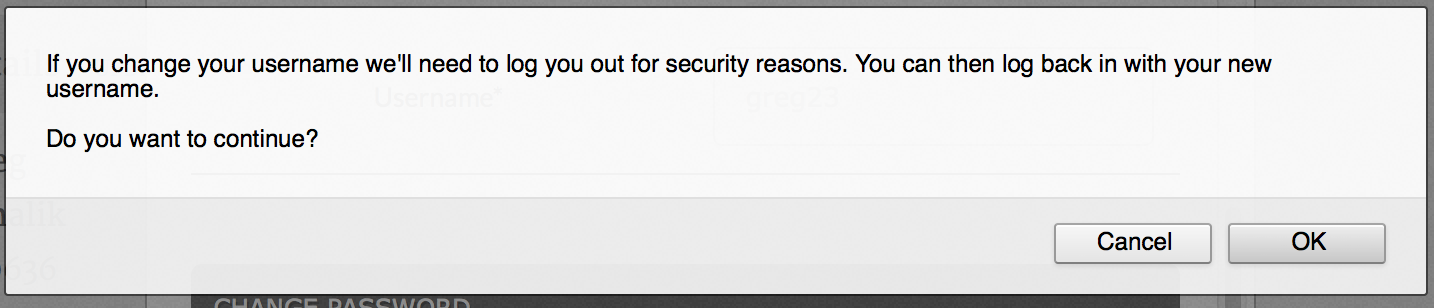
I don’t want to change my User Name, and I didn’t.
Suggestions?
Hmmmm. I went into Membership, changed my First Name/Last Name (not username) since that’s what shows up as my avatar name. Made the change. Now I can see “Welcome, Dug!” in the top menu, but it didn’t seem to change it in the forums.
So I’d say it’s yet another wonky thing with this new site. Sorry I couldn’t be more helpful.
Ah, okay. Go into Forum Profile. Click on Profile. Click on Edit. Should allow you to change your avatar name.
Thanks Doug, but in “Greg Mihalik” doesn’t appear anywhere in Profile or Membership…. hence my consternation.
This seems like a simple issue, but damned if I can find the wormhole.
Once you get to where it shows an editable ‘Base’, I’d try changing whatever it lists your name as to see if it sticks.
And then log out and log back in. I just did that, and it worked (changed my avatar name from Doug I. to Doug.).
Doug,
My first post shows my “Base”.
But I’ll change Greg23 just to see what happens …
EDIT: ehhhh, no I won’t. I’m afraid I’ll lose the connections to my posts. Time for a formal Bug Report.
Doug,
Did you make that change on the “Base” page?
My “Base” name has always been Greg23. I never had to change it.
Become a member to post in the forums.
 How to Plan with Decision GatesKeep going, change your route, or turn back? Watch how decision gates help structure these choices in our YouTube video.
 © Beartooth Media Group Inc.
 Loading...