


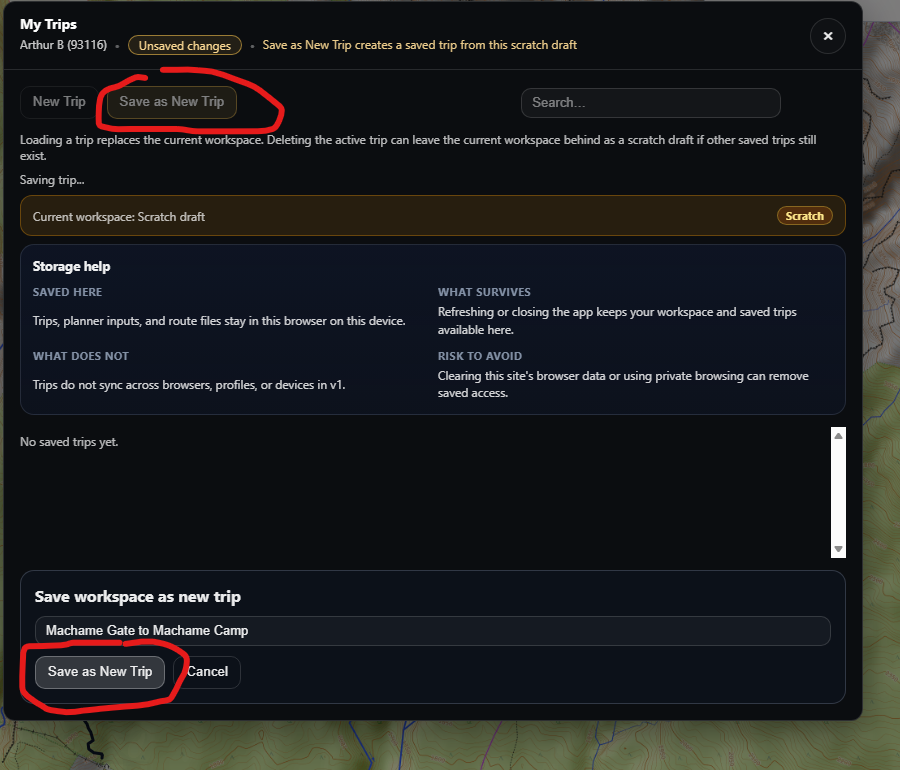
I found the ‘Save as New Trip’ screen confusing in that there is a click on option with that same title at the top and bottom of the screen.
Topic
Become a member to post in the forums.
 .
.
I found the ‘Save as New Trip’ screen confusing in that there is a click on option with that same title at the top and bottom of the screen.
Noted, thanks for submitting this. We are logging is as a usability issue.
Thanks for quick response. This issue is a bit unnerving when trying to save your first file and you don’t spot the second ‘Save As’ button.
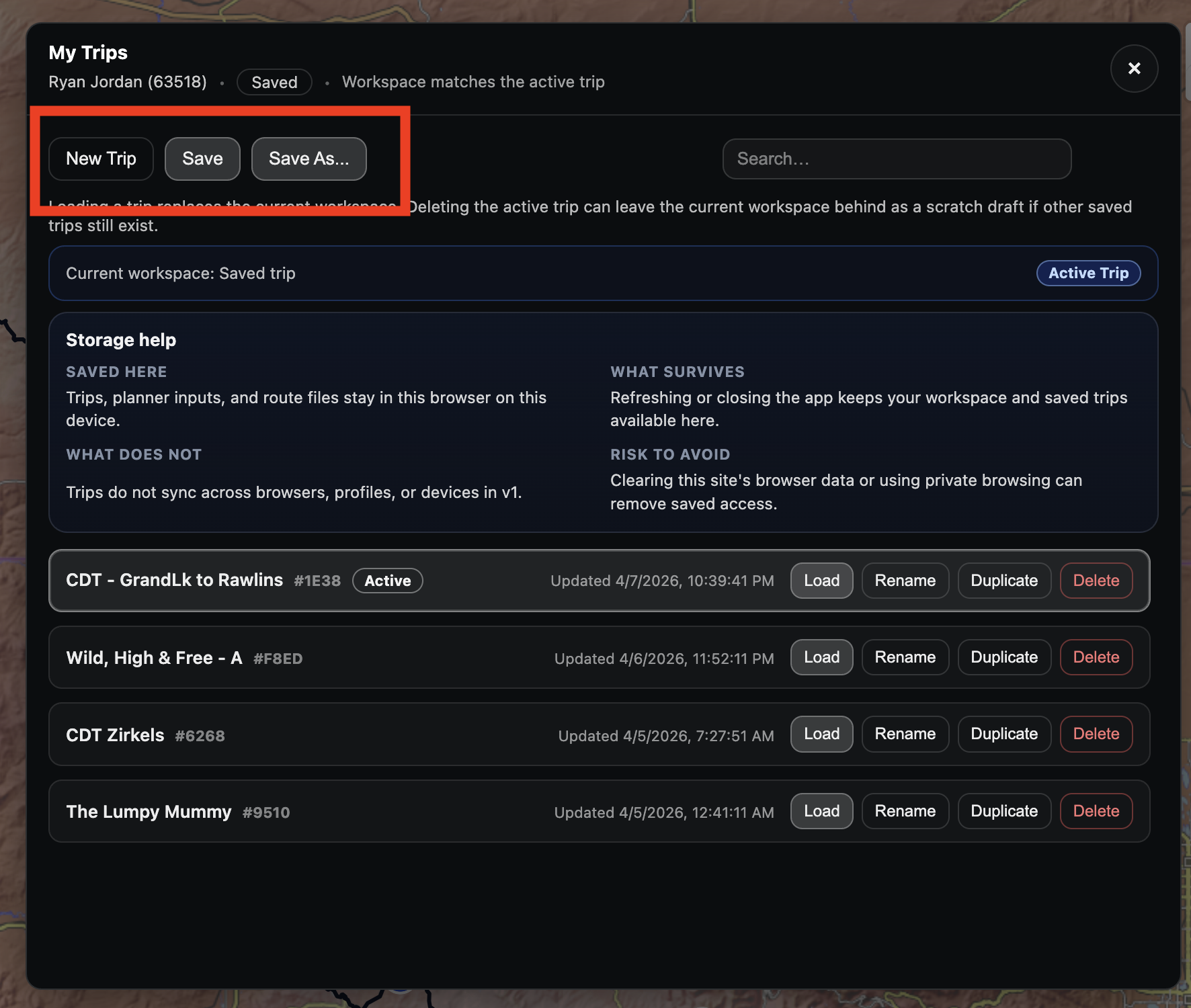
Hi Art – we have consolidated the save functions into a single spot, and clarified their role. They are analogous to the save/save as functions that you’ll find in any modern file manager.
Hopefully this clarifies the Trip Manager worfklow. Thanks for bringing this up; it was a real point of confusion!
Become a member to post in the forums.
 Brynje Mesh BaselayersBrynje baselayers use open mesh construction to move moisture away from the skin, create insulating air pockets, and help regulate body temperature across changing conditions and activity levels.
 © Beartooth Media Group Inc.
 Loading...