


PLEASE drop that annoying black “back to top” bar in the ARTICLES. It is entirely unnecessary and the info can be placed AT THE TOP BAR.
Why would a web designer do that??
Topic
Become a member to post in the forums.
.
PLEASE drop that annoying black “back to top” bar in the ARTICLES. It is entirely unnecessary and the info can be placed AT THE TOP BAR.
Why would a web designer do that??
Depending on how your screen zoom is set, that dumb bar can obscure a large portion of the page and hovers like 1/3 the way down, right where a normal human tends to read.
The bar helps obscure nearly 1/3 of my mac laptop screen
Very strange page placement indeed! I could probably live with it being placed at the very top of the page, but in the middle of content?!?
MacOS 11.4, Safari 14.1.1


That bar isn’t supposed to float over content – it’s a known bug on our list to address, hopefully this week!
This should now be resolved. That bar wasn’t supposed to show up on narrow screens, mobile devices/tablets. If you’re still seeing this issue of the “floating” bar, then your browser cache may need to be cleared.
Bar no longer displayed in iPadOS/Safari
Still there, depending on how wide I stretch the browser window:
Before:

Stretched just a little wider:

And that bar floats just at eye level as I scroll through any story on an iMac 24. Note the other top elements that appeared and disappeared after stretching. Also a problem.
Safari 14.1.1, cleared every cache I could find, including under the Develop menu, then quit and relaunched Safari just to be safe.
HTH.
— Rex
Rex – it may still be an issue for our staff/authors, because of some conflicts we have with our staff/author admin bars. *sigh*.

Unfortunately I’m still seeing it as well at the 1200px browser width breakpoint and above.
I’m not sure we need it. Scrolling up and down is so effortless, offering that extra click seems unnecessary.

I see the same thing Rex and Chris sees. Agree with Chris that it’s pretty unnecessary.
I am still dealing with the bug of it floating in the middle of content in both Firefox and Chrome on Windows 10. Oddly, I only have this problem when I am logged into my account. If I’m logged out, it tracks at the top of the screen as expected.
Same issue as Chris. I always view Chrome at 1920×1080 and the bar is dropped down a bit more than its thickness when logged in yet is up against the menu bar when not logged in.
Personally, I don’t want to see the bar at all on a wider screen since you can tell from the scrollbar how far down you have gone and even if it is against the menu bar, it obscures text you haven’t read yet when using the page down key. Some of still use old school equipment like desktops and laptops!
I’m not sure what the need is of going back to the top of the article anyway, but if you really think you need that functionality then just make it a “button” off to the right side instead of a full bar.
Still there for me on Chrome.

Has everyone dumped their caches like Ryan mentioned?
Yes, just cleared my cache and looked at another article. No change.
ETA: the issue is with this element of style.css, which appears when I’m logged in as an Unlimited member (so we must see a portion of the admin bar Ryan mentioned) but not when logged out:
.admin-bar .js-guide {
top: 135px;
}
Removing the top value will keep it at the top below the menu bar. Making it negative will move it off the screen altogether which is what I prefer.
Also you seem to be having an issue with bootstrap files among other minor things. These show in browser console when logged in (first line) or not (second line):
DevTools failed to load source map: Could not load content for https://backpackinglight.com/wp-content/themes/bpl/js/bootstrap.bundle.min.js.map: HTTP error: status code 404, net::ERR_HTTP_RESPONSE_CODE_FAILURE
DevTools failed to load source map: Could not parse content for https://backpackinglight.com/wp-content/themes/bpl/css/bootstrap.min.css.map: Unexpected token < in JSON at position 0
Thanks for confirming you have emptied your cache and for sharing more info, Michael.
FYI, this issue still exists.
It’s been 5 months. Please KILL THAT IDIOTIC BAR!
Become a member to post in the forums.
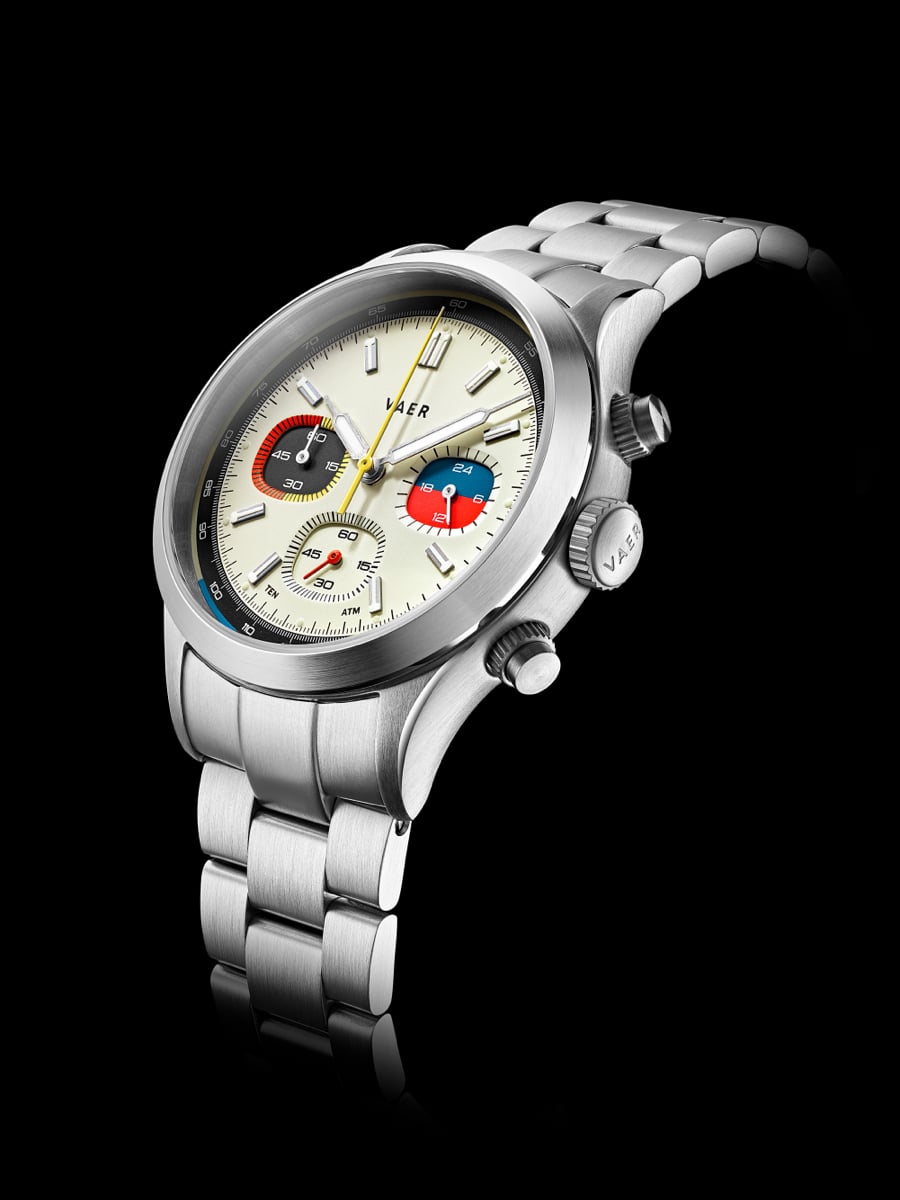 Retro Racing Character, Built for Everyday WearDrawing on the colorful racing chronographs of the 1960s and '70s, the RS1 Rally pairs vintage motorsport style with the durability expected from a Vaer. Its 40mm case houses a Japanese VK63 meca-quartz chronograph movement, complete with stopwatch functionality and an integrated tachymeter scale, while contrasting subdials give the watch its distinctive retro character. Sapphire crystal, 100 meters of water resistance, a screwdown crown, and strong BGW9 lume make it far more than a style piece. At under $300, it's an easy pick for the car enthusiast or chronograph fan.
 © Beartooth Media Group Inc.
 Loading...