Topic

cell phone or dedicated GPS/map device?

Viewing 25 posts - 1 through 25 (of 28 total)
Paul S BPL Member
PostedMay 6, 2021 at 10:19 am

My wife and I have been using her cell phone for GPS/map functions.

It works o.k….seems kinda slow to boot-up the phone, and the phone is slow to find our location.

Would something like the Garmin explorer work better (faster) in terms of both faster turn-on/boot-up, and how fast it can find your location?

Randy Martin BPL Member
PostedMay 6, 2021 at 10:24 am

Do you have an older phone?  It makes zero sense to me to have a dedicated GPS device.  GAIA on a phone has better and more usable screen than most dedicated GPS devices.  You are bringing your phone anyway, why bring a second device.  Also don’t really understand the statement about slow boot up time for your phone.  I always just leave my phone on but in “Airplane” mode.  Battery life for a decent phone should be days in that mode.  For longer trips I’ll bring a recharge “Brick”.

dirtbag BPL Member
PostedMay 6, 2021 at 12:09 pm

Avenza maps works too. Leave phone in airplane mode…

Ben C BPL Member
PostedMay 6, 2021 at 12:38 pm

Agreed. Phone seems better in most every way. Gaia worked great. I am mostly using the caltopo app now and really like it too.

Kevin Babione BPL Member
PostedMay 6, 2021 at 1:56 pm

I’ve been using Gaia and my iPhone and it works really well – even if you haven’t pre-plotted your route.  Another thing that I’ve been playing with is using my Apple Watch with Gaia.  It works pretty well if you’re following a planned route that you’ve downloaded to the watch.  You can see the route and where you are in comparison to it.  It’s nice for a quick glance, but I wouldn’t want to have it as my only nav device.

PaulW BPL Member
PostedMay 6, 2021 at 2:40 pm

+1 to what everyone else said. Also, instead of spending money on a dedicated GPS unit, consider spending it on a new phone if yours is getting on in years. Upgrading my phone last year worked wonders for the performance of Gaia.

David Thomas BPL Member
PostedMay 6, 2021 at 4:23 pm

A few years ago, I’d have pointed out that dedicated GPS units are more robust should they drop onto a rock or into a stream.  Newer iPhones are now waterproof enough for me to not fret about water and I learned long ago to have a high-friction case on it so I don’t drop it nor does it slip out of my chest pocket.

The last dedicated units I’ve used had much smaller, more pixellated screens but maybe they’ve improved with time.  Data entry and navigating their command menus was always very tedious.

The greater functionality of an app on a smart phone, would, by itself, decide it for me, but then there’s the weight savings and only have one instead of two devices to keep charged.  Mostly, I don’t use anything, and leave my phone off altogether (certainly at night) or at least in airplane mode (for step-counting), only checking my position once every few hours.

I’ve resigned myself to bringing an extra battery since I keep my smart phones for so many years, the batteries get crappy.  And, if I really need the nav function (get lost, need to divert, low cloud ceiling), I’d be running it for more hours than I’d planned.

More than what device you use, is what base maps you can download in advance of the trip.  I like having Gaia, USGS, NOAA, etc charts on my phone since many trips are Surf & Turf combos.

David Thomas BPL Member
PostedMay 6, 2021 at 4:28 pm

One thing that might cause me to update my iPhone 8 sooner is seeing how sensitive the cameras are on newer phones!  It was long true that your naked eye could see the aurora (or the sun’s corona during a solar eclipse) much better than a digital camera could (or photographic plates, short of hours-long exposures), but iPhones 9, X, etc can now capture MUCH more detail and colors then your eyes can.

PostedMay 6, 2021 at 6:47 pm

I’m with you David. I did replace my iphone battery when they had the special for $29 to get some more life  out of it but at this point the improvement in camera performance is extremely tempting. Gaia and Avenza do what I need which is usually to reaffirm the thought that yes, only 3 more miles to go. A buddy has guthook in case we’re on a section of the AT.  Don’t think I’ve used a handheld GPS since 2013.

Arthur BPL Member
PostedMay 6, 2021 at 8:51 pm

What phone protector do you use, if any?   I have a history of dropping the screen on a nice sharp rock.  I know the screens are much better now, but, I manage to drop mine on occasion.

SIMULACRA BPL Member
PostedMay 6, 2021 at 11:31 pm

I don’t bring a phone. I do bring a watch. So that’s my dedicated GPS device

Geoff Caplan BPL Member
PostedMay 7, 2021 at 9:45 am

Android phone all the way for me – just choose one with a good, up-to-date GPS chip that covers all the GPS networks.

I walk a lot in the Cumberland Lake District, which is one of the most complex topographies in Europe and I’m often in tricky spots surrounded by cliffs. But it’s always been very accurate.

Like the others I keep my phone on Airplane Mode – it wakes and locates in 3-4 seconds.

I chose a mid-market Moto with a huge battery and it lasts for many days. But if I was on a thru-hike I’d turn it off if I didn’t anticipate using it for a few hours, to save on recharging time in town.

In the UK we mostly use ViewRanger – especially as it has much the best choice of international mapping. The US apps tend to be very US-centric. Interface is sometimes unintuitive, but once you get the hang of it you get everything you need (and more – it rather suffers from feature creep…)

PostedMay 7, 2021 at 4:03 pm

I’ve used a lifeproof fre case at times. With many of these types of protective cases the voice quality suffers and you need to make sure your charging cables will fit.

Brad W BPL Member
PostedMay 7, 2021 at 6:14 pm

I am a firm believer in Otterbox Defender, plastic screen removed and tempered glass lcd protector installed. I manage 20+ phones for a construction company and this is the only combo that has a shot of lasting.

Geoff Caplan BPL Member
PostedMay 8, 2021 at 12:27 pm

The problem with cases like the Otterbox is that they only make them for premium brands.

Those of us with less exalted phones have to use a more basic generic case that offers quite modest protection.

I carry my phone in my thigh pocket with the screen facing my body. Then I pad it with a folded map placed to the outside. And if I’m not wearing my beanie that goes outside again. I do a fair bit of scrambling, and this has been a reliable arrangement.

For when the phone is out my case is high-grip, and I try to chose soft ground in case I drop it. Though that’s a small risk and it’s never happened yet. I’ve been planning to improvise a lanyard to attach to my belt, but never got my act together.

So far this setup has been enough to keep my phones healthy – never had any issues, touch wood…

David Thomas BPL Member
PostedMay 8, 2021 at 1:10 pm

Arthur: I’ve got an unmarked, high-friction case on mine which popped up on Amazon for “high-friction case iPhone 8” because my usual failure mode is it slipping from my chest pocket unto the ground / tile floor / rocks.  Since I’ve gone that route, I haven’t killed a phone in that way.

I can vouch for LifeProof cases, at least on an iPad2 that got left on a beach for 3 days after this happened:
in the salt water 7 miles past the the last native village.
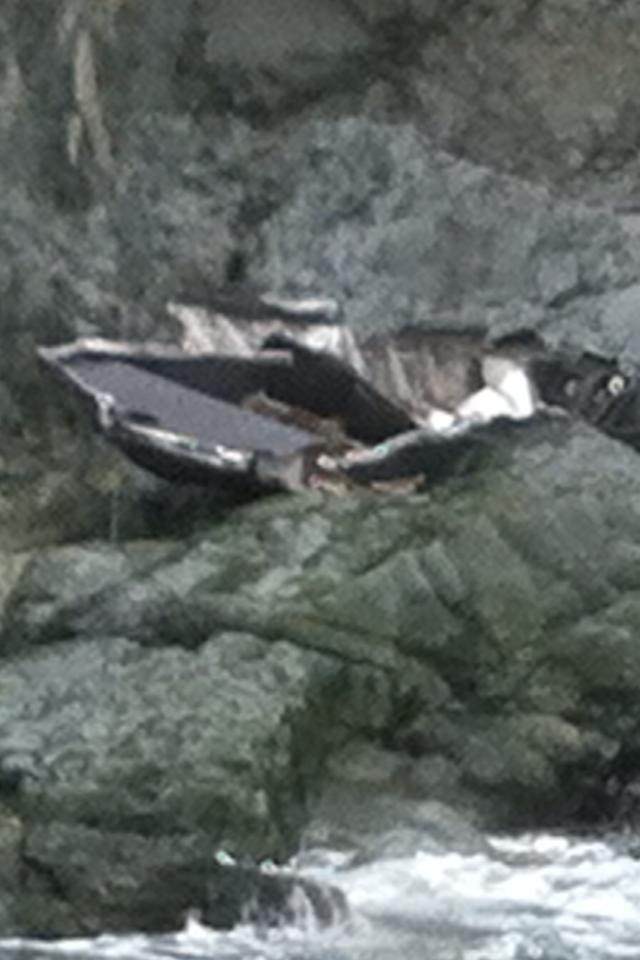
After the storm blew out, I hired a water taxi to retrieve the camping gear, canoe, guns, bear, etc and that iPad worked fine for another 8 years (I just bent it 3 months ago with a drop unto a concrete floor, uncased).  Here’s what the boat looked like after those 3 days:

PostedMay 8, 2021 at 11:06 pm

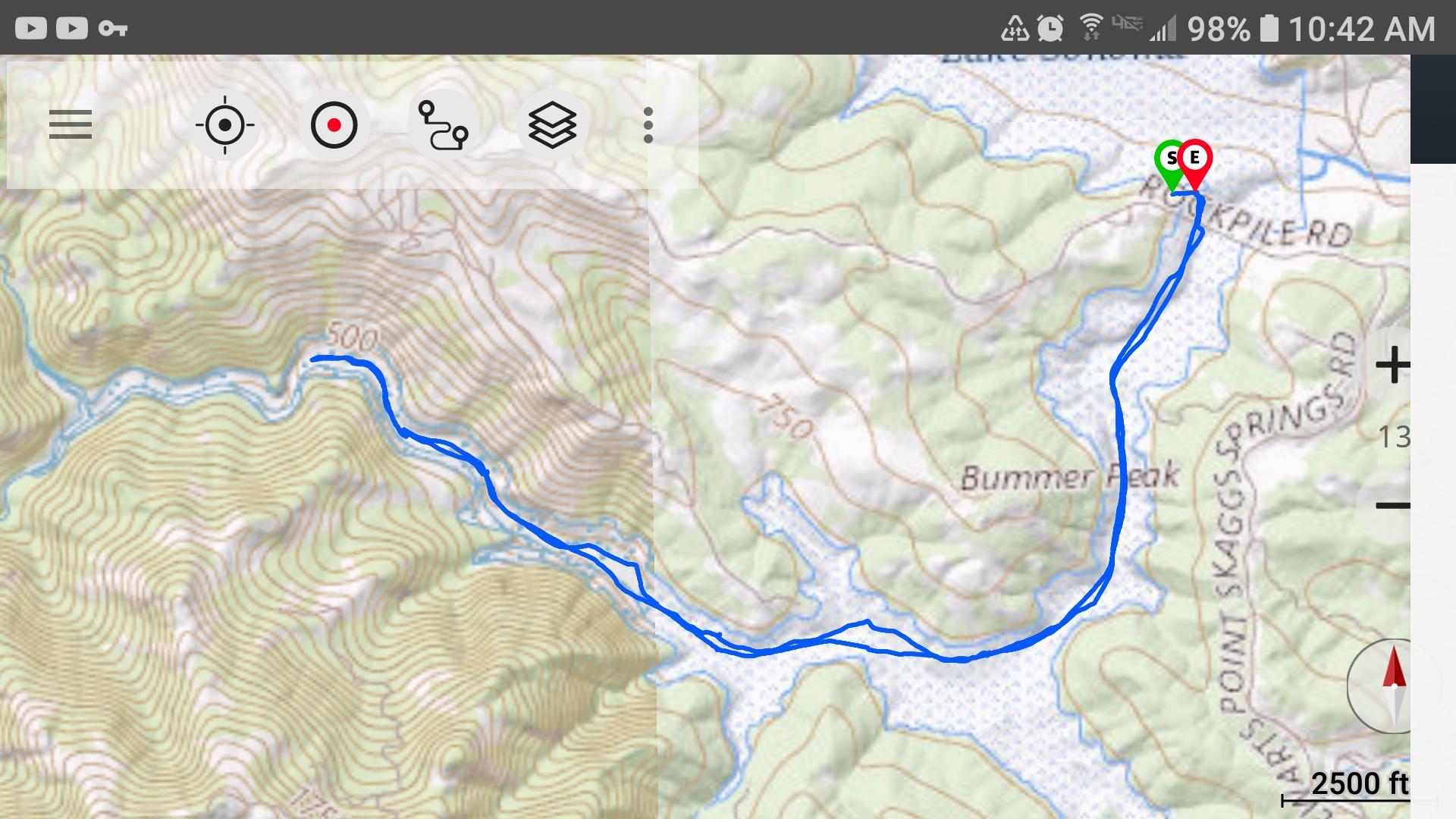
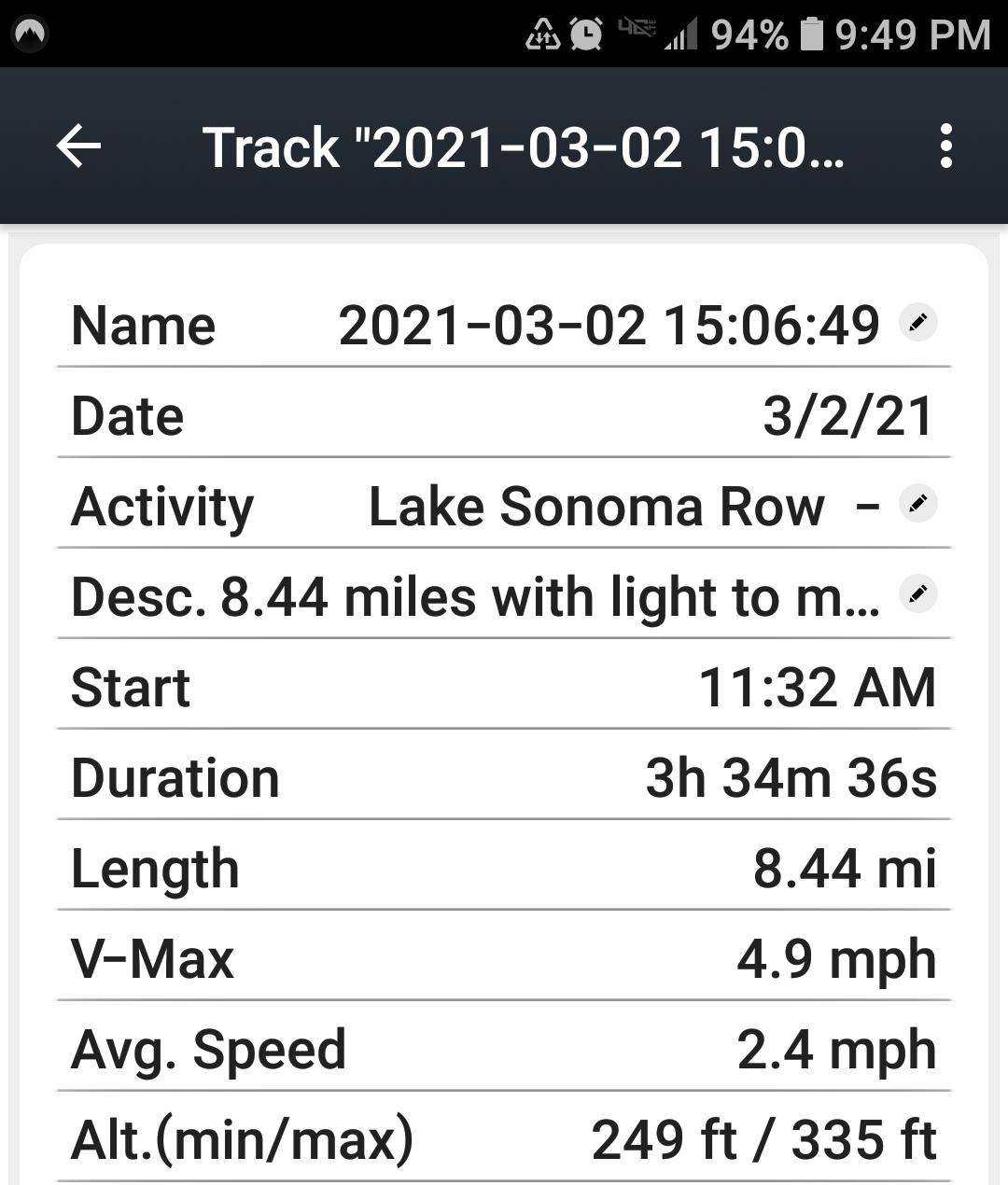
My Samsung Galaxy S7 works just fine with the US Topo Maps app.  I got it free from the Google Play Store.  I use it hiking, backpacking, and for navigation while rowing my sharpie skiff.  It’s got lots of  features, and gives me a trace of my route, and a detailed record with a description, date, mileage, duration, elevation gained/lost, way points, etc.  Starting with a fully charged battery, if I’m going to be using it for more than five or six hours, steady, I plug my phone into a battery pack.

Lake Sonoma Row

Trace of Lake Sonoma Row


Row Data

Row Data

Geoff Caplan BPL Member
PostedMay 9, 2021 at 7:11 am

Route tracing can be interesting for a day walk, but uses too much battery to be practical for longer hikes. This applies to both phone apps and dedicated units.

But if you think about it, in most scenarios you only need to consult the map for a few minutes each day. With a phone in airplane mode, this gives enough power for many days or even weeks of navigation. The more sophisticated GPS handsets offer similar battery life.

If I need to walk a bearing in mist, I’ll use a conventional compass rather then my phone, which also helps to preserve battery (and keeps my phone safe from being dropped!).

PostedMay 9, 2021 at 8:46 am

Route tracing can be interesting for a day walk, but uses too much battery to be practical for longer hikes. This applies to both phone apps and dedicated units.


@geoffcaplan
A unit like the Garmin Etrex 30x will track for approximately 50 hours on 2 AA lithium batteries. The Garmin Fenix 6x Pro in tracking mode but not on the mapping screen uses approximately 1.5% of its battery per hour. For my use, I find that either is practical for tracking on longer hikes.

Geoff Caplan BPL Member
PostedMay 9, 2021 at 9:50 am

I’m only estimating, but using Airplane Mode ViewRanger on my phone would give me 3-4 days of tracking as it has a large battery and the OS is set up for efficiency. But that’s a full-featured app tracking at the default resolution, which I believe is every minute. This is useful if you want to post routes for others to follow on intricate terrain, but overkill for most personal requirements.

I’m sure you could find a more basic and frugal tracking app out there, as the app-space on Android is huge. But I haven’t felt the need.

ed hyatt BPL Member
PostedMay 9, 2021 at 12:49 pm

I get around 2 days of 8-10hrs tracking on my Samsung S10+. I use LocusPro and do 99.9% of my navigation with my phone.

Like many hikers these days I carry a battery pack for recharging various devices.

I know I don’t need to track on my phone and my inReach yet I do. At a cost of perhaps 500g it’s fun for me. I really enjoy uploading the tracks to my desktop computer mapping programs when I get home.

This works for the kind of trips I take, which at maximum means I’m 8 days between power top ups.

Viewing 25 posts - 1 through 25 (of 28 total)
Loading...