Topic

Can’t switch between Calibration Profiles for a route


Forum Posting

A Membership is required to post in the forums. Login or become a member to post in the member forums!

Home Forums TRIPS TRIPS – Help & Support Can’t switch between Calibration Profiles for a route

Viewing 4 posts - 1 through 4 (of 4 total)
  • Author
    Posts
  • #3849931
    Arthur B
    BPL Member

    @art-black

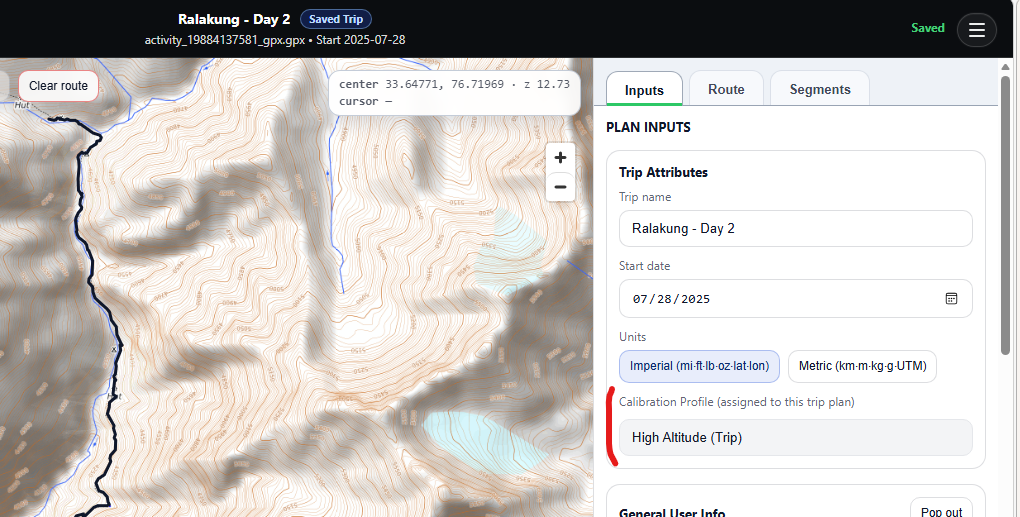
    I’m trying to use Calibration Profiles to improve my travel time estimates.  I’ve created two profiles.  The first one is now linked to my current route.  I can’t find an option to switch to the second profile.  The help info I’m seeing using Copilot AI mentions a sidebar that would show four options.  Trip Planner/Route/Segments/Plan Inputs.  But all AI suggestions I’ve tried fail to bring up that sidebar.
    #3849942
    Ryan Jordan
    Admin

    @ryan

    Locale: Central Rockies

    (moving this thread to the support forum)

    #3849962
    Ryan Jordan
    Admin

    @ryan

    Locale: Central Rockies

    Currently, calibration profiles can only be switched for (and applied to) a route in the Calibration Workspace.

    Here’s a support doc that explains how to do it.


    #3850001
    Arthur B
    BPL Member

    @art-black

    Thanks for this support doc.  With that information I was able to follow the step-by-step instructions and switch between Calibration Profiles.

Viewing 4 posts - 1 through 4 (of 4 total)
  • You must be logged in to reply to this topic.
Forum Posting

A Membership is required to post in the forums. Login or become a member to post in the member forums!

Loading...