


Hi. I tried to import FIT folder from my Amazfit Trek 2 file. Trips saw the files in the folder but no data was found. I checked the files on https://www.fitfiletools.com. they were able to read the data without issue. I hope this helps,
Jay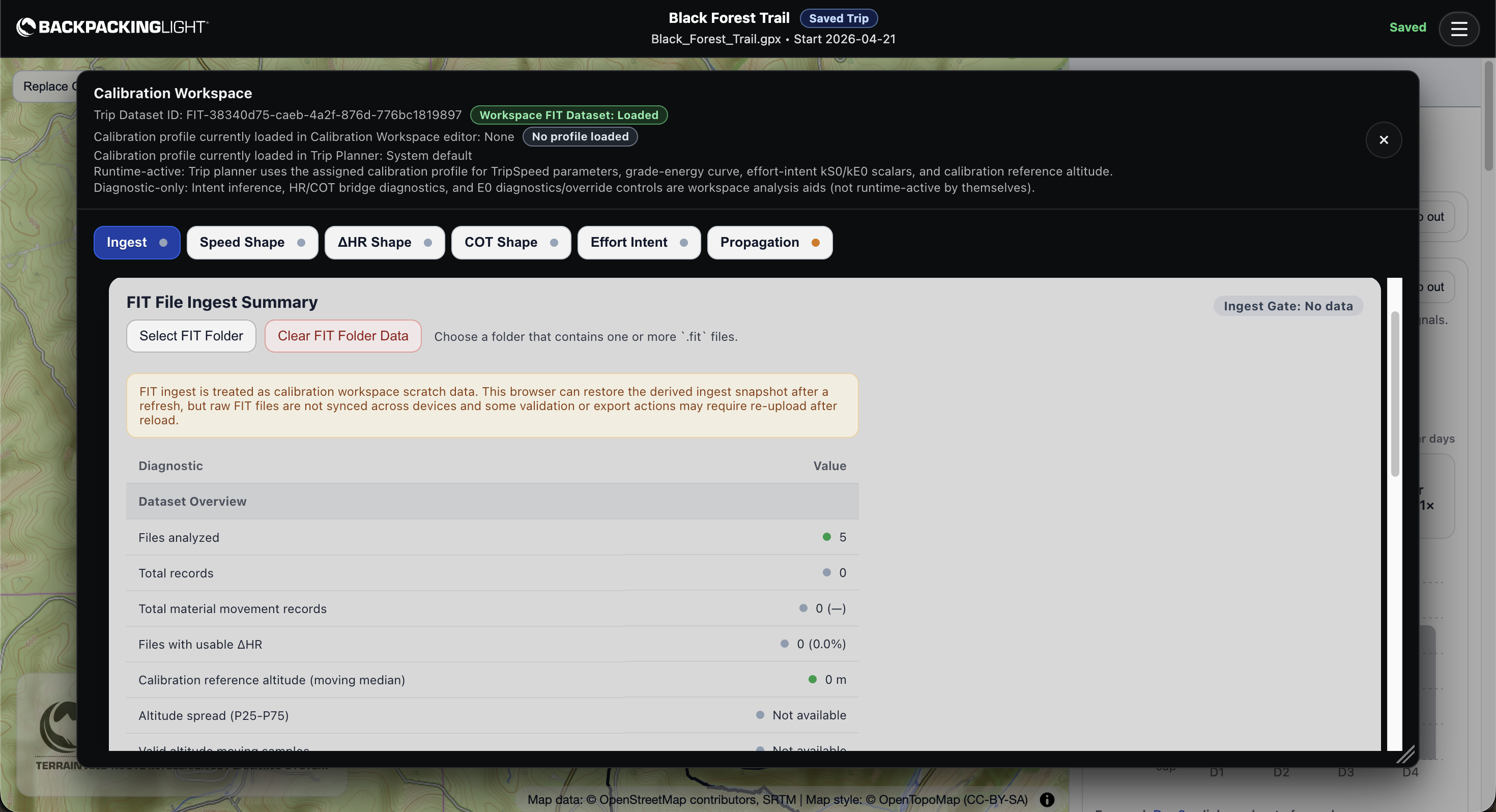
Topic
Become a member to post in the forums.
 .
.
Hi. I tried to import FIT folder from my Amazfit Trek 2 file. Trips saw the files in the folder but no data was found. I checked the files on https://www.fitfiletools.com. they were able to read the data without issue. I hope this helps,
Jay
Jay – can you email me your .FIT files for this calibration set? We’ll dive into those files and take a look at what’s going on.
Hi — i’ve attached some FIT files i tried to import.
I’m using a MacBook Air /Apple M3 chip macOS Tah 26.2.
Browser: Chrome Version 147.0.7727.56 (Official Build) (arm64)
I emailed the .FIT files separately. Not sure if i can upload to the forum.
Jay
{note to devs: user sent FIT files via email}
Jay – we’ve diagnosed the issue. Amazfit/Zepp is pretty loosey-goosey about adhering to FIT standards, and they have a bunch of “developer” fields in the files. This is common when developing workflows internally but these sorts of things should probably have been stripped out of their files in production.
Regardless, we’re looking into options for stripping them out in the TRIPS FIT decoding module so the files are usable for calibration. More soon, I should have an answer later this morning.
Hi Jay – we have an update, and it should deploy in the app by 10:30 AM US MT. You may need to refresh the app to see the update.
Thanks for reporting this and for sharing the details. We found that Amazfit/Zepp FIT exports can be missing the usual cumulative distance records that TRIPS expects during calibration ingest. When that happens, TRIPS may recognize the files but still end up with zero usable calibration records.
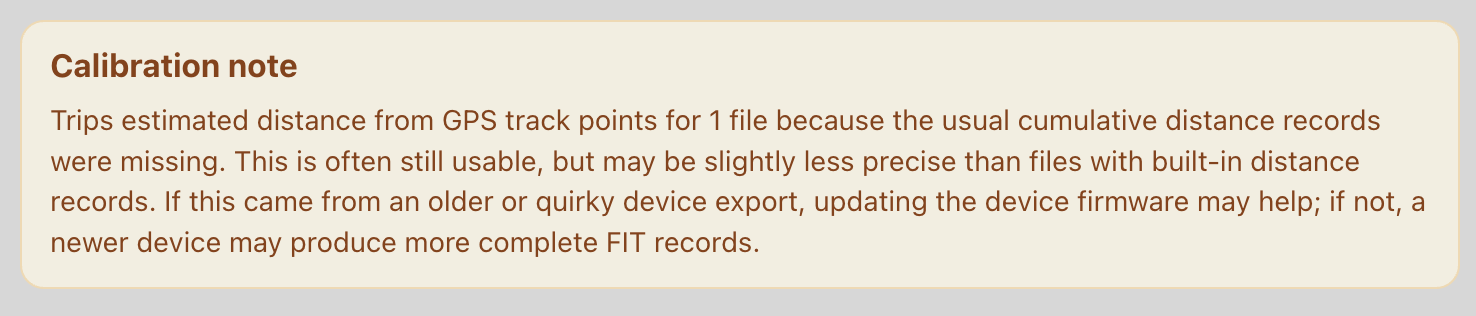
We’ve updated the TRIPS FIT decoder to handle this more gracefully. If those distance records are missing, TRIPS can now estimate distance from the GPS track points in the FIT file instead, which should allow these files to calibrate successfully rather than returning zero records.
Action: Clear your FIT history, then re-ingest the same folder you were using.
For decision guidance: in most cases, this should still be usable for calibration, but we’d treat it as a little less trustworthy than modern FIT files with complete built-in distance records, because most watches have GPS-smoothing algorithms in place to accurately record distances by dampening normal GPS location jitter.
But if TRIPS ingests the file and the diagnostics look coherent, it’s reasonable to keep going. If you want the strongest calibration quality, updating your device firmware may help, and if not, a newer device may produce more complete FIT files.
But then again, these files might be just fine, especially if Amazfit/Zepp are recording GPS coordinates that are already filtered through anti-jittering algorithms before writing to the file. But that’s an unknown.
If you see this warning after you ingest your FIT folder, that means you are using FIT files that do not conform to the latest data standards:
I ingested your FIT files on my end and reviewed your data, it actually looks very good. I don’t see any issues or problems with it.
Thanks again for flagging this. Your report directly helped us track down and improve support for this class of FIT files.
Become a member to post in the forums.
 How to Plan with Decision GatesKeep going, change your route, or turn back? Watch how decision gates help structure these choices in our YouTube video.
 © Beartooth Media Group Inc.
 Loading...