Problem
Pulling out a phone for backcountry navigation feels slow and cumbersome to me while on trail. Trail companions never complain to me when I stop to check a navigation app. Instead, I’m the one that complains I’m slowing down the group, I’m letting the phone get cold in winter, and I’m taking too long to get oriented cognitively within the mapping app. Following a route or a track doesn’t tell me how far away a landmark is or how long it will take me to reach it. When traveling off trail, on snow or sand where no trail may be visible, dead reckoning techniques using a compass bearing, time, and speed are essential for navigation.
Solution
Smart watch applications present information when users glance at a screen for a few seconds. Watches stay warm in winter from body heat. The cognitive load when navigating with a bearing and time/distance is low compared to using a map. Unfortunately, very few commercially available mapping apps even have a Watch app, and none navigate from waypoint to waypoint using dead reckoning techniques.
I decided to make my own iPhone and Watch application that meets my needs.
Routes
I use my favorite mapping apps to create waypoints along a route’s landmarks: trailhead, junctions, water crossings, camp sites, and trailend. I ‘name’ waypoints in sequential order such as 1.01 where the digit to the left of the decimal is the day number, and the two digits to the right of the decimal is the waypoint number for that day. Exported GPX files do not sort waypoints by name.
Dead Reckon Navigation
Dead Reckon Navigation is an iPhone app with a companion watch app. I spent about two years to develop the application with most of that time iterating the user interface.
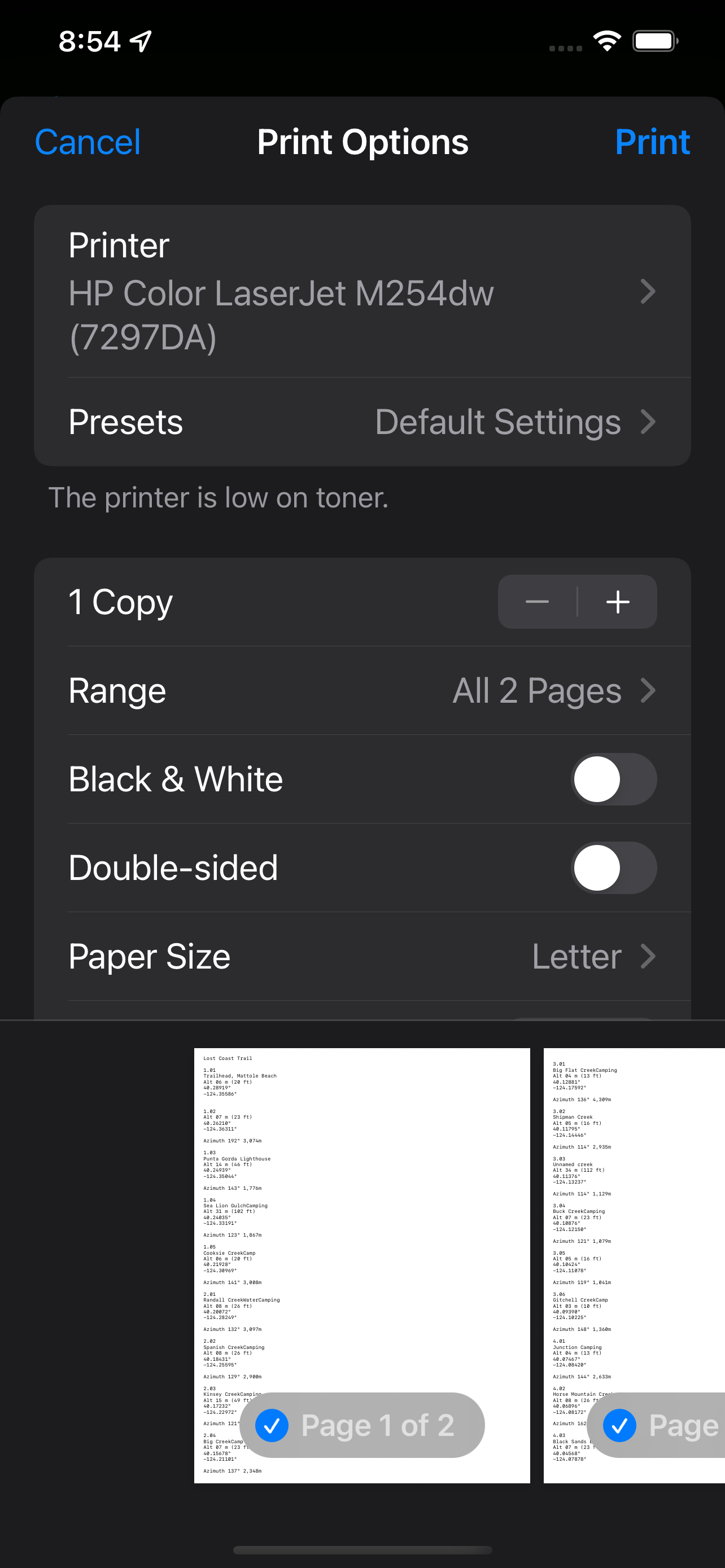
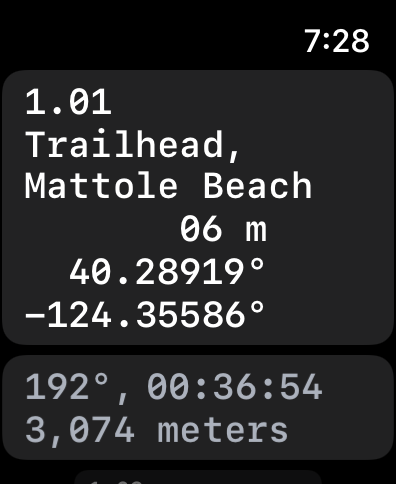
The main purpose for the phone app is importing the GPX file of waypoints and printing a backup copy of the waypoints. With both iPhone and Watch apps open, navigators send waypoints between the paired devices. Transfers to the watch app are automatically stored in the Watch app’s documents folder for offline use.
Waypoints View
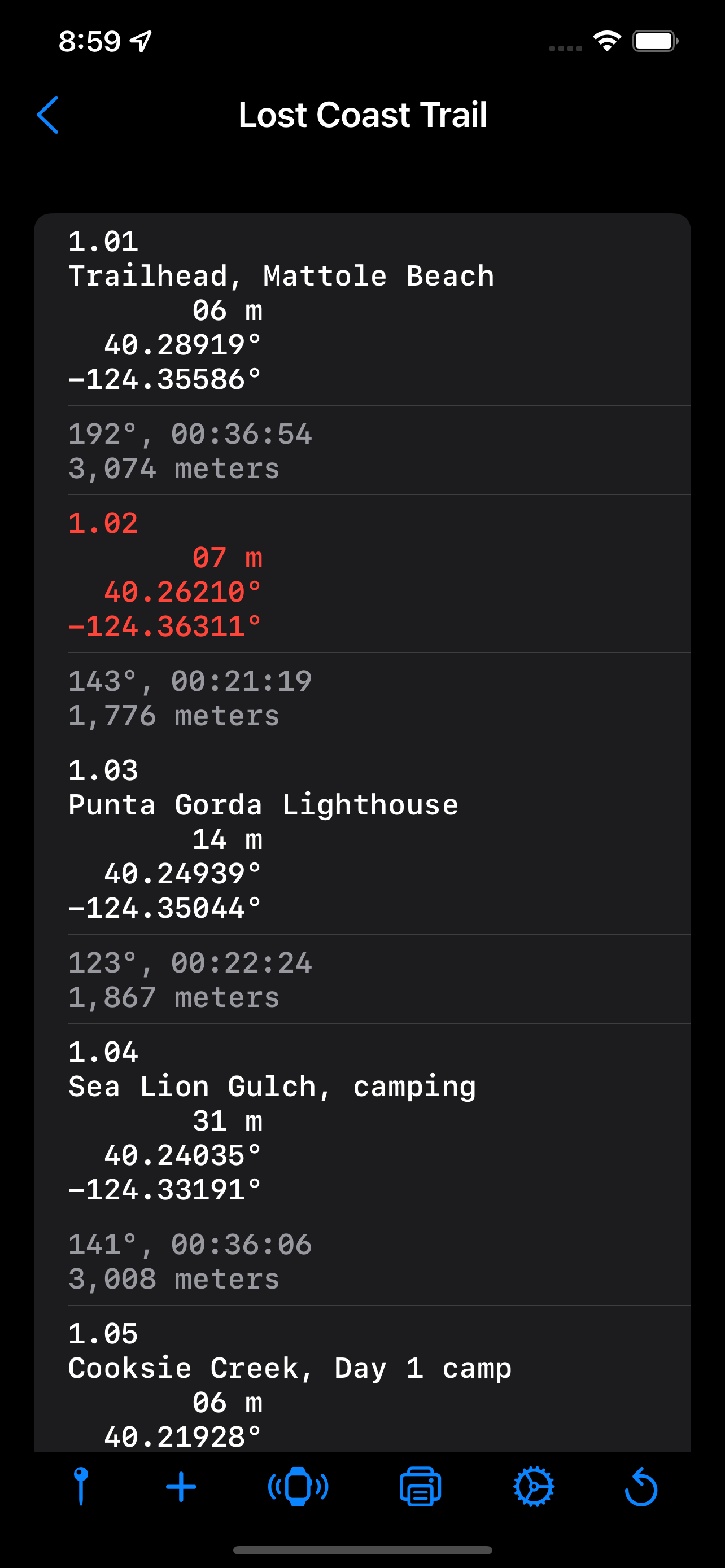
The waypoints view is a scrollable list of waypoints sorted by ordinal position, followed by the bearing, distance, and a time estimate to the next waypoint.
The current position can be saved as a timestamped waypoint. The timestamp is sorted in the list of waypoints. Waypoints can be manually entered.
Swipe left to delete or edit a waypoint. Tap a waypoint to navigate to that waypoint by displaying a Navigating View.
Navigating View
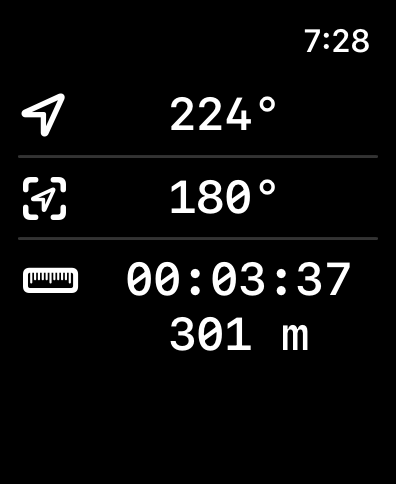
The top row of the navigating view shows the current compass heading. The middle line displays the bearing to the waypoint. The bottom line displays the time estimate and straight line distance with no elevation change. If not moving, the time estimate is based on the average speed setting. When moving, the current speed is used to calculate the time estimate. To save battery life, the current position is updated after moving 10 meters. The app also does no background processing to save battery life.
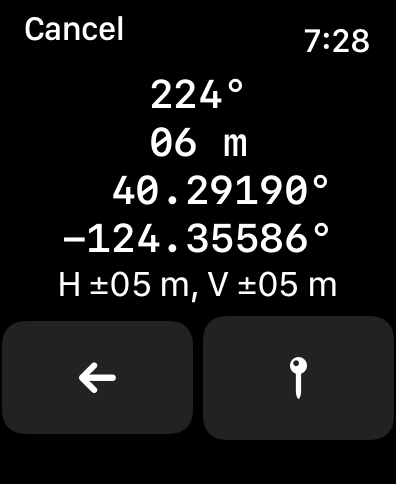
Tapping the top line compass heading shows a detailed view of your current position with compass heading, altitude, latitude, longitude, horizontal accuracy, and vertical accuracy. Navigators can save the current position as a timestamped waypoint to create a logbook of positions over time if not using pre-planned waypoints.
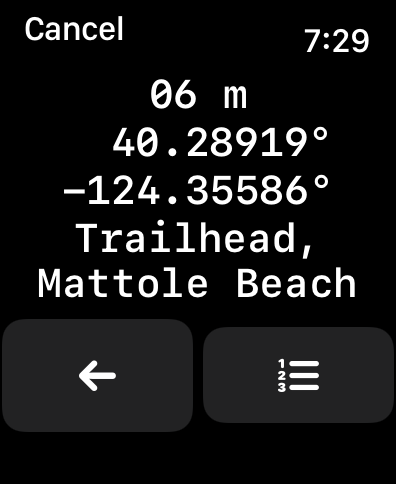
Tapping the middle row displays a detailed view of the waypoint with altitude, latitude, longitude, and notes. Navigators can also press a button to display the list of waypoints for selecting a new waypoint for navigation. The current waypoint is colored red.
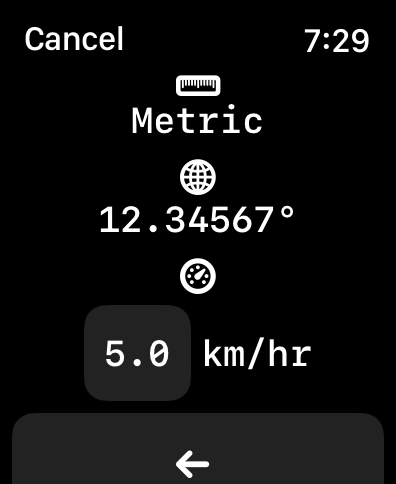
Tapping the time and distance row shows the settings view.
Project Goals
Long term, I hope the major commercial mapping apps implement their own smart watch apps using dead reckoning to navigate from waypoint to waypoint.
The app is available for testing at https://testflight.apple.com/join/JCGVQ0lX