Topic

Best mapping site for planning/sharing?

  • This topic is empty.
Viewing 7 posts - 1 through 7 (of 7 total)
chris smead BPL Member
PostedAug 27, 2014 at 2:06 am

Hey there,
I'm currently using a combination of google earth, garmin basecamp, and http://www.mappingsupport.com/p/gmap4.php
For planning my trips.

I'm hoping for a better option where I can save and share. (So my wife can see my exact route).
Preferably with multiple overlays so I can switch between satellite view, and various topos.

Any suggestions?
Galen Benson BPL Member
PostedAug 27, 2014 at 6:32 am

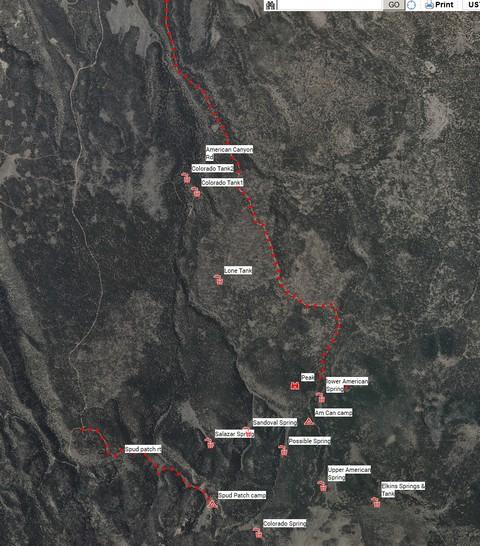
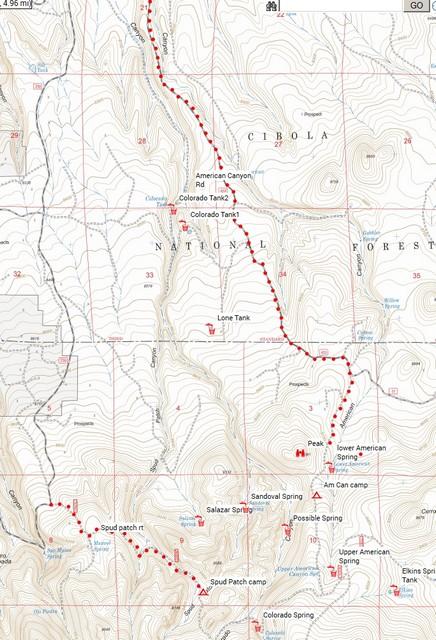
I've been using CalTopo recently and it allows you to save the maps which can be seen from any computer that has your logon and password data. It has many different maps available and the ability to export them to KML files.
Heres a picture of different views.topo map viewSat view

Ian BPL Member
PostedAug 27, 2014 at 7:47 am

+1 for Caltopo. When you go to print your map, it gives you an option of saving it as a .pdf. I email that file to my wife and hiking partners.

I also use it to create .gpx files for my GPS. Great program that's "free".

While not something they conspicuously post, they ask for and I donated to Bay Area SAR; I believe the Caltopo developer is SAR and is affiliated with that group.

Katherine . BPL Member
PostedAug 27, 2014 at 10:40 am

Better than Alltrails Pro, I hope?

I was getting very frustrated with that yesterday, specifically that I couldn't delete points in editing a route map. accidentally deleted a route, and the scale kept changing on me. (and yes, I watching their little demo on how to use it)

Ian BPL Member
PostedAug 27, 2014 at 11:35 am

Katherine,

I'm not saying it's the best, but Caltopo is relatively easy to use. Moving points is as simple as right clicking and dragging or deleting it. You can set the scale or modify it to your needs. I personally don't worry about the scale all that much other than it's on the map (which it is) when I print it.

J-L BPL Member
PostedAug 27, 2014 at 11:41 am

I like caltopo because I can save the map with my routes on it and send the link to friends so they can review. It also makes printing topo maps very easy – you can choose your map scale, page orientation, drag each page where you want it, and make a PDF.

Viewing 7 posts - 1 through 7 (of 7 total)
Loading...