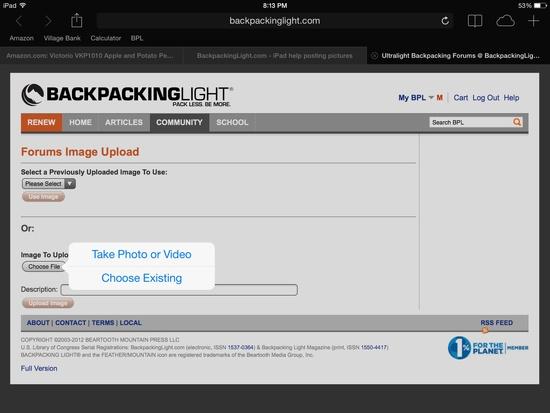
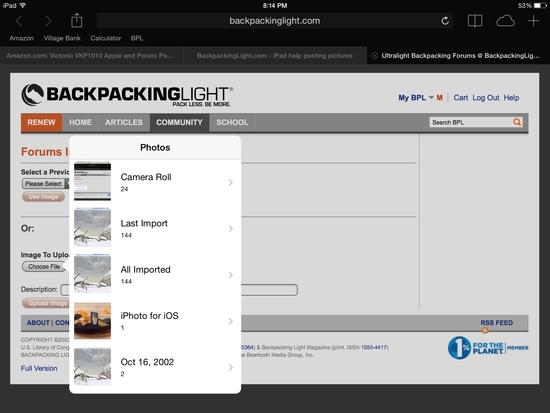
I have the original iPad 1 with the original operating system. This might be the problem. But I like it how it is. I could probably use my iPhone but it's just so much smaller. I know people put pictures up with there iPads. Here's what happens when I try.
1st. Press create a new thread
2nd press insert image at cursor
3rd. Under image to upload press chose file button. Can't press the button nothing happens. No matter how many times it's pressed.
Any help would be greatly appreciated.

Topic
iPad help posting pictures
Become a member to post in the forums.
- This topic is empty.
2b – Browse… No file selected
Then "Upload Image"
Of course, I can't see what you see, but are you able to browse your photos and make a selection?
(And…. continue your requests for help within in the same thread. Creating a bunch of threads won't help with the continuity of questions and answers. If you didn't put a Watch on the thread, you can find it with "View My Profile" over on the right.)
Hey Greg
No that's the problem I'm not able to browse my photos and pic one.
I have to use my daughters laptop to post pictures. It's a pain have email them to her computer.
I did click on the watch this tread at the top right of the post what does that do exactly?
I only post 1 time and then just reply to post is that right?
Testing

Choose insert image at curser
Chose file
Choose existing
Select picture
Little Picture shows up
Put in description.
Upload file
Try typing text in then insert the photo. You may not be setting the curser location.
Sounds like he has any early iPad and has not updated the operating system.
So… Update iOS and try again. However, the 1 can only be updated to 5.1.1
This

To this

Is how it's supposed to look if it's working.
Or use photo bucket. They have an app and hopefully it would run on the older OS.
Thank everyone for helping out the FNG. I see a trip to the apple store in my future. Probably need to update. I still like iOS 6 better than 7 but I barely remember it. I'm going to try the iPhone I'm sure that will go better. Those illustrations where helpful. I'm sure my phone will do something similar.

Test iPhone
Become a member to post in the forums.