


FWIW, I changed my account name a few days ago and all was fine. Today my account is all weird. No name at all when I post, no avatar, no user profile and I am getting pm s but cannot reply. I asked for BPL help. Until then……..
Topic
Become a member to post in the forums.
FWIW, I changed my account name a few days ago and all was fine. Today my account is all weird. No name at all when I post, no avatar, no user profile and I am getting pm s but cannot reply. I asked for BPL help. Until then……..

When and if things get back to normal, check to see it you can still access all of your previous posts, and if you can still get to the images you may have uploaded over the years.
My images went away with a name change.
I am logged in, but when I want to view my profile, it says " sorry but user was not found". Hopefully my pictures have not been lost…
Your most recent posts in the Women's clothing thread looks normal…maybe things righted themselves?
Something is amiss.
When I look at your post in this thread all I see is (katpierini) and no User Name.
And I cannot connect to send you a PM.
@ AAron – "Your most recent posts in the Women's clothing thread looks normal…maybe things righted themselves?"
What do you see on This thread?
I can post now and read my pm and reply, but cannot edit posts under my old user name. For a day I was Kat, but turns out name has to be at least 4 letters so Addie changed it to Kat_P. .
As a "new" user, I think I have no access to my older posts, nor will there be an active user under my old name. I think that's what's going on.
FWIW: Kat's last post above looks normal to me, as does her profile and 820 posts. The "original" first two posts by her in this thread still look funky – no avatar, no link to click to the profile.
Ahhh….
Now her avatar, name and handle DO look normal.
And PMs look to be available.
When I posted just a bit ago that was not the case.
And looking a couple of posts above I see only the "ghost" of KP.
So it seems like the change is "catching up".
Or someone is lurking and making things right….
I have PM's that come in, and I can read them in the email notifier. However, if I click the link to jump to the PM, I get a user not found error and then I cannot find my inbox.
Somebody help me out.
There is no inbox on the site. The email is the only place the PM exists.
How does one respond to a PM, inasmuch as it doesn't give the email address of the sender?
If you're logged in to the site, when you click the link in the email it will open a page with a reply box.
Thanks, Chris.
I am logged into the site right now, viz this posting, but I get the following when I click the link in the email:
"
Send Personal Message (PM)
This form is used to send a personal message (PM) via email to a forum user privately, without revealing the email address of the recipient. It is entirely up to that user to respond to the sender, and sending an email via this form is no guarantee that the message will be received or read by the recipient.
Sorry no user was found. "
Interesting. Can you post the link you got in the email?
Thanks for continuing on this. Here's an example for a PM notice. This particular one I don't need to respond to, but it's the same structure as one that I do…
To respond to this PM, login at backpackinglight.com and then visit the following URL:
Send Personal Message (PM)
This form is used to send a personal message (PM) via email to a forum user privately, without revealing the email address of the recipient. It is entirely up to that user to respond to the sender, and sending an email via this form is no guarantee that the message will be received or read by the recipient.
Sorry no user was found.
The link(s) is/are missing from your post.
Ah… it's not posting. Well:
< http://www.backpackinglight.com/cgi-bin/backpackinglight/forums/pm.html?u=jamespjc >
Or http:// http://www.backpackinglight.com /cgi-bin/backpackinglight/forums/pm.html?u=jamespjc
Interesting.
When I paste that in to my browser and I’m logged in, it works fine. If I’m not logged in, I get a message saying I need to setup an address.
Try Clicking here
Chris, the link in your post generates a screen to send a PM to that member. Is there something I can do to my account so that I'll get that result upon clicking the link I receive in an email?
Become a member to post in the forums.
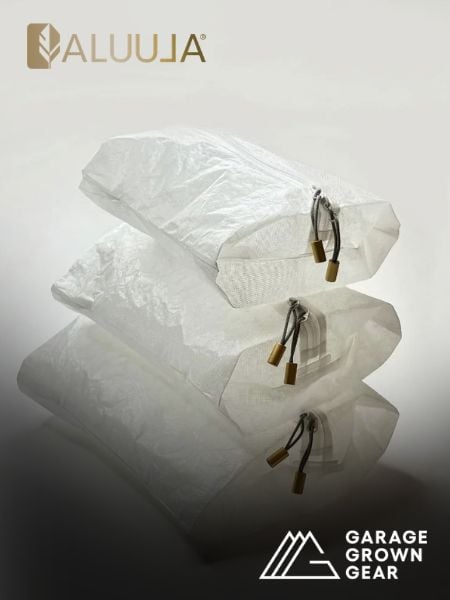 New Gear with Aluula FabricsLighter, stronger, more abrasion-resistant, and highly water-resistant - explore ultralight backpacking gear made with ALUULA Graflyte fabrics. Engineered for exceptional strength, durability, and lightweight performance, ALUULA Graflyte helps reduce pack weight without sacrificing reliability, making it ideal for demanding backcountry adventures.
 © Beartooth Media Group Inc.
 Loading...