


Take a look at this site. It's pretty neat.
I just found it and it appears Einstein linked to it in June.
Topic
Become a member to post in the forums.
Take a look at this site. It's pretty neat.
I just found it and it appears Einstein linked to it in June.

It looks very similar to sportstracker.nokia.com
Hi,
I work for GlobalMotion Media, the company that publishes everytrail.com. I would like to be helpful to anyone on this site who wishes to use our site or provide feedback to us.
Responding to the previous post about it being similar to sportstacker, I don't think it's very similar. They are focused exclusively on fitness. We have a broader outlook than that. Our users create very different content as a result.
I hope you find it useful.
Thanks, dan AT globalmotion DOT com
I should probably write a Reader Review for everytrail.com on BPL because the site is so excellent. I’m currently in the process of writing the second of a two part post on my blog (samh.net/backpacking in which I describe my methodology for pre-trip planning followed up by post-trip recording and memorializing. Part II of the blog post will focus on the use of everytrail.com and flickr.com as a means of sharing a trip with your friends and family online.
I’ve added a dozen or so trip reports to everytrail.com with extreme ease. Searching through others’ trips is an excellent way to research potential trips or to just pass the time on a day off from hiking.

Sam, I actually just finished looking at your SHT thru hike on everytrail. I like the website alot.
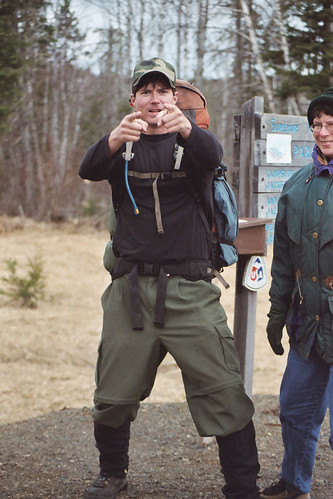
I couldn't help but notice you were sporting the BPL Hammer Pants…I'm guessing they were the pre-production model as they don't look quite as baggy. ;)

I have really been impressed with Everytrail. If you haven’t installed the Google Earth Layer for Everytrail, it is a great way to discover trips. Trimble Outdoors also is another great site. They also have a Google Earth layer.
@Dan One of the features I like the most on everytrail is the ability to draw a route on a map. It was really helpful to have a way to get an accurate mileage count for planing a trip. The only problem now is that you can no longer use the USGS topo maps to trace the route, so now you have to make due with Google satellite and terrain maps. Now I have to trace the route using my Garmin topo maps and export the track to upload to everytrail. I really wish everytrail would include all the maps that gpsvisualizer.com has available on its maps. The Mytopo USCanada shaded relief topo maps. Those maps are the greatest maps for researching.
@Sam I logged into everytrail to track your trips and I noticed you had rated an old trip to Chicago Peak that I had traced on everytrail. What a coincidence!
I have a USGS topo map layer added to Google Earth. I trace my path over the map, export the path to a KML file, then convert the KML to a GPX (using gpsvisualizer.com), upload the GPX to everytrail.com and then link the trip to my Flickr gallery.
ps – Steven – good eye. Those are the pre, pre, pre prototype BPL Hammer Pant sewn by my mom back in 2005 ; )
Sam,
Which topo overlay do you use? I recently discovered the usgsquads.com overlay, and it does the job, but it only displays one quad map at a time, so you see a square of topo surrounded by satellite imagery. I would like to find an overlay that covers the entire viewport with topo. There is a browser based version of Microsoft’s Virtual Earth that implements the topos in a great way. You can see it here Warning: browser plugin required to view.
Become a member to post in the forums.
 New Gear with Aluula FabricsLighter, stronger, more abrasion-resistant, and highly water-resistant - explore ultralight backpacking gear made with ALUULA Graflyte fabrics. Engineered for exceptional strength, durability, and lightweight performance, ALUULA Graflyte helps reduce pack weight without sacrificing reliability, making it ideal for demanding backcountry adventures.
 © Beartooth Media Group Inc.
 Loading...